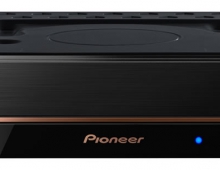
Pioneer DVR-720H-s DVD Recorder
25. Conclusion
Review Pages
2. Packaging & Interior Look
3. Control Menu
4. The Tuner menu
5. The Video In/Out Menu
6. The Audio Out menu
7. The Language menu
8. The Recording menu
9. The Playback menu
10. Reading Tests
11. Compressed Audio (data CD/DVD)
12. Making a recording (DVD)
13. Making a recording (HDD)
14. Recording Options
15. Chase Play Feature
16. Timer Recording & Disc Navigator (DVD)
17. Editing and Finalizing a DVD-Video Disc
18. Disc Navigator (HDD)
19. Copy Menu (HDD -> DVD)
20. Copy Menu (DVD -> HDD)
21. Copy Menu (Disc Backup)
22. The Photoviewer
23. Writing Quality Tests
24. Error Correction Tests
25. Conclusion
Conclusion
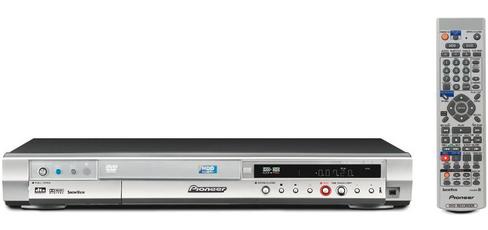
The Pioneer DVR-720H-S is an excellent player performance-wise. It is simple to use, although it will take a small amount of time to get aquainted with the large remote control and what all the buttons do. The good thing is that the included manual describes all the unit's functions in simple words. Recording and playback was flawless, and without any surprises (device crashing, discs written being unreadable etc). As a word of caution at this point, be careful when using the VR format for recording. It seems that this format's compatibility is manufacturer dependent, chances are that discs written with this format are not playable in other standalone DVD players.
The DVR-720H-S offers a set of impressive features as well, like the chase play feature, that let's you watch what you have recorded previously on a disc, while recording on the same disc. Its set of inputs is sufficient (even for the most demanding user), for a device of its kind. The only thing missing is component output, but there are many other DVD players out there that do not offer this feature as well.
Even if is not explicitly stated in the specs, the DVR-720H-s can playback DVD+R/RW discs. The results were mixed though, some discs had no playback problems at all, while others would not be recognized by the DVR-320-s
Also its lack of support for DVD+R DL discs maybe another decisive factor for potential buyers. Although DL disc prices are high now, they are expected to drop in the near future. So people that want to plan ahead, may get discouraged from the DVD-720H-s not being able to read DVD+R DL discs.
The Pioneer DVR-720H-s retail price is approximately €1000 in Europe. In North America, the DVR-720H-s is not available but the DVR-520H-s model is available instead. The only difference between the two is that the latter has an 80GB hard drive. Not quite cheap, and we feel that a few extra features like the ability to store images/compressed audio on the hard drive could make it more appealing to potential buyers.
The Good
- Slim & quality Design.
- Easy to setup/use.
- DV IN/OUT.
- Advanced features like chase play, Recovery recording, DVD-Video menu editing.
- Good error correction/writing quality.
- Supports DVD disc burning up to 8x
- Explanatory manual.
- Remote control can be programmed to control TV as well.
The Bad
- Supports only DVD-R/DVD-RW for recording
- Does not support reading of DVD+R DL discs
- Does not support DVD discs with compressed audio/image files.
- The hard drive can only be used to store recorded video.
| Design & Body |  |
| Reading |  |
| Writing | |
| Media Compatbility | |
| Ease of use | |
| Features |  |
| Connectivity | |
| Value for money | |
To discuss this drive further or to discuss it with other users, go to our forum.
Review Pages
2. Packaging & Interior Look
3. Control Menu
4. The Tuner menu
5. The Video In/Out Menu
6. The Audio Out menu
7. The Language menu
8. The Recording menu
9. The Playback menu
10. Reading Tests
11. Compressed Audio (data CD/DVD)
12. Making a recording (DVD)
13. Making a recording (HDD)
14. Recording Options
15. Chase Play Feature
16. Timer Recording & Disc Navigator (DVD)
17. Editing and Finalizing a DVD-Video Disc
18. Disc Navigator (HDD)
19. Copy Menu (HDD -> DVD)
20. Copy Menu (DVD -> HDD)
21. Copy Menu (Disc Backup)
22. The Photoviewer
23. Writing Quality Tests
24. Error Correction Tests
25. Conclusion