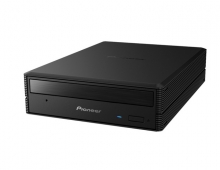
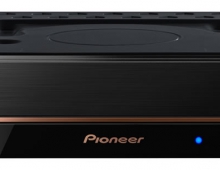
Pioneer DVR-320-s DVD Recorder
11. Compressed Audio Performance
Review Pages
2. Packaging & Interior Look
3. Control Menu
4. The Tuner menu
5. The Video In/Out Menu
6. The Audio Out menu
7. The Language menu
8. The Recording menu
9. The Playback menu
10. Reading Tests
11. Compressed Audio Performance
12. Making a recording
13. Recording Options
14. Advanced Features - Page 1
15. Advanced Features - Page 2
16. Editing and Finalizing a DVD-Video Disc
17. Writing Quality Tests
18. Error Correction Tests
19. Conclusion
Compressed Audio Performance
-
Compressed Audio (data CD/DVD)
 Let's
now see how the player responds to various compressed audio files stored
on data CD-R/RW/DVD-R/DVD-RW. The specifications for the Pioneer DVR-320-S
Let's
now see how the player responds to various compressed audio files stored
on data CD-R/RW/DVD-R/DVD-RW. The specifications for the Pioneer DVR-320-S  indicate
MP3/WMA support, but with some restrictions. According to the specifications
mentioned in the manual, the DVR-320-S reads MP3 files of any bit-rate, CBR
or VBR encoding mode and sampling rate from 44.1 KHz to 48 KHz. It can
also read WMA files encoded with CBR, but VBR is not supported. Also, as stated
in the manual, the player can read files encoded with the Windows Media Codec
8. Audio encoded with Windows Media Codec 9 is not guaranteed to play.
indicate
MP3/WMA support, but with some restrictions. According to the specifications
mentioned in the manual, the DVR-320-S reads MP3 files of any bit-rate, CBR
or VBR encoding mode and sampling rate from 44.1 KHz to 48 KHz. It can
also read WMA files encoded with CBR, but VBR is not supported. Also, as stated
in the manual, the player can read files encoded with the Windows Media Codec
8. Audio encoded with Windows Media Codec 9 is not guaranteed to play.

The table below shows a list of MP3 and WMA files with a variety of compression settings and the behavior of the device.
| Compression Type | Compression Settings | Recognize/Play |
|---|---|---|
| MP3 | CBR 20kBit 11025Hz Mono | No |
| CBR 20kBit 11025Hz Stereo | ||
| CBR 32kBit 11025Hz Stereo | ||
| CBR 32kBit 22050Hz Mono | ||
| CBR 40kBit 22050Hz Stereo | ||
| CBR 48kBit 22050Hz Stereo | ||
| CBR 48kBit 44100Hz Mono | Yes | |
| CBR 56kBit 22050Hz Mono | No | |
| CBR 56kBit 44100Hz Mono | Yes | |
| CBR 64kBit 22050Hz Stereo | No | |
| CBR 96kBit 44100Hz Mono | Yes | |
| CBR 96kBit 44100Hz Stereo | ||
| CBR 112kBit 44100Hz Stereo | ||
| CBR 128kBit 44100Hz Mono | ||
| CBR 128kBit 44100Hz Stereo | ||
| CBR 160kBit 44100Hz Stereo | ||
| CBR 192kBit 44100Hz Stereo | ||
| CBR 224kBit 44100Hz Stereo | ||
| CBR 256kBit 44100Hz Stereo | ||
| CBR 320kBit 44100Hz Stereo | ||
| VBR - High compression | ||
| VBR - Highest compression | ||
| VBR - Low compression | ||
| VBR - Lowest compression | ||
| VBR - Medium compression | ||
| WMA | CBR 48kbps | Yes |
| CBR 64kbps | ||
| CBR 96kbps | ||
| CBR 128kbps | ||
| CBR 160kbps | ||
| CBR 192kbps | ||
| VBR any bitrate | No | |
| WAV | WAV | Not supported |
| OGG Vorbis | OGG Vorbis | Not supported |
One feature that we think could be useful and is missing from the DVR-320-S is the ability to playback compressed audio files from a DVD-R/DVD-RW. We tried burning DVD-R and DVD-RW discs with MP3/WMA audio in them, but the DVR-320-S didn't recognize and ejected the disc after 10-15 seconds of being inserted in the device.
Also, the DVR-320-S is capable of recognizing mixed discs, i.e discs that contain both compressed audio and/or image files. Of course, it only supports CD/CDR. One small annoyance we found is that if in a mixed disc we play back any of the mp3/wma files, then the Photoviewer menu option becomes unavailable. The only way to remedy this is to eject and reinsert the disc in the unit.

Review Pages
2. Packaging & Interior Look
3. Control Menu
4. The Tuner menu
5. The Video In/Out Menu
6. The Audio Out menu
7. The Language menu
8. The Recording menu
9. The Playback menu
10. Reading Tests
11. Compressed Audio Performance
12. Making a recording
13. Recording Options
14. Advanced Features - Page 1
15. Advanced Features - Page 2
16. Editing and Finalizing a DVD-Video Disc
17. Writing Quality Tests
18. Error Correction Tests
19. Conclusion