Breaking News

LG Display launches 24.5-inch 720Hz Gaming OLED Panel Razer Unveils the Mako Desktop Gaming Speakers TerraMaster Launches 725 Series Xeon Rackmount NAS Viltrox Brings Its Full-Frame Air Series to L-Mount with Four Compact Prime Lenses CORSAIR Deploys the WARTHOG Airflow Mid-Tower PC Case

logo

  • Share Us
    • Facebook
    • Twitter
  • Home
  • Home
  • News
  • Reviews
  • Essays
  • About
    • Submit News

    • Contact Us
    • Privacy

    • Promotion
    • Advertise

    • RSS Feed

Search form

GlobalSat BTA-806, BTA-830 and BTH-820

Feb 6,2006 0

2. BTA-806 Installation


Review Pages

1. The BTA-806
2. BTA-806 Installation
3. The BTH-820
4. BTH-820 Installation
5. The BTA-830
6. Performance
7. Conclusion


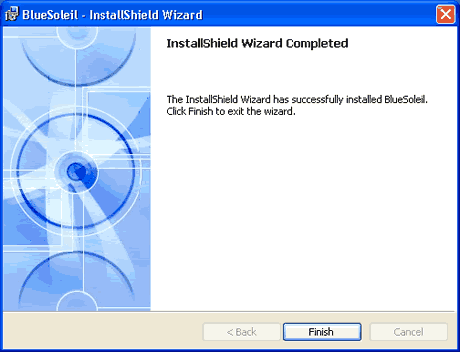
The BTA-806 can be easily installed, even by inexperienced users. You only need to run setup program on the included CD.

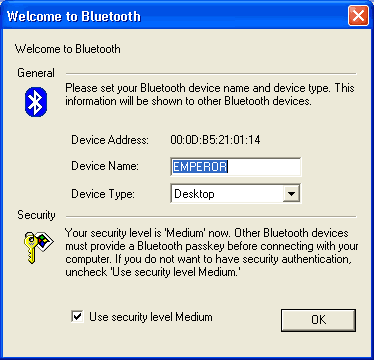
After rebooting and installing the Bluetooth Dongle, you can access the main menu after first setting several details:
The included IVT BlueSoleil driver pack version was 2.0.0. EDR 051103
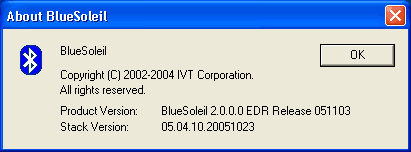
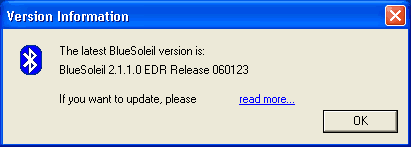
The software automatically searches for new versions. In our case it found a newer one, which was however impossible to download, since the hyperlink wasn't working...
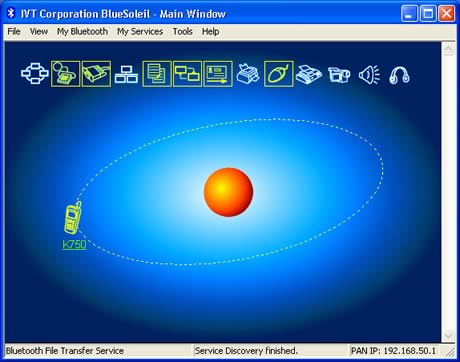
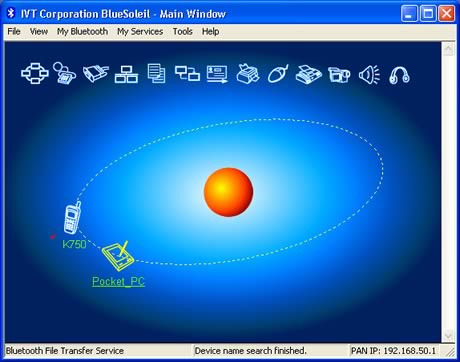
Let's have a look at the BlueSoleil software installed on our PC and what we can do with it. At the top (see photo below), we have several icons which represent Bluetooth services, while at the center (sun) we can see our host PC and any discovered devices orbiting around it.
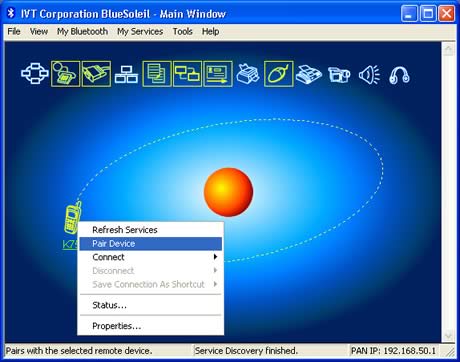
First off, we tried to "pair" a mobile phone (Sony Ericsson K750i).
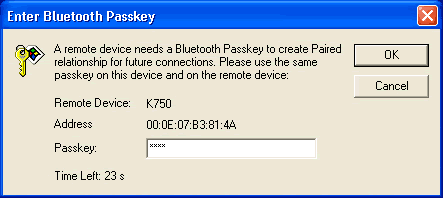
You need to know the passkey:
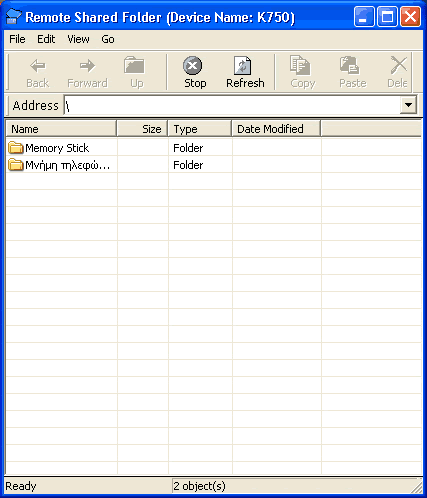
Once connected, we could access the mobile's phone shared folders:
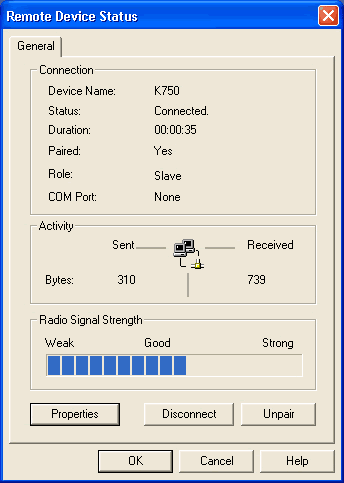
Some additional information about the K750i Bluetooth device:

In the status page, we can see the port activity as well as various other information such as signal strength:
Time to connect another device, a PDA this time (Dell Axim x50V). Again, you have to type in the passkey and "pair" the device:
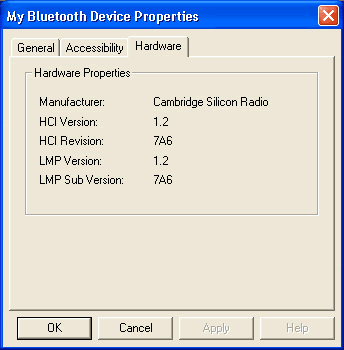
We can now see some information about the Bluetooth properties of our PDA:
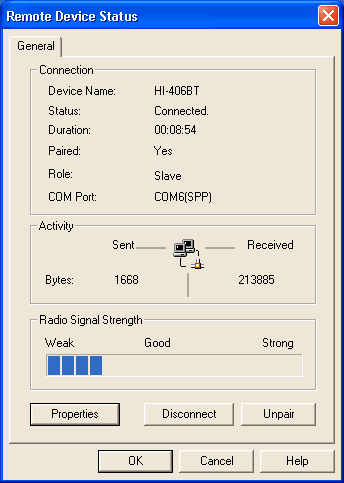
We next paired our BT GPS device (Haicom 406BT-C), which was connected on an unused COM port (COM6 in our case). With the appropriate GPS navigation software, you can now find your way around the world :-)
 

Review Pages

1. The BTA-806
2. BTA-806 Installation
3. The BTH-820
4. BTH-820 Installation
5. The BTA-830
6. Performance
7. Conclusion
 

Pages

  • « first
  • ‹ previous
  • 1
  • 2
  • 3
  • 4
  • 5
  • 6
  • 7
  • next ›
  • last »

GlobalSat

Tags: GlobalSat
Previous Post
Intel Celeron D 341, 346
Next Post
NEC ND-4550A

Related Posts

  • Globalsat BT-368

  • Globalsat TR-101

  • Globalsat BT-328 Review

  • Globalsat BT-359b

  • Globalsat BT-359: The Next Generation Bluetooth GPS Receiver

  • Globalsat GH-601

  • Ricoh and GlobalSat Embed GPS Data into Digital Images

  • Turn Your iPod Into a Wireless Music Center

Latest Reviews

Fanxiang MP83 M.2 NVMe SSD Enclosure
Enterprise & IT

Fanxiang MP83 M.2 NVMe SSD Enclosure

Ugreen CM642 USB4.0 Enclosure
PC components

Ugreen CM642 USB4.0 Enclosure

be quiet! Dark Power 14 IO
PC components

be quiet! Dark Power 14 IO

SanDisk High Endurance 512GB microSDXC
Cameras

SanDisk High Endurance 512GB microSDXC

Samsung PRO Ultimate 512GB microSDXC
Cameras

Samsung PRO Ultimate 512GB microSDXC

Popular News

CORSAIR announces Vanguard Pro 96 and Vanguard 96 Gaming Keyboards

CORSAIR announces Vanguard Pro 96 and Vanguard 96 Gaming Keyboards

MSI’s Latest AMD X870E MAX & EVO Series Motherboards

MSI’s Latest AMD X870E MAX & EVO Series Motherboards

Panasonic Introduces the First Ultra-Telephoto Zoom Lens in the LUMIX S Series

Panasonic Introduces the First Ultra-Telephoto Zoom Lens in the LUMIX S Series

COLORFUL Launches iGame B850M ULTRA Series Micro-ATX Motherboards

COLORFUL Launches iGame B850M ULTRA Series Micro-ATX Motherboards

COLORFUL Presents Limited Edition Chitu MAG-60 Magnetic Keyboard Inspired by the Year of the Horse

COLORFUL Presents Limited Edition Chitu MAG-60 Magnetic Keyboard Inspired by the Year of the Horse

COLORFUL Presents iGame Z890 ULTRA-S W and iGame Z890M ULTRA Z Motherboards

COLORFUL Presents iGame Z890 ULTRA-S W and iGame Z890M ULTRA Z Motherboards

COLORFUL Launches iGame B850I MINI OC V14 Motherboard

COLORFUL Launches iGame B850I MINI OC V14 Motherboard

COLORFUL Expands B850 Motherboard Lineup with New CVN, Battle-Ax, and MEOW Models

COLORFUL Expands B850 Motherboard Lineup with New CVN, Battle-Ax, and MEOW Models

Main menu

  • Home
  • News
  • Reviews
  • Essays
  • About
    • Submit News

    • Contact Us
    • Privacy

    • Promotion
    • Advertise

    • RSS Feed
  • About
  • Privacy
  • Contact Us
  • Promotional Opportunities @ CdrInfo.com
  • Advertise on out site
  • Submit your News to our site
  • RSS Feed