
Breaking News

ASUS Unveils ExpertBook B3 G2 Conner Introduces the World's First "Pocket Cloud" via Kickstarter Pioneer announces microSD for dashcam God of War Greek trilogy remake in development & God of War Sons of Sparta out now Sony Launches WF-1000XM6 Truly Wireless Earbuds

logo

  • Share Us
    • Facebook
    • Twitter
  • Home
  • Home
  • News
  • Reviews
  • Essays
  • Forum
  • Legacy
  • About
    • Submit News

    • Contact Us
    • Privacy

    • Promotion
    • Advertise

    • RSS Feed
    • Site Map

Search form

Patriot Memory Valkyrie NAS review

Jul 1,2010 0

2. Package, HDD installation


Review Pages

1. Features
2. Package, HDD installation
3. Basic setup
4. Features
5. Working with RAID fuctions, performance
6. Other features, conclusion


The Patriot Memory Valkyrie NAS storage costs around $129.99 ($99.99 after rebate), which is a good price for a NAS device, although no hard disk drive is included.

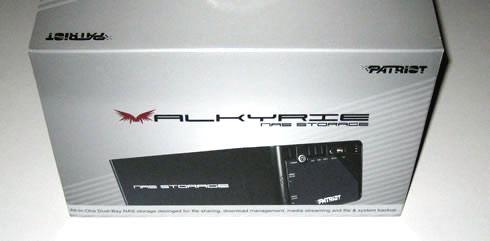
Below you see the retail package of the NAS device. Without any fancy logos and colors on it, the package has a clear design with the essential "Valkyrie" and "Patriot" brand logos and a picture of the device printed on the front side:
The contents are well-packaged into protective plastic foam:

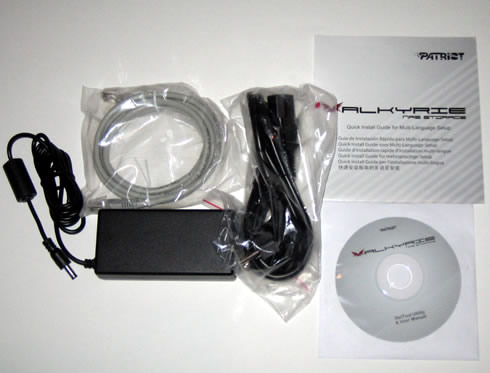
Besides the main NAS device, the package includes an RJ-45 Cable, a power supply, a power cable, a quick start guide and a
software CD:
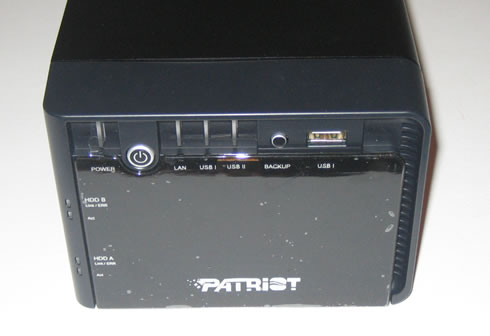
The PatriotMemory Valkyrie is compact in size. The device looks quite solid with its metal case and it also weighs a little bit more than you might expected.

It's front side includes several buttons and indicator LEDs, a power on/off switch - you have to push it for several seconds to react - a backup button and finally a USB II port:
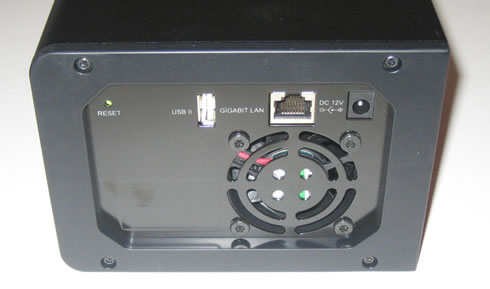
At the rear side there is a second USB port, a Gigabit LAN jack, a DC power in, a reset input and finally a low-noise 60mm fan.
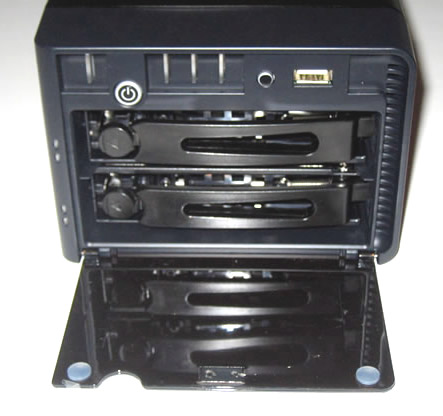
The NAS device is offering two HDD bays, accessible after opening the front cover. The product supports up to 1.5TB hard disks, meaning that you can enjoy a total capacity of up to 3TB:
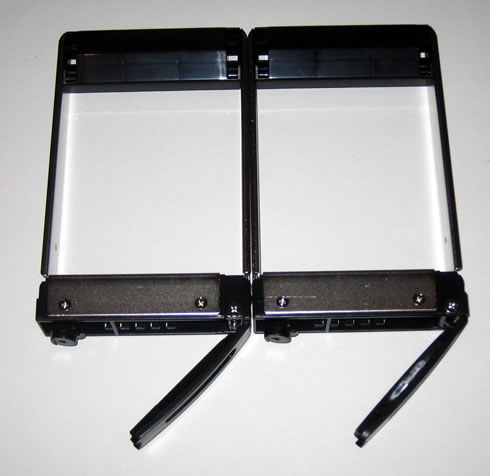
In order to remove the drive bays you should apply some pressure to the left side and pull them out. Both bays are made of metal. Make sure to remove the plastic covers on the top before installing the HDDs:
Below you can see the two SATA slots and the controllers of the device:

Each of the HDDs can be easily mounted on each bay using included four screws:
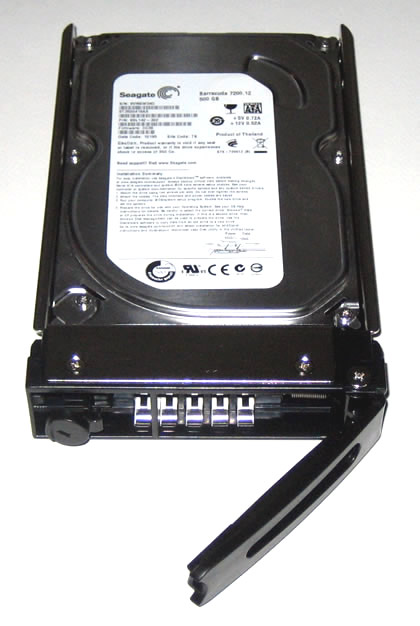
That's it. We power on the device and immediately the LEDs light up showing that the HDDs have been correctly installed:


Review Pages

1. Features
2. Package, HDD installation
3. Basic setup
4. Features
5. Working with RAID fuctions, performance
6. Other features, conclusion


Pages

  • « first
  • ‹ previous
  • 1
  • 2
  • 3
  • 4
  • 5
  • 6
  • next ›
  • last »

Patriot Memory

Tags: Patriot Memory
Previous Post
Crucial RealSSD C300 64GB review
Next Post
Noctua NH-U9B SE2 review

Related Posts

  • Patriot Announces VIPER VENOM RGB and non-RGB DDR5 Kits

  • Patriot Announces Signature DDR5 Memory Series

  • PATRIOT VIPER GAMING STEEL RGB Memory Lineup

  • VIPER GAMING by PATRIOT Launches the PXD m.2 PCIe Type-C External SSD

  • Patriot Announces the VPR100 RGB M.2 NVMe SSD

  • Patriot Launches The P200 Series SATA SSDs

  • Viper Gaming Releases The VPN100 NVMe PCIe M.2 SSD

  • Patriot Launches the Viper Steel DDR4 16GB 4400MHz Memory

Latest Reviews

Asustor AS5404T 4-Bay NAS System
Enterprise & IT

Asustor AS5404T 4-Bay NAS System

be quiet! Pure Power 13M 1200W
PC components

be quiet! Pure Power 13M 1200W

Server-Side Gaming Why Canadian Online Casinos Are Abandoning Local Clients for HTML5 Clouds
Enterprise & IT

Server-Side Gaming Why Canadian Online Casinos Are Abandoning Local Clients for HTML5 Clouds

Airfanta 3 Pro Air
Consumer Electronics

Airfanta 3 Pro Air

Akaso Brave 8 Lite
Cameras

Akaso Brave 8 Lite

Popular News

COLORFUL Introduces CVN B850I GAMING FROZEN Motherboard

COLORFUL Introduces CVN B850I GAMING FROZEN Motherboard

COLORFUL Presents CVN X870 ARK FROZEN Motherboard for AMD Ryzen 9000 CPUs

COLORFUL Presents CVN X870 ARK FROZEN Motherboard for AMD Ryzen 9000 CPUs

TEAMGROUP Launches EXPERT P34F Find My External SSD

TEAMGROUP Launches EXPERT P34F Find My External SSD

Samsung announces Galaxy Tab S11 and Galaxy S25 FE series

Samsung announces Galaxy Tab S11 and Galaxy S25 FE series

Viltrox Showcases Upcoming Lens Lineup and New TTL Flash at IBC 2025

Viltrox Showcases Upcoming Lens Lineup and New TTL Flash at IBC 2025

CORSAIR announces Vanguard Pro 96 and Vanguard 96 Gaming Keyboards

CORSAIR announces Vanguard Pro 96 and Vanguard 96 Gaming Keyboards

Panasonic Introduces the First Ultra-Telephoto Zoom Lens in the LUMIX S Series

Panasonic Introduces the First Ultra-Telephoto Zoom Lens in the LUMIX S Series

MSI Launches DATAMAG 40Gbps Magnetic Portable SSD

MSI Launches DATAMAG 40Gbps Magnetic Portable SSD

Main menu

  • Home
  • News
  • Reviews
  • Essays
  • Forum
  • Legacy
  • About
    • Submit News

    • Contact Us
    • Privacy

    • Promotion
    • Advertise

    • RSS Feed
    • Site Map
  • About
  • Privacy
  • Contact Us
  • Promotional Opportunities @ CdrInfo.com
  • Advertise on out site
  • Submit your News to our site
  • RSS Feed