Breaking News

Apple introduces AirPods Max 2 COLORFUL Launches the iGame GeForce RTX 50 Ultra Series Creative Launches Sound Blaster Audigy FX Pro Toshiba to Showcase High-Performance AI and Petabyte-Scale Storage Solutions at Cloudfest 2026 The SAMA V62 brings panoramic design to modern PC builds

logo

  • Share Us
    • Facebook
    • Twitter
  • Home
  • Home
  • News
  • Reviews
  • Essays
  • Forum
  • Legacy
  • About
    • Submit News

    • Contact Us
    • Privacy

    • Promotion
    • Advertise

    • RSS Feed
    • Site Map

Search form

OCZ Vector 180 480GB SSD review

Oct 30,2015 0

2. Package, software


Review Pages

1. About the OCZ Vector 180 series
2. Package, software
3. HDTachRW, ATTO Disk Benchmark
4. CrystalDiskMark
5. AS SSD benchmark
6. IOMeter
7. Anvil Pro
8. PCMark 7, PCMark 8
9. Final words


The packaging design has a black theme accented by blue and white. The front pictures the Vector 180 and at the bottom right the capacity is listed. On the backside there is a list of its main feature specs and performance numbers.

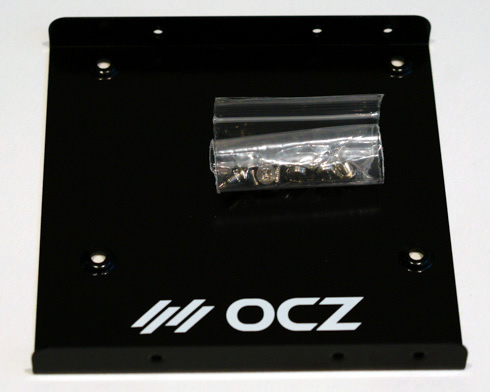
The retail package includes a 3.5" desktop adapter and a license for Acronis True Image HD 2013 cloning software. Like some of OCZ's recent SSDs, the Vector 180 includes a 5-year ShieldPlus Warranty.

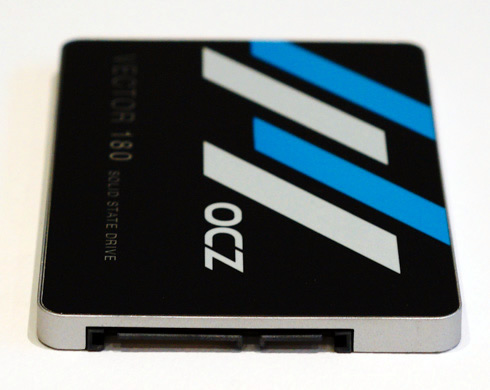
The front graphic on the SSD is following the same clean layout as their other SSDs. On the backside, the capacity, firmware revision, and max power draw rating is shown on the sticker along with the serial number.
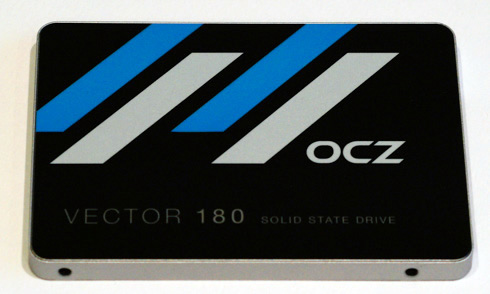
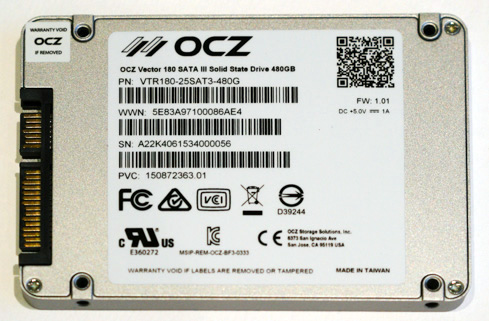
 

The drive came with firmware Ver. 1.01 installed. The readout on CrystalDiskInfo shows that NCQ, S.M.A.R.T, TRIM are all enabled (no DevSleep):

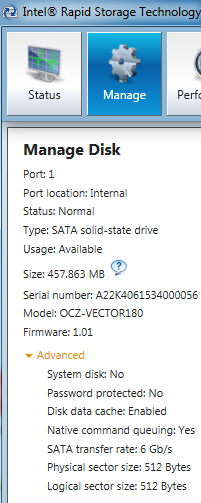
Below you see some screenshots from the fully redesigned toolbox called the SSD Guru. It provides support for firmware updates, drive monitoring, and other functions you can play around.

The overall design of the SSD Guru is much more user friendly and its first screen includes all the essential information about the drive.

The SSD Guru is available as both Windows and Linux installers as well as a separate bootable tool for Mac users. All Barefoot 3 based drives are supported along with the RevoDrive 350.
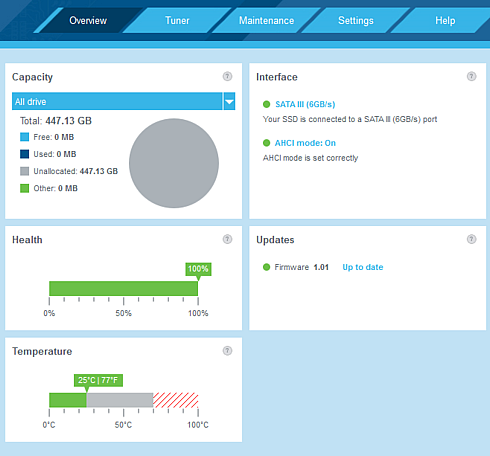
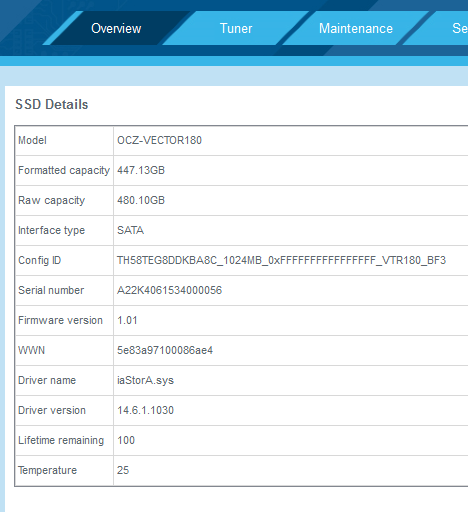
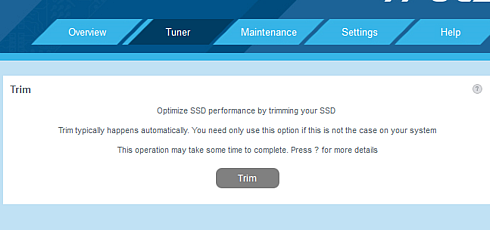
The SSD Tuner allows the user to issue a TRIM command to the drive to erase unused blocks to improve performance and it also includes a tool for increasing the over-provisioning for further performance gains.

The OS Tuner includes a few basic OS features that can be disabled for higher performance and/or capacity. By default the SSD Guru does nothing, but there are three preset options (reliability, performance and capacity) that you can choose from to optimize the OS.
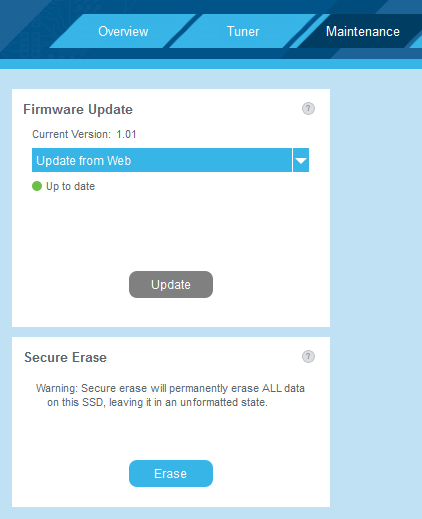
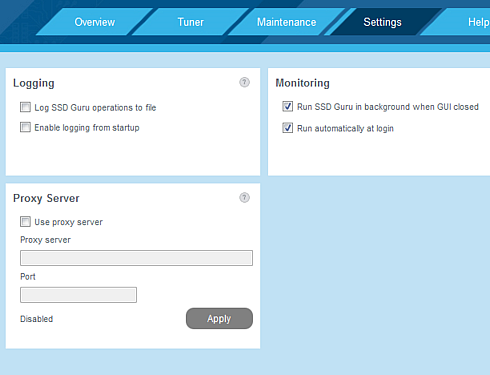
The maintenance tab has the common firmware update and secure erase functions. The SSD Guru will also show a notification on the desktop if there's a newer firmware available. The SSD Guru also supports logging, which can be a useful feature if you ever have issues with the drive and need to contact OCZ's support.

Another feature of the SSD Guru is its SMART data monitor. OCZ has included three key icons that help the user to understand the purpose of each SMART value.


Review Pages

1. About the OCZ Vector 180 series
2. Package, software
3. HDTachRW, ATTO Disk Benchmark
4. CrystalDiskMark
5. AS SSD benchmark
6. IOMeter
7. Anvil Pro
8. PCMark 7, PCMark 8
9. Final words


Pages

  • « first
  • ‹ previous
  • 1
  • 2
  • 3
  • 4
  • 5
  • 6
  • 7
  • 8
  • 9
  • next ›
  • last »

OCZ Technology

Tags: OCZ Technology
Previous Post
ASUS STRIX R9 380X OC review
Next Post
Samsung 950 Pro M.2 512GB NVMe review

Related Posts

  • Toshiba completes acquisition of OCZ Technology Group's Assets and launches new subsidiary, OCZ Storage Solutions

  • Value-Optimized Toshiba RC100 NVMe SSDs Now Available

  • Toshiba Introduces New XS700 Series of Portable SSDs

  • Toshiba OCZ RD400 512GB M.2 PCIe SSD

  • Toshiba Introduces the Value-oriented OCZ TL100 SATA SSD Series

  • Toshiba Introduces the OCZ VX500 SATA SSD Series

  • OCZ RD400 NVMe SSD Series Released

  • OCZ Z-Drive 6000 And 6300 NVMe U.2 SSDs Released With Dual-port Functionality

Latest Reviews

Why Streaming Live Casino Games Demands Smarter Tech
Enterprise & IT

Why Streaming Live Casino Games Demands Smarter Tech

Kioxia Exceria Plus G3 512GB microSD
Cameras

Kioxia Exceria Plus G3 512GB microSD

SoundPeats Cove Pro
Consumer Electronics

SoundPeats Cove Pro

Asustor AS5404T 4-Bay NAS System
Enterprise & IT

Asustor AS5404T 4-Bay NAS System

be quiet! Pure Power 13M 1200W
PC components

be quiet! Pure Power 13M 1200W

Popular News

COLORFUL Presents CVN X870 ARK FROZEN Motherboard for AMD Ryzen 9000 CPUs

COLORFUL Presents CVN X870 ARK FROZEN Motherboard for AMD Ryzen 9000 CPUs

TEAMGROUP Launches EXPERT P34F Find My External SSD

TEAMGROUP Launches EXPERT P34F Find My External SSD

Samsung announces Galaxy Tab S11 and Galaxy S25 FE series

Samsung announces Galaxy Tab S11 and Galaxy S25 FE series

Viltrox Showcases Upcoming Lens Lineup and New TTL Flash at IBC 2025

Viltrox Showcases Upcoming Lens Lineup and New TTL Flash at IBC 2025

CORSAIR announces Vanguard Pro 96 and Vanguard 96 Gaming Keyboards

CORSAIR announces Vanguard Pro 96 and Vanguard 96 Gaming Keyboards

Panasonic Introduces the First Ultra-Telephoto Zoom Lens in the LUMIX S Series

Panasonic Introduces the First Ultra-Telephoto Zoom Lens in the LUMIX S Series

MSI Launches DATAMAG 40Gbps Magnetic Portable SSD

MSI Launches DATAMAG 40Gbps Magnetic Portable SSD

MSI Launches FORGE GK600 TKL WIRELESS Special Edition Compact Mechanical Keyboard

MSI Launches FORGE GK600 TKL WIRELESS Special Edition Compact Mechanical Keyboard

Main menu

  • Home
  • News
  • Reviews
  • Essays
  • Forum
  • Legacy
  • About
    • Submit News

    • Contact Us
    • Privacy

    • Promotion
    • Advertise

    • RSS Feed
    • Site Map
  • About
  • Privacy
  • Contact Us
  • Promotional Opportunities @ CdrInfo.com
  • Advertise on out site
  • Submit your News to our site
  • RSS Feed