Breaking News

Akasa Launches Newton N16, Compact Fanless Case for ASUS NUC 16 Pro TEAMGROUP Unveils the ACE 8K MicroSDXC Memory Card ASUS Announces Ascent QN10 Mini PC CORSAIR Launches Second Generation Nautilus II AIO CPU Coolers CORSAIR Launches VOXARA USB Gaming Condenser Microphone

logo

  • Share Us
    • Facebook
    • Twitter
  • Home
  • Home
  • News
  • Reviews
  • Essays
  • About
    • Submit News

    • Contact Us
    • Privacy

    • Promotion
    • Advertise

    • RSS Feed

Search form

Shuttle DH110 review

Oct 14,2016 0

2. Unboxing, DH110 details


Review Pages

1. Features
2. Unboxing, DH110 details
3. Hardware and OS installation
4. CPU and memory benchmarks
5. GPU benchmarks
6. Audio and Video tests
7. Summary


The Shuttle's official price for the DΗ110 is 240 EUR. Below you see the package of the device, which is not much different from what we have seen with the company's products.
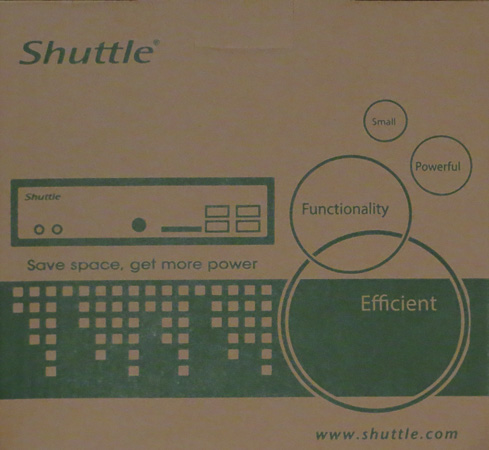
At the side, basic product information is listed:
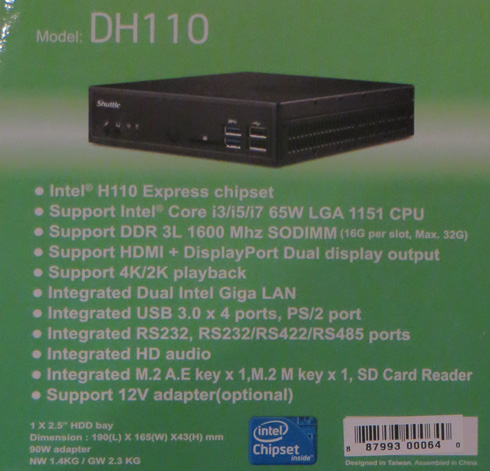
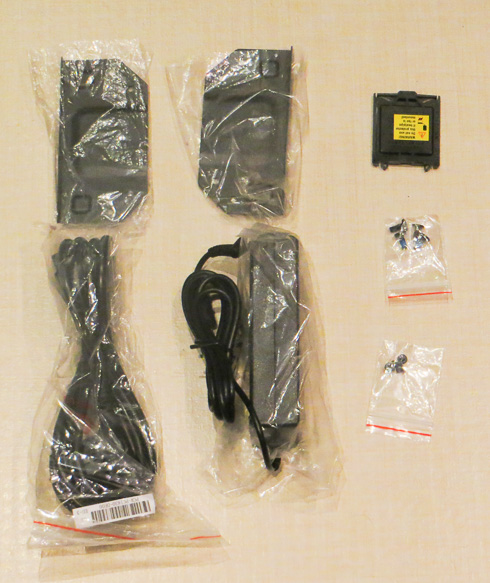
The package includes the main PC chassis along with the rest of the accessories:

  1. The DH110 box
  2. A Multi-language user guide (EN, DE, FR, ES, JP, KR, SC, TC)
  3. A VESA mount for 75/100mm standard (two metal brackets)
  4. Four thumbscrews M3 x 5 mm (screws together VESA mount and PC)
  5. Four screws M4 x 10 mm (to affix VESA mount on the PC)
  6. Four screws M3 x 4 mm (to mount a 2.5" storage device into the bay)
  7. A Driver DVD (Windows 64-bit)
  8. A Serial ATA cable for 2.5" drive including power cable
  9. An External 90W power adapter with power cord
  10. A Protection cap for CPU socket (do not use if heat-pipe or fan is mounted)
  11. A Heatsink compound

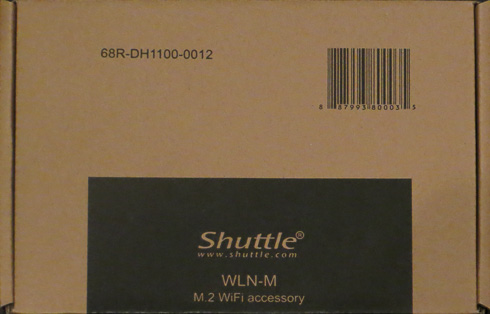
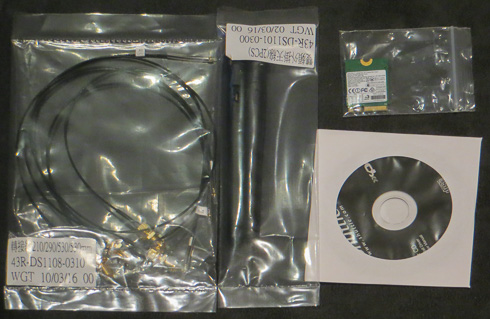
Shuttle is also selling a universal WLAN-ac / Bluetooth Combo Kit with M.2 card (Realtek RTL8821AE) - a wireless LAN kit consisting of a M.2-2230 card, two antennas and appropriate cables. The WLN-M is intended to add wireless LAN functionality according to IEEE 802.11n/ac at 2.4 / 5 GHz. At the same time, his combo device also supports Bluetooth 4.0. Unfortunately, the package you see below will cost you some additional 38 EUR:
In order to get the box running you will need to install an Intel Socket 1151 processor, SO-DIMM DDR3 memory rated at 1.35V (be careful), a 2.5" HDD/SSD drive and Windows /Linux OS.. For our tests, we used a 16GB (2x8GB) CT2KIT102464BF160B memory kit (~80 EUR) and a BX200 960GB SSD (~303 Euro), both kindly provided by Crucial. Of course, you can save some cost by adding a smaller SSD or even a HDD. For instance, a Crucial BX200 240GB SSD costs about 82 EUR.

One of the advantages of the DH110 is its compact size. Measuring at just 190 x 165 x 43 mm (1.35 liter), it can be easily "hidden" attached to the rear side of a 24" LCD monitor. With the processor, memory and an SSD installed, the all-metal system weighs 2.1kg.

As you see below, ventilation holes in both sides of the device help the system remain cool while running 24/7:

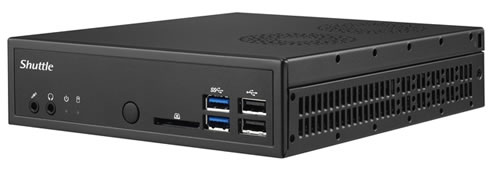
 

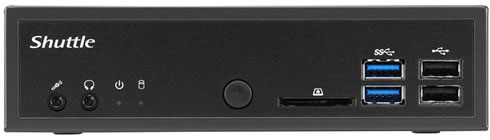
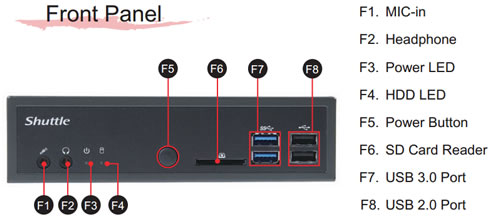
The front panel includes a microphone input, an Audio Line-out (headphone), 2x USB 3.0, 2x USB 2.0, an SD card reader ( SD, SDHC and SDXC ), the Power button, a power LED (blue) and an HDD LED (yellow)
At the rear side there is a DisplayPort (DP) v1.20 and a full sized HDMI v1.4 port. You can also use the 1x D-Sub VGA connector (accessory PVG01), 2x USB3.0, 1x eSATA/USB2.0 combo port, 2x Gigabit Lan, 2x RS232 serial ports, 9-pin D-Sub (5/12V, 1x RS422/RS485) and a DC-input (supports 12V±5% or 19V±5%). In addition, you find a connector for external power button / clear CMOS (4-pin connector 2.54 mm pitch) and 5V DC voltage, 1x PS/2 combo port to connect a keyboard or a mouse, 2x perforation to attach optional Wireless LAN antennas and 2x holes for Kensington Locks:


Review Pages
1. Features
2. Unboxing, DH110 details
3. Hardware and OS installation
4. CPU and memory benchmarks
5. GPU benchmarks
6. Audio and Video tests
7. Summary


Pages

  • « first
  • ‹ previous
  • 1
  • 2
  • 3
  • 4
  • 5
  • 6
  • 7
  • next ›
  • last »

Shuttle

Tags: Shuttle
Previous Post
Minix Neo Z83-4 Windows Mini PC review
Next Post
Toshiba OCZ RD400 512GB M.2 PCIe SSD

Related Posts

  • Shuttle Launches the XZ890G2

  • Shuttle Introduces SPCNV03 Ultra-Compact Edge AI Computer

  • Shuttle announces DN11H at InfoComm 2025

  • Shuttle announces NA10H - NT10H

  • Flat Mini-PC Barebones for the latest LGA1700 processors from Shuttle

  • Shuttle announces Xeon-compatible Mini-PC Barebone with 4x LAN and ECC RAM support

  • Shuttle announces Mini-PC Barebone in a 4.7-litre format for two PCI Express cards

  • Shuttle Announces DH32 Mini-PC

Latest Reviews

Fanxiang MP83 M.2 NVMe SSD Enclosure
Enterprise & IT

Fanxiang MP83 M.2 NVMe SSD Enclosure

Ugreen CM642 USB4.0 Enclosure
PC components

Ugreen CM642 USB4.0 Enclosure

be quiet! Dark Power 14 IO
PC components

be quiet! Dark Power 14 IO

SanDisk High Endurance 512GB microSDXC
Cameras

SanDisk High Endurance 512GB microSDXC

Samsung PRO Ultimate 512GB microSDXC
Cameras

Samsung PRO Ultimate 512GB microSDXC

Popular News

CORSAIR announces Vanguard Pro 96 and Vanguard 96 Gaming Keyboards

CORSAIR announces Vanguard Pro 96 and Vanguard 96 Gaming Keyboards

MSI’s Latest AMD X870E MAX & EVO Series Motherboards

MSI’s Latest AMD X870E MAX & EVO Series Motherboards

Panasonic Introduces the First Ultra-Telephoto Zoom Lens in the LUMIX S Series

Panasonic Introduces the First Ultra-Telephoto Zoom Lens in the LUMIX S Series

COLORFUL Launches iGame B850M ULTRA Series Micro-ATX Motherboards

COLORFUL Launches iGame B850M ULTRA Series Micro-ATX Motherboards

COLORFUL Presents Limited Edition Chitu MAG-60 Magnetic Keyboard Inspired by the Year of the Horse

COLORFUL Presents Limited Edition Chitu MAG-60 Magnetic Keyboard Inspired by the Year of the Horse

COLORFUL Presents iGame Z890 ULTRA-S W and iGame Z890M ULTRA Z Motherboards

COLORFUL Presents iGame Z890 ULTRA-S W and iGame Z890M ULTRA Z Motherboards

COLORFUL Launches iGame B850I MINI OC V14 Motherboard

COLORFUL Launches iGame B850I MINI OC V14 Motherboard

COLORFUL Expands B850 Motherboard Lineup with New CVN, Battle-Ax, and MEOW Models

COLORFUL Expands B850 Motherboard Lineup with New CVN, Battle-Ax, and MEOW Models

Main menu

  • Home
  • News
  • Reviews
  • Essays
  • About
    • Submit News

    • Contact Us
    • Privacy

    • Promotion
    • Advertise

    • RSS Feed
  • About
  • Privacy
  • Contact Us
  • Promotional Opportunities @ CdrInfo.com
  • Advertise on out site
  • Submit your News to our site
  • RSS Feed