Shuttle DH110 review
7. Summary
Shuttle’s XPC slim DH110 is a little machine that can come in handy in many areas, whether you are needing signage or kiosk applications, whether you are deploying IoT systems throughout your production line, or you’re a home user that wants a media or office PC.
The DH110 is a barebone system, meaning it comes without CPU, memory, HDD/SSD and OS.. This means that a possible buyer should bear the extra costs in order to get the system running.
The system comes with a great CPU support up to i7 Skylake CPUs. There is a limitation for your CPU though - the 65W TDP- but it still allows for a great amount of power. For our tests, we installed an the Intel i3-6100 CPU, which is a fair solution offering a good price/performance ratio. Besides that, we used 2x8GB Crucial SO-DIMM with DDR3L low voltage memory (users can install up to 2x16=32GB), and an SSD. The only little downside in the design, at least for some, is the DDR3 only support instead of DDR4. Then again, in a system like this, it really won’t make a large difference besides the power consumption. The good thing on the memory side is that the system supports dual-channel memory setups, something that is a necessity for proper 4K display.
A typical configuration for the e XPC slim DH110 would be:
- Barebones street price: $255
- Configuration: Intel Core i3 CPU, 16GB RAM, 128GB SSD, and Windows 10: ~$620
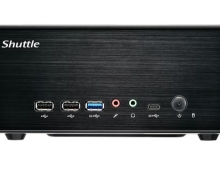
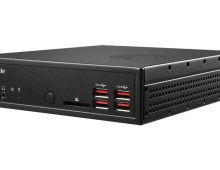
The Intel H110 chipset is also plenty on the feature side for a system like this. Connectivity options include USB 3.0, USB 2.0, COM ports, and a PS2 port. This allows you to connect pretty much anything to this system from peripherals and storage drives to bar code readers, scanners, and anything else that fit the ports. It also comes with a built-in multiformat card reader.
The DH110 comes with both DisplayPort and HDMI out for multi-monitor output up to a 4K resolution. Another good feature is the dual LAN connection, which supports teaming and link aggregation. It also opens up more functionality for the system where two networks have to be served simultaneously or data has to be filtered such as in a hardware firewall or router.
More over it has two extra slot for M.2-2260 BM and M.2-2230 AE cards. That increases your storage options if you need some additional space. And if you need WIFi connectivity, Shuttle is selling the the WLN-M module in order to get 802.11ac / Bluetooth onboard. However, this costs some extra $42.
The retail package also includes a stand or a VESA adapter, allowing you to "hide" the DH110 under your monitor.
In terms of performance, the Intel i3-6100 CPU we have chosen to install to the system covers your your 2D needs (office, photo/video editing) and the the onboard HD530 graphics card offer you with basic DX9, DX11 gaming at low resolutions and with medium details. But even if you choose to install an i7 processor, you won't get a stand-alone graphics performance.
We liked the fact that the Shuttle box can work together with KODI 16.1 very well and that it is able to playback HD Audio (7.1) and up to 4K digital content. However, due to Intel hardware limitations, 10bit encoded files are a no-go with Intel HD graphic cards.
In addition, when the machine works at serious load, some noise may be introduced by the CPU cooler's fans. However, they are very efficient, and combined with the ventilation holes on the chassis, you are are rest assured that the system is set for 24/7 operation.
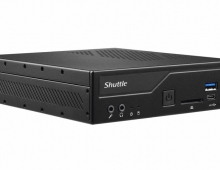
The Shuttle DH110 has been designed from the ground up to offer enough power for interactive commercial applications and 4K video. If you want a fancy gamer hardware case, the DH110 isn’t for you. But when the case size matters because it needs to fit into unusual places, or on the backs of monitors and TVs for digital signage, the Shuttle DH110’s small size will come in handy.


Positive
- Complete retail package
- Tiny 1.3-liter chassis-size
- Supports up to i7 Skylake CPUs with <65watt TDP
- Supports 32GB Dual-channel memory
- Build quality
- Many I/O ports (USB2.0, USB3.0, HDMI, DisplayPort, 2x1GBit Lan, COM1/COM2)
- Supports M.2 2260 BM + M.2 2230 AE slots
- Low cpu temperatures even at full load
- Basic gaming is possible with i3-6100 + HD530 graphics card
- VESA-mountable
- Dual Intel LAN with teaming and WOL support
- Intel HD graphics can be used for up to 4K playback content
- HD Audio passthrough works great (up to 7.1)
- Kodi 16.1 works great
Negative
- Included HDMI port is v1.4 (4K @ 24Hz) and not 2.0 (4K @ 60Hz + HDR)
- Retail price could be lower, provided that you need memory+SSD+operating system to get things working
- Wifi/BT module sold separately