
Breaking News

CORSAIR Launches the RM1200e Power Supply with Built-in PinProtect GPU Overcurrent Protection and Platinum-certified Efficiency CORSAIR Changes the Game with PureVector, a Science-Based Personalized Aiming Technology, Launching Exclusively in the SABRE v3 PRO PureVector Mouse Series AMD FSR Upscaling 4.1 Boosts Frames and Image Quality on More Devices TerraMaster TerraSync Update COLORFUL Launches iGame X870E ULTRA-S V14 Motherboard

logo

  • Share Us
    • Facebook
    • Twitter
  • Home
  • Home
  • News
  • Reviews
  • Essays
  • About
    • Submit News

    • Contact Us
    • Privacy

    • Promotion
    • Advertise

    • RSS Feed

Search form

AC Ryan PlayOnHD!

Jan 11,2010 0

6. Playing media files


Review Pages

1. Basic features
2. The package
3. Powering up the player
4. Setup Menus
5. Installing a HDD
6. Playing media files
7. Online services
8. Final words


With all these video files stored into our player's HDD, we are ready to watch them. All you need to do is to navigate through the desired folder and select a video file. The the AC Ryan PlayonHD! player will automatically preview the video file (right area of TV). Pressing the 'enter' will maximize the screen (full screen):
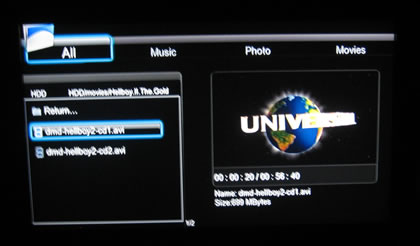
The 'info' button gives us information about the file size, the filename and the elapsed/remaining playback time:

Pressing again the 'info' button will get us more information about the video/audio formats of the selected file:

The FF/FW functions work very well and fast - up to 32x. The player will also conveniently display the exact minute of the movie you are currently navigating through - another usefully function we missed when we tested some other media players:

The AC Ryan PlayonHD! is also displaying SRT subtitles perfectly:

Support for more complicated languages such as "Greek" and many other Eastern European/Asia languages is also available:
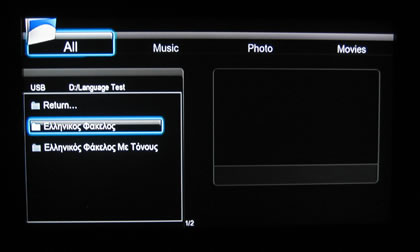
and Greek subtitles are displayed without any issues, as we have experienced with some other media players:

If you stop the play back and then select the file again, a resume option is available:

Another neat feature of the PlayonHD! player is the ability to stretch movies so they can fully displayed in your TV screen. For example, a WMV HD file isn't automatically stretched, but this can be done using the zoom (+) button. We hope that AC Ryan will make this feature work automatically so users won't have to press the zoom button again and again (very useful for Cartoon TV Series).

You can select among the 'fit,' 'stretch,' 'wide' as well as more options for the picture stretching:

- Audio playback

The player can also reproduce audio files. In our case, we tested several MP3 files (VBR quality) and we didn't have any issues. Information about the artist, title or album of the audio file you have selected is available. Too bad that there is not any equalizer and maybe some visual effects are present here:

Most of the DTS/THX formats are also supported:
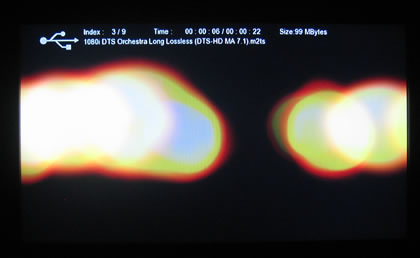
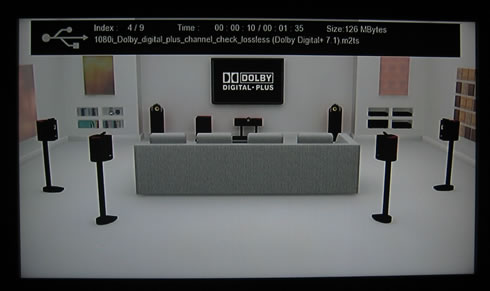
However, the Dolby Digital+ 7.1 and the Dolby TrueHD 7.1 formats are not supported (unknown codec, no sound):
The AC. Ryan PlayonHD! also supports playback of ISO DVD-Video and Blu-Ray movies. The player will accept any non copy-protected content. For any other content, a software such as the AnyDVD HD could help..
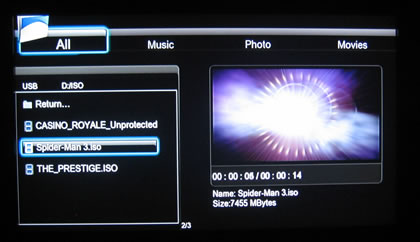
The DVD-Menus were working perfectly:

Although Blu-Ray ISO images do not include any working menus (for now), the main movie works just fine.


Review Pages

1. Basic features
2. The package
3. Powering up the player
4. Setup Menus
5. Installing a HDD
6. Playing media files
7. Online services
8. Final words


Pages

  • « first
  • ‹ previous
  • 1
  • 2
  • 3
  • 4
  • 5
  • 6
  • 7
  • 8
  • next ›
  • last »

AC Ryan

Tags: AC Ryan
Previous Post
Tuniq Tower 120 Extreme
Next Post
Club3D HD5770

Related Posts

  • AC Ryan And Twentieth Century Fox To Promote X-MEN: First Class Movie

  • AC Ryan Launches VEOLO Smart Android Hub For TV

  • AC Ryan Playon!HD Mini 2 review

  • AC Ryan PlayOn!HD2 review

  • AC RYAN Launches Latest PLAYON!DVRHD Full HD Media Player And Recorder

Latest Reviews

Why Intelligent Firmware Matters More Than Peak Throughput in NAS Systems
Enterprise & IT

Why Intelligent Firmware Matters More Than Peak Throughput in NAS Systems

Fanxiang MP83 M.2 NVMe SSD Enclosure
Enterprise & IT

Fanxiang MP83 M.2 NVMe SSD Enclosure

Ugreen CM642 USB4.0 Enclosure
PC components

Ugreen CM642 USB4.0 Enclosure

be quiet! Dark Power 14 IO
PC components

be quiet! Dark Power 14 IO

SanDisk High Endurance 512GB microSDXC
Cameras

SanDisk High Endurance 512GB microSDXC

Popular News

MSI’s Latest AMD X870E MAX & EVO Series Motherboards

MSI’s Latest AMD X870E MAX & EVO Series Motherboards

COLORFUL Launches iGame B850M ULTRA Series Micro-ATX Motherboards

COLORFUL Launches iGame B850M ULTRA Series Micro-ATX Motherboards

COLORFUL Presents Limited Edition Chitu MAG-60 Magnetic Keyboard Inspired by the Year of the Horse

COLORFUL Presents Limited Edition Chitu MAG-60 Magnetic Keyboard Inspired by the Year of the Horse

COLORFUL Launches iGame B850I MINI OC V14 Motherboard

COLORFUL Launches iGame B850I MINI OC V14 Motherboard

COLORFUL Launches the iGame X870E VULCAN W OC Motherboard

COLORFUL Launches the iGame X870E VULCAN W OC Motherboard

COLORFUL Presents iGame Z890 ULTRA-S W and iGame Z890M ULTRA Z Motherboards

COLORFUL Presents iGame Z890 ULTRA-S W and iGame Z890M ULTRA Z Motherboards

COLORFUL Expands B850 Motherboard Lineup with New CVN, Battle-Ax, and MEOW Models

COLORFUL Expands B850 Motherboard Lineup with New CVN, Battle-Ax, and MEOW Models

ASRock Adds Support for One Sub-Channel DRAM Module on Intel DDR5 Motherboards

ASRock Adds Support for One Sub-Channel DRAM Module on Intel DDR5 Motherboards

Main menu

  • Home
  • News
  • Reviews
  • Essays
  • About
    • Submit News

    • Contact Us
    • Privacy

    • Promotion
    • Advertise

    • RSS Feed
  • About
  • Privacy
  • Contact Us
  • Promotional Opportunities @ CdrInfo.com
  • Advertise on out site
  • Submit your News to our site
  • RSS Feed