Breaking News

ENDORFY Palm Rest V2 series delivers comfort with a magnetic pull MSI’s Latest AMD X870E MAX & EVO Series Motherboards KIOXIA unleashes EXCERIA PRO G2 SSD series KINGMAX Launches DDR5 Horizon II Overclocking Memory Module, Tailored for High-Load Scenarios DeepCool Unveils SPARTACUS 360 AIO Liquid Cooler for High-End Performance and Customization

logo

  • Share Us
    • Facebook
    • Twitter
  • Home
  • Home
  • News
  • Reviews
  • Essays
  • Forum
  • Legacy
  • About
    • Submit News

    • Contact Us
    • Privacy

    • Promotion
    • Advertise

    • RSS Feed
    • Site Map

Search form

Vantec NexStar 3

Aug 5,2005 0

2. Package - Installation


Review Pages

1. Introduction
2. Package - Installation
3. HD Tach
4. WinBench 99
5. Performance Test v5.0
6. SiSoft Sandra 2005
7. Conclusion


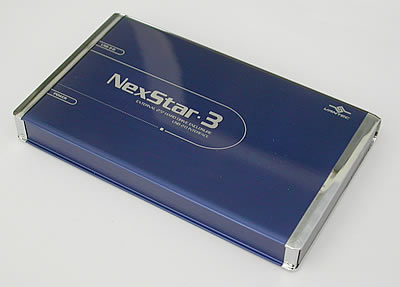
As soon as you open the package you'll see the NexStar 3 sealed in an anti static bag.
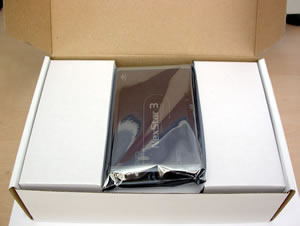
Remove the NexStar from the bag.

You'll need to remove the blue metallic cover in order to install the hard drive.

Place your 2.5" HD on the NexStar tray as shown in the following photo.

NexStar's HD slot

Hard Disk's connector

Slide the HD connector into the NexStar slot

NexStar with HD connected

Slide the tray back inside the metallic case.

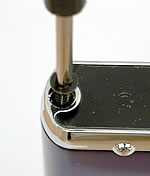
Don't forget the screws...

...and you're finished.

The included cable for connecting the NexStar to the PC has a mini USB connection on one end and two connections at the other end, one USB A and one USB A-A /M-F which connect to the USB ports on your PC. Some HDD require a considerable amount of current in order to work, 0.5~1.0A, so you'll you have to connect both USB A connectors to your PC. It is also possible to use an external supply instead, which connects to a 5VDC inlet on the back of the NexStar. Check the power requirements of your hard drive before installing. (The external power pack is not included in the package).

Mini USB connects to the NexStar

USB A-A/MF and USB A connect to the PC.

As soon as you connect the NexStar 3 to your PC, it will be identified and reported with the name of the installed HDD. In our case, we used an 80GB HD from Fujitsu.

The NexStar 3 should be detected by your OS and automatically installed. If you have any problems, you can consult the included manual.
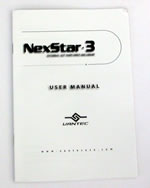
Installation Manual

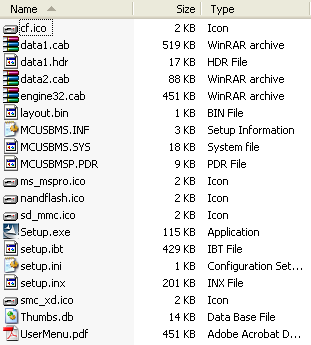
For Win98SE and Mac OS 8.6, you'll have to use the following CD in order to install the NexStar 3. For further instructions, consult the included manual. For Windows ME/XP/2000, no drivers are necessary.

Installation CD

The contents of the Installation CD

As soon as the NexStar 3 is identified by the OS, you'll have to initialise and partition the Hard Drive before using it. You can find further details on this in the manual. Note that the device will be recognised by the hard disk's ID and not as the NexStar.
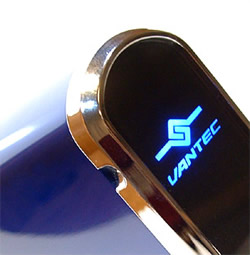
NexStar 3 while working

CAUTION: Never remove the NexStar 3 while it is in use. It is highly possible the HDD could be damaged or files corrupted.

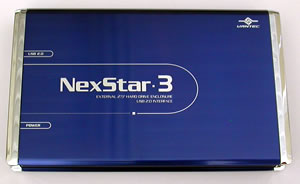
We recommend you keep the NexStar 3 in its black case, protecting it against dust, scratches or any other kind of damage.


Review Pages

1. Introduction
2. Package - Installation
3. HD Tach
4. WinBench 99
5. Performance Test v5.0
6. SiSoft Sandra 2005
7. Conclusion


Pages

  • « first
  • ‹ previous
  • 1
  • 2
  • 3
  • 4
  • 5
  • 6
  • 7
  • next ›
  • last »

Vantec

Tags: Vantec
Previous Post
Teac HD 15OT & HD-15 PUK A
Next Post
ASUS A8N-SLI Premium

Related Posts

  • Vantec iCEBERQ6

  • Vantec NST-530U2 External Enclosure

  • Vantec PSU

  • New NexStar DX for DVD Burners

  • Vantec NexStar 3 eSATA

  • Vantec AVOX Jukebox Review

  • Vantec AVOX Jukebox

  • Vantec ICEBERQ 5

Latest Reviews

Noctua NP-DM3 desk mat
Gaming

Noctua NP-DM3 desk mat

Crucial P510 2TB NMVE
PC components

Crucial P510 2TB NMVE

The Quiet Technology Behind the Spin
Enterprise & IT

The Quiet Technology Behind the Spin

Crucial DDR5 Pro 6400 CL32
PC components

Crucial DDR5 Pro 6400 CL32

SOUNDPEATS Clip1
Consumer Electronics

SOUNDPEATS Clip1

Popular News

COLORFUL Introduces CVN B850I GAMING FROZEN Motherboard

COLORFUL Introduces CVN B850I GAMING FROZEN Motherboard

COLORFUL Presents CVN X870 ARK FROZEN Motherboard for AMD Ryzen 9000 CPUs

COLORFUL Presents CVN X870 ARK FROZEN Motherboard for AMD Ryzen 9000 CPUs

COLORFUL Presents the B860 Series Motherboards

COLORFUL Presents the B860 Series Motherboards

Intel-AMD new motherboards announced

Intel-AMD new motherboards announced

TEAMGROUP Launches EXPERT P34F Find My External SSD

TEAMGROUP Launches EXPERT P34F Find My External SSD

ASRock AM5 Motherboards Now Fully Support AMD Ryzen 9 9950X3D & 9900X3D Processors

ASRock AM5 Motherboards Now Fully Support AMD Ryzen 9 9950X3D & 9900X3D Processors

Samsung announces Galaxy Tab S11 and Galaxy S25 FE series

Samsung announces Galaxy Tab S11 and Galaxy S25 FE series

Viltrox Showcases Upcoming Lens Lineup and New TTL Flash at IBC 2025

Viltrox Showcases Upcoming Lens Lineup and New TTL Flash at IBC 2025

Main menu

  • Home
  • News
  • Reviews
  • Essays
  • Forum
  • Legacy
  • About
    • Submit News

    • Contact Us
    • Privacy

    • Promotion
    • Advertise

    • RSS Feed
    • Site Map
  • About
  • Privacy
  • Contact Us
  • Promotional Opportunities @ CdrInfo.com
  • Advertise on out site
  • Submit your News to our site
  • RSS Feed