Breaking News

Intel Launches new Intel Xeon 600 Processors for Workstation Club 3D Announced their first new products of 2026 Samsung 2026 OLED TVs and Monitors Are NVIDIA G-SYNC Compatible for Elite Gaming Performance Kioxia and Sandisk Extend Yokkaichi Joint Venture Agreement Through 2034 KIOXIA Unveils EXCERIA PRO G2 SD Memory Card Series

logo

  • Share Us
    • Facebook
    • Twitter
  • Home
  • Home
  • News
  • Reviews
  • Essays
  • Forum
  • Legacy
  • About
    • Submit News

    • Contact Us
    • Privacy

    • Promotion
    • Advertise

    • RSS Feed
    • Site Map

Search form

Apacer Steno AB320 MP3 Player Review

Aug 17,2005 0

2. Using the device


Review Pages

1. Introduction
2. Using the device
3. Flashing with new firmware
4. Perfromance tests
5. Playback impressions
6. Conclusion


The Apacer Steno AB320 is a very small MP3 device. Below we can see the front, left and right side views along with an explanation of the various functions:

We also present several photos below, showing the AB320 player in all its glory:

On the back, we find the product brand name, the "Audio Steno AB320". Opening the back cover reveals the compartment where the AAA battery is installed:

To start the device, you have to press the "Play/Pause" button for more than 3 seconds, after which a welcome screen appears with the Apacer logo and we can immediately start using the player's capabilities. The LCD screen is backlit in a blue colour with black for the foreground characters. Its resolution is 128x64 pixels, which is a medium resolution, especially under little light. The LCD display's layout can be seen below:

By pressing the <> button, we enter "Mode Selection", where the user will find several important settings for playback mode, select the playback folder, enter the FM Radio mode, start recording from the MIC and set various other settings such as screen brightness, equalizer, play mode, power saving, screen saver, etc.

When the device is connected via the mini-USB with a host PC, the USB/PC icon appears on the display to indicate that the device is in USB connection mode. The AB320 is recognized as a flash memory device and the user can use drag & drop to transfer his/her favorite MP3/WMA/WAV files for playback, as well as data files.


Review Pages

1. Introduction
2. Using the device
3. Flashing with new firmware
4. Perfromance tests
5. Playback impressions
6. Conclusion


Pages

  • « first
  • ‹ previous
  • 1
  • 2
  • 3
  • 4
  • 5
  • 6
  • next ›
  • last »

apacer

MP3

Tags: apacer MP3
Previous Post
Windows Vista Public Beta 1 - Part 1
Next Post
Arctic Cooling NV Silencer 5

Related Posts

  • Apacer Powers the Future of AI and Green Computing with Next-Gen Storage Solutions at COMPUTEX 2025

  • Apacer’s Fully Lead-Free Memory Modules are a Game Changer

  • Apacer Offers FIPS 140-2 Validated SSDs and High Capacities SSDs up to 16TB On Display at WEST 2024

  • Apacer introduces AS2280F4 M.2 PCIe Gen5 x4 NVME SSD

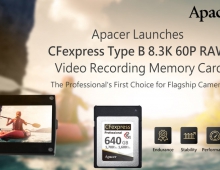
  • Apacer Launches CFexpress Type B 8.3K 60P RAW Video Recording Memory Card

  • Apacer Unveils High-tech Products at Embedded World 2022 in Nuremberg

  • Apacer Unveils COMPUTEX 2022 Event Series

  • Apacer Launches AS2280Q4U M.2 Gen4 x4 SSD for PS5

Latest Reviews

be quiet! Dark Perk Mice
Gaming

be quiet! Dark Perk Mice

Acemagic W1
PC components

Acemagic W1

be quiet! Power Zone 2 1200W
PC components

be quiet! Power Zone 2 1200W

The Difference Between American and European Stakes and Why It Changes How People Bet
Enterprise & IT

The Difference Between American and European Stakes and Why It Changes How People Bet

Endorfy Thock V2 Wireless Keyboard
PC components

Endorfy Thock V2 Wireless Keyboard

Popular News

COLORFUL Introduces CVN B850I GAMING FROZEN Motherboard

COLORFUL Introduces CVN B850I GAMING FROZEN Motherboard

COLORFUL Presents CVN X870 ARK FROZEN Motherboard for AMD Ryzen 9000 CPUs

COLORFUL Presents CVN X870 ARK FROZEN Motherboard for AMD Ryzen 9000 CPUs

TEAMGROUP Launches EXPERT P34F Find My External SSD

TEAMGROUP Launches EXPERT P34F Find My External SSD

ASRock AM5 Motherboards Now Fully Support AMD Ryzen 9 9950X3D & 9900X3D Processors

ASRock AM5 Motherboards Now Fully Support AMD Ryzen 9 9950X3D & 9900X3D Processors

Samsung announces Galaxy Tab S11 and Galaxy S25 FE series

Samsung announces Galaxy Tab S11 and Galaxy S25 FE series

Viltrox Showcases Upcoming Lens Lineup and New TTL Flash at IBC 2025

Viltrox Showcases Upcoming Lens Lineup and New TTL Flash at IBC 2025

CORSAIR announces Vanguard Pro 96 and Vanguard 96 Gaming Keyboards

CORSAIR announces Vanguard Pro 96 and Vanguard 96 Gaming Keyboards

Panasonic Introduces the First Ultra-Telephoto Zoom Lens in the LUMIX S Series

Panasonic Introduces the First Ultra-Telephoto Zoom Lens in the LUMIX S Series

Main menu

  • Home
  • News
  • Reviews
  • Essays
  • Forum
  • Legacy
  • About
    • Submit News

    • Contact Us
    • Privacy

    • Promotion
    • Advertise

    • RSS Feed
    • Site Map
  • About
  • Privacy
  • Contact Us
  • Promotional Opportunities @ CdrInfo.com
  • Advertise on out site
  • Submit your News to our site
  • RSS Feed