Breaking News

Sony Introduces WH-1000XM4C Wireless Noise Cancelling Headphones ASUS Announces WiFi 8 Router DJI Launches Osmo 360 II Razer introduces Clio X Wireless Speaker Head Cushion That Delivers THX Spatial Audio LiberNovo Showcases Ergonomic Innovation at IFA 2026 with Maxis Series for Big And Tall Users

logo

  • Share Us
    • Facebook
    • Twitter
  • Home
  • Home
  • News
  • Reviews
  • Essays
  • About
    • Submit News

    • Contact Us
    • Privacy

    • Promotion
    • Advertise

    • RSS Feed

Search form

Thermaltake Wing RS301 PC case

Dec 18,2009 0

3. Installing the PC components


Review Pages

1. About the Thermaltake WingRS 301
2. Package, first look
3. Installing the PC components
4. Final thoughts


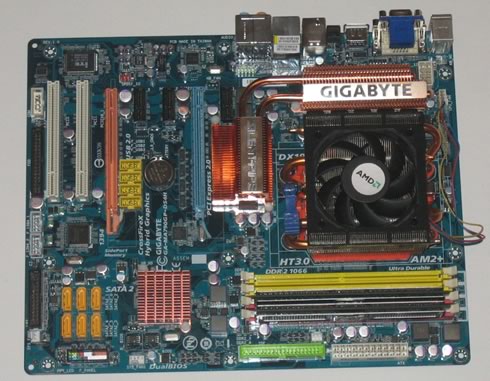
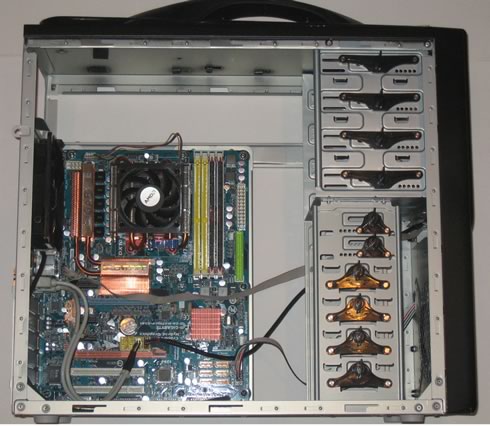
We started building a complete system from the scratch. Our motherboard is a full-ATX board from Gigabyte with an AMD X4 9950 processor and 2GB of RAM installed.
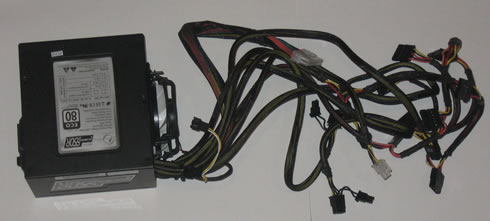
We used a power supply unit from ArcticCooling:
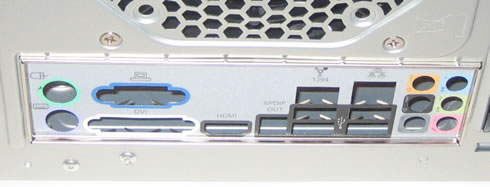
The first step is to install the back plate. This requires requires you to remove the installed case fan first - not very convenient if you ask me:
Installing and fastening the motherboard into the case was easy but... there were no motherboard spacers bundled. These spacers would keep the installed motherboard in a safe distance from the case, protecting it from possible short circuits that could damage it. Instead, Thermaltake offers some small bumps as mainboard spacers, not a wise solution in my opinion. In any case, finding some motherboard spacers is not very difficult.

The cables for front panel LEDs and connectors have a good length and can easily reach the motherboard. Installing two extra expansion slots at the back was not a problem and still, there is a lot of empty space left as you can see below:
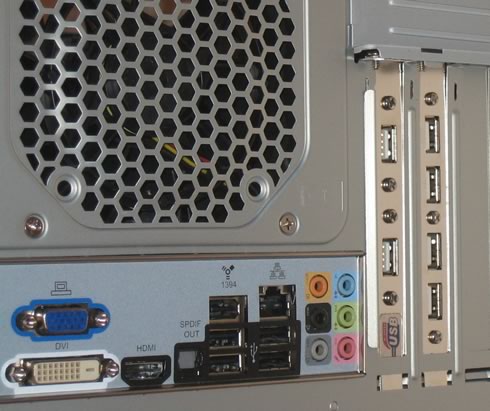
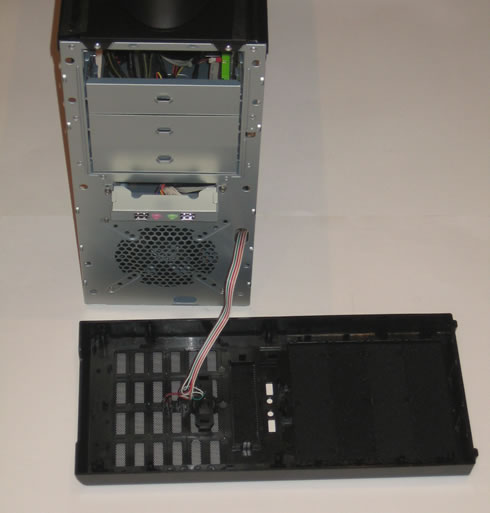
The front plastic cover of the case can be easily removed in order to install a 5.25" device. Notice that you have to bend and remove the corresponding metallic plate first:
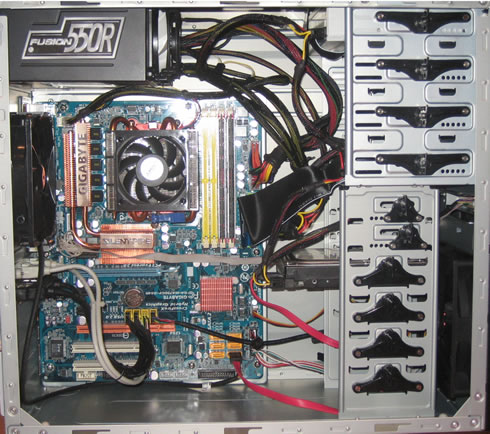
The built-in plastic screws for the optical/HDD drives are easily accessible and make installation easier. However, we are not very sure that they can be durable enough, especially if you carry the case with you:

We also installed an extra 120mm fan on the front for better cooling. Here is how our box looks like after connecting all the components and the power supply unit:
 

Review Pages

1. About the Thermaltake WingRS 301
2. Package, first look
3. Installing the PC components
4. Final thoughts

 

Pages

  • « first
  • ‹ previous
  • 1
  • 2
  • 3
  • 4
  • next ›
  • last »

Thermaltake

Tags: Thermaltake
Previous Post
Inno3D ION
Next Post
Inno3D GT 240 iChiLL

Related Posts

  • Thermaltake Launches AW360/420 AIO Liquid Cooler and WAir CPU Cooler for Workstations

  • Begin the Racing Journey with the Thermaltake GR300 Racing Simulator Cockpit

  • Thermaltake Unveils the Massive EXTREME with Cross-flow Fan

  • Thermaltake Releases the Toughpower TF3 1300W with Support for RTX50 Series GPUs

  • Thermaltake Unveils G6 Direct Drive Racing Wheel Bundle and GM5 3DOF Motion System

  • Thermaltake Launches the TT150 LED Bag in Different Sizes and New Colors

  • Thermaltake New TH V2 Ultra EX ARGB Sync AIO – Snow Edition is Now Available Worldwide

  • Thermaltake Coolers Support New-Gen Intel and AMD CPUs

Latest Reviews

Ugreen CM642 USB4.0 Enclosure
PC components

Ugreen CM642 USB4.0 Enclosure

be quiet! Dark Power 14 IO
PC components

be quiet! Dark Power 14 IO

SanDisk High Endurance 512GB microSDXC
Cameras

SanDisk High Endurance 512GB microSDXC

Samsung PRO Ultimate 512GB microSDXC
Cameras

Samsung PRO Ultimate 512GB microSDXC

be quiet! Light Mount TKL
Consumer Electronics

be quiet! Light Mount TKL

Popular News

CORSAIR announces Vanguard Pro 96 and Vanguard 96 Gaming Keyboards

CORSAIR announces Vanguard Pro 96 and Vanguard 96 Gaming Keyboards

MSI Launches FORGE GK600 TKL WIRELESS Special Edition Compact Mechanical Keyboard

MSI Launches FORGE GK600 TKL WIRELESS Special Edition Compact Mechanical Keyboard

Viltrox Showcases Upcoming Lens Lineup and New TTL Flash at IBC 2025

Viltrox Showcases Upcoming Lens Lineup and New TTL Flash at IBC 2025

Panasonic Introduces the First Ultra-Telephoto Zoom Lens in the LUMIX S Series

Panasonic Introduces the First Ultra-Telephoto Zoom Lens in the LUMIX S Series

MSI Launches DATAMAG 40Gbps Magnetic Portable SSD

MSI Launches DATAMAG 40Gbps Magnetic Portable SSD

MSI’s Latest AMD X870E MAX & EVO Series Motherboards

MSI’s Latest AMD X870E MAX & EVO Series Motherboards

COLORFUL Launches iGame B850M ULTRA Series Micro-ATX Motherboards

COLORFUL Launches iGame B850M ULTRA Series Micro-ATX Motherboards

COLORFUL Presents Limited Edition Chitu MAG-60 Magnetic Keyboard Inspired by the Year of the Horse

COLORFUL Presents Limited Edition Chitu MAG-60 Magnetic Keyboard Inspired by the Year of the Horse

Main menu

  • Home
  • News
  • Reviews
  • Essays
  • About
    • Submit News

    • Contact Us
    • Privacy

    • Promotion
    • Advertise

    • RSS Feed
  • About
  • Privacy
  • Contact Us
  • Promotional Opportunities @ CdrInfo.com
  • Advertise on out site
  • Submit your News to our site
  • RSS Feed