Breaking News

Thermal Grizzly and Noctua introduce WireView Pro II Noctua Edition GPU monitoring device Nikon releases the Z5IIC full-frame mirrorless camera Announcing the New ASUS Googlebook 14 Razer Unveils Kiyo V2 Pro 4K Webcam Transcend Launches 64GB DDR5-6400 Embedded DRAM Modules for High-Speed Performance and Enhanced System Stability

logo

  • Share Us
    • Facebook
    • Twitter
  • Home
  • Home
  • News
  • Reviews
  • Essays
  • About
    • Submit News

    • Contact Us
    • Privacy

    • Promotion
    • Advertise

    • RSS Feed

Search form

Shuttle X2700B

Jan 12,2009 0

2. Opening the package


Review Pages

1. Specifications, features
2. Opening the package
3. Booting Up
4. Memory, CPU
5. BIOS
6. Basic HDD tests
7. Basic DVD-RW tests
8. Basic GPU tests
9. Basic CPU tests
10. Final words


The Shuttle X2700B costs around €473 (+VAT) as found at Shuttle's website. However the actual price of the device can vary depending on the hardware/software configuration you may choose (Windows Vista Home/Premium, memory setup and included 2.5" HDD drive).
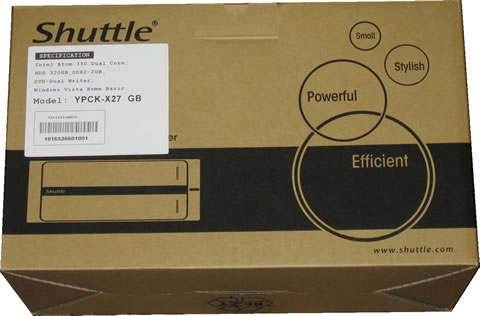
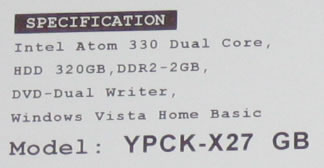
Zooming at the specification label found on the retail box, we can see that the specific configuration includes an Intel Atom 330 Dual Core, a 2.5" 320GB HDD, 2GB of DDR2 memory, a DVD-RW recorder and Windows Vista Home Basic.
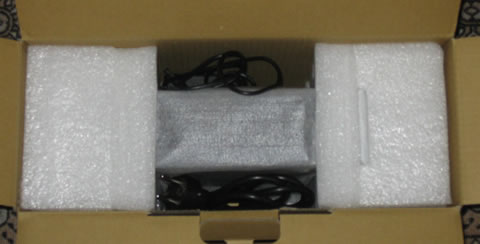
In the box the X2700B is well packaged and secured:
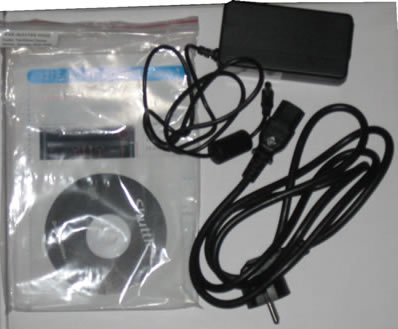
The package includes:

  • The X2700B itself
  • 1x power adapter fanless
  • 1x power cord
  • 1x printed multi-language user guide,
  • 1x CD-ROM with 32-bit / 64-bit Drivers
  • 1x DVD-ROM with Windows Vista Home Basic with DVD Playback Pack
  • 2x cable for SATA (pre installed)

As you can see there aren't many goodies included, since most of them are already pre-installed. The good thing is that Shuttle is offering a DVD-ROM with Windows Vista Home Basic designed for the Shuttle users. The disc is not the retail disc we have get used from Microsoft, so we assume its a special build with #SN and drivers pre-installed. Alternatively you can still install Windows XP and Shuttle provides such drivers for download at their website.

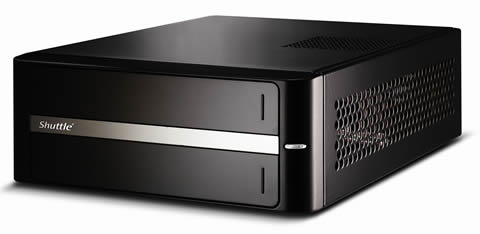
Let's now examine the device itself. The total weight of the box, without any HDD or optical drive installed is just 2.7kg. Assuming that the used HDD, the memory kits and the DVDRW drive come up to 800gr~1kg, the whole package should weight around 3.5~4.0kg. Not bad for a complete box.

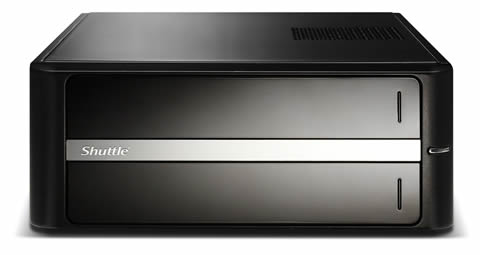
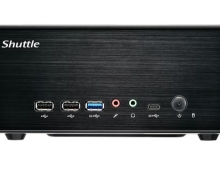
The mirror front face is made out of plastic and it it covers the DVDRW drive and the front panel inputs.
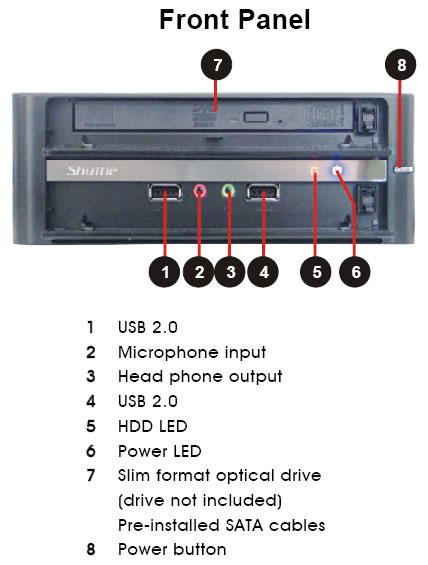
The side panels have a honey beam design that allows the produced heat to escape from the internal.
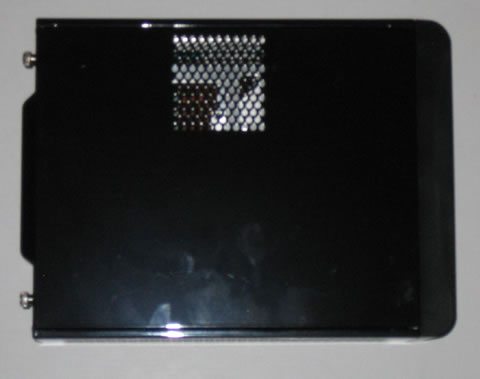
The rear side of the device includes the connection ports:.

As you can see in the picture below, both the HD and the DVDRW drives are placed on a metal chassis and are kept above the main board:
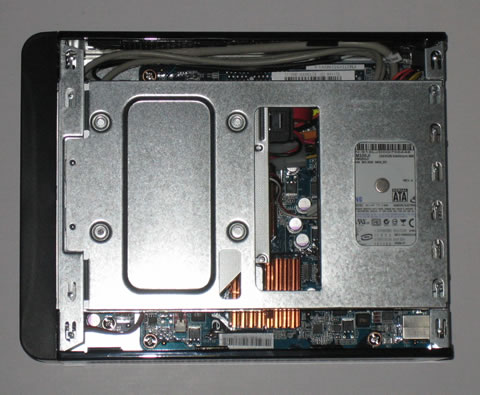
Let's now take a closer look at the main board. Nothing exciting here if you ask me. Two copper heat sinks cover the northbridge and dual core Intel Atom processor. A small fan is used in the CPU's heatsink.

Click To Enlarge!

The pre-installed SATA cables are connected to the HDD and DVDRE drive. Both components can be easily installed or uninstalled. In case you need to install an IDE device, you may power it up by the SATA power cable using the included adapter.
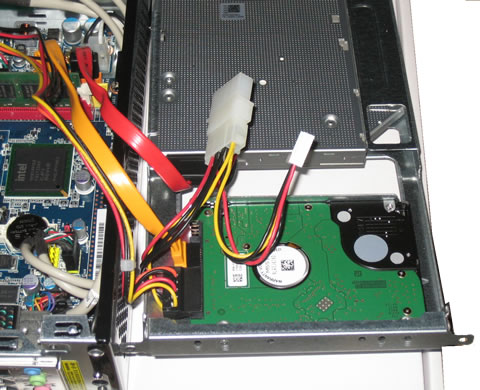
Below you can see the single DDR2 memory slot (memory module installed) and the ATA port:.

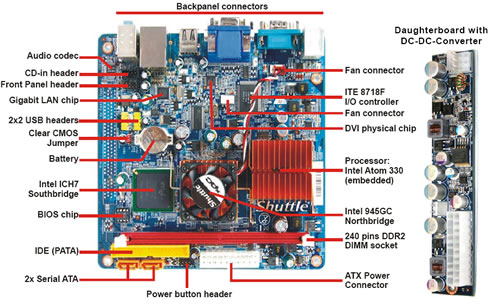
Click To Enlarge!


So what's missing here? We could say an HDMI port, but it isn't supported by the installed Intel 945G graphics chipset. Perhaps in the future we will see other configurations that will offer better media center capabilities.

We also liked that Shuttle has included PS2 ports for both mouse/keyboard. On the other hand, we would like to see more USB ports and BT on board...
 

Review Pages

1. Specifications, features
2. Opening the package
3. Booting Up
4. Memory, CPU
5. BIOS
6. Basic HDD tests
7. Basic DVD-RW tests
8. Basic GPU tests
9. Basic CPU tests
10. Final words


Pages

  • « first
  • ‹ previous
  • 1
  • 2
  • 3
  • 4
  • 5
  • 6
  • 7
  • 8
  • 9
  • next ›
  • last »

Shuttle

Tags: Shuttle
Previous Post
LiteOn eSAU208
Next Post
LITEON iHAS422 22x

Related Posts

  • Shuttle Launches the XZ890G2

  • Shuttle Introduces SPCNV03 Ultra-Compact Edge AI Computer

  • Shuttle announces DN11H at InfoComm 2025

  • Shuttle announces NA10H - NT10H

  • Flat Mini-PC Barebones for the latest LGA1700 processors from Shuttle

  • Shuttle announces Xeon-compatible Mini-PC Barebone with 4x LAN and ECC RAM support

  • Shuttle announces Mini-PC Barebone in a 4.7-litre format for two PCI Express cards

  • Shuttle Announces DH32 Mini-PC

Latest Reviews

Fanxiang MP83 M.2 NVMe SSD Enclosure
Enterprise & IT

Fanxiang MP83 M.2 NVMe SSD Enclosure

Ugreen CM642 USB4.0 Enclosure
PC components

Ugreen CM642 USB4.0 Enclosure

be quiet! Dark Power 14 IO
PC components

be quiet! Dark Power 14 IO

SanDisk High Endurance 512GB microSDXC
Cameras

SanDisk High Endurance 512GB microSDXC

Samsung PRO Ultimate 512GB microSDXC
Cameras

Samsung PRO Ultimate 512GB microSDXC

Popular News

MSI’s Latest AMD X870E MAX & EVO Series Motherboards

MSI’s Latest AMD X870E MAX & EVO Series Motherboards

COLORFUL Launches iGame B850M ULTRA Series Micro-ATX Motherboards

COLORFUL Launches iGame B850M ULTRA Series Micro-ATX Motherboards

COLORFUL Presents Limited Edition Chitu MAG-60 Magnetic Keyboard Inspired by the Year of the Horse

COLORFUL Presents Limited Edition Chitu MAG-60 Magnetic Keyboard Inspired by the Year of the Horse

COLORFUL Presents iGame Z890 ULTRA-S W and iGame Z890M ULTRA Z Motherboards

COLORFUL Presents iGame Z890 ULTRA-S W and iGame Z890M ULTRA Z Motherboards

COLORFUL Launches iGame B850I MINI OC V14 Motherboard

COLORFUL Launches iGame B850I MINI OC V14 Motherboard

COLORFUL Expands B850 Motherboard Lineup with New CVN, Battle-Ax, and MEOW Models

COLORFUL Expands B850 Motherboard Lineup with New CVN, Battle-Ax, and MEOW Models

ASRock Adds Support for One Sub-Channel DRAM Module on Intel DDR5 Motherboards

ASRock Adds Support for One Sub-Channel DRAM Module on Intel DDR5 Motherboards

Exceed the Infinite with New ASRock X870E Taichi White Motherboard

Exceed the Infinite with New ASRock X870E Taichi White Motherboard

Main menu

  • Home
  • News
  • Reviews
  • Essays
  • About
    • Submit News

    • Contact Us
    • Privacy

    • Promotion
    • Advertise

    • RSS Feed
  • About
  • Privacy
  • Contact Us
  • Promotional Opportunities @ CdrInfo.com
  • Advertise on out site
  • Submit your News to our site
  • RSS Feed