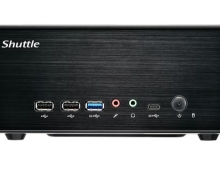
Shuttle SN27P2
12. Conclusion
 Shuttle's SN27P2 follows the tradition of Shuttle's dedication to AMD processors. The recent retail price drop of AM2 platforms, does make them very appealing to users, especially since you can buy an AM2 X2 3600+ for only €67~70! Adding fast memory and VGA card, you can get a powerful, small box, able to play the latest demanding applications and of course games :-)
In all tests, the Shuttle SN27P2 was found to be as fast as standard desktop AM2 motherboards. That is a good sign. There are four memory banks, so there is no problem for upgrading to more memory (up to 8GB DDR2) and of course DDR2 800MHz setting is supported. Memory timings can be set down to 1T, as happens with all AMD chipsets, so with the proper selection of memory modules you can get extremely good memory performance.
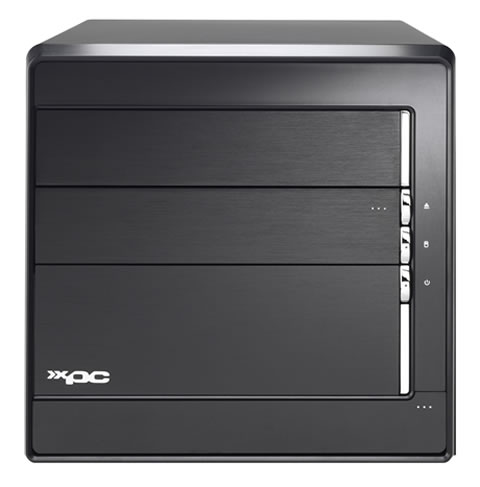
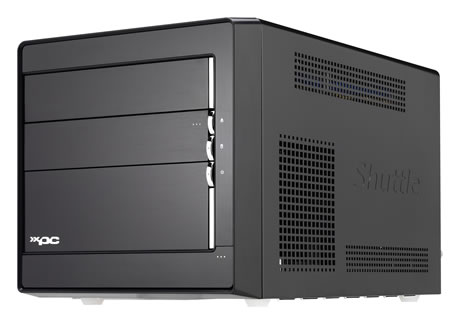
Passing to the overall build quality, we have no complaints here. The black finish is very good looking. The internal arrangement for HDD and optical devices is much better than the already tested SD32G2. You can have up to three (3) 3.5" HDDs and one optical drive. All cables are pre-installed and at the correct length. This box isn't exactly what you can call tool-less, since there are quite a few philips screws to remove before reaching the motherboard. There is some free space around the CPU area and the integrated 400W PSU can handle most demanding VGA cards. For that purpose, there is a 6pin PCI-E power cable as well, but remember not to buy a long or bulky VGA card, otherwise you may find you can't close the case.
Four SATA2 connectors (three on board and one external) are probably enough for this type of system, especially since SATA Optical drives have now also become very popular among users. A Floppy connection is also present, but probably won't be used by most users. What is missing is the PS2 ports for the keyboard and mouse. This is the first time we've seen a board without the "classic" PS2 connections, so be careful as you can only use USB keyboard/mouse devices. WiFi should have been a default inclusion, but you can buy the module from Shuttle or simply buy a USB adapter.
In the overclocking arena, the SN27P2 can go up to 250MHz FSB. This is what we could get from our trials with the AMD Athlon X2 4600+ CPU. Other reviewers have reported frequencies up to 300MHz, which is also the ceiling available under the BIOS. If your overclocking attempts fail, the system may not POST, so the Clear CMOS button on the back, is very convenient.
Passing on to the all important noise levels, we can say that we were in the main satisfied. We expected however, that Shuttle would have adopted some kind of noise absorption system (e.g. rubber mounts) for drives, to keep noise to a minimum. The PSU seems silent enough, which is a good point.
Ending our presentation, we can see a clear market for the Shuttle SN27P2. The box is exactly what Shuttle advertises, performs well, can be overclocked and with some minor user modification, can become even quieter. The retail price of ~€490 is not all that low, so judge your needs and decide if the box is right for you.
- Pros
- Small dimensions and light in weight
- Good retail package with additional cables
- Very good finish and solid aluminium structure
- Very good motherboard performance
- Four memory banks with up to 8GB DDR2 800MHz support
- Can hold three HDDs and one optical drive without any problems
- Uncluttered, keeps CPU temperature low
- Internal space is clean and tidy, you won't have problem installing all pieces together
- Has extra PCI and PCI-E slots for easy upgrades
- Shuttle offers several expansion slots for USB2.0, Wifi and card readers but at additional cost
- Can be overclocked under Windows with Nvidia nTune
- Has good overclocking capabilities
- Build-in PSU can handle VGA cards like Nvidia 7600GT/7900GS
- Drivers for VISTA are available from www.shuttle.com
- Cons
- There's no PS2 ports for keyboard/mouse (some may see this as a pro)
- Noise levels are rather high for the price range, we would like to have something quieter
- Price is rather high for an AM2 platform box
- Bulky and passive cooled VGA cards may not fit well, so be careful
- We feel that we could do without eSATA and instead have four internal SATA2 ports