
OAK SimpliCD CD-R Software
8. SimpliCD Copy
OAK's "SimpliCD" review - Page 8
SimpliCD Copy
SimpliCD Copy application can be used for backup copies audio, game, and software titles to either 74- or 80-minute CD media. An interesting unique feature of SimpliCD Copy allows users to seamlessly convert standard audio discs to CD-Text format for playback on home CD jukeboxes.
SimpliCD Copy supports the following formats:
ISO for data discs that can be read on any platform, including
bootable and multisession types.
CD-DA standard audio CDs
CD-Text, for Audio CDs that also contain song, artist and album information
Mixed mode (Orange Book) for multimedia data plus audio CDs
CD Extra/CD Plus enhanced music CDs
Video CD v2.0 discs with MPEG compressed video
PhotoCD, Kodak's format for digital picture CDs
CD-I, Phillip's interactive format
HFS, for Macintosh systems
Hybrid discs that contain ISO 9660 data for PCs and HFS data for Macintosh systems
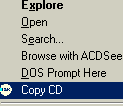
 In
order to start SimpliCD Copy you can easily find it at OAK's quick launcher
(Copy a CD) or just insert a CD and after pressing right click choose (Copy
CD).
In
order to start SimpliCD Copy you can easily find it at OAK's quick launcher
(Copy a CD) or just insert a CD and after pressing right click choose (Copy
CD).
The Simpli CD Copy component basic interface is very simple. The software displays both the source and the target source drives:
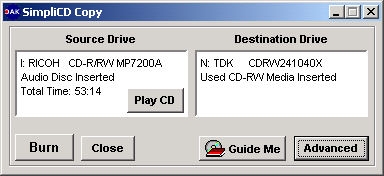
In our example we have inserted an AudioCD in the Ricoh MP7200A as the source drive and a HS-RW media at TDK CyClone 241040 as the recorder. The SimpliCD Copy also offer some additional features like, Play CD, Open "Guide Me" application and select the advanced features:
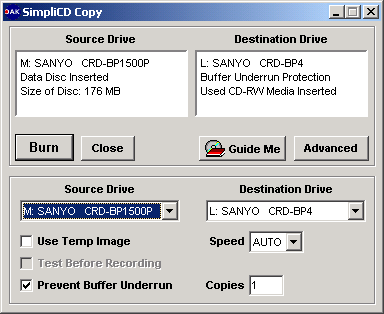
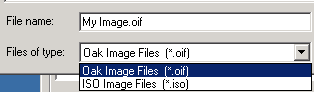
When you press the "Advanced" button, you can select the source, destination drives, if you will use image (or on the fly copy), the recording speed, simulation and the desired copies. If you have only one drive (recorder), SimpliCD will create a image and after you will be prompted to insert a blank CD for burning. The Temp file is automatically deleted when you are finished. If you select as destination drive the local HD you will be prompted to select the image's filename. OAK SimpliCD has it's own format (*.oif):
If your drive supported, SimpliCD Copy also offer "Buffer Underrun" option for avoiding any possible buffer underrun problems. What important feature misses from the software? Well first of all, there isn't any option for protected CDs. Second there isn't any verification option either...In simple words you cannot backup protected CDs.
Currently SimpliCD supports the following media
sizes:
8 cm CD-R (round)
8 cm CD-R (business card)
12 cm CD-R (63 and 74 minutes)
12 cm CD-R (80 minutes)
Normal CD-RW
High-speed CD-RW
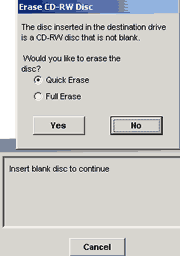
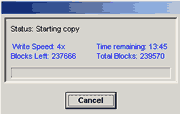
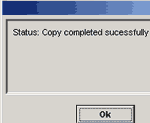
Lets press "BURN" and see what happens. In our case the HS-RW media was already written, SimpliCD Copy detects it and prompts for further actions. After we erase the CD, Copying starts and after 13mins we have a sucessful message:
 |
|
After the first succeful test, we tried to backup a PSX disc. The SimpliCD didn't managed to recognize that the disc had 2 tracks (data/audio) and even we started the burn, we got an error message. The PSX tested disc did read without any problem from a well famous CD duplicator software:
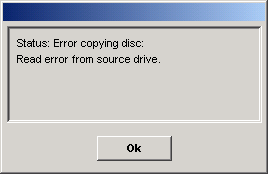
Also you can forget backup CDs with errors (aka SafeDisc 1/2, LaserLock 1/2 protected CDs), since the CD-Copy engine doesn't support both RAW writing and skipping read errors.




