Breaking News

Razer Unleashes the Kraken V4 X Sensa HD Haptics Sony Rewrites the Rules of Super-Telephoto: Announces World's Lightest 400mm and 600mm G Master Primes Transcend Debuts High-Performance 64GB DDR5-6400 CUDIMM & CSODIMM Embedded DRAM Modules Micron Unveils World's First 512GB Ultra-Dense DDR5 Module for Next-Gen Servers Fujifilm Officially Introduces the instax Pal 2 Digital Camera

logo

  • Share Us
    • Facebook
    • Twitter
  • Home
  • Home
  • News
  • Reviews
  • Essays
  • About
    • Submit News

    • Contact Us
    • Privacy

    • Promotion
    • Advertise

    • RSS Feed

Search form

OAK SimpliCD CD-R Software

Feb 18,2002 0

6. SimpliCD Recorder - Page 2


Review Pages

1. Introduction
2. Installation/First Look and feel
3. SimpliCD ROM - Page 1
4. SimpliCD ROM - Page 2
5. SimpliCD Recorder - Page 1
6. SimpliCD Recorder - Page 2
7. SimpliCD Recorder - Page 3
8. SimpliCD Copy
9. SimpliCD ReWriter - Page 1
10. SimpliCD ReWriter - Page 2
11. Final Conclusion


OAK's "SimpliCD" review - Page 6

SimpliCD Recorder - Page 2

Let's press the OAK button and check what we can choose. The first tab is the "About" tab which displays the internal build version among with the Mp3 decoder (LAME) build information. The next tab is the "General", in which you set which drive(s) will be used for playback/recording, the recording speed and if anti-coaster technologies (BURN-Proof, Exact Link and JustLink) will be supported:

In the "Capture" tab you can select the output format (wav, mp3, wma) among with its features (sample rate, mono/stereo, and bit rate) and the "Error Correction for the Drive". The last feature as the on-line manual say is for: "...SimpliCD can check for errors while extracting audio from an audio disc to a file. Checking for errors will take longer but will result in a better quality file. For fast PCs you can set this to 100%. This option will be grayed if it's not supported from your drive..." In the "Slide Show" tab, you can select several options about slide show CDs:

In the last 2 tabs, (CDDB) and Credits you can check if the SimpliCD Recorder will use CDDB database or not, and last see some credits:

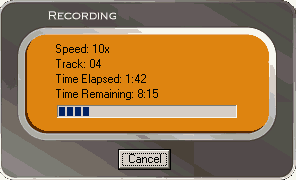
Let's press the big red button (record). The software will prompt to select if the disc will be CD-DA (Audio with CD-Text) or CD-CA (compressed audio) CDs. If you like you can also select to print the cover and after pressing (Ok) you will have your disc in some minutes:

We talked before about CD-CA format (Compressed Audio). What is this format exactly? OAK explains: "...It was developed by us for OSTA and approved by all OSTA companies. It is now a standard that DVD players and other CD players will support. You will probably see these new devices in the market by end of this year, if not sooner. This means that you can create a CD with MP3 files with our software. To today's devices and software on PCs it looks identical as the current MP3 CDs created by other software companies. However, when you insert it into a CD-CA compliant player, you can view selections on the TV or the player display (such as discman or stereos) and select to play back songs by genre, artist, playlists, etc....

It is a format that basically allows CE devices (Consumer Electronics) take advantage of ID3 tag information. Our software creates it and organizes this information for the device. This will allow CD-CA compliant devices to improve initialization time of such discs in CE devices, as well as provide an incredible user experience. Today, an MP3 disc may take up to 2 minutes to initialize. The same disc written in CD-CA format will take no more than 30 seconds to initialize..."


 

Review Pages

1. Introduction
2. Installation/First Look and feel
3. SimpliCD ROM - Page 1
4. SimpliCD ROM - Page 2
5. SimpliCD Recorder - Page 1
6. SimpliCD Recorder - Page 2
7. SimpliCD Recorder - Page 3
8. SimpliCD Copy
9. SimpliCD ReWriter - Page 1
10. SimpliCD ReWriter - Page 2
11. Final Conclusion


Pages

  • « first
  • ‹ previous
  • …
  • 2
  • 3
  • 4
  • 5
  • 6
  • 7
  • 8
  • 9
  • 10
  • next ›
  • last »

Tags:
Previous Post
Sanyo CRD-BP1500P CD-RW
Next Post
Iomega Predator USB CD-RW

Related Posts

Latest Reviews

Fanxiang MP83 M.2 NVMe SSD Enclosure
Enterprise & IT

Fanxiang MP83 M.2 NVMe SSD Enclosure

Ugreen CM642 USB4.0 Enclosure
PC components

Ugreen CM642 USB4.0 Enclosure

be quiet! Dark Power 14 IO
PC components

be quiet! Dark Power 14 IO

SanDisk High Endurance 512GB microSDXC
Cameras

SanDisk High Endurance 512GB microSDXC

Samsung PRO Ultimate 512GB microSDXC
Cameras

Samsung PRO Ultimate 512GB microSDXC

Popular News

CORSAIR announces Vanguard Pro 96 and Vanguard 96 Gaming Keyboards

CORSAIR announces Vanguard Pro 96 and Vanguard 96 Gaming Keyboards

MSI Launches FORGE GK600 TKL WIRELESS Special Edition Compact Mechanical Keyboard

MSI Launches FORGE GK600 TKL WIRELESS Special Edition Compact Mechanical Keyboard

MSI’s Latest AMD X870E MAX & EVO Series Motherboards

MSI’s Latest AMD X870E MAX & EVO Series Motherboards

Panasonic Introduces the First Ultra-Telephoto Zoom Lens in the LUMIX S Series

Panasonic Introduces the First Ultra-Telephoto Zoom Lens in the LUMIX S Series

COLORFUL Launches iGame B850M ULTRA Series Micro-ATX Motherboards

COLORFUL Launches iGame B850M ULTRA Series Micro-ATX Motherboards

COLORFUL Presents Limited Edition Chitu MAG-60 Magnetic Keyboard Inspired by the Year of the Horse

COLORFUL Presents Limited Edition Chitu MAG-60 Magnetic Keyboard Inspired by the Year of the Horse

COLORFUL Presents iGame Z890 ULTRA-S W and iGame Z890M ULTRA Z Motherboards

COLORFUL Presents iGame Z890 ULTRA-S W and iGame Z890M ULTRA Z Motherboards

LIAN LI Launches 8.8” Universal Screen with Flexible Mounting Solution

LIAN LI Launches 8.8” Universal Screen with Flexible Mounting Solution

Main menu

  • Home
  • News
  • Reviews
  • Essays
  • About
    • Submit News

    • Contact Us
    • Privacy

    • Promotion
    • Advertise

    • RSS Feed
  • About
  • Privacy
  • Contact Us
  • Promotional Opportunities @ CdrInfo.com
  • Advertise on out site
  • Submit your News to our site
  • RSS Feed