OAK SimpliCD CD-R Software
7. SimpliCD Recorder - Page 3
OAK's "SimpliCD" review - Page 7
SimpliCD Recorder - Page 3
- SimpliCD Recorder Ripping
Let's see now how ripping works...Things again are simple. Just insert an AudioCD and select from the quick launcher "Get Digital Audio from CD to:" and SimpliCD Recorder (in green player mode) comes up:

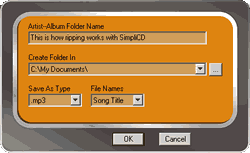
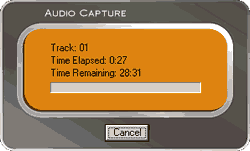
You will have to select the desired AudioCD tracks and press the button which our arrows show. If you have selected many files the following menu will come up asking where it should create the mp3/wav/wma files and the file name type... Press ok and the ripping (or we should say better - conversion) starts. During the ripping/encoding process, all files are saved with ID3 tags, including WAV files:
- SimpliCD Recorder for VideoCD
 SimpliCD
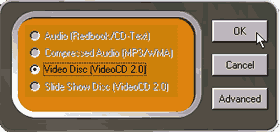
can make VideoCD if you have a proper encoded Mpeg1 file. That's right the software
DOESN'T include an Mpeg1 encoder the file should be prepared according with
the VideoCD
specifications.. The rest of the procedure is pretty much the same as with
previous, and you only have to press the red button for start recording..
SimpliCD
can make VideoCD if you have a proper encoded Mpeg1 file. That's right the software
DOESN'T include an Mpeg1 encoder the file should be prepared according with
the VideoCD
specifications.. The rest of the procedure is pretty much the same as with
previous, and you only have to press the red button for start recording..
- SimpliCD Recorder for Slide-Show
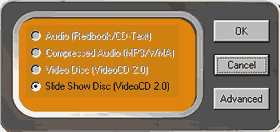 SimpliCD
Recorder makes Slideshow CDs from digital photographs. In order to create a
Slideshow, you need to import your photographs in either JPG or BMP file type.
The files can be added from the build-in "Add Item" button, by right
clicking on the files and selecting Record with SimpliCD from the menu, or by
drag-and-drop.
SimpliCD
Recorder makes Slideshow CDs from digital photographs. In order to create a
Slideshow, you need to import your photographs in either JPG or BMP file type.
The files can be added from the build-in "Add Item" button, by right
clicking on the files and selecting Record with SimpliCD from the menu, or by
drag-and-drop.
As we saw earlier, several options can be chosen such as time the image is displayed during the slide show, giving a name to the picture by right clicking on the picture in the playlist and typing in a name, etc… The created CD is a VideoCD 2.0 slide show CD. You can view this CD on a computer with SimpliCD, Windows Media Player 7 or other software that supports VideoCD v1.1 or v2.0 playback. Since the created CD is a VideoCD 2.0 format disc, the first thing you will see on TV are the thumbnails showing the pictures. During slide show, names of the pictures you assigned before recording the disc will appear for 2 seconds on the screen, making it easier to identify the pictures.
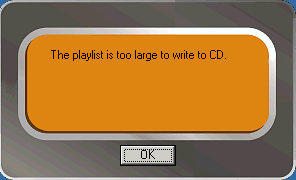
We also tried to burn a 98min AudioCD but SimpliCD denied it: