Breaking News

ASUS Announces T1 GeForce RTX 5070 and RTX 5060 Ti Graphics Cards COLORFUL Launches iGame B850M ULTRA Series Micro-ATX Motherboards Sony Unveils 1000X THE COLLEXION Samsung Launches Next-Gen Odyssey, ViewFinity and The Movingstyle Essential Monitors LG Electronics Introduces World’s First Native 1000Hz Full HD Gaming Monitor

logo

  • Share Us
    • Facebook
    • Twitter
  • Home
  • Home
  • News
  • Reviews
  • Essays
  • Forum
  • Legacy
  • About
    • Submit News

    • Contact Us
    • Privacy

    • Promotion
    • Advertise

    • RSS Feed
    • Site Map

Search form

GlobalSat BTA-806, BTA-830 and BTH-820

Feb 6,2006 0

2. BTA-806 Installation


Review Pages

1. The BTA-806
2. BTA-806 Installation
3. The BTH-820
4. BTH-820 Installation
5. The BTA-830
6. Performance
7. Conclusion


The BTA-806 can be easily installed, even by inexperienced users. You only need to run setup program on the included CD.

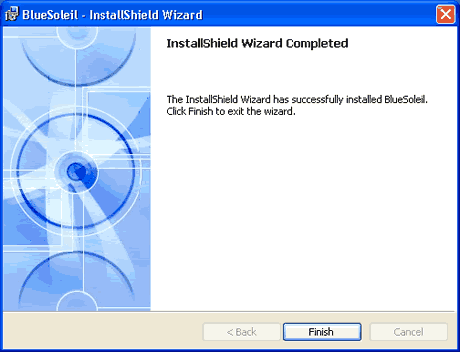
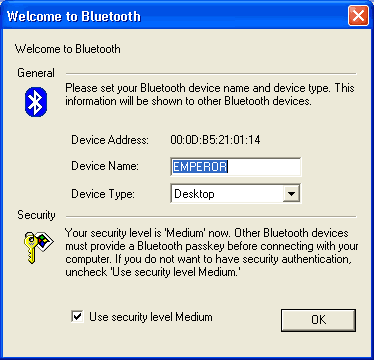
After rebooting and installing the Bluetooth Dongle, you can access the main menu after first setting several details:
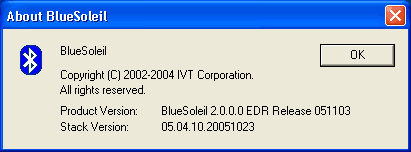
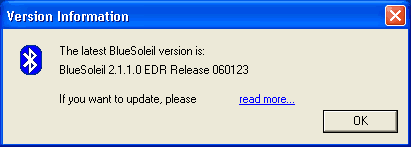
The included IVT BlueSoleil driver pack version was 2.0.0. EDR 051103
The software automatically searches for new versions. In our case it found a newer one, which was however impossible to download, since the hyperlink wasn't working...
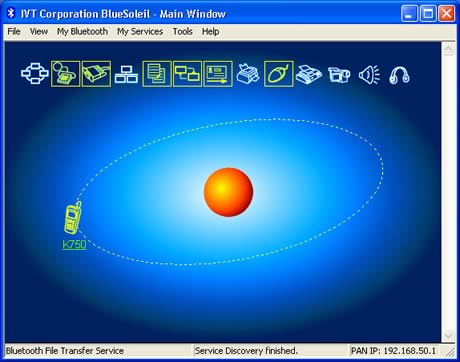
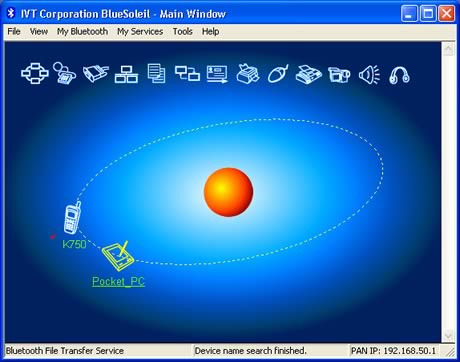
Let's have a look at the BlueSoleil software installed on our PC and what we can do with it. At the top (see photo below), we have several icons which represent Bluetooth services, while at the center (sun) we can see our host PC and any discovered devices orbiting around it.
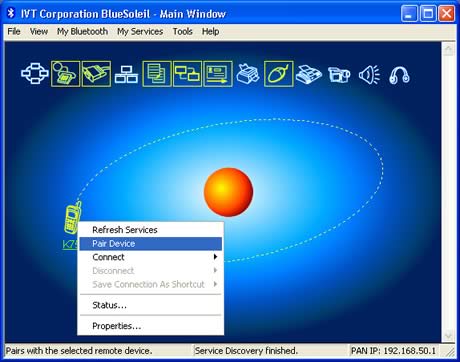
First off, we tried to "pair" a mobile phone (Sony Ericsson K750i).
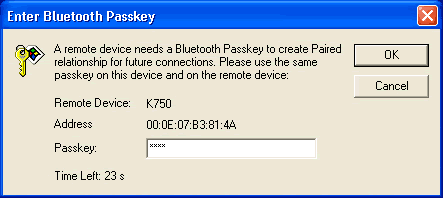
You need to know the passkey:
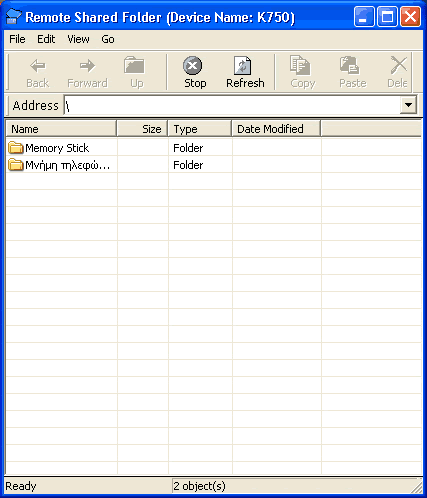
Once connected, we could access the mobile's phone shared folders:
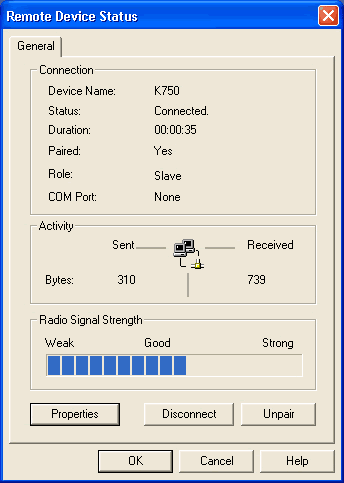
Some additional information about the K750i Bluetooth device:

In the status page, we can see the port activity as well as various other information such as signal strength:
Time to connect another device, a PDA this time (Dell Axim x50V). Again, you have to type in the passkey and "pair" the device:
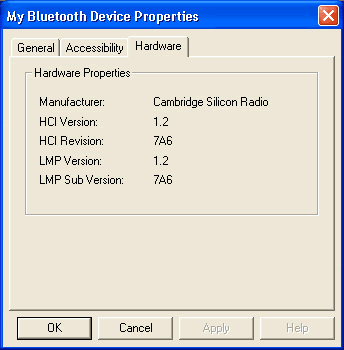
We can now see some information about the Bluetooth properties of our PDA:
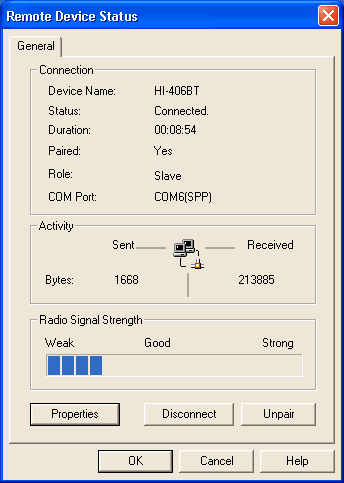
We next paired our BT GPS device (Haicom 406BT-C), which was connected on an unused COM port (COM6 in our case). With the appropriate GPS navigation software, you can now find your way around the world :-)
 

Review Pages

1. The BTA-806
2. BTA-806 Installation
3. The BTH-820
4. BTH-820 Installation
5. The BTA-830
6. Performance
7. Conclusion
 

Pages

  • « first
  • ‹ previous
  • 1
  • 2
  • 3
  • 4
  • 5
  • 6
  • 7
  • next ›
  • last »

GlobalSat

Tags: GlobalSat
Previous Post
Intel Celeron D 341, 346
Next Post
NEC ND-4550A

Related Posts

  • Globalsat BT-368

  • Globalsat TR-101

  • Globalsat BT-328 Review

  • Globalsat BT-359b

  • Globalsat BT-359: The Next Generation Bluetooth GPS Receiver

  • Globalsat GH-601

  • Ricoh and GlobalSat Embed GPS Data into Digital Images

  • Turn Your iPod Into a Wireless Music Center

Latest Reviews

The Technology Stack Behind Modern Digital Gaming Platforms
Consumer Electronics

The Technology Stack Behind Modern Digital Gaming Platforms

be quiet! Dark Rock Pro 6
Cooling Systems

be quiet! Dark Rock Pro 6

How Online Casinos Use Encryption, Verification, and Risk Controls to Build User Trust
Enterprise & IT

How Online Casinos Use Encryption, Verification, and Risk Controls to Build User Trust

Why Low-Latency Infrastructure Matters More Than Raw Specs
Enterprise & IT

Why Low-Latency Infrastructure Matters More Than Raw Specs

In the Age of AI Phishing, the Best User Experience Might Be the One That Feels Safest
Enterprise & IT

In the Age of AI Phishing, the Best User Experience Might Be the One That Feels Safest

Popular News

TEAMGROUP Launches EXPERT P34F Find My External SSD

TEAMGROUP Launches EXPERT P34F Find My External SSD

CORSAIR announces Vanguard Pro 96 and Vanguard 96 Gaming Keyboards

CORSAIR announces Vanguard Pro 96 and Vanguard 96 Gaming Keyboards

Samsung announces Galaxy Tab S11 and Galaxy S25 FE series

Samsung announces Galaxy Tab S11 and Galaxy S25 FE series

Viltrox Showcases Upcoming Lens Lineup and New TTL Flash at IBC 2025

Viltrox Showcases Upcoming Lens Lineup and New TTL Flash at IBC 2025

MSI Launches FORGE GK600 TKL WIRELESS Special Edition Compact Mechanical Keyboard

MSI Launches FORGE GK600 TKL WIRELESS Special Edition Compact Mechanical Keyboard

Panasonic Introduces the First Ultra-Telephoto Zoom Lens in the LUMIX S Series

Panasonic Introduces the First Ultra-Telephoto Zoom Lens in the LUMIX S Series

MSI Launches DATAMAG 40Gbps Magnetic Portable SSD

MSI Launches DATAMAG 40Gbps Magnetic Portable SSD

Viltrox Joins the L-Mount Alliance, Expanding Creative Possibilities

Viltrox Joins the L-Mount Alliance, Expanding Creative Possibilities

Main menu

  • Home
  • News
  • Reviews
  • Essays
  • Forum
  • Legacy
  • About
    • Submit News

    • Contact Us
    • Privacy

    • Promotion
    • Advertise

    • RSS Feed
    • Site Map
  • About
  • Privacy
  • Contact Us
  • Promotional Opportunities @ CdrInfo.com
  • Advertise on out site
  • Submit your News to our site
  • RSS Feed