Breaking News

DeepCool Launches the LT360 VISION ARGB Noctua and Asetek Announce Flagship AIO Liquid Coolers Toshiba Begins Sampling of 30-34 TB SMR Nearline Hard Disk Drives ASUS ROG Strix Laptop Lineup Returns With the Latest Intel Core Ultra 9 290HX Plus Processors EnGenius Brings AI-Powered Analytics and Sophisticated Cloud Management to Existing ONVIF Cameras

logo

  • Share Us
    • Facebook
    • Twitter
  • Home
  • Home
  • News
  • Reviews
  • Essays
  • Forum
  • Legacy
  • About
    • Submit News

    • Contact Us
    • Privacy

    • Promotion
    • Advertise

    • RSS Feed
    • Site Map

Search form

Gelid Liquid 120 AIO Cooler

Apr 4,2023 0

3. Installation process


Review Pages

1. Introduction
2. Retail Package
3. Installation process
4. Performance
5. Conclusion


Installing the CPU cooler requires several steps and while there is included a printed manual it took some time to get the thing started and understand what you should do. For our AMD AM4 (AMD Ryzen 5600X) processor, first, you have to first remove the included stock brackets and also the motherboard backplate. Gelid uses its own motherboard backplate for securing the cooler, which in our opinion does add time and hassle for the end user.

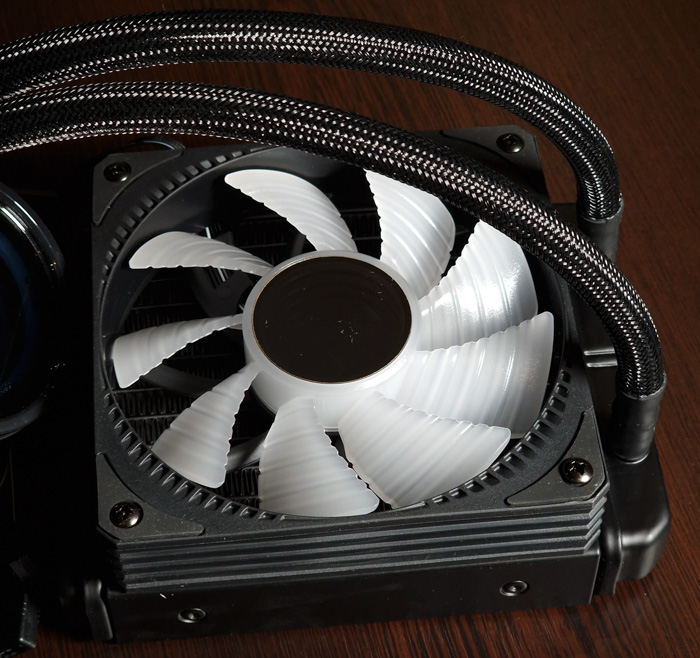
First, you have to attach the included 120mm at the radiator. Note that the included fan doesn't include any arrow to showcase the rotation and direction so keep the mirror effect at the bottom area (it should point to the CPU area).
Then you need to use the included motherboard backplate. You need to check the manual in order to insert the metal inserts at the AM4 socket and with some plastic spacers to secure them. It's not hard, just look at the motherboard. In order to keep this secure, the backplate includes a plastic square which you should peel and attach to the back of the motherboard.

Then you need to use the pump fittings either for Intel/AMD and secure it with the included screws.

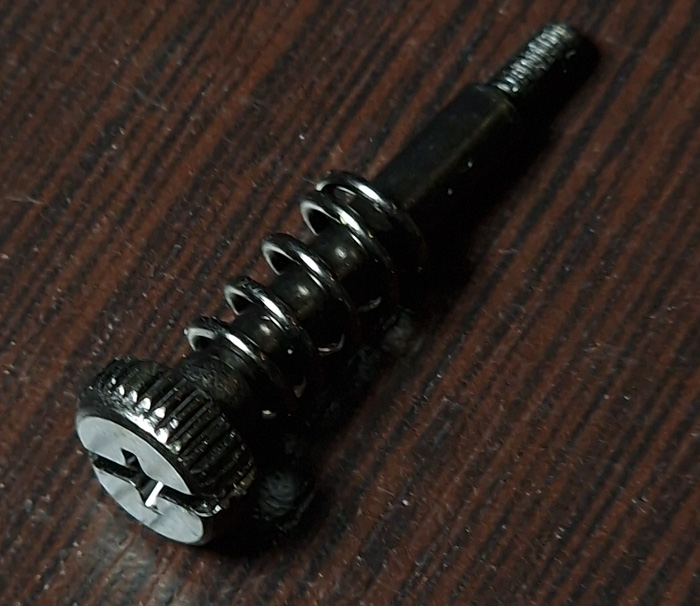
This is the long AM4 screw with a spring and also you need to attach a spacer
So after some time we finally installed our product on the motherboard. Note that this requires some rotation of the tubes at the pump, we feel that the included tubes should be slight longer for easier installation. In any case, the nearby VRMS is not affected.
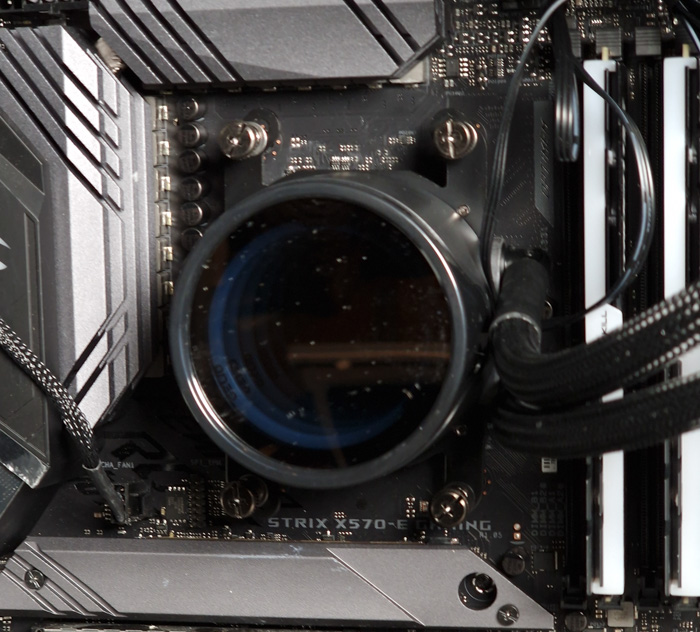
We used the 4-pin PWM of the radiator FAN at the CPU fan header, while the 3-pin power for the pump was installed at the AIO Pump header. Both the fan and pump where connected for the ARGB effect and we used a free 3-pin ARGB header.
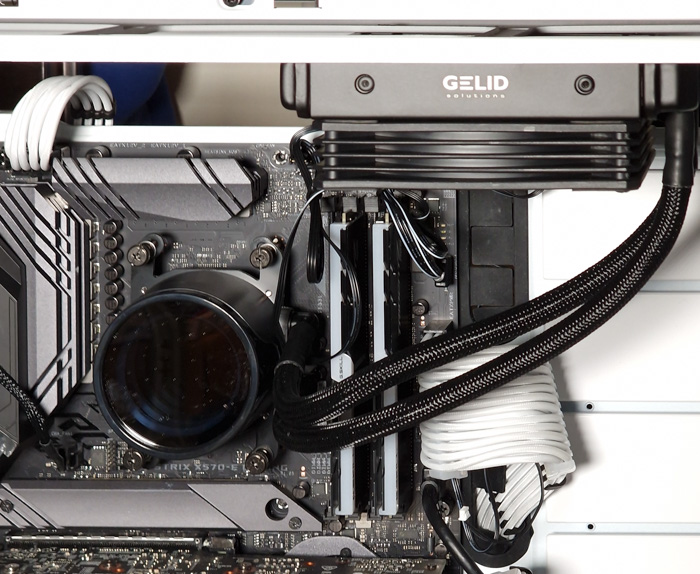
A lot of empty space around the CPU area.

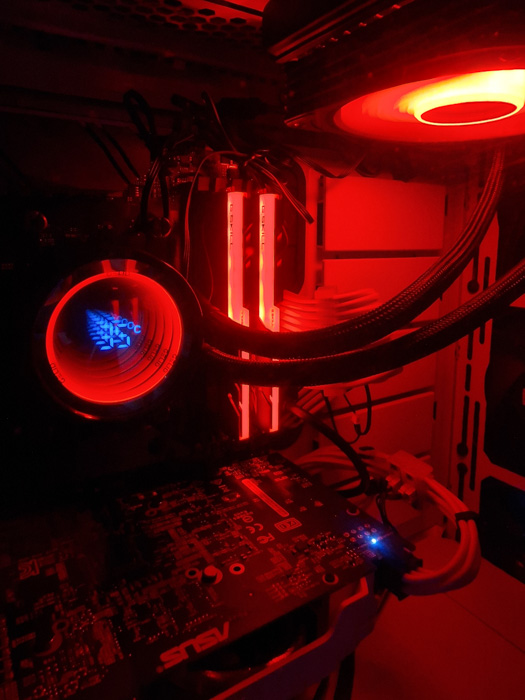
And here is what the final product will look like. Lof of RGB lighting and the mirror effect of the pump is very nice to view.
 

Review Pages

1. Introduction
2. Retail Package
3. Installation process
4. Performance
5. Conclusion


Pages

  • « first
  • ‹ previous
  • 1
  • 2
  • 3
  • 4
  • 5
  • next ›
  • last »

Gelid

Tags: Gelid
Previous Post
JSAUX Protective Shell PC0105
Next Post
be quiet! Light Wings White 140mm PWM

Related Posts

  • Gelid HeatPhase Ultra

  • GELID announces launch of “Silent 12 and Silent 12 PWM Black”

  • GELID Solutions Heat Phase Ultra!

  • Gelid Liquid 240 AIO Cooler

  • Gelid announces GELID LIQUID 360 AIO Cooler

  • GELID announces new 120/240 Liquid AIO Coolers for Intel/AMD platforms

  • GELID Has A new Low-profile CPU Cooler for Intel LGA115x

  • Gelid Launches SlimHero CPU Fan

Latest Reviews

In the Age of AI Phishing, the Best User Experience Might Be the One That Feels Safest
Enterprise & IT

In the Age of AI Phishing, the Best User Experience Might Be the One That Feels Safest

SoundPeats C30
Consumer Electronics

SoundPeats C30

Why Streaming Live Casino Games Demands Smarter Tech
Enterprise & IT

Why Streaming Live Casino Games Demands Smarter Tech

Kioxia Exceria Plus G3 512GB microSD
Cameras

Kioxia Exceria Plus G3 512GB microSD

SoundPeats Cove Pro
Consumer Electronics

SoundPeats Cove Pro

Popular News

COLORFUL Presents CVN X870 ARK FROZEN Motherboard for AMD Ryzen 9000 CPUs

COLORFUL Presents CVN X870 ARK FROZEN Motherboard for AMD Ryzen 9000 CPUs

TEAMGROUP Launches EXPERT P34F Find My External SSD

TEAMGROUP Launches EXPERT P34F Find My External SSD

Samsung announces Galaxy Tab S11 and Galaxy S25 FE series

Samsung announces Galaxy Tab S11 and Galaxy S25 FE series

Viltrox Showcases Upcoming Lens Lineup and New TTL Flash at IBC 2025

Viltrox Showcases Upcoming Lens Lineup and New TTL Flash at IBC 2025

CORSAIR announces Vanguard Pro 96 and Vanguard 96 Gaming Keyboards

CORSAIR announces Vanguard Pro 96 and Vanguard 96 Gaming Keyboards

Panasonic Introduces the First Ultra-Telephoto Zoom Lens in the LUMIX S Series

Panasonic Introduces the First Ultra-Telephoto Zoom Lens in the LUMIX S Series

MSI Launches DATAMAG 40Gbps Magnetic Portable SSD

MSI Launches DATAMAG 40Gbps Magnetic Portable SSD

MSI Launches FORGE GK600 TKL WIRELESS Special Edition Compact Mechanical Keyboard

MSI Launches FORGE GK600 TKL WIRELESS Special Edition Compact Mechanical Keyboard

Main menu

  • Home
  • News
  • Reviews
  • Essays
  • Forum
  • Legacy
  • About
    • Submit News

    • Contact Us
    • Privacy

    • Promotion
    • Advertise

    • RSS Feed
    • Site Map
  • About
  • Privacy
  • Contact Us
  • Promotional Opportunities @ CdrInfo.com
  • Advertise on out site
  • Submit your News to our site
  • RSS Feed