Breaking News

God of War Greek trilogy remake in development & God of War Sons of Sparta out now Sony Launches WF-1000XM6 Truly Wireless Earbuds EnGenius ECW515 Brings Wi-Fi 7 Performance to In-Room and In-Unit Deployments MSI Strengthens Strategic Partnership with Samsung Display Razer Introduces the BlackShark V3 for Xbox – White Edition

logo

  • Share Us
    • Facebook
    • Twitter
  • Home
  • Home
  • News
  • Reviews
  • Essays
  • Forum
  • Legacy
  • About
    • Submit News

    • Contact Us
    • Privacy

    • Promotion
    • Advertise

    • RSS Feed
    • Site Map

Search form

be quiet! Pure Loop 3 280mm

Sep 10,2025 0

3. Installation


Review Pages

1. Introduction
2. Retail Package
3. Installation
4. Tests
5. Conclusion


Installing the CPU cooler requires several steps.you can read the included manual and some basic steps are mentioned below:

1. To permit mounting of the cooler please remove both the plastic retainers of the AMD retention module. The factory fitted backplate affixed to the rear side of the motherboard will be needed for subsequent installation of the cooler.

2. Place the 4x AMD spacer nuts onto the backplate bolts protruding through the front side and affix both short AMD mounting brackets with the AMD backplate screws.

3. Affix the fans to the radiator with the fan mounting screws. We recommend installation in a push configuration. With the fans facing towards the model name on the radiator, mount them on the hose side.

4. Affixing the radiator to the case. That step depending your case may vary. The main idea is to keep the radiator above the CPU level to keep air at the top.

5. Use the build-in 3 in 1 PWM cable and connect it to your CPU 4pin motherboard connector.

6. Remove the protective foil from the underside of the cooler. Spread the thermal paste on the surface of the CPU. The amount supplied is sufficient for one or two applications.

7. Place the CPU block centrally over the short AMD mounting brackets, such that these allow the CPU block to be screwed down. For this, you can use a normal crosshead screwdriver. Next, connect the pump to the PUMP 4pin header CPU fan.

8. Refilling the system: Top up the system after about two years of use. In order to do this, first detach the radiator from the case. The filling port is on the opposite end of the hoses. Open this as well as the bottle with cooling fluid. Rotate the bottle into the filling port. Hold the radiator so that the filling port is at the highest level with the bottle upended over it. Then lightly squeeze the bottle. Repeat this until no further air bubbles appear in the bottle.

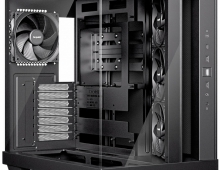
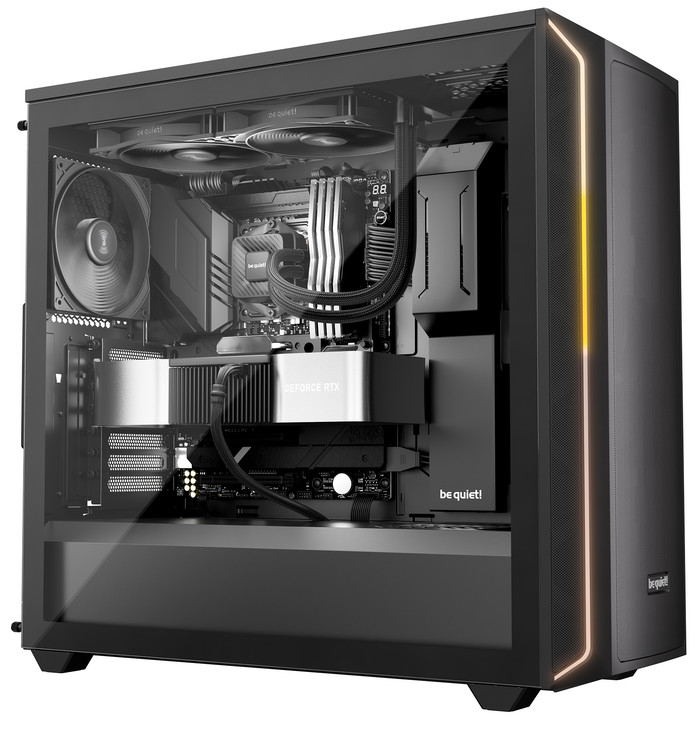
Here is how Pure Loop 3 would look alike in an installed system.
 

Review Pages

1. Introduction
2. Retail Package
3. Installation
4. Tests
5. Conclusion


Pages

  • « first
  • ‹ previous
  • 1
  • 2
  • 3
  • 4
  • 5
  • next ›
  • last »

be quiet!

Tags: be quiet!
Previous Post
be quiet! Light Base 500 LX
Next Post
Dragon Touch Digital Calendar

Related Posts

  • be quiet! Pure Power 13M 1200W

  • be quiet! Dark Perk Mice

  • be quiet! Power Zone 2 1200W

  • be quiet! enters high-end gaming mouse market with Dark Perk Ergo and Dark Perk Sym

  • be quiet! announces new Power Zone 2 1200W and Pure Power 13 M 1200W

  • be quiet! at CES 2026

  • be quiet! Dark Power 14 1000Watt

  • be quiet! Light Base 500 LX

Latest Reviews

Asustor AS5404T 4-Bay NAS System
Enterprise & IT

Asustor AS5404T 4-Bay NAS System

be quiet! Pure Power 13M 1200W
PC components

be quiet! Pure Power 13M 1200W

Server-Side Gaming Why Canadian Online Casinos Are Abandoning Local Clients for HTML5 Clouds
Enterprise & IT

Server-Side Gaming Why Canadian Online Casinos Are Abandoning Local Clients for HTML5 Clouds

Airfanta 3 Pro Air
Consumer Electronics

Airfanta 3 Pro Air

Akaso Brave 8 Lite
Cameras

Akaso Brave 8 Lite

Popular News

COLORFUL Introduces CVN B850I GAMING FROZEN Motherboard

COLORFUL Introduces CVN B850I GAMING FROZEN Motherboard

COLORFUL Presents CVN X870 ARK FROZEN Motherboard for AMD Ryzen 9000 CPUs

COLORFUL Presents CVN X870 ARK FROZEN Motherboard for AMD Ryzen 9000 CPUs

TEAMGROUP Launches EXPERT P34F Find My External SSD

TEAMGROUP Launches EXPERT P34F Find My External SSD

Samsung announces Galaxy Tab S11 and Galaxy S25 FE series

Samsung announces Galaxy Tab S11 and Galaxy S25 FE series

Viltrox Showcases Upcoming Lens Lineup and New TTL Flash at IBC 2025

Viltrox Showcases Upcoming Lens Lineup and New TTL Flash at IBC 2025

CORSAIR announces Vanguard Pro 96 and Vanguard 96 Gaming Keyboards

CORSAIR announces Vanguard Pro 96 and Vanguard 96 Gaming Keyboards

Panasonic Introduces the First Ultra-Telephoto Zoom Lens in the LUMIX S Series

Panasonic Introduces the First Ultra-Telephoto Zoom Lens in the LUMIX S Series

MSI Launches DATAMAG 40Gbps Magnetic Portable SSD

MSI Launches DATAMAG 40Gbps Magnetic Portable SSD

Main menu

  • Home
  • News
  • Reviews
  • Essays
  • Forum
  • Legacy
  • About
    • Submit News

    • Contact Us
    • Privacy

    • Promotion
    • Advertise

    • RSS Feed
    • Site Map
  • About
  • Privacy
  • Contact Us
  • Promotional Opportunities @ CdrInfo.com
  • Advertise on out site
  • Submit your News to our site
  • RSS Feed