Breaking News

ASUSTOR at Computex 2026 Exceed the Infinite with New ASRock X870E Taichi White Motherboard Fanatec unveils new products and performance upgrades at Spring Showcase LG Electronics Introduces First UltraGear evo Hyper Mini LED 5K Gaming Monitor CORSAIR Launches ThermalProtect PCIe 5.1 600W 12V-2x6 Cable to Help Protect GPUs from Overheating

logo

  • Share Us
    • Facebook
    • Twitter
  • Home
  • Home
  • News
  • Reviews
  • Essays
  • Forum
  • Legacy
  • About
    • Submit News

    • Contact Us
    • Privacy

    • Promotion
    • Advertise

    • RSS Feed
    • Site Map

Search form

AMD Replaces Catalyst With New Radeon Software Hub Crimson

AMD Replaces Catalyst With New Radeon Software Hub Crimson

GPUs Nov 2,2015 0

AMD is replacing the Catalyst Control Center, Radeon’s software hub since the old ATI days, with the Radeon Software Crimson - a software ready to go toe-to-toe with Nvidia’s GeForce Experience. AMD says Radeon Settings opens in just 0.6 seconds versus Catalyst’s 8 seconds on an E-350 APU-based Windows 10 system. Crimson, which will be ready until sometime before the holidays, is actually the upcoming version of the "Radeon Software" platform.
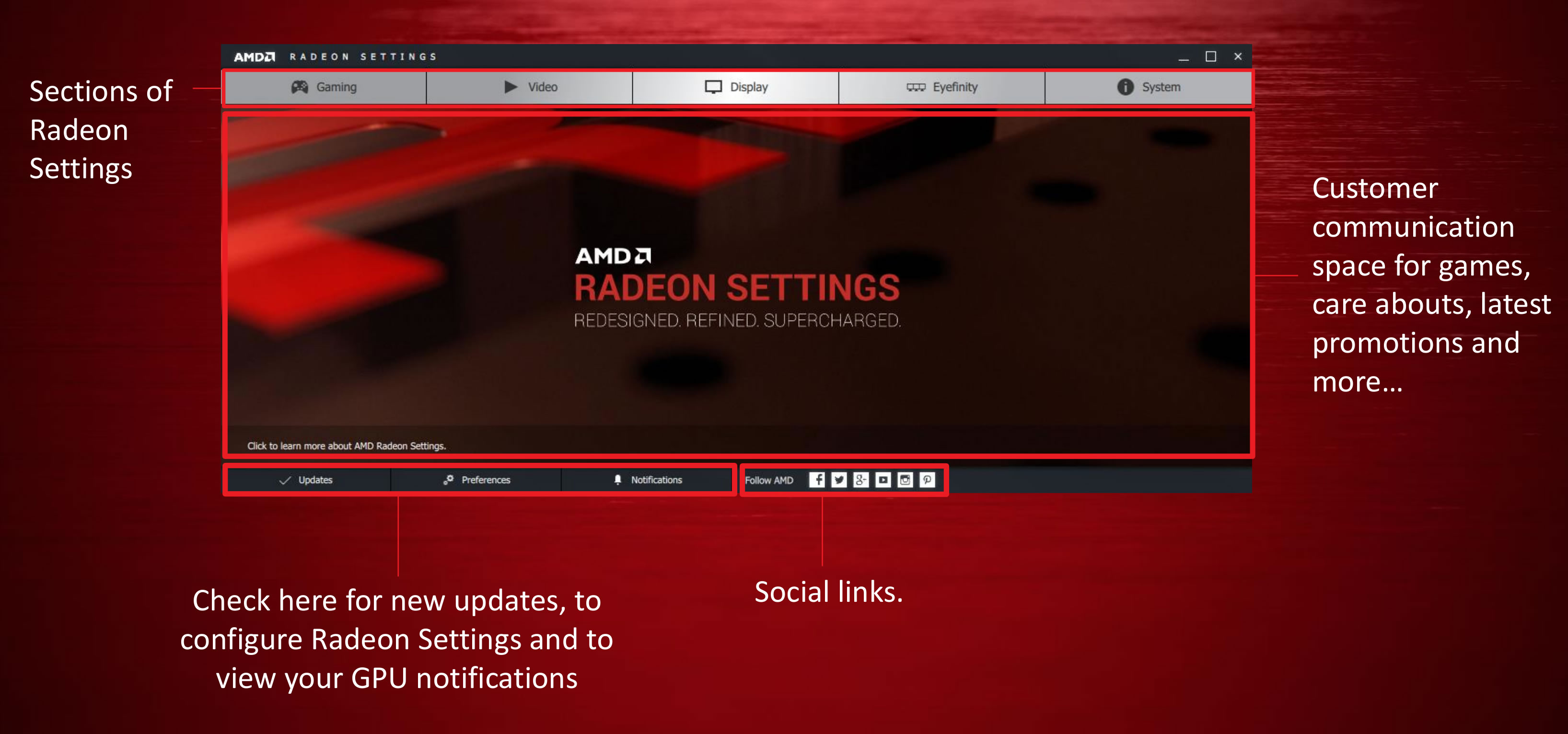
It offers settings across Gaming, video, display, Eyefinity, and system info, along with information about preferences, notifications from AMD, and updates. The software will also display promotional ads for new games and AMD hardware though AMD also hopes to embed Twitch streams of big events in there as well.

The Gaming tab includes an interface that displays all the games installed on your PC, as well as an option for global settings. AMD’s optional, Raptr-powered Gaming Evolved app automatically optimizes your graphics options based on your hardware configuration at an in-game level. Radeon Software Crimson also forces the changes at a deeper hardware level.

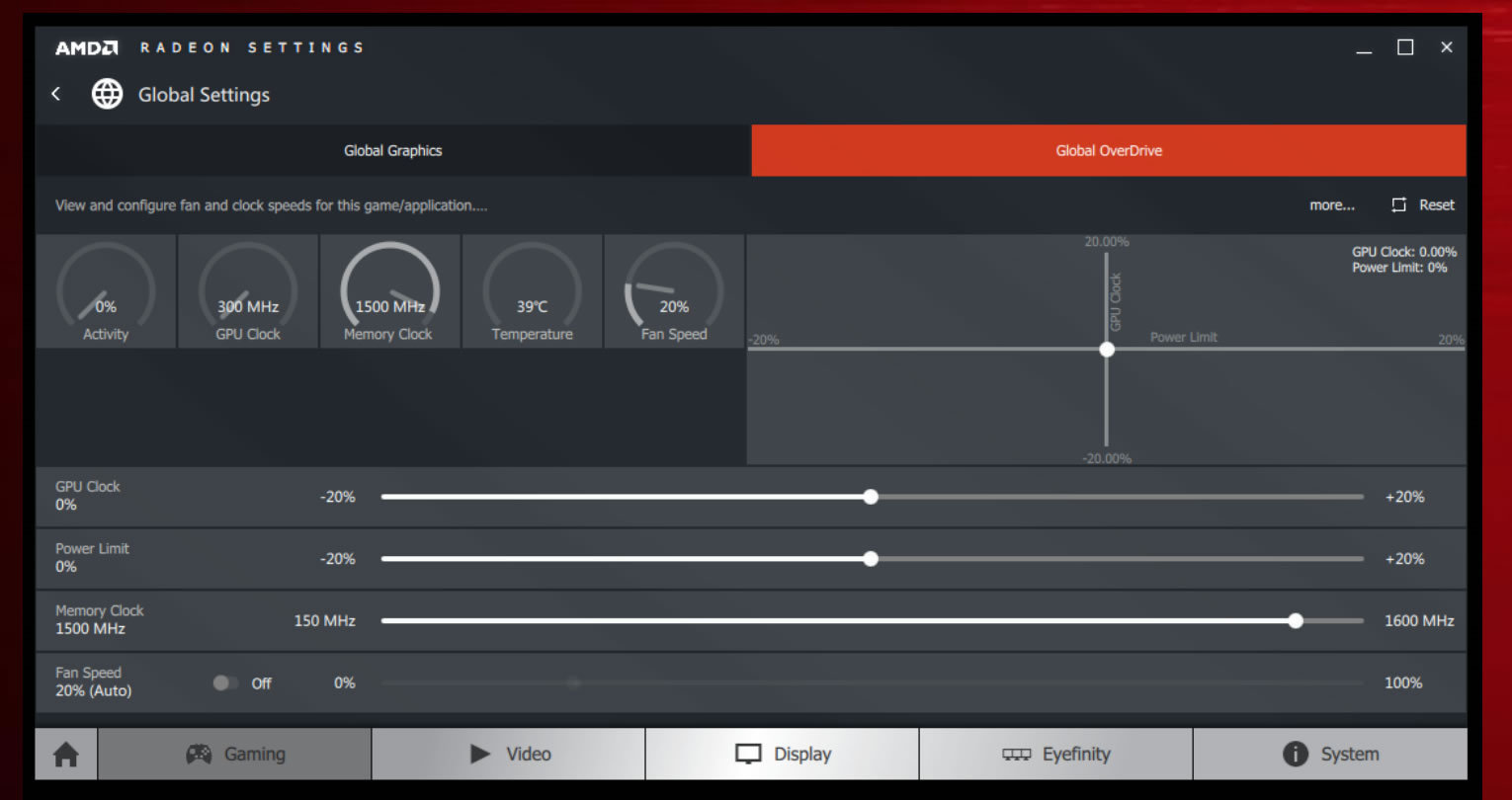
The Global Settings option of the Gaming tab includes the Graphics options you can enable for every game you play and AMD’s OverDrive overclocking tools.
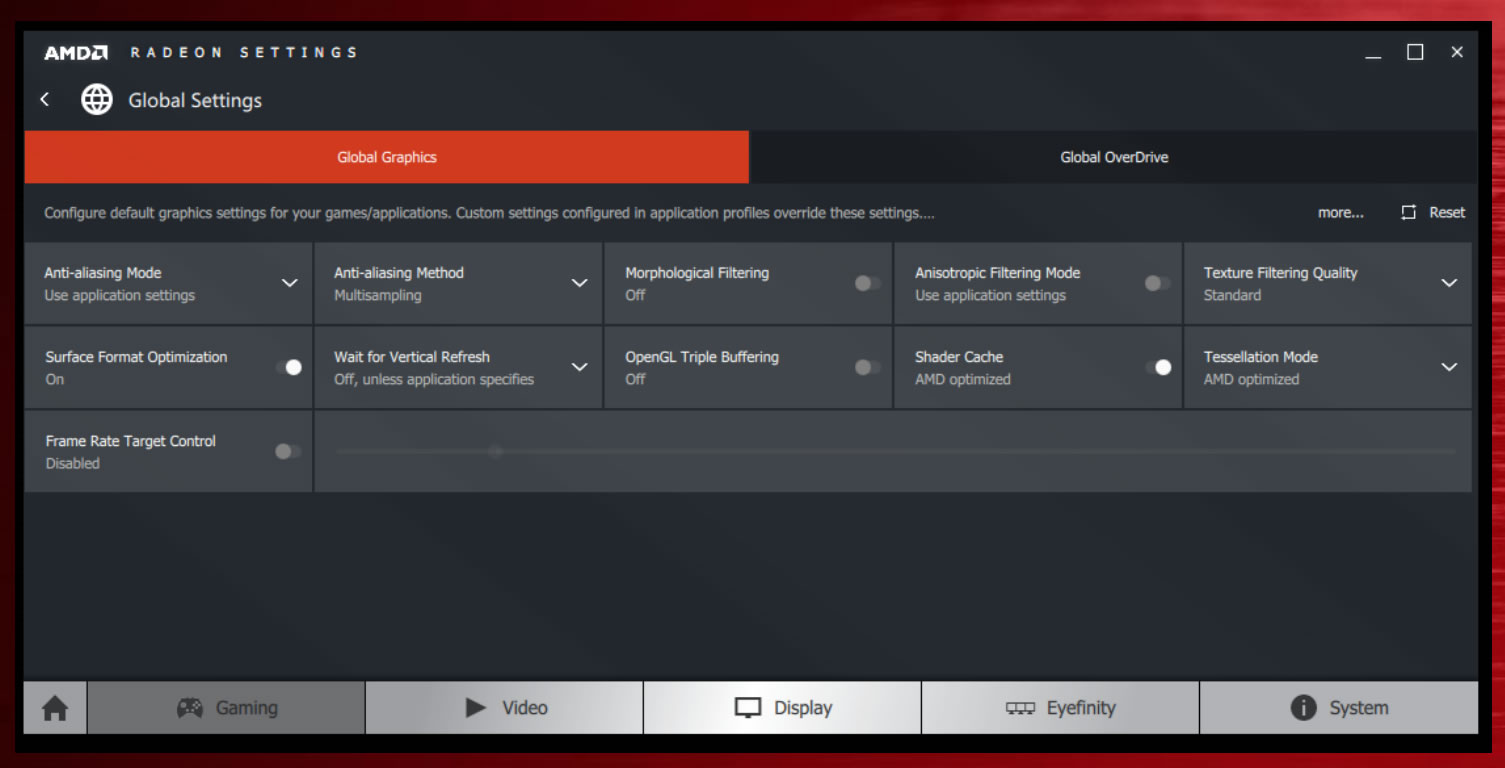
Radeon Settings also lets you create individual graphics profiles for your apply OverDrive settings for individual games. If your graphics card needs a little extra oomph to hit 60 frames per second on a particularly title, you can now configure the game’s profile to kick in overclocking on that title alone, rather than universally.
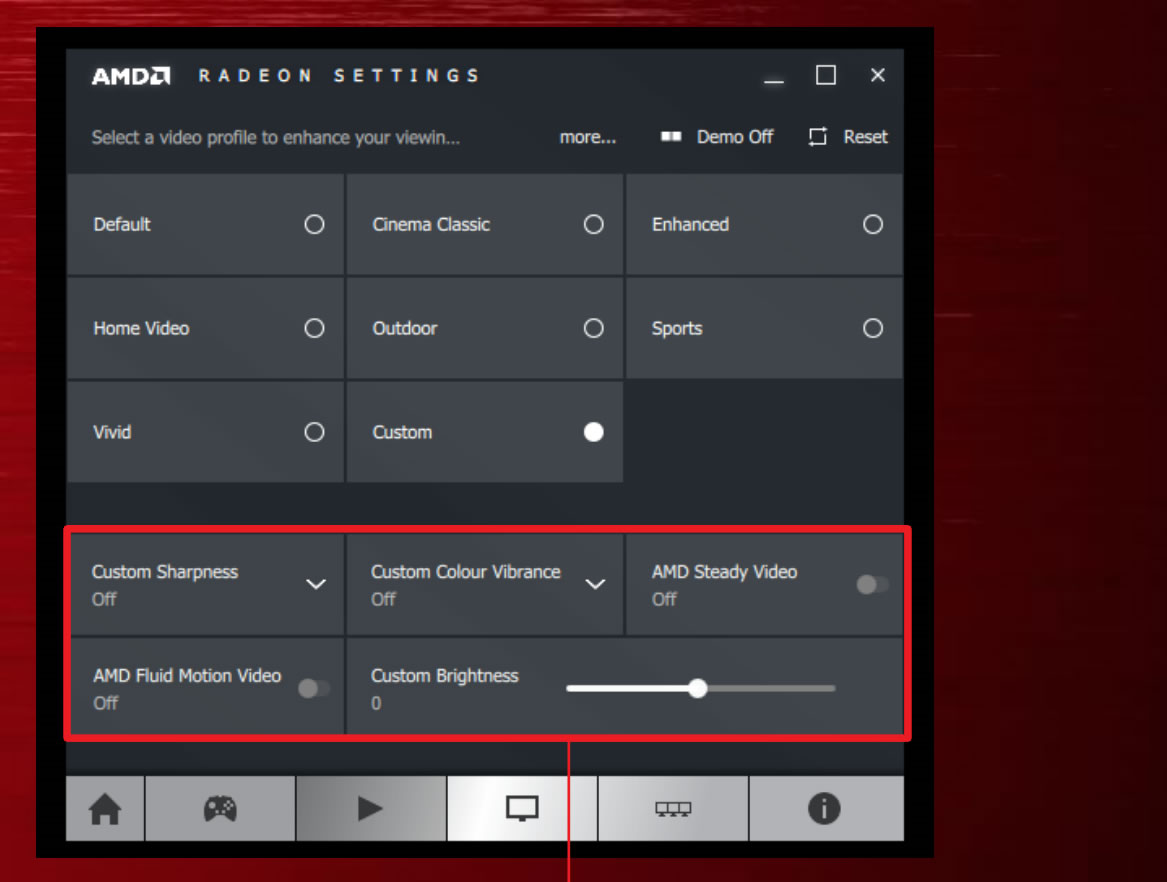
Moving on, the Video tab offers tools for video playback.

There are video profiles optimized for specific situations, such as sports, home videos, and the outdoors. You can also create Custom video profiles.

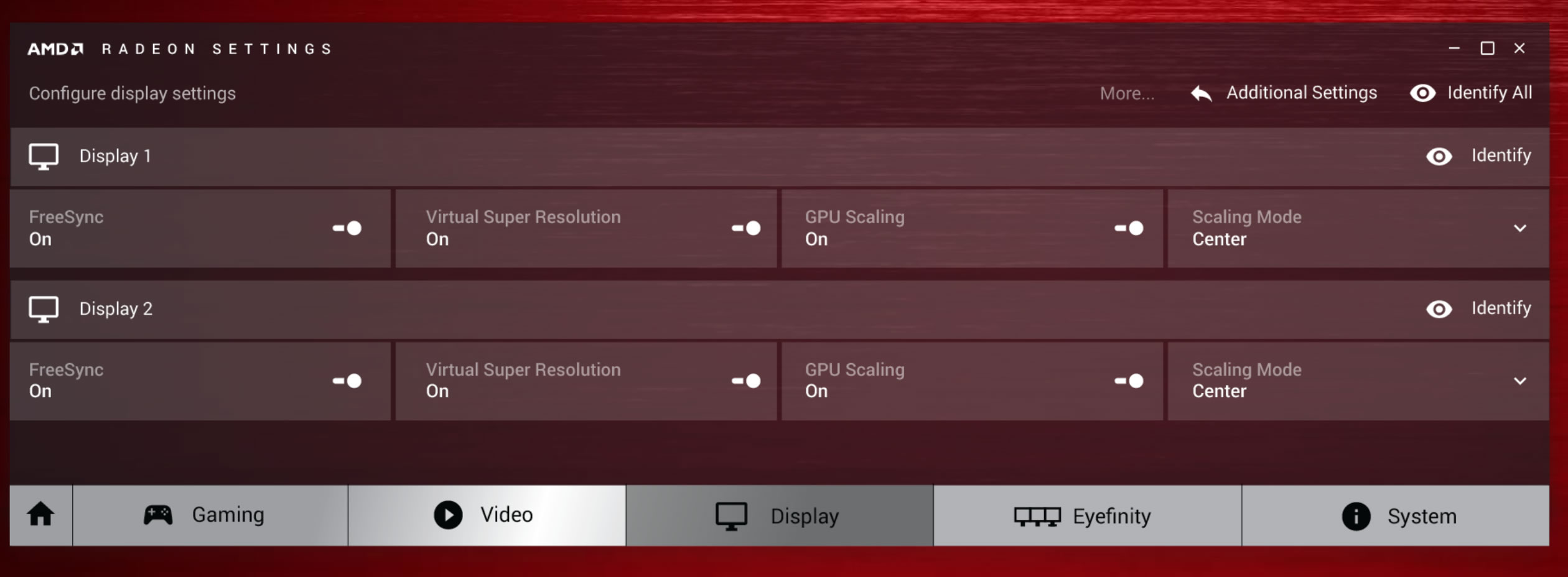
The Display tab includes each monitor in your setup, with some options for each.
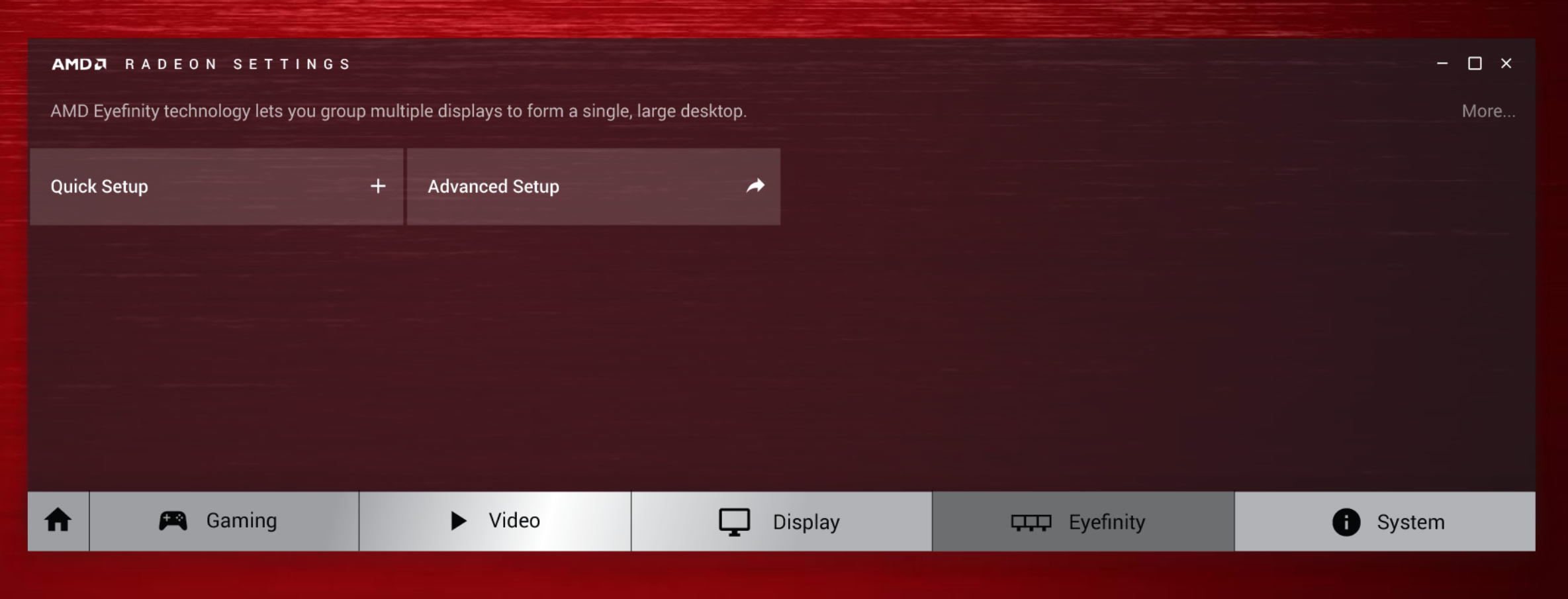
Eyefinity has its own dedicated tab. The most notable feature here is a new Quick Setup option, which, with a single click, automatically configures your multi-monitor setup.
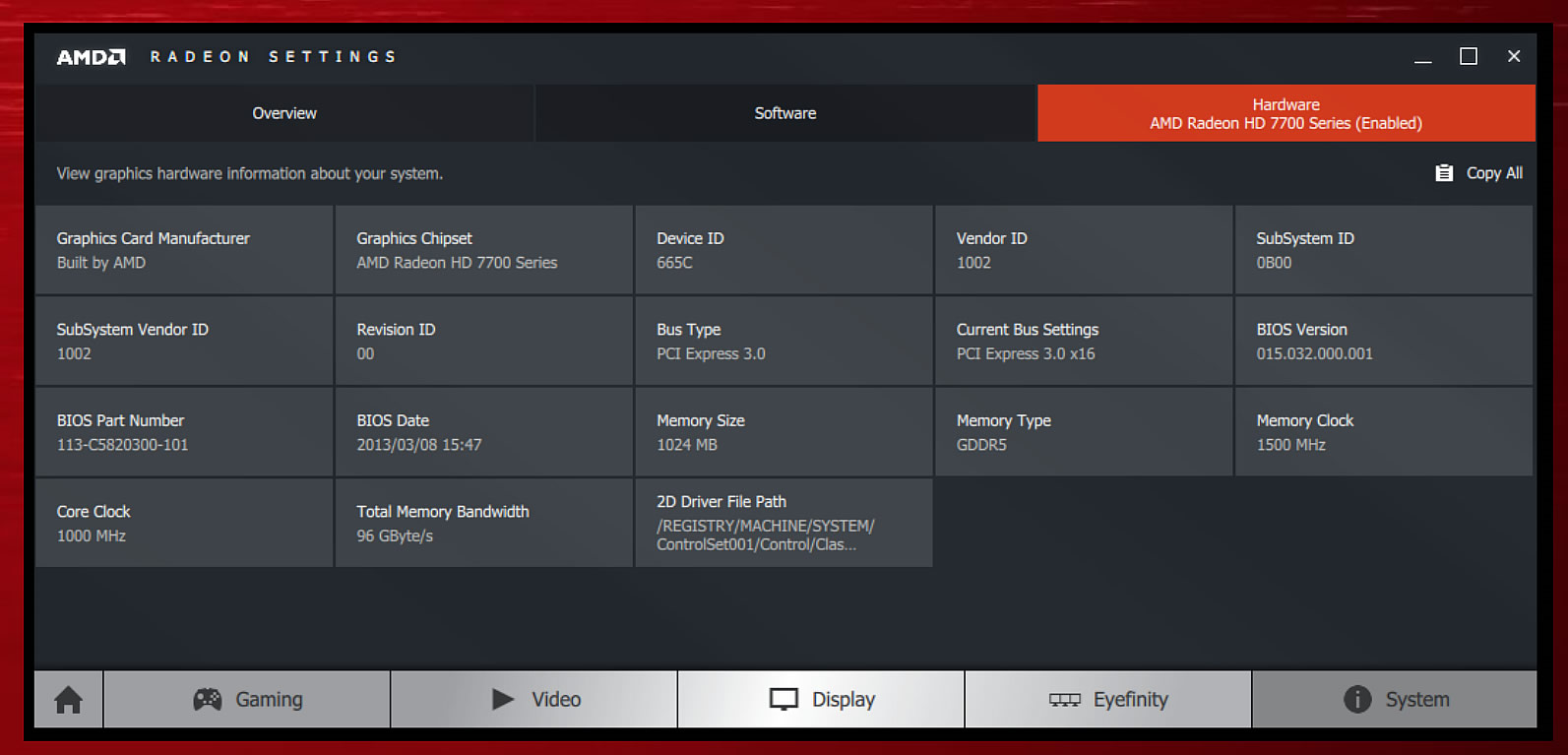
The System tab displays all the information about your PC - memory bandwidth, bus settings, and BIOS date.

Last but npot least, the Updates tab lets you know if your Radeon Software Crimson driver’s up to date, or if a new one’s available.
Crimson won’t be available until sometime later in the fourth quarter, and when it does land, it’ll be restricted to Windows.

Meanwhile, along with announcing the new name for their drivers, AMD has also clarified their driver release plans over the next year. AMD is aiming to find a balance on WHQL driver releases and expects multiple WHQL releases per year, likely averaging a release every couple of months. Meanwhile in between those releases AMD will publish beta driver updates as they do now on an as-needed basis.

Tags: AMD
Previous Post
BlackBerry's PRIV Android phone Coming From AT&T
Next Post
T-Mobile Offers You A Personalized 4G LTE Tower

Related Posts

  • AMD Launches Ryzen 9 9950X3D2 Dual Edition Processor

  • MINISFORUM Showcases Agent Computing Solutions

  • Samsung and AMD Expand Strategic Collaboration on Next-Generation AI Memory Solutions

  • AMD Ryzen AI PRO 400 Series CPUs Deliver Advanced AI for Desktops

  • AMD at CES 2026

  • ASUS Announces Turbo Radeon AI Pro R9700 32GB Graphics Card

  • AMD Introduces EPYC Embedded 4005 Processors for Low-Latency Applications at the Edge

  • AMD announces Instinct MI350 Series GPUs

Latest News

ASUSTOR at Computex 2026
Enterprise & IT

ASUSTOR at Computex 2026

Exceed the Infinite with New ASRock X870E Taichi White Motherboard
PC components

Exceed the Infinite with New ASRock X870E Taichi White Motherboard

Fanatec unveils new products and performance upgrades at Spring Showcase
Gaming

Fanatec unveils new products and performance upgrades at Spring Showcase

LG Electronics Introduces First UltraGear evo Hyper Mini LED 5K Gaming Monitor
Gaming

LG Electronics Introduces First UltraGear evo Hyper Mini LED 5K Gaming Monitor

CORSAIR Launches ThermalProtect PCIe 5.1 600W 12V-2x6 Cable to Help Protect GPUs from Overheating
Enterprise & IT

CORSAIR Launches ThermalProtect PCIe 5.1 600W 12V-2x6 Cable to Help Protect GPUs from Overheating

Popular Reviews

Akaso 360 Action camera

Akaso 360 Action camera

Dragon Touch Digital Calendar

Dragon Touch Digital Calendar

be quiet! Pure Loop 3 280mm

be quiet! Pure Loop 3 280mm

Noctua NF-A12x25 G2 fans

Noctua NF-A12x25 G2 fans

Arctic Liquid Freezer III 360 Pro Argb

Arctic Liquid Freezer III 360 Pro Argb

Soft2bet and the unseen hardware that makes instant play possible

Soft2bet and the unseen hardware that makes instant play possible

Crucial T710 2TB NVME SSD

Crucial T710 2TB NVME SSD

JSAUX 65Wh Rog Ally Battery

JSAUX 65Wh Rog Ally Battery

Main menu

  • Home
  • News
  • Reviews
  • Essays
  • Forum
  • Legacy
  • About
    • Submit News

    • Contact Us
    • Privacy

    • Promotion
    • Advertise

    • RSS Feed
    • Site Map
  • About
  • Privacy
  • Contact Us
  • Promotional Opportunities @ CdrInfo.com
  • Advertise on out site
  • Submit your News to our site
  • RSS Feed