Breaking News

Samsung Brings Satellite Communication Support to Galaxy Smartphones Across the Globe vivo Announces MWC 2026 Attendance and sets to Showcase New Flagship X300 Ultra Razer Elevates Everyday Carry with the Laptop Sleeve 16” with Wireless Charging Samsung Unveils Galaxy S26 Series and Galaxy Buds4 Razer announces Kiyo V2 4K AI Webcamera

logo

  • Share Us
    • Facebook
    • Twitter
  • Home
  • Home
  • News
  • Reviews
  • Essays
  • Forum
  • Legacy
  • About
    • Submit News

    • Contact Us
    • Privacy

    • Promotion
    • Advertise

    • RSS Feed
    • Site Map

Search form

Haicom 305-III

Feb 3,2006 0

5. Conclusion


Review Pages

1. Introduction
2. Features
3. Installation
4. The Tests
5. Conclusion


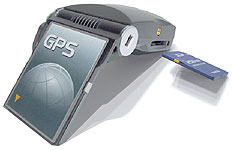
The Haicom 305-III is a good product with easy installation of a CF card (no drivers required), while at the same time it can be connected using a number of different interfaces, ranging from serial and CF up to USB and Bluetooth, provided that you use the special connection cables. What it boils down to is that you buy one product that can be used with almost all available connection interfaces available on modern desktop PCs, laptops and of course, PDA devices.

Since the HI-305-III uses the SiRF III chipset, it exhibited very good behaviour in terms of sensitivity and ability to "view" many satellites. The ability to connect an external antenna, further boosts the devices capabilities. Users will find the SD slot convenient, even though there are some limitations (no hot-swapping).

The listed price is around US$99, which make it more expensive than the Globalsat BC-337 (US$85). However, it offers greater expandability and its performance won't let you down.

The Positive

  • SiRF III chipset with latest firmware (3.1.1)
  • Can be used with a variety of connection interfaces (CF, USB, BT, Serial) with optional cables
  • Adds an additional SD slot to the host
  • Almost complete retail package
  • Very good performance
  • Easy installation
  • External antenna can be connected (optional cable)
  • Firmware can be updated through Haicom Viewer software

The Negative

  • PCMCIA adapter isn't included
  • A little on the large side
  • You cannot hot-swap the SD card in the built-in slot


Review Pages

1. Introduction
2. Features
3. Installation
4. The Tests
5. Conclusion


Pages

  • « first
  • ‹ previous
  • 1
  • 2
  • 3
  • 4
  • 5

Haicom

Tags: Haicom
Previous Post
NEC ND-4550A
Next Post
Haicom 406BT-C

Related Posts

  • Affordable GPS Navigation by Haicom

  • Haicom 406BT-C

Latest Reviews

Kioxia Exceria Plus G3 512GB microSD
Cameras

Kioxia Exceria Plus G3 512GB microSD

SoundPeats Cove Pro
Consumer Electronics

SoundPeats Cove Pro

Asustor AS5404T 4-Bay NAS System
Enterprise & IT

Asustor AS5404T 4-Bay NAS System

be quiet! Pure Power 13M 1200W
PC components

be quiet! Pure Power 13M 1200W

Server-Side Gaming Why Canadian Online Casinos Are Abandoning Local Clients for HTML5 Clouds
Enterprise & IT

Server-Side Gaming Why Canadian Online Casinos Are Abandoning Local Clients for HTML5 Clouds

Popular News

COLORFUL Introduces CVN B850I GAMING FROZEN Motherboard

COLORFUL Introduces CVN B850I GAMING FROZEN Motherboard

COLORFUL Presents CVN X870 ARK FROZEN Motherboard for AMD Ryzen 9000 CPUs

COLORFUL Presents CVN X870 ARK FROZEN Motherboard for AMD Ryzen 9000 CPUs

TEAMGROUP Launches EXPERT P34F Find My External SSD

TEAMGROUP Launches EXPERT P34F Find My External SSD

Samsung announces Galaxy Tab S11 and Galaxy S25 FE series

Samsung announces Galaxy Tab S11 and Galaxy S25 FE series

Viltrox Showcases Upcoming Lens Lineup and New TTL Flash at IBC 2025

Viltrox Showcases Upcoming Lens Lineup and New TTL Flash at IBC 2025

CORSAIR announces Vanguard Pro 96 and Vanguard 96 Gaming Keyboards

CORSAIR announces Vanguard Pro 96 and Vanguard 96 Gaming Keyboards

Panasonic Introduces the First Ultra-Telephoto Zoom Lens in the LUMIX S Series

Panasonic Introduces the First Ultra-Telephoto Zoom Lens in the LUMIX S Series

MSI Launches DATAMAG 40Gbps Magnetic Portable SSD

MSI Launches DATAMAG 40Gbps Magnetic Portable SSD

Main menu

  • Home
  • News
  • Reviews
  • Essays
  • Forum
  • Legacy
  • About
    • Submit News

    • Contact Us
    • Privacy

    • Promotion
    • Advertise

    • RSS Feed
    • Site Map
  • About
  • Privacy
  • Contact Us
  • Promotional Opportunities @ CdrInfo.com
  • Advertise on out site
  • Submit your News to our site
  • RSS Feed