Breaking News

Akasa Launches Newton N16, Compact Fanless Case for ASUS NUC 16 Pro TEAMGROUP Unveils the ACE 8K MicroSDXC Memory Card ASUS Announces Ascent QN10 Mini PC CORSAIR Launches Second Generation Nautilus II AIO CPU Coolers CORSAIR Launches VOXARA USB Gaming Condenser Microphone

logo

  • Share Us
    • Facebook
    • Twitter
  • Home
  • Home
  • News
  • Reviews
  • Essays
  • About
    • Submit News

    • Contact Us
    • Privacy

    • Promotion
    • Advertise

    • RSS Feed

Search form

Epomaker RT80

Nov 24,2024 0

3. Software


Review Pages

1. Introduction
2. Retail Package
3. Software
4. Conclusion


Windows users can download the EPOMAKER_WIN_setup_2.1.78 software to further enhance their experience with the Epomaker RT80 product. The software seems to differ from other EPOMAKER software and it looks much more complete and offers higher control over the keyboard.

The software has a black background and can control many different aspects of the keyboard. Users can have various configurations, depending on their needs. Users can map different functions/buttons to all keys, depending on their taste. Users can also update the firmware of the keyboard and the software version under this software.

To update the firmware you need to have the keyboard connected via wire.

The software updated our keyboard to the v1.10 firmware revision.

There is an interesting Share page, where you can download or upload favorite lighting layouts, animation gifs, macros, or settings of the RT 80 (you need to create an online account).

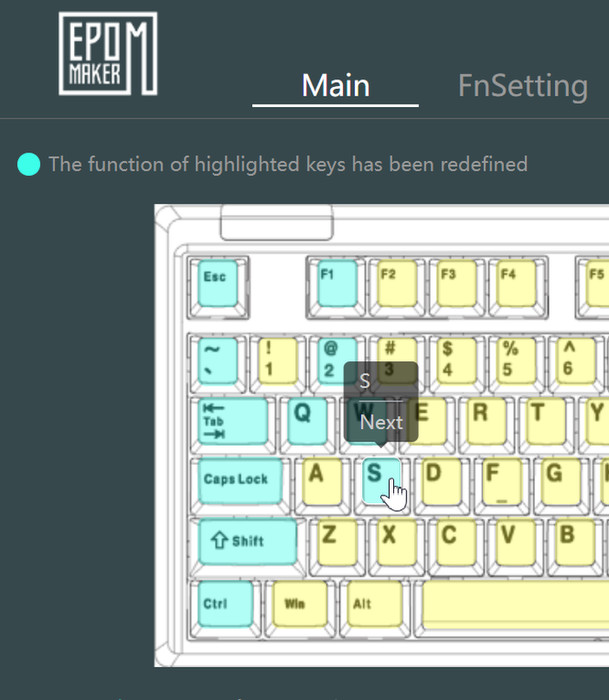
On the main screen, you can change the function of keys.
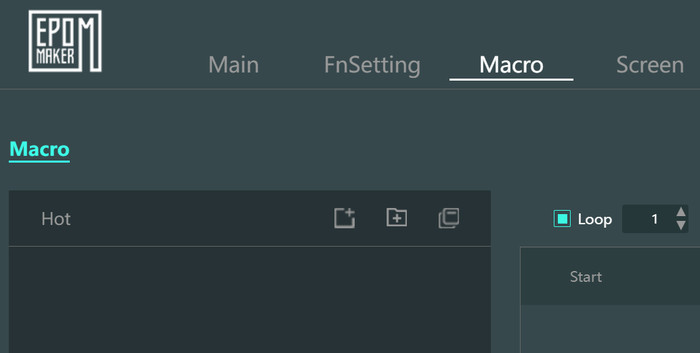
Macros are also present to record and use according to your needs.
To get more apps or gifs on the LCD screens you need to use the Screen tab, From there either draw a gif using an existing one from your HDD or use an installed software to get its shortcut at the LCD screen, there are four (4) different slots to upload gifs or shortcuts and you cannot change the default ones.

By default the 1.54" LCD screen has 8 pre-installed shortcuts to touch, the screen is activated via swipe left/right, and the touch responsiveness it very good.
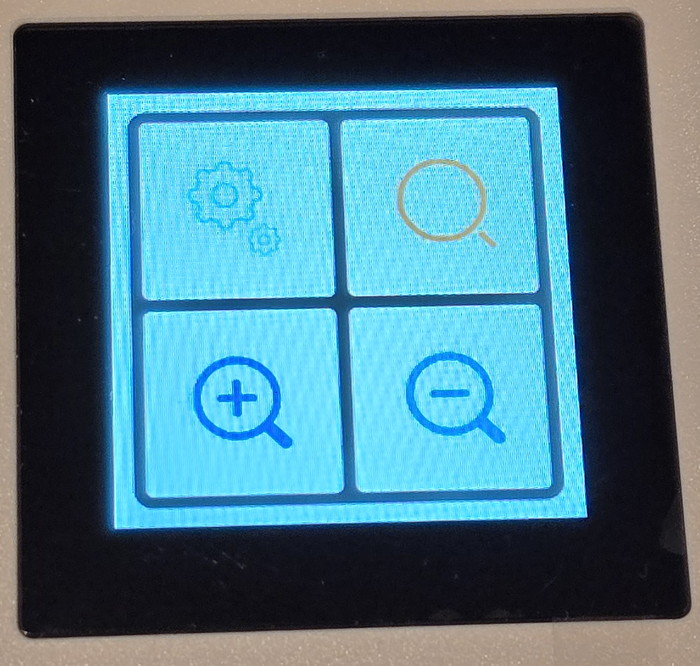
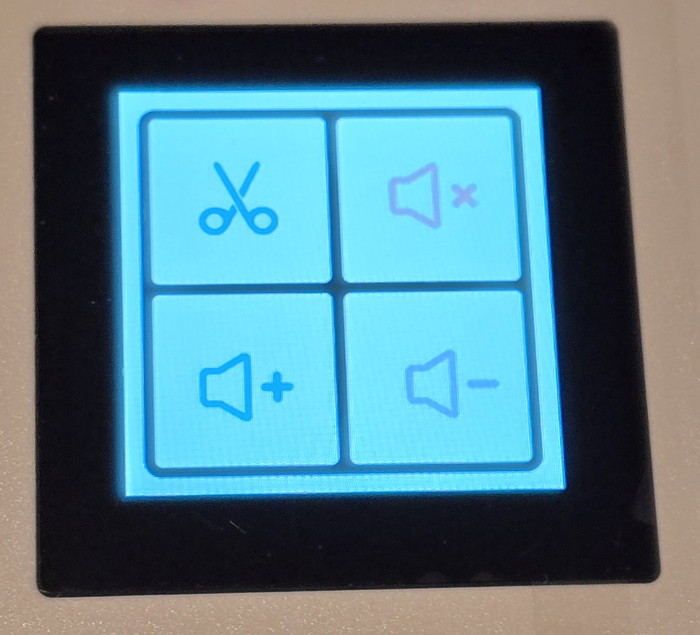
Via the software we added four more shortcuts, the icon of each application is present, and by pressing each icon, the software loads.


Review Pages

1. Introduction
2. Retail Package
3. Software
4. Conclusion


Pages

  • « first
  • ‹ previous
  • 1
  • 2
  • 3
  • 4
  • next ›
  • last »

EPOMAKER

Tags: EPOMAKER
Previous Post
Skullcandy Dime 3
Next Post
Epomaker Galaxy 70

Related Posts

  • Epomaker Magcore 87

  • Epomaker Carbon 60

  • Epomaker HE 68

  • Epomaker Click

  • Epomaker Alice 66

  • Epomaker Split 65

  • EPOMAKER RT100

  • Epomaker HE 75 Mag

Latest Reviews

Fanxiang MP83 M.2 NVMe SSD Enclosure
Enterprise & IT

Fanxiang MP83 M.2 NVMe SSD Enclosure

Ugreen CM642 USB4.0 Enclosure
PC components

Ugreen CM642 USB4.0 Enclosure

be quiet! Dark Power 14 IO
PC components

be quiet! Dark Power 14 IO

SanDisk High Endurance 512GB microSDXC
Cameras

SanDisk High Endurance 512GB microSDXC

Samsung PRO Ultimate 512GB microSDXC
Cameras

Samsung PRO Ultimate 512GB microSDXC

Popular News

CORSAIR announces Vanguard Pro 96 and Vanguard 96 Gaming Keyboards

CORSAIR announces Vanguard Pro 96 and Vanguard 96 Gaming Keyboards

MSI’s Latest AMD X870E MAX & EVO Series Motherboards

MSI’s Latest AMD X870E MAX & EVO Series Motherboards

Panasonic Introduces the First Ultra-Telephoto Zoom Lens in the LUMIX S Series

Panasonic Introduces the First Ultra-Telephoto Zoom Lens in the LUMIX S Series

COLORFUL Launches iGame B850M ULTRA Series Micro-ATX Motherboards

COLORFUL Launches iGame B850M ULTRA Series Micro-ATX Motherboards

COLORFUL Presents Limited Edition Chitu MAG-60 Magnetic Keyboard Inspired by the Year of the Horse

COLORFUL Presents Limited Edition Chitu MAG-60 Magnetic Keyboard Inspired by the Year of the Horse

COLORFUL Presents iGame Z890 ULTRA-S W and iGame Z890M ULTRA Z Motherboards

COLORFUL Presents iGame Z890 ULTRA-S W and iGame Z890M ULTRA Z Motherboards

COLORFUL Launches iGame B850I MINI OC V14 Motherboard

COLORFUL Launches iGame B850I MINI OC V14 Motherboard

COLORFUL Expands B850 Motherboard Lineup with New CVN, Battle-Ax, and MEOW Models

COLORFUL Expands B850 Motherboard Lineup with New CVN, Battle-Ax, and MEOW Models

Main menu

  • Home
  • News
  • Reviews
  • Essays
  • About
    • Submit News

    • Contact Us
    • Privacy

    • Promotion
    • Advertise

    • RSS Feed
  • About
  • Privacy
  • Contact Us
  • Promotional Opportunities @ CdrInfo.com
  • Advertise on out site
  • Submit your News to our site
  • RSS Feed