Breaking News

Samsung Launches One UI 8.5 Beta for Next-Level Ease of Use LIAN LI Launches RS Series PSU with World’s First Rotatable AC Inlet Gigabyte X870E AERO X3D WOOD Redefines the Motherboard Toshiba Storage Trends 2026 AWS introduces Graviton5 CPU

logo

  • Share Us
    • Facebook
    • Twitter
  • Home
  • Home
  • News
  • Reviews
  • Essays
  • Forum
  • Legacy
  • About
    • Submit News

    • Contact Us
    • Privacy

    • Promotion
    • Advertise

    • RSS Feed
    • Site Map

Search form

EnGenius EWS276-FIT AP

Mar 5,2024 0

3. Getting started


Review Pages

1. Introduction / Retail Package
2. FitXpress App
3. Getting started
4. Web Portal
5. Conclusion


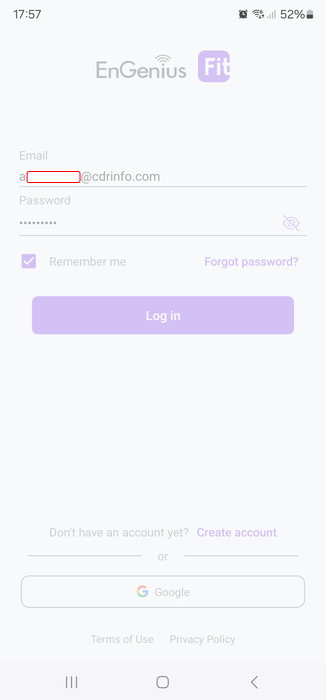
Users can access the device either via a) https access with the default username/password (admin/admin), b) the FitExpress app, and c) via the Web portal. Most users will prefer the EnGenius FitXpress app that can be found at the Google Store for Android devices. You need to create a free online account or you can log in with either Google/Facebook login credentials.
Users can add new devices to the network.
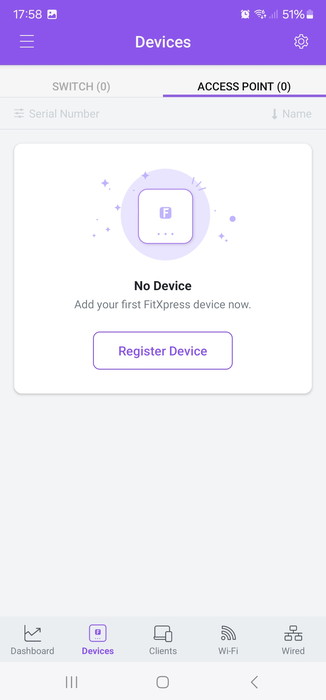
There is a software wizard that will guide us through each step

Now its time to register our first device. You need to have the device powered and connected to the Internet. After scanning the bottom QR code, the app recognized our device and registered it at our account/network.
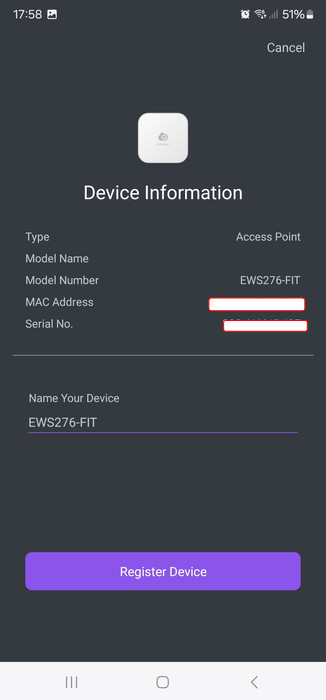
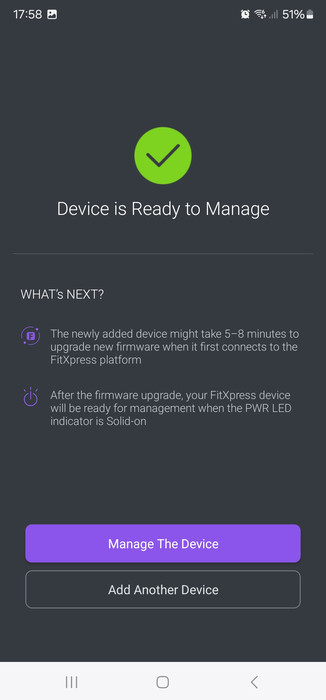
The device has been installed on our network and it will take some time for itself to get updated to the latest available firmware.

Users can find the most important information under the device detail.
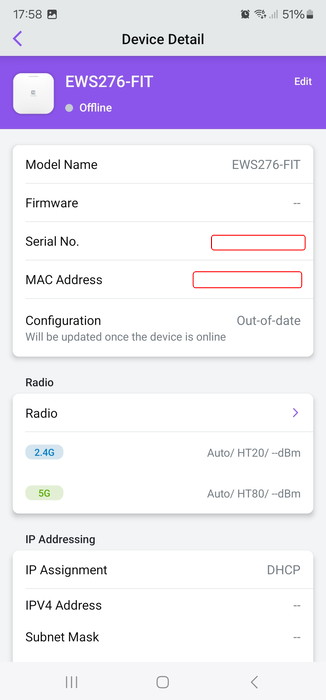
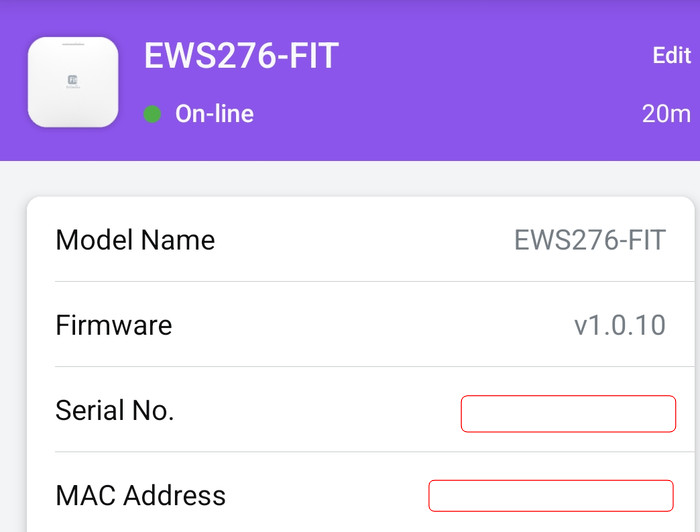
After several minutes the device was updated to the latest v1.0.10 firmware.
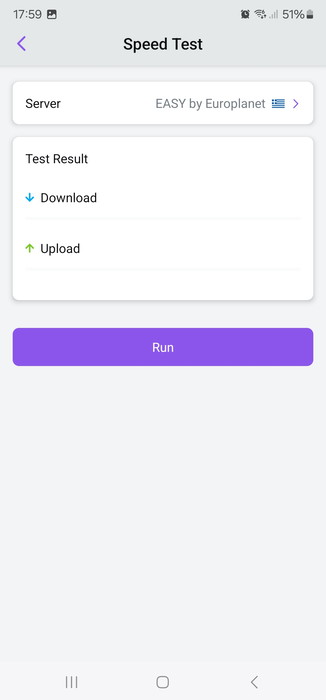
There is some basic information about the local Wifi activity, speed, and connectivity tests

Users can check the "Radio settings" check the default settings or change them according to their wishes.
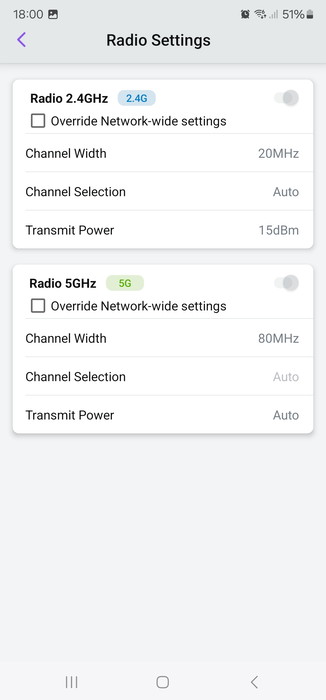
The device can boost up to 24dBm Transmit power output or simply leave everything at AUTO for the device to select them itself.

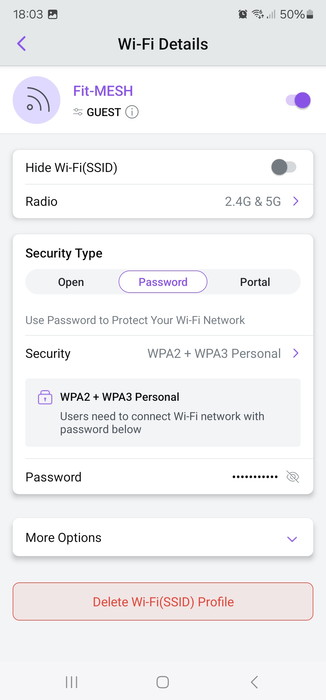
Under the Wi-Fi details, users can set other important features, like security and password level (WPA2+WPA3)
VLANs are also present
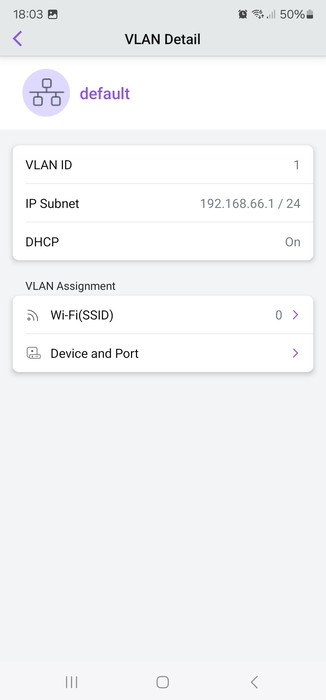
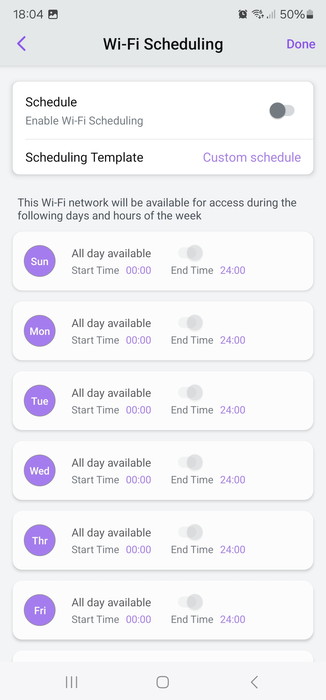
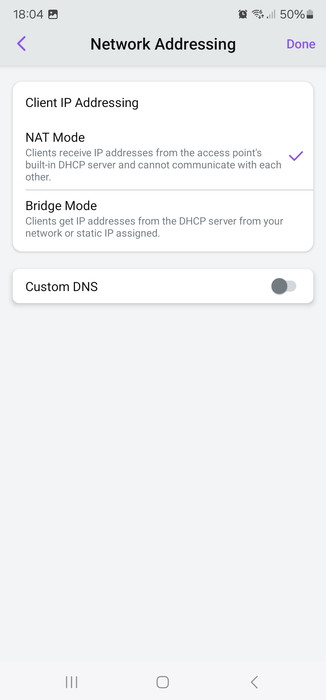
You can select the network IP address mode, bandwidth limit, and Wi-Fi schedule
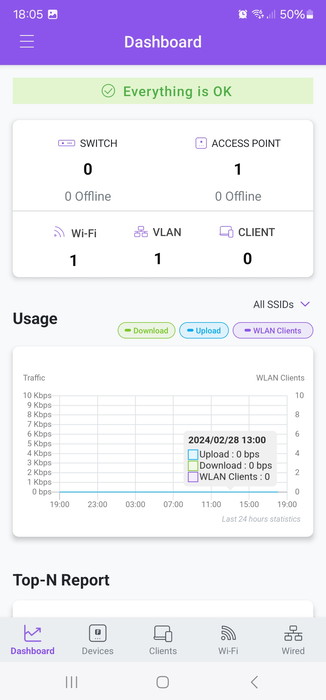
After setting everything on the main Dashboard page, you will be prompted with the "OK" message, indicating that everything runs Ok.
 

Review Pages

1. Introduction / Retail Package
2. FitXpress App
3. Getting started
4. Web Portal
5. Conclusion


Pages

  • « first
  • ‹ previous
  • 1
  • 2
  • 3
  • 4
  • 5
  • next ›
  • last »

EnGenius

Tags: EnGenius
Previous Post
be quiet! DarkBase 701 and 901 White
Next Post
Toshiba Canvio Flex 1TB

Related Posts

  • EnGenius Brings Wi-Fi 7 to Small Businesses with Affordable ECW510 Access Point

  • EnGenius Multi-Gigabit Switch Delivers 2.5G Performance with 90W PoE

  • EnGenius Announces Affordable ECW520 Access Point

  • EnGenius Launches Cloud-Lite Switch Series

  • EnGenius EXT1105P Switch Extender

  • EnGenius Wi-Fi 7

  • EnGenius AI Cloud Surveillance Solution

  • EnGenius ECW336 AP

Latest Reviews

Noctua NP-DM3 desk mat
Gaming

Noctua NP-DM3 desk mat

Crucial P510 2TB NMVE
PC components

Crucial P510 2TB NMVE

The Quiet Technology Behind the Spin
Enterprise & IT

The Quiet Technology Behind the Spin

Crucial DDR5 Pro 6400 CL32
PC components

Crucial DDR5 Pro 6400 CL32

SOUNDPEATS Clip1
Consumer Electronics

SOUNDPEATS Clip1

Popular News

COLORFUL Introduces CVN B850I GAMING FROZEN Motherboard

COLORFUL Introduces CVN B850I GAMING FROZEN Motherboard

COLORFUL Presents CVN X870 ARK FROZEN Motherboard for AMD Ryzen 9000 CPUs

COLORFUL Presents CVN X870 ARK FROZEN Motherboard for AMD Ryzen 9000 CPUs

COLORFUL Presents the B860 Series Motherboards

COLORFUL Presents the B860 Series Motherboards

Intel-AMD new motherboards announced

Intel-AMD new motherboards announced

TEAMGROUP Launches EXPERT P34F Find My External SSD

TEAMGROUP Launches EXPERT P34F Find My External SSD

ASRock AM5 Motherboards Now Fully Support AMD Ryzen 9 9950X3D & 9900X3D Processors

ASRock AM5 Motherboards Now Fully Support AMD Ryzen 9 9950X3D & 9900X3D Processors

Samsung announces Galaxy Tab S11 and Galaxy S25 FE series

Samsung announces Galaxy Tab S11 and Galaxy S25 FE series

Viltrox Showcases Upcoming Lens Lineup and New TTL Flash at IBC 2025

Viltrox Showcases Upcoming Lens Lineup and New TTL Flash at IBC 2025

Main menu

  • Home
  • News
  • Reviews
  • Essays
  • Forum
  • Legacy
  • About
    • Submit News

    • Contact Us
    • Privacy

    • Promotion
    • Advertise

    • RSS Feed
    • Site Map
  • About
  • Privacy
  • Contact Us
  • Promotional Opportunities @ CdrInfo.com
  • Advertise on out site
  • Submit your News to our site
  • RSS Feed