Breaking News

Razer Unleashes the Kraken V4 X Sensa HD Haptics Sony Rewrites the Rules of Super-Telephoto: Announces World's Lightest 400mm and 600mm G Master Primes Transcend Debuts High-Performance 64GB DDR5-6400 CUDIMM & CSODIMM Embedded DRAM Modules Micron Unveils World's First 512GB Ultra-Dense DDR5 Module for Next-Gen Servers Fujifilm Officially Introduces the instax Pal 2 Digital Camera

logo

  • Share Us
    • Facebook
    • Twitter
  • Home
  • Home
  • News
  • Reviews
  • Essays
  • About
    • Submit News

    • Contact Us
    • Privacy

    • Promotion
    • Advertise

    • RSS Feed

Search form

Asus Xonar D2

Sep 10,2007 0

3. Installation


Review Pages

1. Introduction
2. Retail package
3. Installation
4. Utilities
5. Test Configuration
6. Test Results 16bit
7. Comparison Tests 16bit
8. Conclusion
9. Test Results 24bit
10. Comparison Tests 24bit


The Asus Xonar D2 takes up one empty PCI slot. After installing and booting Windows, you will be prompted to install the drivers. Press cancel and use the Asus installer instead:

The driver installation procedure is simple, just keep pressing "Next >"
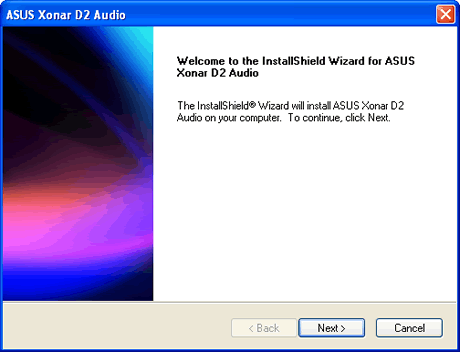
After rebooting, you are now ready to use your Asus Xonar D2 sound card. The control panel is simple but provides users with all the information and features:
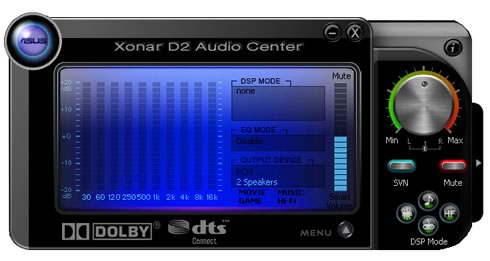
Pressing the "Menu ^" button, you can configure various settings, like sample rate/channels,
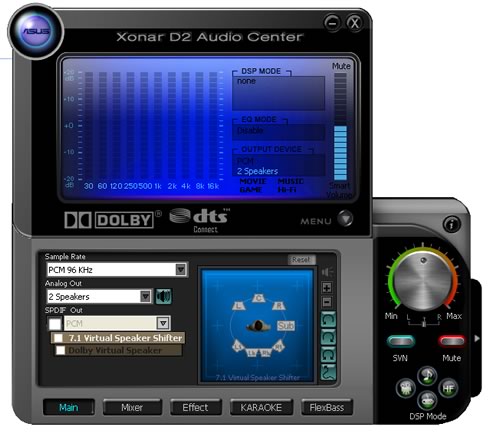
mixer level settings for playback and recording,
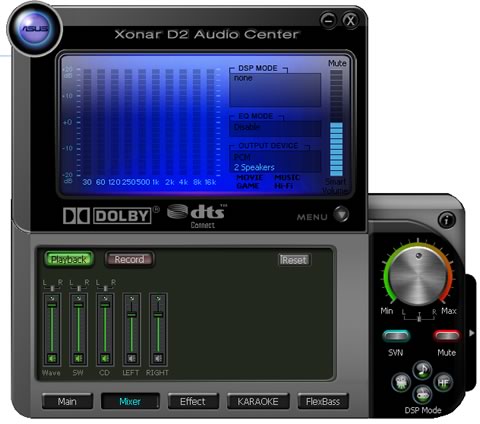
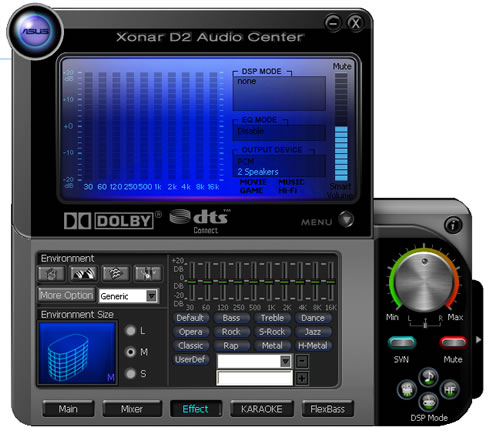
environmental effects,
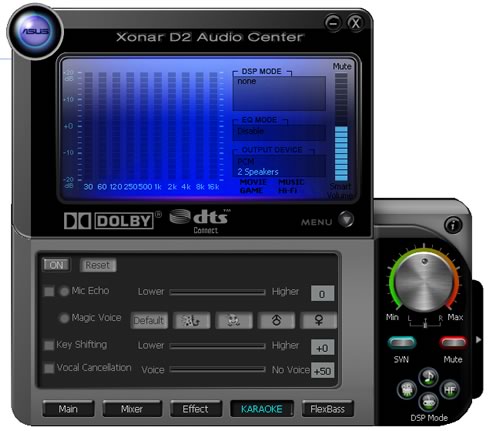
karaoke,
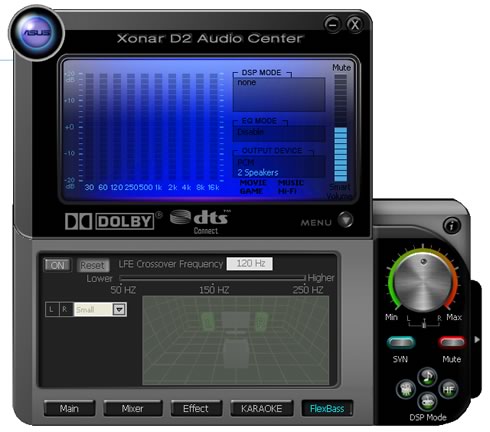
and FlexBass, which can boost the bass according to your setup.
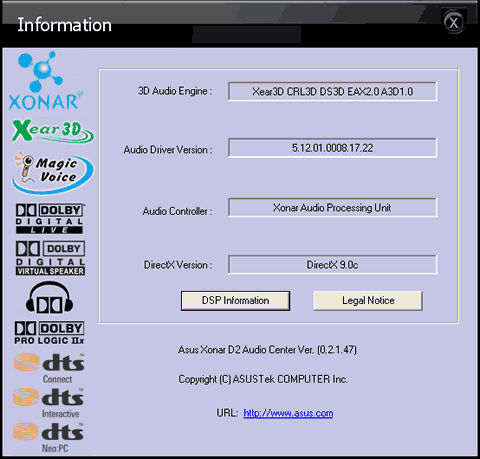
The About Tab gives more info about the driver version
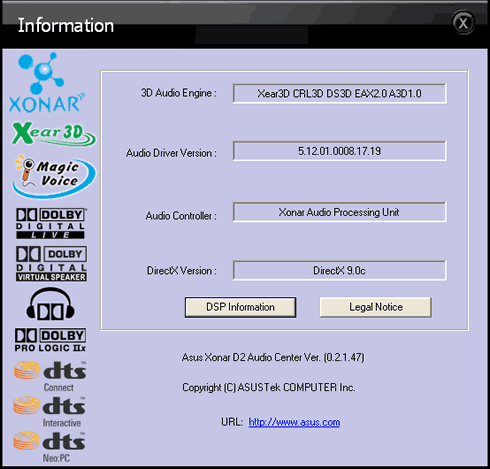
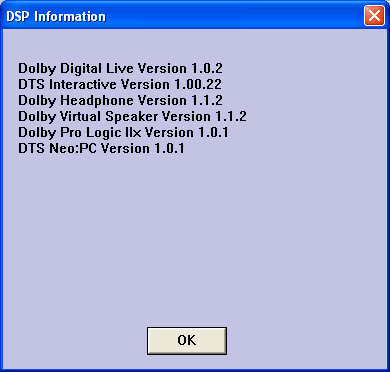
After we finished our tests, Asus provided an updated driver that fixed some of our initial problems with the sound quality.
- ASIO mode

The Asus Xonar D2 supports ASIO mode, at least with Windows XP and the driver pack that comes bulked with the retail package. For our tests, we used the latest version of Virtual DJ which worked without any problems:

The ASIO bit-depth can be set to either 16 or 24-bit.
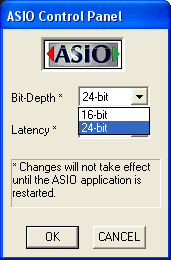
While Latency can go from 2ms~300ms. Obviously, 2ms is the lowest and best setting.

 

Review Pages

1. Introduction
2. Retail package
3. Installation
4. Utilities
5. Test Configuration
6. Test Results 16bit
7. Comparison Tests 16bit
8. Conclusion
9. Test Results 24bit
10. Comparison Tests 24bit


Pages

  • « first
  • ‹ previous
  • 1
  • 2
  • 3
  • 4
  • 5
  • 6
  • 7
  • 8
  • 9
  • next ›
  • last »

ASUS

Sound cards

Xonar

Tags: ASUS Sound cards Xonar
Previous Post
Supertalent PC3-1600 CL7
Next Post
LG Muziq phone

Related Posts

  • ASUS Announces WiFi 8 Router

  • Asus announces ExpertBook B3 G2 and ExpertBook P3 G2

  • ASUS Announces Prime AP304 PC Case

  • ASUS Announces ProArt Display OLED PA279CDV and PA329CDV

  • ASUS Announces T1 GeForce RTX 5070 and RTX 5060 Ti Graphics Cards

  • ASUS Announces ProArt GeForce RTX 5090 Graphics Card

  • ASUS Announces ProArt Display OLED PA27USD and PA32USD

  • ASUS Announces TUF Gaming Platinum Power Supply Series

Latest Reviews

Ugreen CM642 USB4.0 Enclosure
PC components

Ugreen CM642 USB4.0 Enclosure

be quiet! Dark Power 14 IO
PC components

be quiet! Dark Power 14 IO

SanDisk High Endurance 512GB microSDXC
Cameras

SanDisk High Endurance 512GB microSDXC

Samsung PRO Ultimate 512GB microSDXC
Cameras

Samsung PRO Ultimate 512GB microSDXC

be quiet! Light Mount TKL
Consumer Electronics

be quiet! Light Mount TKL

Popular News

CORSAIR announces Vanguard Pro 96 and Vanguard 96 Gaming Keyboards

CORSAIR announces Vanguard Pro 96 and Vanguard 96 Gaming Keyboards

MSI Launches FORGE GK600 TKL WIRELESS Special Edition Compact Mechanical Keyboard

MSI Launches FORGE GK600 TKL WIRELESS Special Edition Compact Mechanical Keyboard

Panasonic Introduces the First Ultra-Telephoto Zoom Lens in the LUMIX S Series

Panasonic Introduces the First Ultra-Telephoto Zoom Lens in the LUMIX S Series

MSI’s Latest AMD X870E MAX & EVO Series Motherboards

MSI’s Latest AMD X870E MAX & EVO Series Motherboards

COLORFUL Launches iGame B850M ULTRA Series Micro-ATX Motherboards

COLORFUL Launches iGame B850M ULTRA Series Micro-ATX Motherboards

COLORFUL Presents Limited Edition Chitu MAG-60 Magnetic Keyboard Inspired by the Year of the Horse

COLORFUL Presents Limited Edition Chitu MAG-60 Magnetic Keyboard Inspired by the Year of the Horse

COLORFUL Presents iGame Z890 ULTRA-S W and iGame Z890M ULTRA Z Motherboards

COLORFUL Presents iGame Z890 ULTRA-S W and iGame Z890M ULTRA Z Motherboards

LIAN LI Launches 8.8” Universal Screen with Flexible Mounting Solution

LIAN LI Launches 8.8” Universal Screen with Flexible Mounting Solution

Main menu

  • Home
  • News
  • Reviews
  • Essays
  • About
    • Submit News

    • Contact Us
    • Privacy

    • Promotion
    • Advertise

    • RSS Feed
  • About
  • Privacy
  • Contact Us
  • Promotional Opportunities @ CdrInfo.com
  • Advertise on out site
  • Submit your News to our site
  • RSS Feed