Breaking News

ASUS Announces WiFi 8 Router DJI Launches Osmo 360 II Razer introduces Clio X Wireless Speaker Head Cushion That Delivers THX Spatial Audio LiberNovo Showcases Ergonomic Innovation at IFA 2026 with Maxis Series for Big And Tall Users TIMEKETTLE UNVEILS NEW W4 PLUS AI INTERPRETER EARBUDS EXPANDING REAL-TIME TRANSLATION ACROSS CALLS, MEETINGS AND MULTIMEDIA CONTENT

logo

  • Share Us
    • Facebook
    • Twitter
  • Home
  • Home
  • News
  • Reviews
  • Essays
  • About
    • Submit News

    • Contact Us
    • Privacy

    • Promotion
    • Advertise

    • RSS Feed

Search form

Asus P5B Premium Vista

Jun 26,2007 0

9. ScreenDuo


Review Pages

1. Introduction
2. The package
3. The BIOS
4. Everest Ultimate Edition 2006 - SiSoft Sandra
5. PC MARK 05 and 3D MARK 06
6. Science Mark, Pov-Ray and Nero Digital
7. CineBench and SuperPi
8. Overclocking
9. ScreenDuo
10. Conclusion


- ScreenDuo

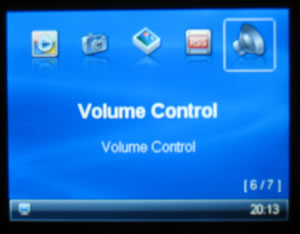
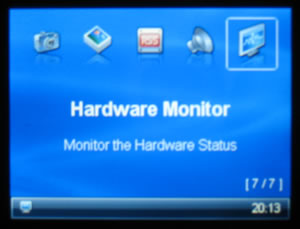
The ASUS ScreenDUO provides a second display panel to enable you to conveniently view important information without having to start up your PC. The ASUS ScreenDUO synchronizes information from the PC or websites; displays RSS messages; meeting schedules and other important information. This saves you the time and the hassle of having to turn on your PC each time you want to view vital information. More information about all VISTA features can be found here.
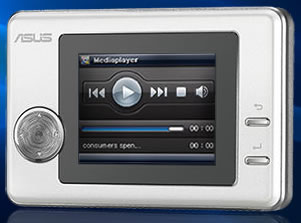
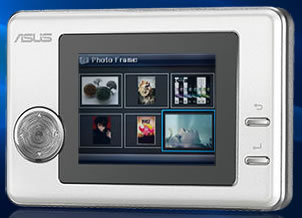
The device has dimensions of 100mm x 66.8mm x 17.22mm (W x H x D). The TFT screen has 320x240 resolution with 300x240 effective viewable area. The brightness according to the specs is 200cd/m2. The connection is made via USB2.0/1.1, while it has 32MB DDR internal memory, which can hold up to 64 frames when the PC is closed. The supported photo formats are JPEG/BMP/GIF. As you can see, no moving video is supported. There are 6 buttons for left/right/up/down/enter/return and 2AP trigger buttons, either in the front or at the top of the device. The device is USB powered, which means that it operates only when connected to a PC.
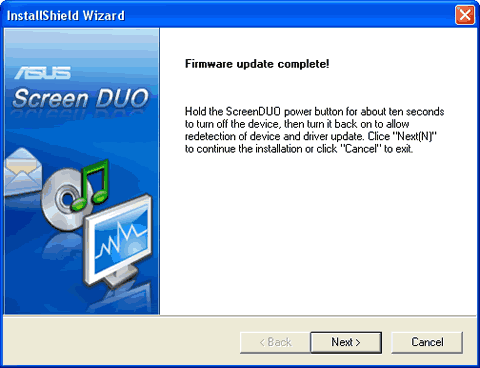
In order to use the device, at least under Windows XP, you need to install the corresponding software, Asus ScreenDUO:

Firmware update was needed and was successful...
The screenDUO software is very easy to work with. The Gadgets can be enabled/disabled according to your wishes and needs.

Under preferences, more details are available:

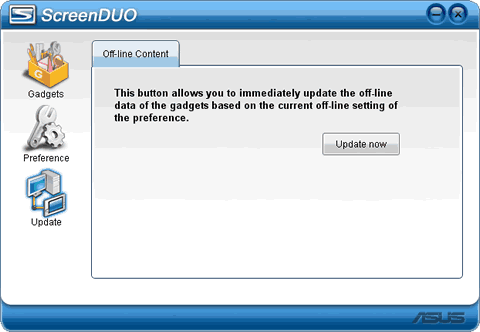
An obvious example and use of the ScreenDUO screen would be to add a RSS feed to the external screen, the process is very easy:
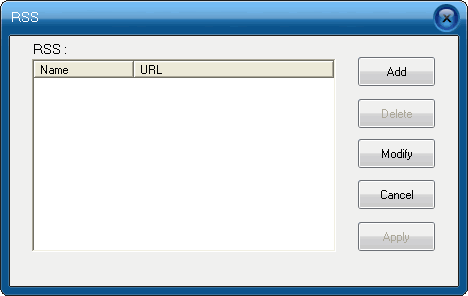
Adding the URL

And the result appears immediately on the screenDUO screen:
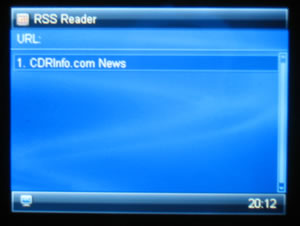
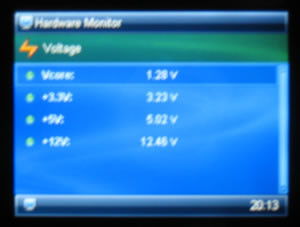
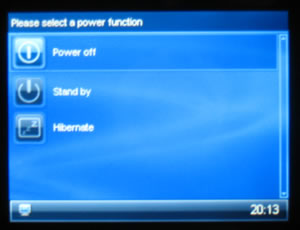
You can navigate with the four way pad and using the enter/return buttons on all gadgets:
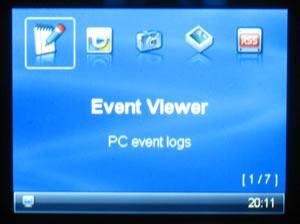
Concluding, the device worked as expected. Unfortunately, we didn't test it under Windows VISTA, where it is supposed to work best. Also, it would be ideal if Asus released under open source, the control software so that the external device could be used for many other purposes...
 

Review Pages

1. Introduction
2. The package
3. The BIOS
4. Everest Ultimate Edition 2006 - SiSoft Sandra
5. PC MARK 05 and 3D MARK 06
6. Science Mark, Pov-Ray and Nero Digital
7. CineBench and SuperPi
8. Overclocking
9. ScreenDuo
10. Conclusion


Pages

  • « first
  • ‹ previous
  • …
  • 2
  • 3
  • 4
  • 5
  • 6
  • 7
  • 8
  • 9
  • 10
  • next ›
  • last »

ASUS

windows vista

Tags: ASUS windows vista
Previous Post
LG HL-DT-ST GSA-H62N
Next Post
Pioneer BD-ROM BDC-202

Related Posts

  • ASUS Announces WiFi 8 Router

  • Asus announces ExpertBook B3 G2 and ExpertBook P3 G2

  • ASUS Announces Prime AP304 PC Case

  • ASUS Announces ProArt Display OLED PA279CDV and PA329CDV

  • ASUS Announces T1 GeForce RTX 5070 and RTX 5060 Ti Graphics Cards

  • ASUS Announces ProArt GeForce RTX 5090 Graphics Card

  • ASUS Announces ProArt Display OLED PA27USD and PA32USD

  • ASUS Announces TUF Gaming Platinum Power Supply Series

Latest Reviews

be quiet! Dark Power 14 IO
PC components

be quiet! Dark Power 14 IO

SanDisk High Endurance 512GB microSDXC
Cameras

SanDisk High Endurance 512GB microSDXC

Samsung PRO Ultimate 512GB microSDXC
Cameras

Samsung PRO Ultimate 512GB microSDXC

be quiet! Light Mount TKL
Consumer Electronics

be quiet! Light Mount TKL

be quiet! Light Loop IO LCD
Cooling Systems

be quiet! Light Loop IO LCD

Popular News

CORSAIR announces Vanguard Pro 96 and Vanguard 96 Gaming Keyboards

CORSAIR announces Vanguard Pro 96 and Vanguard 96 Gaming Keyboards

MSI Launches FORGE GK600 TKL WIRELESS Special Edition Compact Mechanical Keyboard

MSI Launches FORGE GK600 TKL WIRELESS Special Edition Compact Mechanical Keyboard

Viltrox Showcases Upcoming Lens Lineup and New TTL Flash at IBC 2025

Viltrox Showcases Upcoming Lens Lineup and New TTL Flash at IBC 2025

Panasonic Introduces the First Ultra-Telephoto Zoom Lens in the LUMIX S Series

Panasonic Introduces the First Ultra-Telephoto Zoom Lens in the LUMIX S Series

MSI Launches DATAMAG 40Gbps Magnetic Portable SSD

MSI Launches DATAMAG 40Gbps Magnetic Portable SSD

MSI’s Latest AMD X870E MAX & EVO Series Motherboards

MSI’s Latest AMD X870E MAX & EVO Series Motherboards

COLORFUL Launches iGame B850M ULTRA Series Micro-ATX Motherboards

COLORFUL Launches iGame B850M ULTRA Series Micro-ATX Motherboards

COLORFUL Presents Limited Edition Chitu MAG-60 Magnetic Keyboard Inspired by the Year of the Horse

COLORFUL Presents Limited Edition Chitu MAG-60 Magnetic Keyboard Inspired by the Year of the Horse

Main menu

  • Home
  • News
  • Reviews
  • Essays
  • About
    • Submit News

    • Contact Us
    • Privacy

    • Promotion
    • Advertise

    • RSS Feed
  • About
  • Privacy
  • Contact Us
  • Promotional Opportunities @ CdrInfo.com
  • Advertise on out site
  • Submit your News to our site
  • RSS Feed