Breaking News

Fanatec and Trak Racer showcase the future of simulation at SimRacing Expo Frankfurt 2026 Razer Unveils the Barracuda V2 Pro ASUS Republic of Gamers Announces Bulwark Dock DG310 Akasa Announces Fermi CM5 Fanless Case for Raspberry Pi Compute Module 5 LG Electronics Advances the LG Sound Suite Experience With New DTS

logo

  • Share Us
    • Facebook
    • Twitter
  • Home
  • Home
  • News
  • Reviews
  • Essays
  • About
    • Submit News

    • Contact Us
    • Privacy

    • Promotion
    • Advertise

    • RSS Feed

Search form

Nero 8 Preview

Sep 25,2007 0

2. Installation


Review Pages

1. Introduction
2. Installation
3. Nero StartSmart Introduction
4. Burning with StartSmart
5. Conclusion


The Nero 8 installation process is very easy and straightforward. There are three installation options: Nero 8, PhotoShow Express and SecurDisc Viewer.
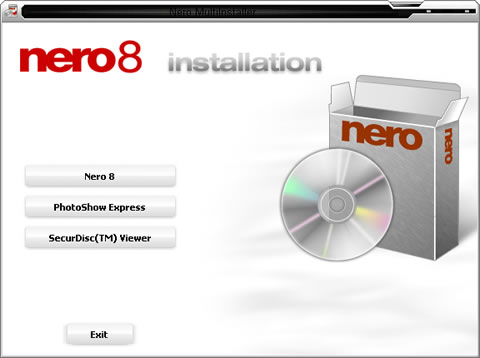
Our main interest of course is to see how the new Nero 8 looks. As with Nero 7, Nero 8 bulks a "free" Ask Toolbar, which for some is considered as a "legitimate Internet Explorer toolbar", while for others it isn't. In any case, we will install Nero 8 without the Ask Toolbar:

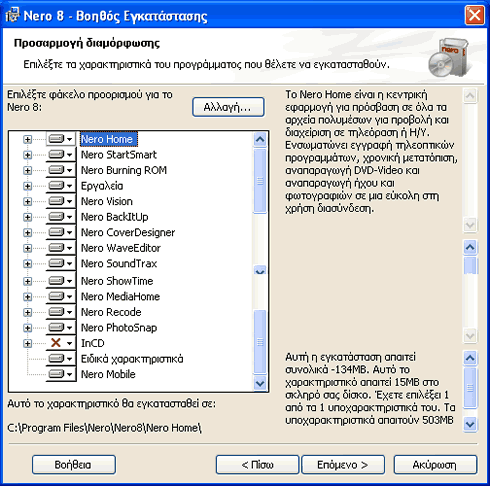
Not much has changed from the previous Nero 7 installer:
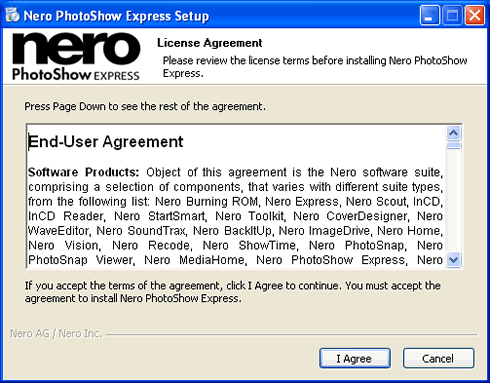
To install PhotoShow Express, we need to agree to the "End-User Agreement"
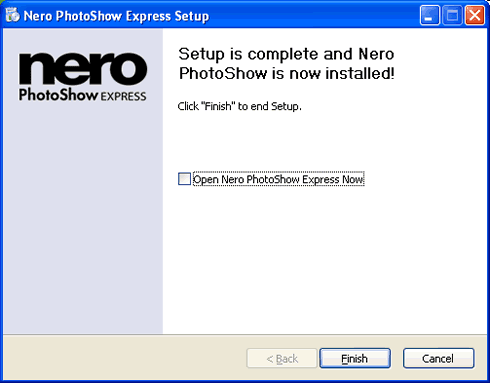
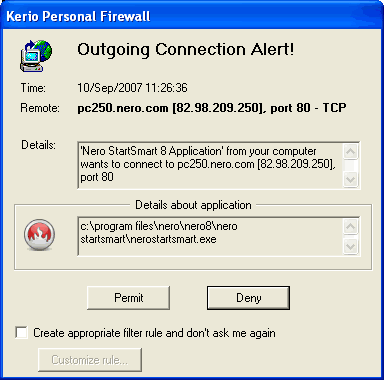
With the installation complete, running for the first time, Nero StartSmart tries to connect to the internet, as we can see from our firewall alert:
 

Review Pages

1. Introduction
2. Installation
3. Nero StartSmart Introduction
4. Burning with StartSmart
5. Conclusion


Pages

  • « first
  • ‹ previous
  • 1
  • 2
  • 3
  • 4
  • 5
  • next ›
  • last »

nero

DVD

Blu-Ray

HD DVD

burning

Tags: nero DVD Blu-Ray HD DVD burning
Previous Post
Samsung WEP185 BT Headset
Next Post
PC2-6400 SO-DIMM Roundup

Related Posts

  • Scientists develop the petabit optical disc – 2000x UHD Blu-ray

  • Pioneer BDR-X13U-S

  • Pioneer BDR-S13U-X Blu-Ray Recorder

  • Xbox Series X owners complain about UHD Blu-ray playback issues

  • Nero Announces Platinum 365 & Nero Platinum Unlimited

  • Pioneer Launches Two External 16x Blu-ray Disc Burners

  • New Nero Platinum Released in Two Versions

  • Multimedia-focused Nero 2019 Released

Latest Reviews

Fanxiang MP83 M.2 NVMe SSD Enclosure
Enterprise & IT

Fanxiang MP83 M.2 NVMe SSD Enclosure

Ugreen CM642 USB4.0 Enclosure
PC components

Ugreen CM642 USB4.0 Enclosure

be quiet! Dark Power 14 IO
PC components

be quiet! Dark Power 14 IO

SanDisk High Endurance 512GB microSDXC
Cameras

SanDisk High Endurance 512GB microSDXC

Samsung PRO Ultimate 512GB microSDXC
Cameras

Samsung PRO Ultimate 512GB microSDXC

Popular News

MSI’s Latest AMD X870E MAX & EVO Series Motherboards

MSI’s Latest AMD X870E MAX & EVO Series Motherboards

COLORFUL Launches iGame B850M ULTRA Series Micro-ATX Motherboards

COLORFUL Launches iGame B850M ULTRA Series Micro-ATX Motherboards

COLORFUL Presents Limited Edition Chitu MAG-60 Magnetic Keyboard Inspired by the Year of the Horse

COLORFUL Presents Limited Edition Chitu MAG-60 Magnetic Keyboard Inspired by the Year of the Horse

COLORFUL Launches iGame B850I MINI OC V14 Motherboard

COLORFUL Launches iGame B850I MINI OC V14 Motherboard

COLORFUL Launches the iGame X870E VULCAN W OC Motherboard

COLORFUL Launches the iGame X870E VULCAN W OC Motherboard

COLORFUL Presents iGame Z890 ULTRA-S W and iGame Z890M ULTRA Z Motherboards

COLORFUL Presents iGame Z890 ULTRA-S W and iGame Z890M ULTRA Z Motherboards

COLORFUL Expands B850 Motherboard Lineup with New CVN, Battle-Ax, and MEOW Models

COLORFUL Expands B850 Motherboard Lineup with New CVN, Battle-Ax, and MEOW Models

ASRock Adds Support for One Sub-Channel DRAM Module on Intel DDR5 Motherboards

ASRock Adds Support for One Sub-Channel DRAM Module on Intel DDR5 Motherboards

Main menu

  • Home
  • News
  • Reviews
  • Essays
  • About
    • Submit News

    • Contact Us
    • Privacy

    • Promotion
    • Advertise

    • RSS Feed
  • About
  • Privacy
  • Contact Us
  • Promotional Opportunities @ CdrInfo.com
  • Advertise on out site
  • Submit your News to our site
  • RSS Feed