Breaking News

G.SKILL Officially Commences World Cup 2026 Overclocking Competition with $40,000 USD Total Prize Pool Sharkoon announces SKILLER SGK55W Western Digital Accelerates Storage Innovation for AI Era Leica LUX Case for the iPhone 17 Pro/Pro Max ASUS Announces ROG Strix Aiolos

logo

  • Share Us
    • Facebook
    • Twitter
  • Home
  • Home
  • News
  • Reviews
  • Essays
  • Forum
  • Legacy
  • About
    • Submit News

    • Contact Us
    • Privacy

    • Promotion
    • Advertise

    • RSS Feed
    • Site Map

Search form

Zaward Vapor 120

Feb 15,2010 0

2. A closer look


Review Pages

1. Features, specifications
2. A closer look
3. How we test
4. Results
5. Final words


The Zaward Vapor 120 cpu cooler comes in cool retail package as you can see in the picture below. In order to get it , you will have to spend ~ $48, making it quite competitive for the category.

The cooler can be installed in Intel LGA1366, LGA1156, LGA775 & AMD AM2, AM2+ and AM3 sockets.

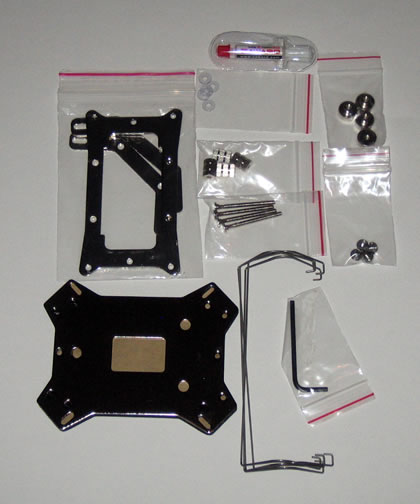
A hard plastic shell protects the package's contents keeping them in place. The package includes many different mounting screws/plates/nuts and standoffs. There is also a printed manual and some metallic brackets used for the installation of the 120mm fan. Make sure to read the instructions before attempting to install this cpu cooler:
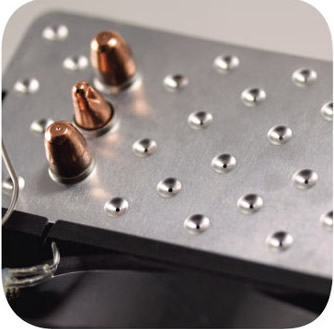
The cooler has a typical design with three U-shaped full copper heatpipes (8mm diameter) connecting the base with the aluminium fins. The dimpled aluminium fin design are causing what Zaward calls the "breathing effect." According to the company, this design offers an improved heating exchange efficiency by 30%, among the fins and the heat pipes.
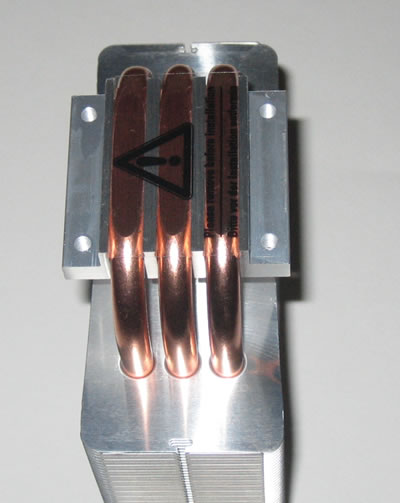
The direct contact of the pipes with the CPU (H.D.T.) provides rapid heat transfer:
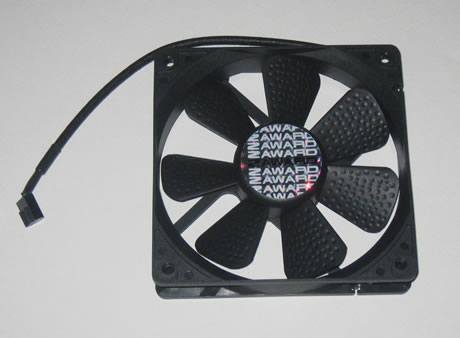
The installed 120mm fan supports the PWM function (300±200 rpm~2000±10%), allowing you to set the rotation speed of the fan through the PC BIOS. The fan has also blue LED lighting.
Installing this cpu cooler would take you some time due to the fact that there are so many parts in the package you need to recognize first and use them accordingly.

First you need to place the backplate using the four M3 mounting screws and then secure them with the bundled standoffs:
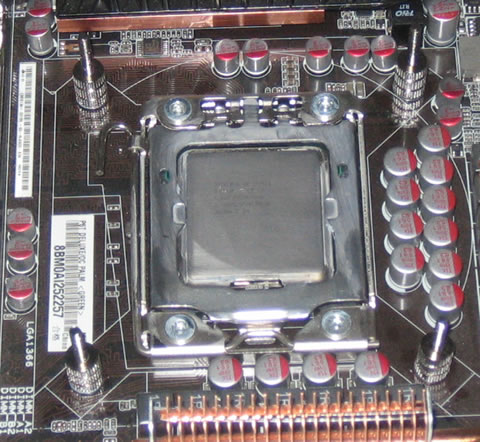
The next thing to do is to fasten the Intel mounting clips on the base using the four hex socket screws:

The final step is to use the collar nuts and diagonally fasten the cpu cooler on the motherboard:
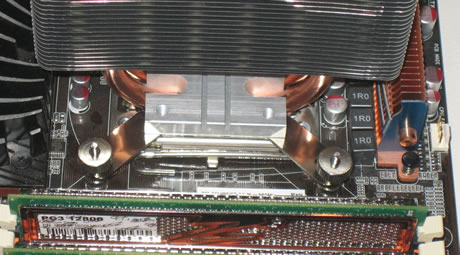
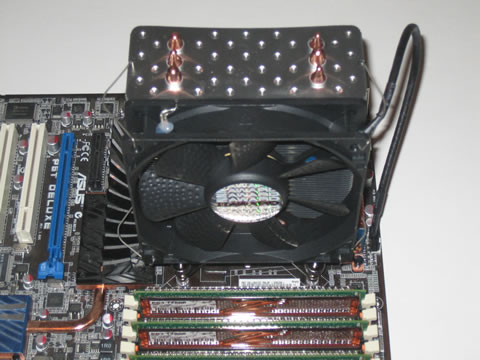
Installing the 120mm fan is easy using the bendable metallic brackets including in the package for this purpose. You can follow the same procedure in order to install a second fan:
 

Review Pages

1. Features, specifications
2. A closer look
3. How we test
4. Results
5. Final words


Pages

  • « first
  • ‹ previous
  • 1
  • 2
  • 3
  • 4
  • 5
  • next ›
  • last »

Zaward

Tags: Zaward
Previous Post
OCZ DDR3 PC3-12800 Platinum Triple Channel
Next Post
LiteOn iHAS524

Related Posts

Latest Reviews

be quiet! Pure Power 13M 1200W
PC components

be quiet! Pure Power 13M 1200W

Server-Side Gaming Why Canadian Online Casinos Are Abandoning Local Clients for HTML5 Clouds
Enterprise & IT

Server-Side Gaming Why Canadian Online Casinos Are Abandoning Local Clients for HTML5 Clouds

Airfanta 3 Pro Air
Consumer Electronics

Airfanta 3 Pro Air

Akaso Brave 8 Lite
Cameras

Akaso Brave 8 Lite

Soundpeats Air 5
Consumer Electronics

Soundpeats Air 5

Popular News

COLORFUL Introduces CVN B850I GAMING FROZEN Motherboard

COLORFUL Introduces CVN B850I GAMING FROZEN Motherboard

COLORFUL Presents CVN X870 ARK FROZEN Motherboard for AMD Ryzen 9000 CPUs

COLORFUL Presents CVN X870 ARK FROZEN Motherboard for AMD Ryzen 9000 CPUs

TEAMGROUP Launches EXPERT P34F Find My External SSD

TEAMGROUP Launches EXPERT P34F Find My External SSD

ASRock AM5 Motherboards Now Fully Support AMD Ryzen 9 9950X3D & 9900X3D Processors

ASRock AM5 Motherboards Now Fully Support AMD Ryzen 9 9950X3D & 9900X3D Processors

Samsung announces Galaxy Tab S11 and Galaxy S25 FE series

Samsung announces Galaxy Tab S11 and Galaxy S25 FE series

Viltrox Showcases Upcoming Lens Lineup and New TTL Flash at IBC 2025

Viltrox Showcases Upcoming Lens Lineup and New TTL Flash at IBC 2025

CORSAIR announces Vanguard Pro 96 and Vanguard 96 Gaming Keyboards

CORSAIR announces Vanguard Pro 96 and Vanguard 96 Gaming Keyboards

Panasonic Introduces the First Ultra-Telephoto Zoom Lens in the LUMIX S Series

Panasonic Introduces the First Ultra-Telephoto Zoom Lens in the LUMIX S Series

Main menu

  • Home
  • News
  • Reviews
  • Essays
  • Forum
  • Legacy
  • About
    • Submit News

    • Contact Us
    • Privacy

    • Promotion
    • Advertise

    • RSS Feed
    • Site Map
  • About
  • Privacy
  • Contact Us
  • Promotional Opportunities @ CdrInfo.com
  • Advertise on out site
  • Submit your News to our site
  • RSS Feed