Breaking News

ASUS Announces T1 GeForce RTX 5070 and RTX 5060 Ti Graphics Cards COLORFUL Launches iGame B850M ULTRA Series Micro-ATX Motherboards Sony Unveils 1000X THE COLLEXION Samsung Launches Next-Gen Odyssey, ViewFinity and The Movingstyle Essential Monitors LG Electronics Introduces World’s First Native 1000Hz Full HD Gaming Monitor

logo

  • Share Us
    • Facebook
    • Twitter
  • Home
  • Home
  • News
  • Reviews
  • Essays
  • Forum
  • Legacy
  • About
    • Submit News

    • Contact Us
    • Privacy

    • Promotion
    • Advertise

    • RSS Feed
    • Site Map

Search form

Pioneer BDR-XD08UMB-S External Blu-Ray Recorder

Feb 9,2023 0

3. Testing Software


Review Pages

1. Introduction / Retail Package
2. Drive Information
3. Testing Software
4. Explain Error Correction
5. CD Reading Tests
6. CD Defect Disc Tests
7. DVD Reading Tests
8. DVD Defect Disc Tests
9. Blu-Ray Reading Tests
10. CD Writing Tests
11. DVD-R Writing Tests
12. DVD+R Writing Tests
13. Blu-Ray Writing Tests
14. PureRead 4+ - Page 1
15. PureRead 4+ - Page 2
16. Conclusion


For testing the drive we used the following software/hardware with several CD/DVD/Blu-Ray Test media:

  • Manufacturer Utility
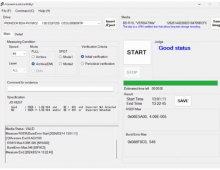
    • Pioneer Drive Utility v1.2.0.11
  • Benchmark CD/DVD/Blu-Ray
    • OptiDriveControl v1.80
    • Nero CD-DVD Speed v4.7.7.16
  • Burning CD/DVD/Blu-Ray Software
    • OptiDriveControl v1.80
    • ImgBurn v2.5.8.0
    • Nero Burning ROM v2023
  • Measure CD/DVD/Blu-Ray Quality
    • OptiDriveControl v1.80
    • QPxTool v0.8.1
    • PlexTools v1.2.4.5
  • Audio Extraction
    • ExactAudioCopy (EAC) v1.60
    • CUERipper v2.2.3
    • dBpoweramp CD Ripper 2023-01-20
  • Audio Measure Quality
    • Nero CD-DVD Speed v4.7.7.16
    • DeltaWave Audio Null Comparator v2.0.8
  • DVD/Blu-Ray Ripping
    • DVD Decrypter v3.5.4.0
    • MakeMKV v1.17.3

and hardware (other optical drive) to test the readability of the burned CD/DVD/Blu-Ray media of the Pioneer drive

  • Plextor PX-891SAF Plus
  • Pioneer BDR-S13U-X
  • HLDS BH51N

and several either pressed or burned discs from various manufacturers. Pioneer mentions the max supported reading/writing speeds for the drive as follows

Data reading (sustained)

  • BD Max. 54.0 MB/s
  • DVD Max. 21.6 MB/s
  • CD Max. 7.2 MB/s

Data writing (sustained)

  • BD Max. 72.0 MB/s
  • DVD Max. 21.6 MB/s
  • CD Max. 7.2 MB/s


Review Pages

1. Introduction / Retail Package
2. Drive Information
3. Testing Software
4. Explain Error Correction
5. CD Reading Tests
6. CD Defect Disc Tests
7. DVD Reading Tests
8. DVD Defect Disc Tests
9. Blu-Ray Reading Tests
10. CD Writing Tests
11. DVD-R Writing Tests
12. DVD+R Writing Tests
13. Blu-Ray Writing Tests
14. PureRead 4+ - Page 1
15. PureRead 4+ - Page 2
16. Conclusion
 

Pages

  • « first
  • ‹ previous
  • 1
  • 2
  • 3
  • 4
  • 5
  • 6
  • 7
  • 8
  • 9
  • …
  • next ›
  • last »

Pioneer

Tags: Pioneer
Previous Post
be quiet! dark power 13 750W
Next Post
be quiet! pure power 12M 850w

Related Posts

  • Pioneer announces microSD for dashcam

  • Pioneer Japan announces BDR-WX01DM for US market

  • Pioneer Japan announces new optical storage drives for JIS X6257 archive format

  • Pioneer Japan updates its CD-DVD Software utility

  • Pioneer Japan announces new BDR-X13J-X external BD Writer and BDR-WX01DM for archiving

  • Pioneer Japan releases new firmware updates for external Blu-Ray Recorders

  • Pioneer Japan updates firmware for their X13 lineup (30-01-2023)

  • Pioneer BDR-X13U-S

Latest Reviews

The Technology Stack Behind Modern Digital Gaming Platforms
Consumer Electronics

The Technology Stack Behind Modern Digital Gaming Platforms

be quiet! Dark Rock Pro 6
Cooling Systems

be quiet! Dark Rock Pro 6

How Online Casinos Use Encryption, Verification, and Risk Controls to Build User Trust
Enterprise & IT

How Online Casinos Use Encryption, Verification, and Risk Controls to Build User Trust

Why Low-Latency Infrastructure Matters More Than Raw Specs
Enterprise & IT

Why Low-Latency Infrastructure Matters More Than Raw Specs

In the Age of AI Phishing, the Best User Experience Might Be the One That Feels Safest
Enterprise & IT

In the Age of AI Phishing, the Best User Experience Might Be the One That Feels Safest

Popular News

TEAMGROUP Launches EXPERT P34F Find My External SSD

TEAMGROUP Launches EXPERT P34F Find My External SSD

CORSAIR announces Vanguard Pro 96 and Vanguard 96 Gaming Keyboards

CORSAIR announces Vanguard Pro 96 and Vanguard 96 Gaming Keyboards

Samsung announces Galaxy Tab S11 and Galaxy S25 FE series

Samsung announces Galaxy Tab S11 and Galaxy S25 FE series

Viltrox Showcases Upcoming Lens Lineup and New TTL Flash at IBC 2025

Viltrox Showcases Upcoming Lens Lineup and New TTL Flash at IBC 2025

MSI Launches FORGE GK600 TKL WIRELESS Special Edition Compact Mechanical Keyboard

MSI Launches FORGE GK600 TKL WIRELESS Special Edition Compact Mechanical Keyboard

Panasonic Introduces the First Ultra-Telephoto Zoom Lens in the LUMIX S Series

Panasonic Introduces the First Ultra-Telephoto Zoom Lens in the LUMIX S Series

MSI Launches DATAMAG 40Gbps Magnetic Portable SSD

MSI Launches DATAMAG 40Gbps Magnetic Portable SSD

Viltrox Joins the L-Mount Alliance, Expanding Creative Possibilities

Viltrox Joins the L-Mount Alliance, Expanding Creative Possibilities

Main menu

  • Home
  • News
  • Reviews
  • Essays
  • Forum
  • Legacy
  • About
    • Submit News

    • Contact Us
    • Privacy

    • Promotion
    • Advertise

    • RSS Feed
    • Site Map
  • About
  • Privacy
  • Contact Us
  • Promotional Opportunities @ CdrInfo.com
  • Advertise on out site
  • Submit your News to our site
  • RSS Feed