Breaking News

ASUS Announces T1 GeForce RTX 5070 and RTX 5060 Ti Graphics Cards COLORFUL Launches iGame B850M ULTRA Series Micro-ATX Motherboards Sony Unveils 1000X THE COLLEXION Samsung Launches Next-Gen Odyssey, ViewFinity and The Movingstyle Essential Monitors LG Electronics Introduces World’s First Native 1000Hz Full HD Gaming Monitor

logo

  • Share Us
    • Facebook
    • Twitter
  • Home
  • Home
  • News
  • Reviews
  • Essays
  • Forum
  • Legacy
  • About
    • Submit News

    • Contact Us
    • Privacy

    • Promotion
    • Advertise

    • RSS Feed
    • Site Map

Search form

MixVibes6 3DEX

Apr 26,2007 0

2. Installation


Review Pages

1. Introduction
2. Installation
3. Working with the software
4. Conclusion


The MixVibes 6 3DEX can be bought directly from MixVibes at the retail price of €79 (digital download). There is also a 20 days trial demo version if you want to test the product before buying it. The installation process is very easy, just follow the setup wizard. After installation has finished, click on the desktop icon and you're up and running. The latest software version is 6.282

.

The main screen should be familiar for those who have used in the past, DJ mixing software. By default, 3 players are available (we set two in the options for a better fit on screen).

Click To Enlarge!

The layout is configurable and you can easily change the way things are organised, depending on your preferences:

Click To Enlarge!

or like this...

Click To Enlarge!

or like this!

Click To Enlarge!

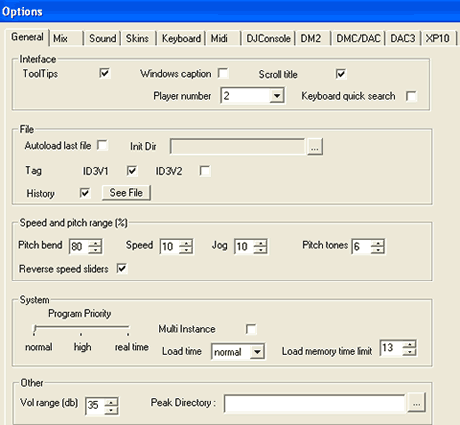
The Options menu unveils interesting information about the software's capabilities and supported features:

The General Tab. The options are easily understandable:
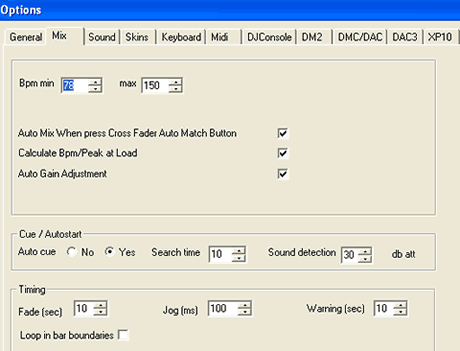
In the Mix tab, you can set the min/max Bpm and auto gain
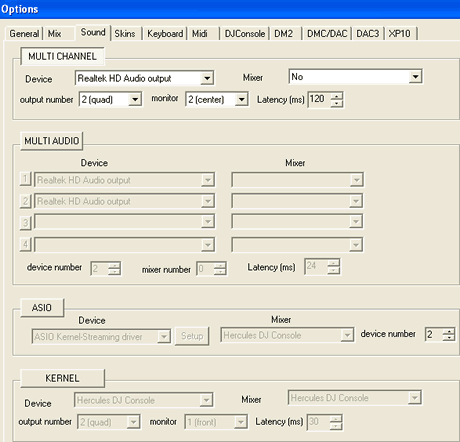
One of the most interesting is the "Sound" tab. There, you can see the true potential of MixVibes, since it supports many different modes, depending on the installed Soundcard.
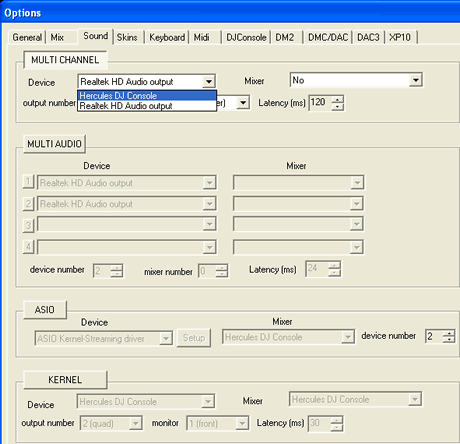
If you have more than one sound device installed, MixVibes finds them and allows you to select which device to use:
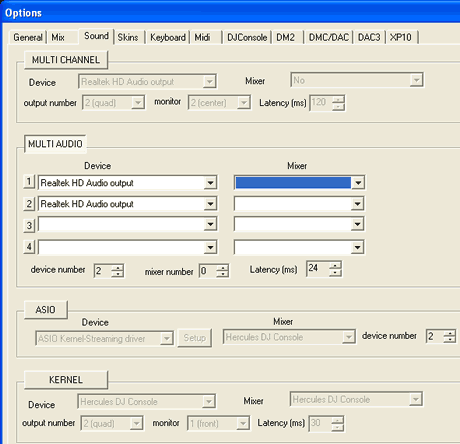
The MultiAudio group gives more options and allows you to set among others, headphones as output device:
The ASIO and KERNEL group allow selection of drivers and console device for lowest latency (ms):
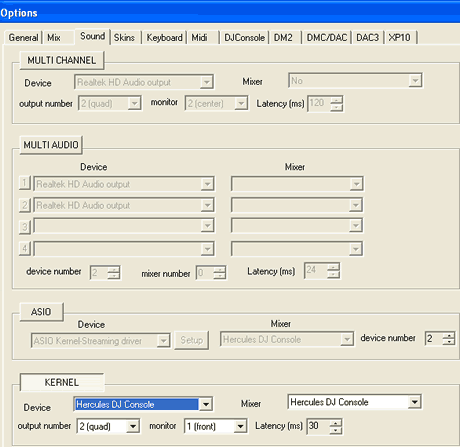
While there are quite a lot of options in this tab, perhaps so many that for many novice users it could be confusing, probably the only two choices you need to configure initially are MULTI-CHANNEL and ASIO. Other software packages have a more user friendly interface for setting Audio output, for example VirtualDJ.

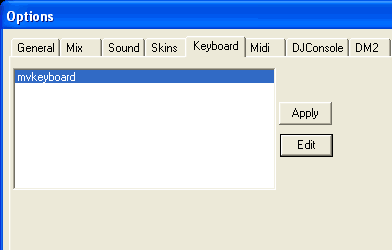
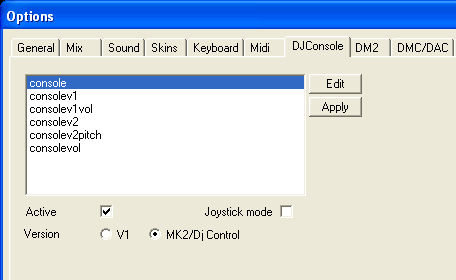
The remaining tabs offer more configuration options for Skins, Keyboard and Midi devices:

MixVibes 6 3DEX supports a variety of external controllers, such as Hercules DJ Consoles, DM2, DMC/DAC1-2-3, etc.
 

Review Pages

1. Introduction
2. Installation
3. Working with the software
4. Conclusion


Pages

  • « first
  • ‹ previous
  • 1
  • 2
  • 3
  • 4
  • next ›
  • last »

MixVibes

DJ

MP3

Tags: MixVibes DJ MP3
Previous Post
Crucial Ballistix PC2-8500
Next Post
Neodigits X4000

Related Posts

  • Numark Adds Capacitive Touch Platters to Pocket-sized DJ2GO2 Controller

  • Akai Proffessional Introduces the Force Standalone Production / DJ Performance Device

  • Denon Takes on Pioneer With New Four-channel Standalone Prime 4 DJ System

  • MP3 Has Been Set Free Of Licensing

  • Tech Group Proposes New Format For Digital Music Files

  • Thomson Introduces mp3HD File Format

  • Music File Compressed 1,000 Times Smaller Than MP3

  • Pioneer DJS Software

Latest Reviews

The Technology Stack Behind Modern Digital Gaming Platforms
Consumer Electronics

The Technology Stack Behind Modern Digital Gaming Platforms

be quiet! Dark Rock Pro 6
Cooling Systems

be quiet! Dark Rock Pro 6

How Online Casinos Use Encryption, Verification, and Risk Controls to Build User Trust
Enterprise & IT

How Online Casinos Use Encryption, Verification, and Risk Controls to Build User Trust

Why Low-Latency Infrastructure Matters More Than Raw Specs
Enterprise & IT

Why Low-Latency Infrastructure Matters More Than Raw Specs

In the Age of AI Phishing, the Best User Experience Might Be the One That Feels Safest
Enterprise & IT

In the Age of AI Phishing, the Best User Experience Might Be the One That Feels Safest

Popular News

TEAMGROUP Launches EXPERT P34F Find My External SSD

TEAMGROUP Launches EXPERT P34F Find My External SSD

CORSAIR announces Vanguard Pro 96 and Vanguard 96 Gaming Keyboards

CORSAIR announces Vanguard Pro 96 and Vanguard 96 Gaming Keyboards

Samsung announces Galaxy Tab S11 and Galaxy S25 FE series

Samsung announces Galaxy Tab S11 and Galaxy S25 FE series

Viltrox Showcases Upcoming Lens Lineup and New TTL Flash at IBC 2025

Viltrox Showcases Upcoming Lens Lineup and New TTL Flash at IBC 2025

MSI Launches FORGE GK600 TKL WIRELESS Special Edition Compact Mechanical Keyboard

MSI Launches FORGE GK600 TKL WIRELESS Special Edition Compact Mechanical Keyboard

Panasonic Introduces the First Ultra-Telephoto Zoom Lens in the LUMIX S Series

Panasonic Introduces the First Ultra-Telephoto Zoom Lens in the LUMIX S Series

MSI Launches DATAMAG 40Gbps Magnetic Portable SSD

MSI Launches DATAMAG 40Gbps Magnetic Portable SSD

Viltrox Joins the L-Mount Alliance, Expanding Creative Possibilities

Viltrox Joins the L-Mount Alliance, Expanding Creative Possibilities

Main menu

  • Home
  • News
  • Reviews
  • Essays
  • Forum
  • Legacy
  • About
    • Submit News

    • Contact Us
    • Privacy

    • Promotion
    • Advertise

    • RSS Feed
    • Site Map
  • About
  • Privacy
  • Contact Us
  • Promotional Opportunities @ CdrInfo.com
  • Advertise on out site
  • Submit your News to our site
  • RSS Feed