Breaking News

Sony Unveils LinkBuds Clip Open Earbuds be quiet! enters high-end gaming mouse market with Dark Perk Ergo and Dark Perk Sym ASUS ROG announces ROG Strix GS-BE7200 Dual-Band WiFi 7 Gaming Router Transcend Launches RDE3 microSD Express Card Reader for Next-Generation High-Speed Performance Akasa Unleashes Six New Low-Profile CPU Coolers Up to 165W TDP Cooling in Compact Form Factors

logo

  • Share Us
    • Facebook
    • Twitter
  • Home
  • Home
  • News
  • Reviews
  • Essays
  • Forum
  • Legacy
  • About
    • Submit News

    • Contact Us
    • Privacy

    • Promotion
    • Advertise

    • RSS Feed
    • Site Map

Search form

EnGenius Fit Wi-Fi 6 EWS357-FIT

Jan 29,2023 0

2. Retail Package


Review Pages

1. Introduction
2. Retail Package
3. EnGenius FitXpress app
4. First Steps
5. Manage Network
6. Conclusion


The EnGenius EWS357-FIT comes at a "low" price of 145,00 $, at least from what we found around the web. The price compared with other EnGenius products is much lower, after all this is a budget network product with the power and knowledge that EnGenius offers for all its products.

The product has 2 year of warranty and of course all major certifications like CE, FCC, and IC. The product also has been tested to work from (0 ºC~40 ºC and Humidity (non-condensing) of 90% or less. The retail package is simple, just the basic stuff here.
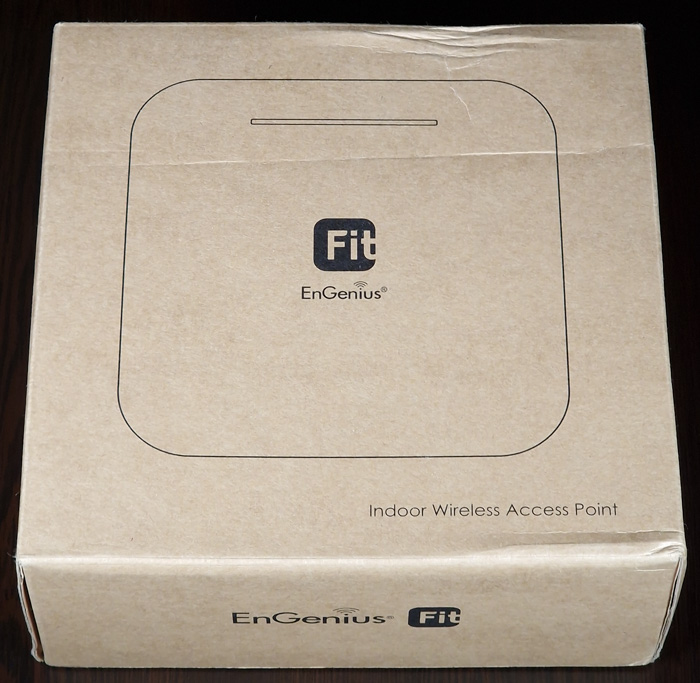
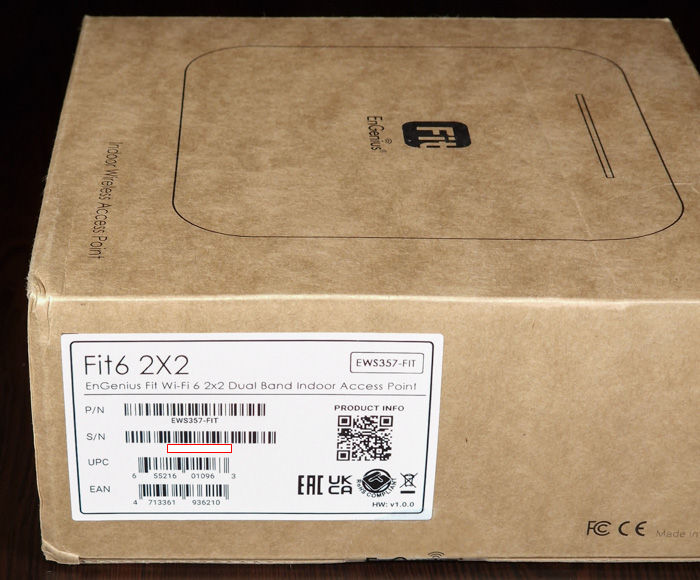
Opening the box unveils its contents, not much is happening here, you will find two secure mounts (for wall/ceiling), mounting screws, and a quick start guide.

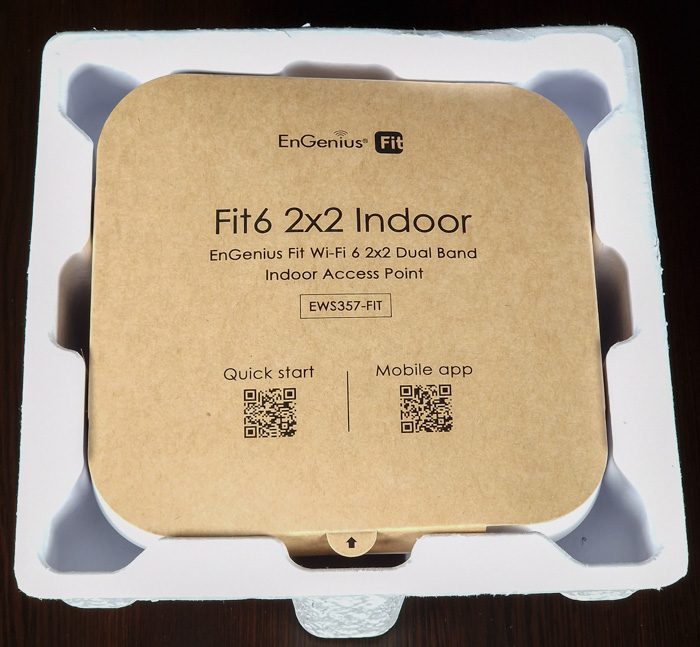
The main product is secured and at the top, there is a piece of handy information with QR codes for either manual or the FitΧpress app.
The EnGenius EWS357-FIT is a small-sized product with 160x160x33.2mm (LX W X H) and weights around 382gr. The building material is good quality plastic and at the bottom, you will find metal housing that helps dis-pass the produced heat.

At the top area, you will find several LEDs, indicating the product's operation speed and giving a quick look at the overall functions. Those LEDs can of course turned off, for stealth operation.

At the right area, you will find a Kensington lock ,

while at the bottom, the product ID label and several ports, like the reset hole, a 2.5G LAN port and a DC 12V power input.
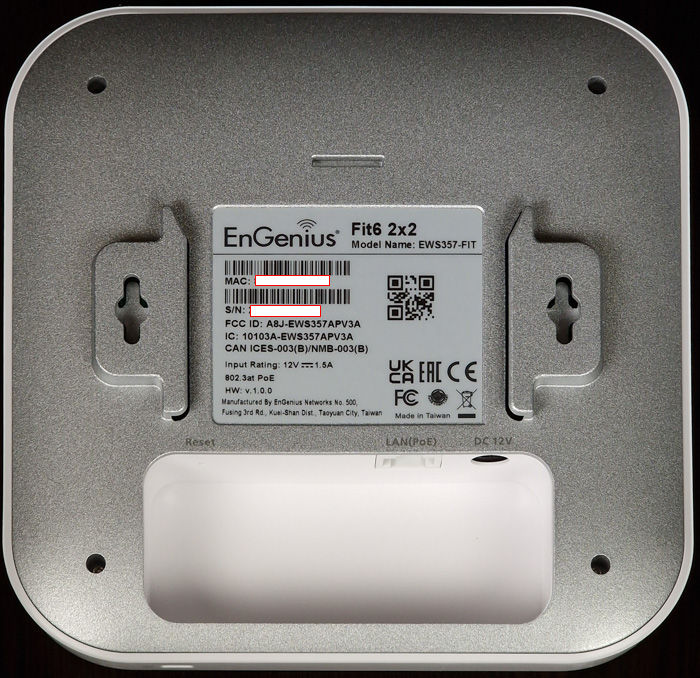
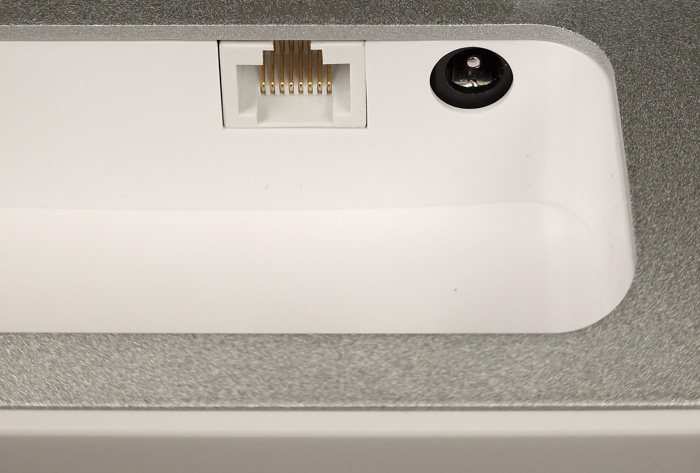
The device is powered via a PoE (1GB) or an DC12V-1.5A adapter.

The EWS357-Fit AP is based upon a Qualcomm® Quad-Core CPU ARM Cortex A53s @ 1.0GHz, which for sure will help it survive high loads and many different clients, as well as heavy tasks such as QOS that is a must with high clients’ number.

For our tests, we powered the device with the EnGenius ECS1008P Managed PoE Switch, but of course, you can use any other PoE switch if they have at least compliance with the 802.3af protocol.


Review Pages

1. Introduction
2. Retail Package
3. EnGenius FitXpress app
4. First Steps
5. Manage Network
6. Conclusion


Pages

  • « first
  • ‹ previous
  • 1
  • 2
  • 3
  • 4
  • 5
  • 6
  • next ›
  • last »

EnGenius

Tags: EnGenius
Previous Post
EnGenius Fit Wi-Fi 6 EWS850-FIT
Next Post
Pioneer BDR-X13U-S

Related Posts

  • EnGenius Unveils Cloud-Managed ECW536S Wi-Fi 7 with 24/7 AirGuard Security

  • EnGenius ECW520 AP

  • EnGenius Brings Wi-Fi 7 to Small Businesses with Affordable ECW510 Access Point

  • EnGenius Multi-Gigabit Switch Delivers 2.5G Performance with 90W PoE

  • EnGenius Announces Affordable ECW520 Access Point

  • EnGenius Launches Cloud-Lite Switch Series

  • EnGenius EXT1105P Switch Extender

  • EnGenius Wi-Fi 7

Latest Reviews

The Difference Between American and European Stakes and Why It Changes How People Bet
Enterprise & IT

The Difference Between American and European Stakes and Why It Changes How People Bet

Endorfy Thock V2 Wireless Keyboard
PC components

Endorfy Thock V2 Wireless Keyboard

Noctua NH-D15 G2 Chromax.Black
Cooling Systems

Noctua NH-D15 G2 Chromax.Black

EnGenius ECW520 AP
Enterprise & IT

EnGenius ECW520 AP

Noctua NP-DM3 desk mat
Gaming

Noctua NP-DM3 desk mat

Popular News

COLORFUL Introduces CVN B850I GAMING FROZEN Motherboard

COLORFUL Introduces CVN B850I GAMING FROZEN Motherboard

COLORFUL Presents CVN X870 ARK FROZEN Motherboard for AMD Ryzen 9000 CPUs

COLORFUL Presents CVN X870 ARK FROZEN Motherboard for AMD Ryzen 9000 CPUs

TEAMGROUP Launches EXPERT P34F Find My External SSD

TEAMGROUP Launches EXPERT P34F Find My External SSD

ASRock AM5 Motherboards Now Fully Support AMD Ryzen 9 9950X3D & 9900X3D Processors

ASRock AM5 Motherboards Now Fully Support AMD Ryzen 9 9950X3D & 9900X3D Processors

Samsung announces Galaxy Tab S11 and Galaxy S25 FE series

Samsung announces Galaxy Tab S11 and Galaxy S25 FE series

Viltrox Showcases Upcoming Lens Lineup and New TTL Flash at IBC 2025

Viltrox Showcases Upcoming Lens Lineup and New TTL Flash at IBC 2025

CORSAIR announces Vanguard Pro 96 and Vanguard 96 Gaming Keyboards

CORSAIR announces Vanguard Pro 96 and Vanguard 96 Gaming Keyboards

Panasonic Introduces the First Ultra-Telephoto Zoom Lens in the LUMIX S Series

Panasonic Introduces the First Ultra-Telephoto Zoom Lens in the LUMIX S Series

Main menu

  • Home
  • News
  • Reviews
  • Essays
  • Forum
  • Legacy
  • About
    • Submit News

    • Contact Us
    • Privacy

    • Promotion
    • Advertise

    • RSS Feed
    • Site Map
  • About
  • Privacy
  • Contact Us
  • Promotional Opportunities @ CdrInfo.com
  • Advertise on out site
  • Submit your News to our site
  • RSS Feed