Breaking News

DZOFILM Expands Arles Cine Lens System With 25–75mm and 65–180mm T2.6 Zooms G.SKILL Launches Trident Z5 Royal NeoX Series DDR5 Memory with AMD EXPO Technology XERON Launches NEX A61 ARGB CPU Air Cooler Viltrox to Unveil New Lenses And Production Solutions at IBC2026 ASUS Announces WiFi 8 Router

logo

  • Share Us
    • Facebook
    • Twitter
  • Home
  • Home
  • News
  • Reviews
  • Essays
  • About
    • Submit News

    • Contact Us
    • Privacy

    • Promotion
    • Advertise

    • RSS Feed

Search form

EnGenius ECW520 AP

Dec 18,2025 0

2. Installation


Review Pages

1. Introduction - Retail package
2. Installation
3. Conclusion


Before starting the installation process, it's advised to create a free online account that can be used to control EnGenius Networking products via either HTTP or the Cloud-To-Go free app. After validating your free account, login at the Cloud-To-Go app and move down to the + button.
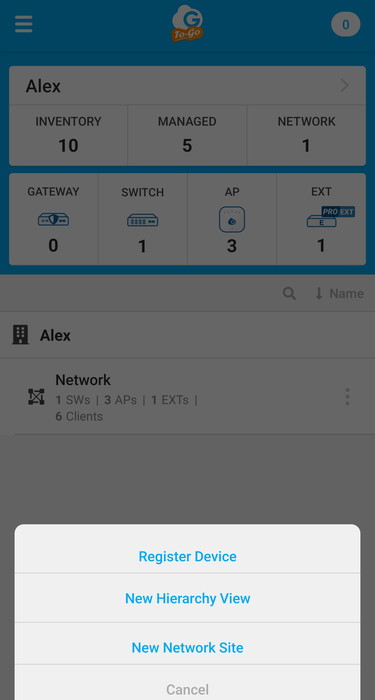
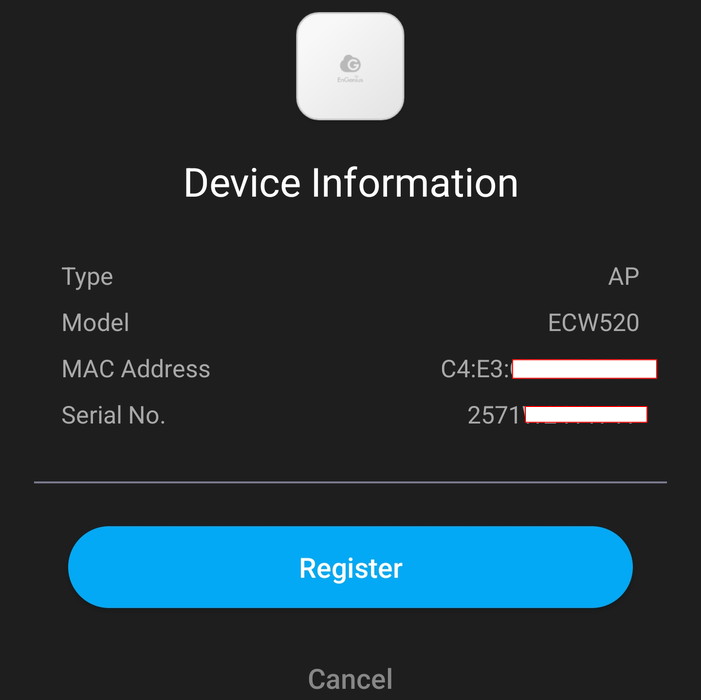
Select register device, the app will require camera permissions and you need to scan the included QR code at the bottom and automatically, the AP information will be displayed.
The Cloud-To-Go app includes a nicely designed wizard to help you out with the whole installation process.
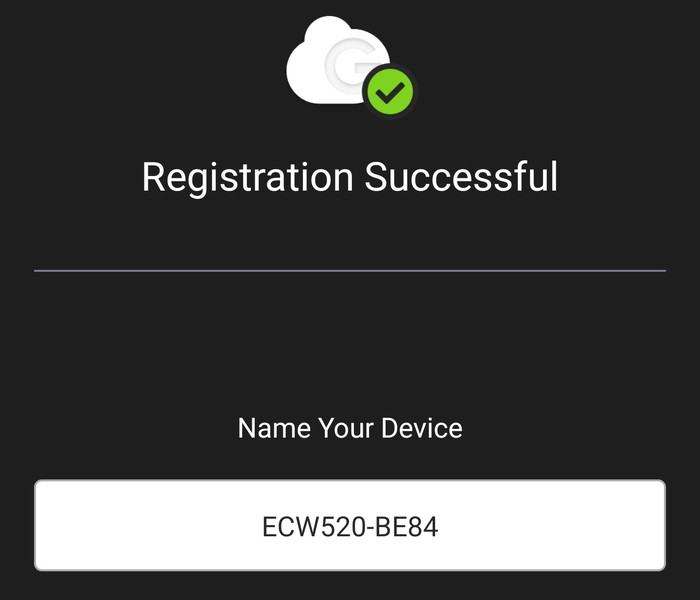
After we press Finish, we can start viewing our installed devices under the AP tab.
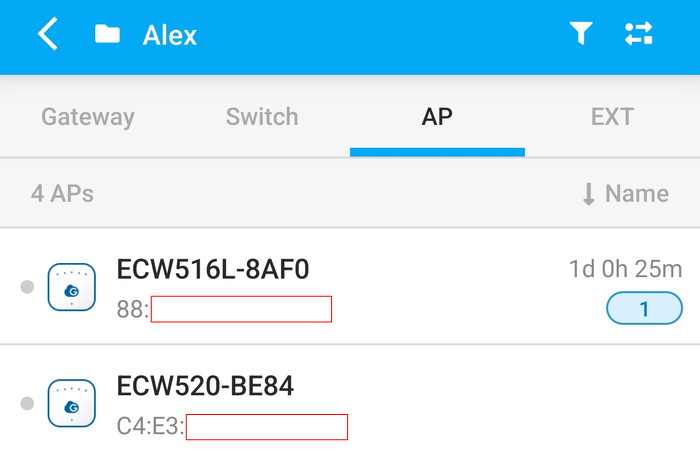
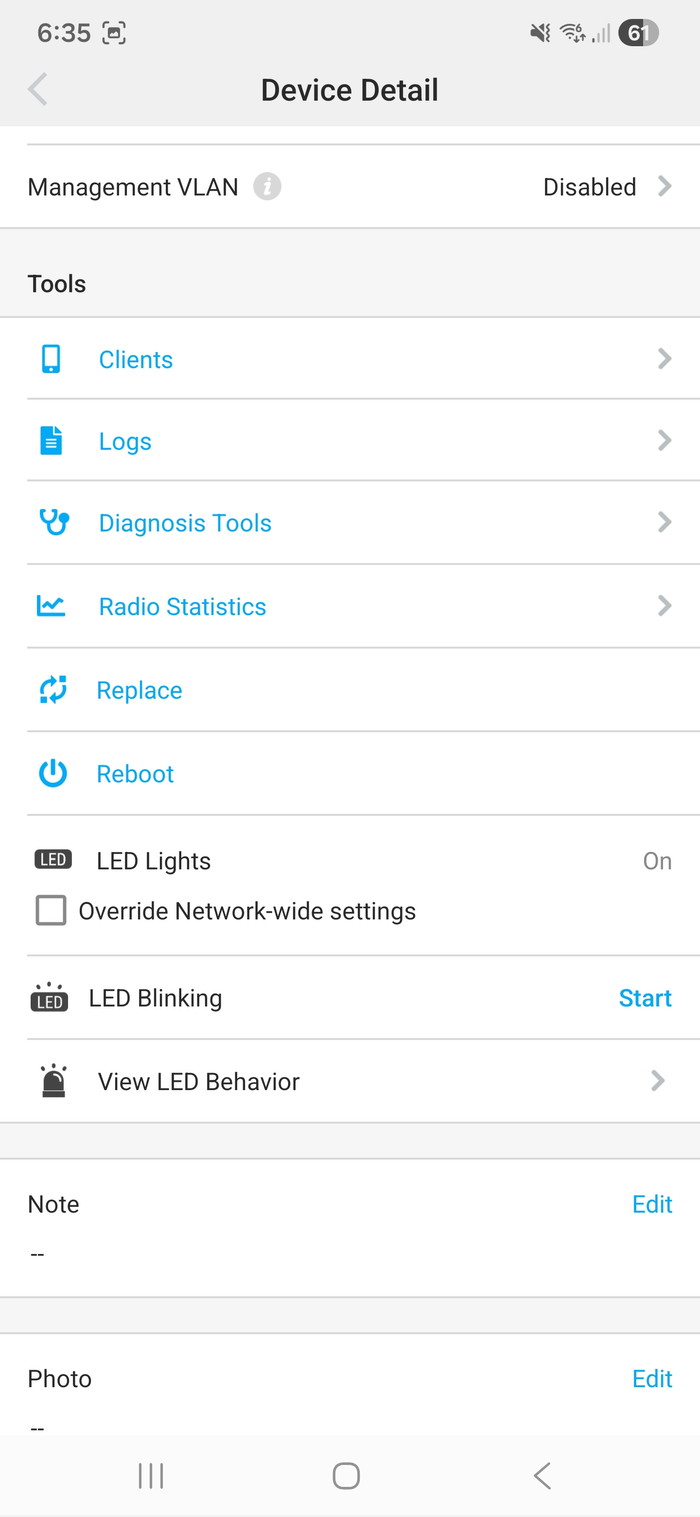
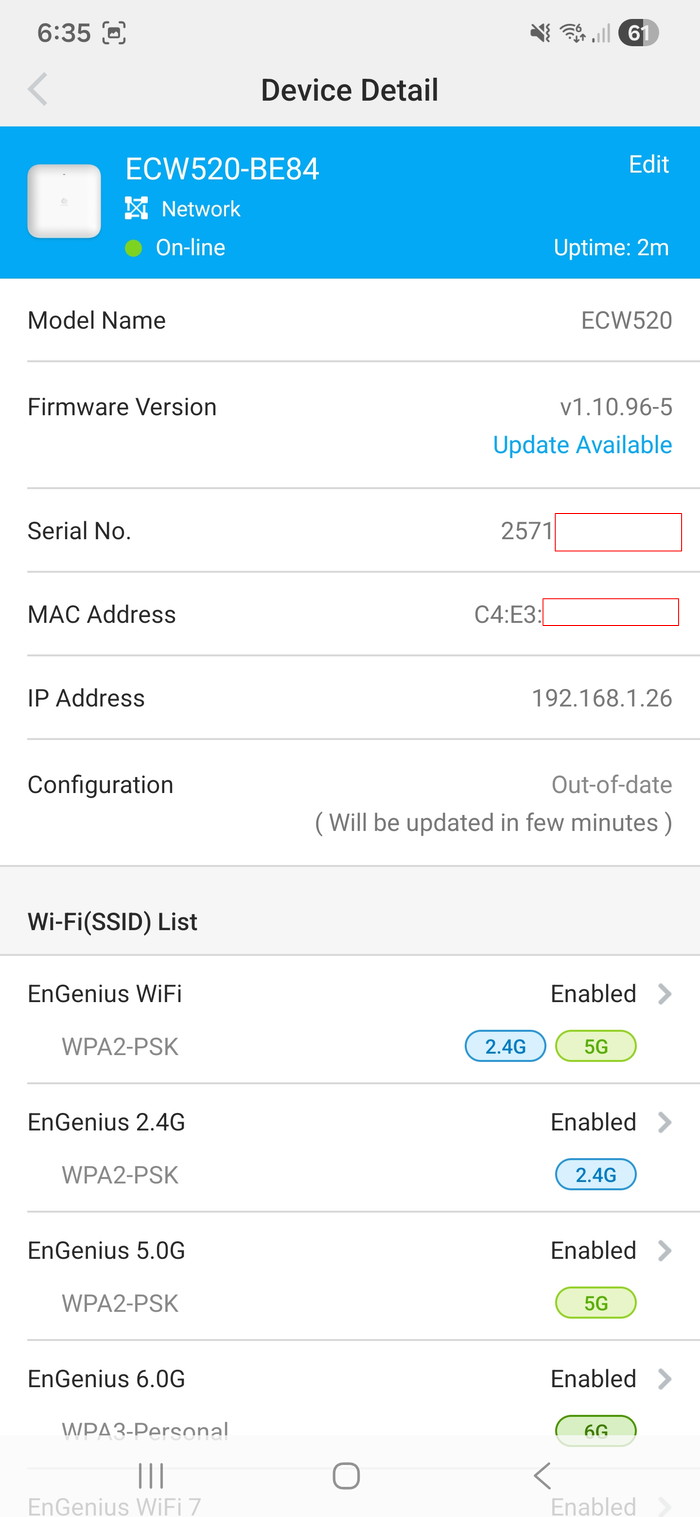
Selecting the ECW520 gives us many different options to choose from, the device has already a newer firmware update, which we apply before testing it. The Device detail displays all the needed information about the AP and you can fully control its functions.
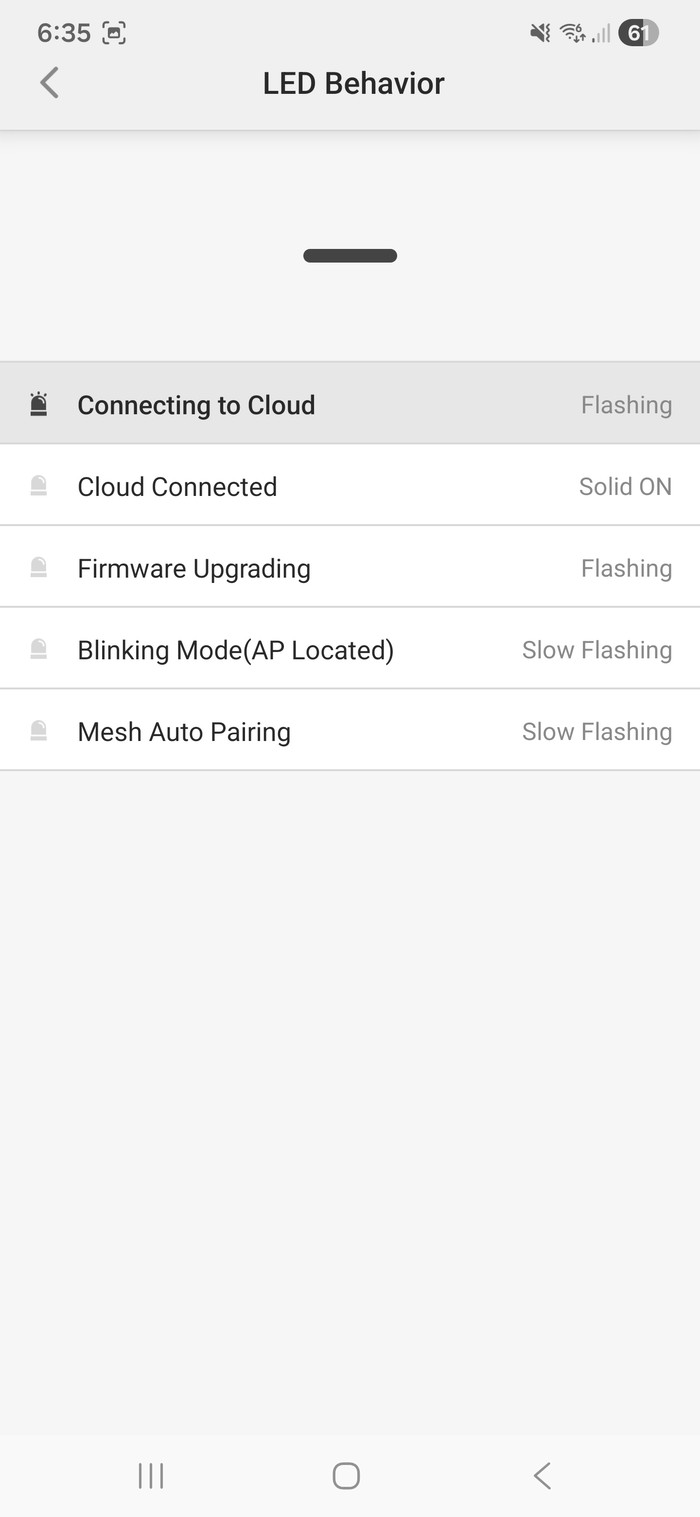
The LED behavior is also displayed in case you are wondering what exactly its LED displays.
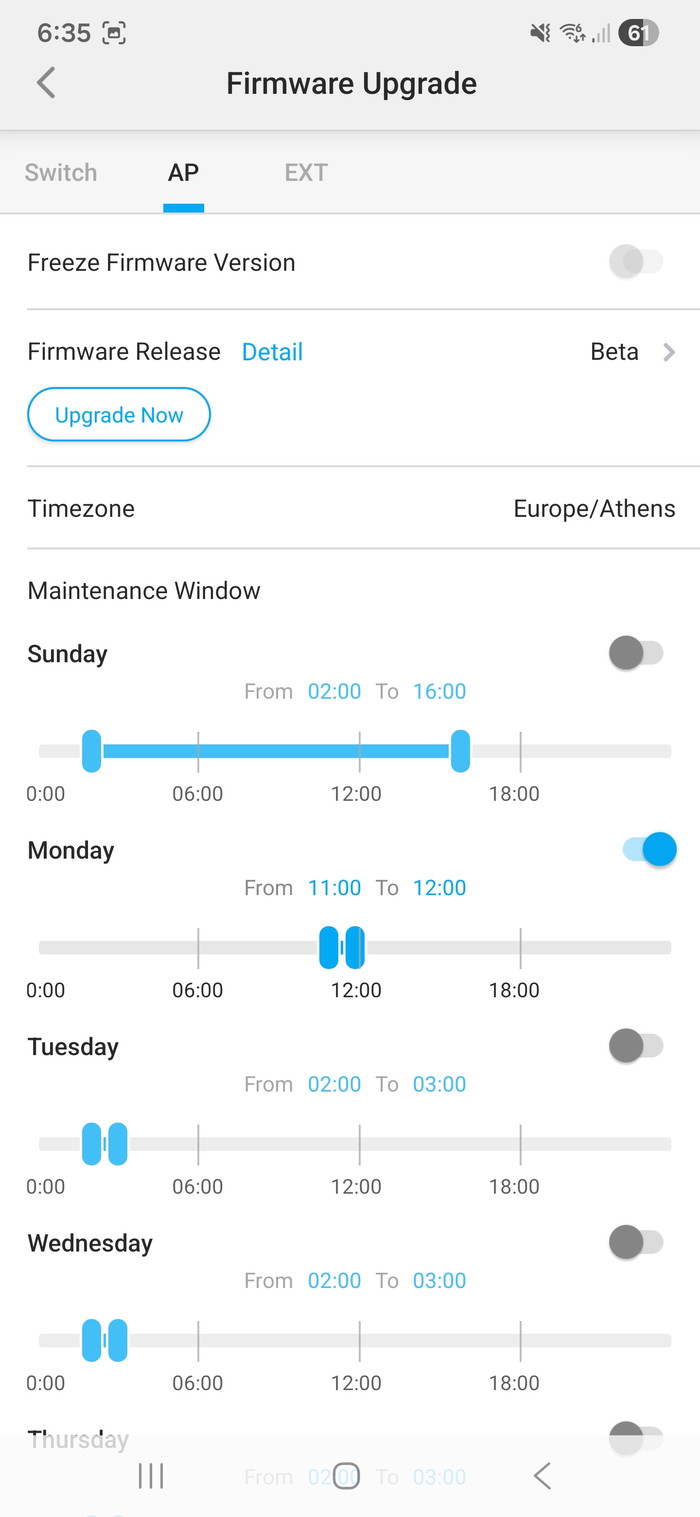
Firmware upgrade can be performed immediatly or later on,
While the Cloud-To-Go app is useful, users can also control all EnGenius Cloud devices via the EnGenius Cloud. You can see most of the features of the device and also set many different parameters as well. Under the Diag Tools, users can find very useful information about the % CPU usage of the device, and its connectivity to the Internet and scan the surrounding WiFi to find the least busy Wi-Fi channels with the lowest number of clients. Packet Capture is also present for auditing your local network. Note that users can also access all EnGenius AP products via local IP address and the default p/l is admin/admin. Under the Radio Settings users can set preferences for their Wifi Networks as well, Target Tx Power and the recently added RSSI Threshold.


Review Pages

1. Introduction - Retail package
2. Installation
3. Conclusion


Pages

  • « first
  • ‹ previous
  • 1
  • 2
  • 3
  • next ›
  • last »

EnGenius

Tags: EnGenius
Previous Post
Noctua NH-D15 G2 Chromax.Black
Next Post
Noctua NP-DM3 desk mat

Related Posts

  • EnGenius announces ECW560 Wi-Fi 7 Outdoor Router

  • EnGenius ECW515 Brings Wi-Fi 7 Performance to In-Room and In-Unit Deployments

  • EnGenius Unveils Cloud-Managed ECW536S Wi-Fi 7 with 24/7 AirGuard Security

  • EnGenius Brings Wi-Fi 7 to Small Businesses with Affordable ECW510 Access Point

  • EnGenius Multi-Gigabit Switch Delivers 2.5G Performance with 90W PoE

  • EnGenius Announces Affordable ECW520 Access Point

  • EnGenius Launches Cloud-Lite Switch Series

  • EnGenius EXT1105P Switch Extender

Latest Reviews

be quiet! Dark Power 14 IO
PC components

be quiet! Dark Power 14 IO

SanDisk High Endurance 512GB microSDXC
Cameras

SanDisk High Endurance 512GB microSDXC

Samsung PRO Ultimate 512GB microSDXC
Cameras

Samsung PRO Ultimate 512GB microSDXC

be quiet! Light Mount TKL
Consumer Electronics

be quiet! Light Mount TKL

be quiet! Light Loop IO LCD
Cooling Systems

be quiet! Light Loop IO LCD

Popular News

CORSAIR announces Vanguard Pro 96 and Vanguard 96 Gaming Keyboards

CORSAIR announces Vanguard Pro 96 and Vanguard 96 Gaming Keyboards

MSI Launches FORGE GK600 TKL WIRELESS Special Edition Compact Mechanical Keyboard

MSI Launches FORGE GK600 TKL WIRELESS Special Edition Compact Mechanical Keyboard

Panasonic Introduces the First Ultra-Telephoto Zoom Lens in the LUMIX S Series

Panasonic Introduces the First Ultra-Telephoto Zoom Lens in the LUMIX S Series

MSI’s Latest AMD X870E MAX & EVO Series Motherboards

MSI’s Latest AMD X870E MAX & EVO Series Motherboards

COLORFUL Launches iGame B850M ULTRA Series Micro-ATX Motherboards

COLORFUL Launches iGame B850M ULTRA Series Micro-ATX Motherboards

COLORFUL Presents Limited Edition Chitu MAG-60 Magnetic Keyboard Inspired by the Year of the Horse

COLORFUL Presents Limited Edition Chitu MAG-60 Magnetic Keyboard Inspired by the Year of the Horse

COLORFUL Presents iGame Z890 ULTRA-S W and iGame Z890M ULTRA Z Motherboards

COLORFUL Presents iGame Z890 ULTRA-S W and iGame Z890M ULTRA Z Motherboards

LIAN LI Launches 8.8” Universal Screen with Flexible Mounting Solution

LIAN LI Launches 8.8” Universal Screen with Flexible Mounting Solution

Main menu

  • Home
  • News
  • Reviews
  • Essays
  • About
    • Submit News

    • Contact Us
    • Privacy

    • Promotion
    • Advertise

    • RSS Feed
  • About
  • Privacy
  • Contact Us
  • Promotional Opportunities @ CdrInfo.com
  • Advertise on out site
  • Submit your News to our site
  • RSS Feed