Breaking News

Samsung Expands Its Audio Ecosystem for 2026 With Multi-Device Sound and Immersive New Designs Xiaomi Unveils Xiaomi 17 Ultra Firewalla App 1.67 Brings Enterprise Wi-Fi, RADIUS, and Advanced AP7 Controls to Small Businesses and Power Users Samsung To Unveil AI Vision Built With Google Gemini at CES 2026 Samsung Unveils New Odyssey Gaming Monitor Lineup

logo

  • Share Us
    • Facebook
    • Twitter
  • Home
  • Home
  • News
  • Reviews
  • Essays
  • Forum
  • Legacy
  • About
    • Submit News

    • Contact Us
    • Privacy

    • Promotion
    • Advertise

    • RSS Feed
    • Site Map

Search form

EnGenius ECW230S AP

Jul 12,2022 0

4. Web Interface


Review Pages

1. Introduction
2. Retail Package
3. App / Install the device
4. Web Interface
5. New security features
6. Conclusion


A visual presentation of our network is displayed below. The EnGenius Home Switch 8p is connected to the Internet and both the already installed ECW230 and ECW230S are connected to the switch so they are able to connect to the Internet. Of course both ECW230/ECW230S can be working at Mesh connection to further improve reception.

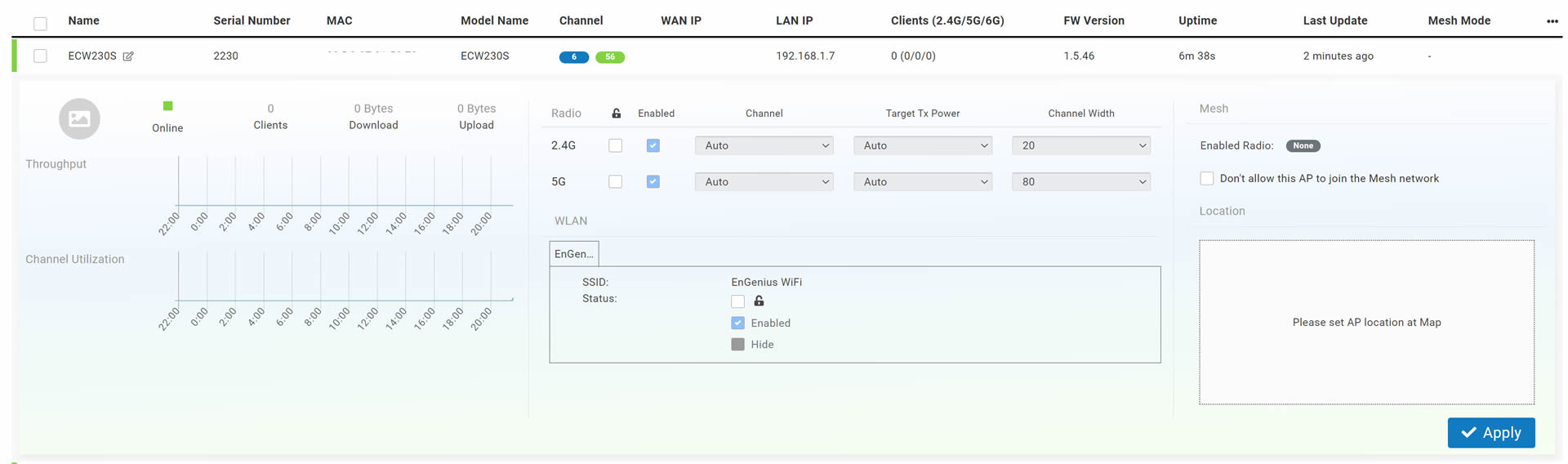
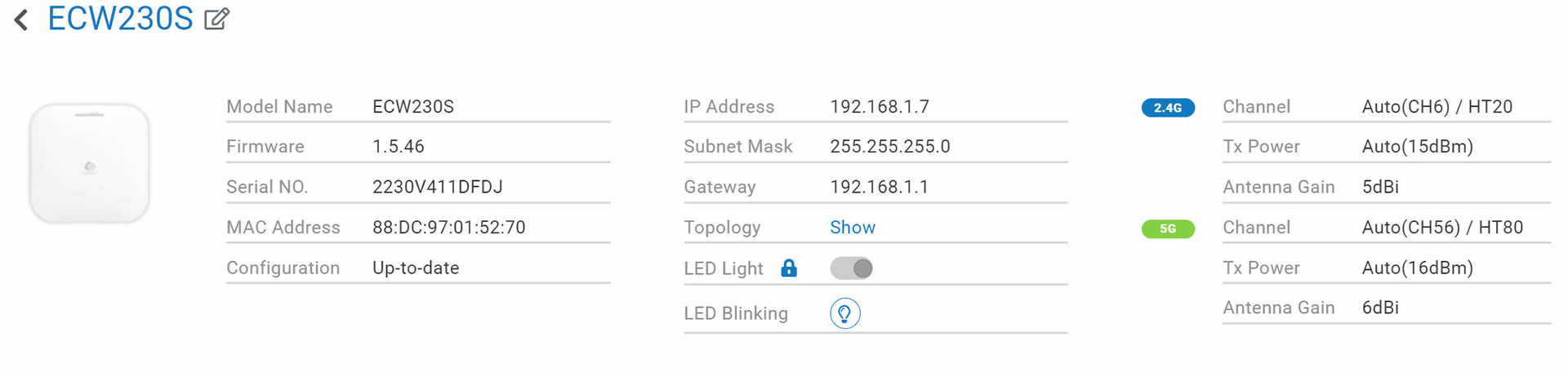
Each EnGenius device has its own control panel that can be used to view various information and of course change settings. There are also logs available for admin to view, like firmware updates etc. You can also turn off the included lights for stealth operation. All Engenius Cloud devices have one year of PRO features for free. What the Pro functions do? Well they add several important for admin features to make their life easier. In order to activate the one year of free PRO functions you need to head over the Inventory & License, and under the feature plan select from BASIC -> PRO License. You can view here, what he PRO license offers and it costs $50 per device (AP or Switch).

Since the control panel is wide, click at each photo for a larger view. As with all EnGenius devices, users can select/adjust most of its features via the EnGenius Cloud.
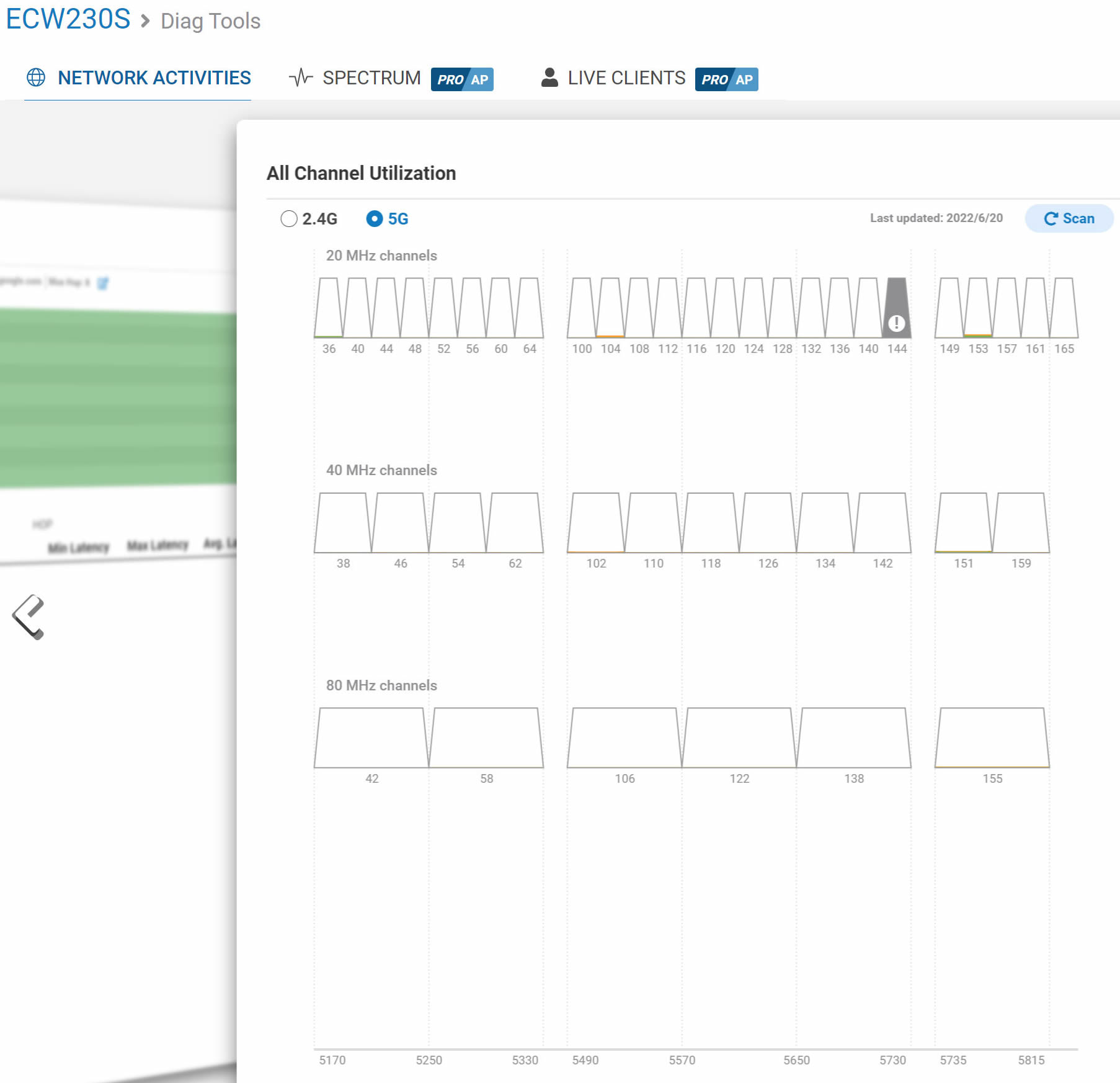
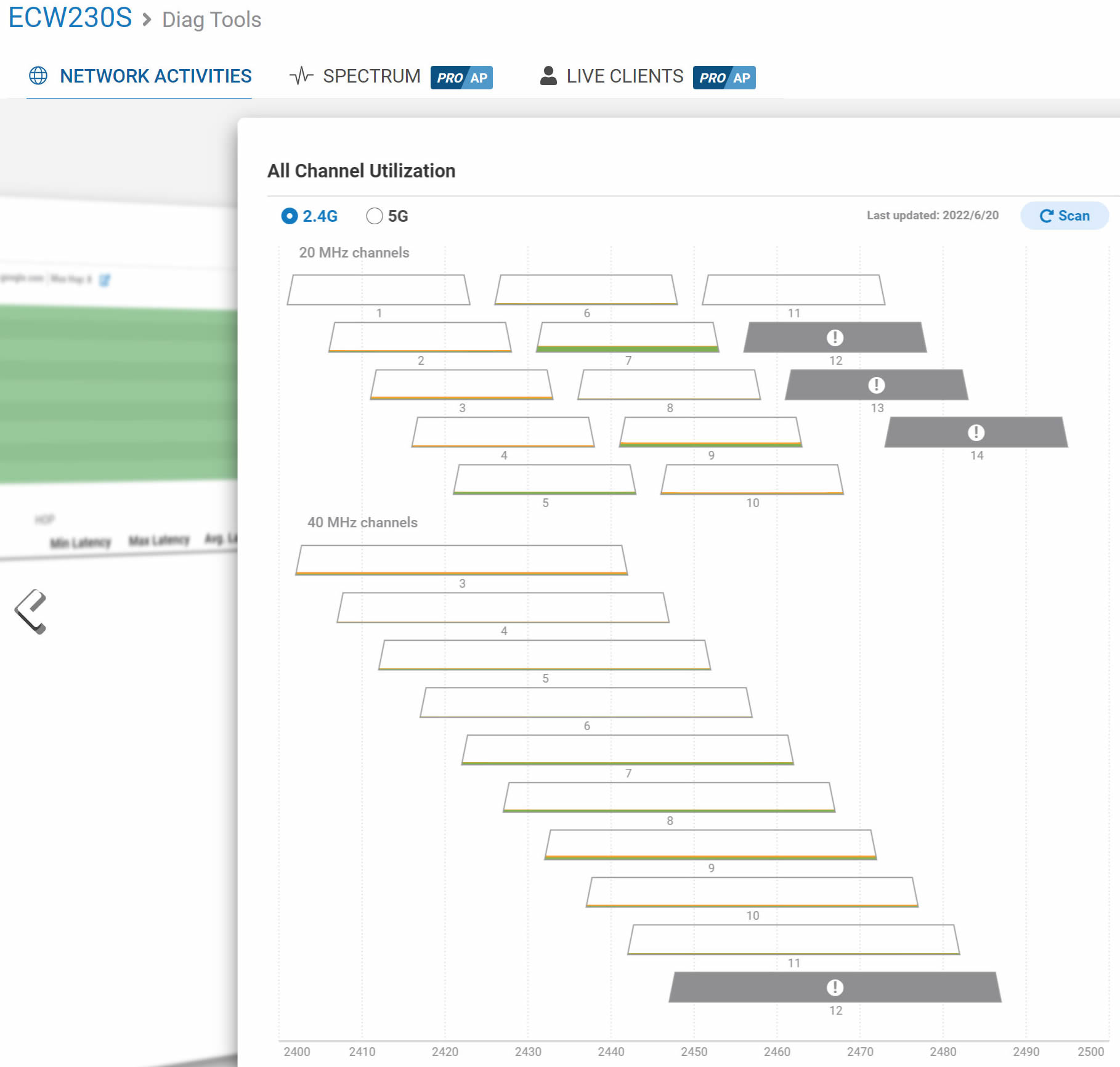
Under the Diag Tools, the ECW230S has all what we have already seen with the ECW230, like real time AP activity, trace root, like clients, channel utilization

 

Another important area, is the ability to select for the various channels the operating MHz and the Target Tx Power, default is 11dBm up to 23dBm, depending the laws of your area.

Firmware releases from EnGenius are often and can be selected, either Stable or Beta channel or when the firmware update will occur automatically.


Review Pages

1. Introduction
2. Retail Package
3. App / Install the device
4. Web Interface
5. New security features
6. Conclusion


Pages

  • « first
  • ‹ previous
  • 1
  • 2
  • 3
  • 4
  • 5
  • 6
  • next ›
  • last »

EnGenius

Tags: EnGenius
Previous Post
How Easy is Cloud Migration for Enterprises?
Next Post
Creative Zen Hybrid

Related Posts

  • EnGenius ECW520 AP

  • EnGenius Brings Wi-Fi 7 to Small Businesses with Affordable ECW510 Access Point

  • EnGenius Multi-Gigabit Switch Delivers 2.5G Performance with 90W PoE

  • EnGenius Announces Affordable ECW520 Access Point

  • EnGenius Launches Cloud-Lite Switch Series

  • EnGenius EXT1105P Switch Extender

  • EnGenius Wi-Fi 7

  • EnGenius AI Cloud Surveillance Solution

Latest Reviews

Noctua NH-D15 G2 Chromax.Black
Cooling Systems

Noctua NH-D15 G2 Chromax.Black

EnGenius ECW520 AP
Enterprise & IT

EnGenius ECW520 AP

Noctua NP-DM3 desk mat
Gaming

Noctua NP-DM3 desk mat

Crucial P510 2TB NMVE
PC components

Crucial P510 2TB NMVE

The Quiet Technology Behind the Spin
Enterprise & IT

The Quiet Technology Behind the Spin

Popular News

COLORFUL Introduces CVN B850I GAMING FROZEN Motherboard

COLORFUL Introduces CVN B850I GAMING FROZEN Motherboard

COLORFUL Presents CVN X870 ARK FROZEN Motherboard for AMD Ryzen 9000 CPUs

COLORFUL Presents CVN X870 ARK FROZEN Motherboard for AMD Ryzen 9000 CPUs

COLORFUL Presents the B860 Series Motherboards

COLORFUL Presents the B860 Series Motherboards

Intel-AMD new motherboards announced

Intel-AMD new motherboards announced

TEAMGROUP Launches EXPERT P34F Find My External SSD

TEAMGROUP Launches EXPERT P34F Find My External SSD

ASRock AM5 Motherboards Now Fully Support AMD Ryzen 9 9950X3D & 9900X3D Processors

ASRock AM5 Motherboards Now Fully Support AMD Ryzen 9 9950X3D & 9900X3D Processors

Samsung announces Galaxy Tab S11 and Galaxy S25 FE series

Samsung announces Galaxy Tab S11 and Galaxy S25 FE series

Viltrox Showcases Upcoming Lens Lineup and New TTL Flash at IBC 2025

Viltrox Showcases Upcoming Lens Lineup and New TTL Flash at IBC 2025

Main menu

  • Home
  • News
  • Reviews
  • Essays
  • Forum
  • Legacy
  • About
    • Submit News

    • Contact Us
    • Privacy

    • Promotion
    • Advertise

    • RSS Feed
    • Site Map
  • About
  • Privacy
  • Contact Us
  • Promotional Opportunities @ CdrInfo.com
  • Advertise on out site
  • Submit your News to our site
  • RSS Feed