Breaking News

XPG Launches New ARMAX DDR5 Gaming Memory Series TEAMGROUP Launches the TEAMGROUP PD40 Mini External SSD DJI Redefines Aerial Delivery with DJI FlyCart 100 Micron Announces Exit from Crucial Consumer Business!! Sony Launches Alpha 7 V and FE 28-70mm f/3.5-5.6 OSS II

logo

  • Share Us
    • Facebook
    • Twitter
  • Home
  • Home
  • News
  • Reviews
  • Essays
  • Forum
  • Legacy
  • About
    • Submit News

    • Contact Us
    • Privacy

    • Promotion
    • Advertise

    • RSS Feed
    • Site Map

Search form

Asus P5W64WS Pro

Feb 11,2007 0

3. Bios


Review Pages

1. Introduction
2. The Package
3. Bios
4. Installation
5. Everest Ultimate Edition 2006 - Sisoft Sandra
6. PC Mark05 - 3D Mark06
7. Scienc Mark - Pov Ray
8. CineBench - SuperPi
9. F.E.A.R. - Prey
10. Splinter Cell Chaos Theory - Half Life 2
11. Overclocking
12. Working with 8 monitors
13. Conclusion


- BIOS

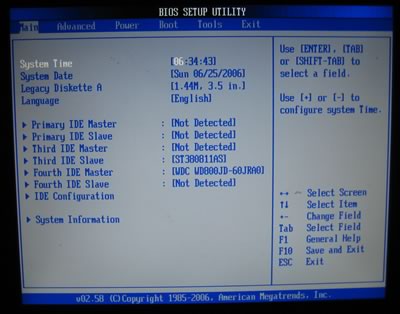
The BIOS is the typical AMI we saw in ASUS motherboards. The first tab, "Main", includes the system time and date, and storage devices:
The second is the "advanced" tab and includes most of the board configuration options:

Below we can see the settings under JumperFree Configuration. The CPU Frequency which is also the FSB, can be set as high as 550, a rather unrealistic number:
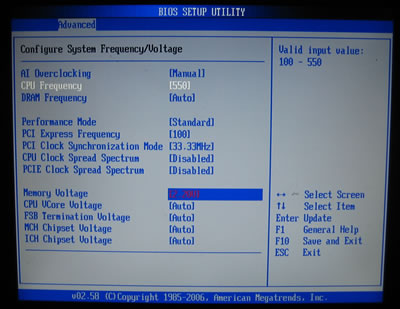
The DRAM Frequency setting offers 8 options, from Auto to DDR2-1067MHz.
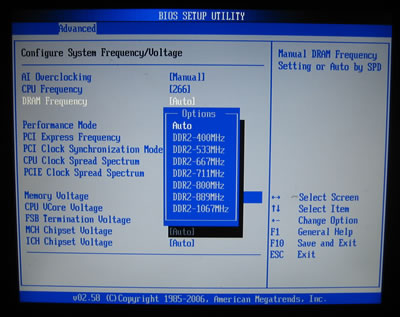
Each setting represents a different FSB:RAM ratio:

  • DDR2-400 (4:3)
  • DDR2-533 (1:1)
  • DDR2-667 (4:5)
  • DDR2-771 (3:4)
  • DDR2-800 (2:3)
  • DDR2-889 (3:5)
  • DDR2-1067 (1:2)

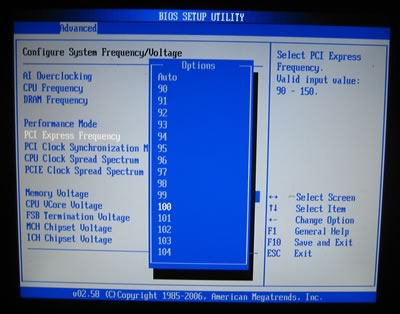
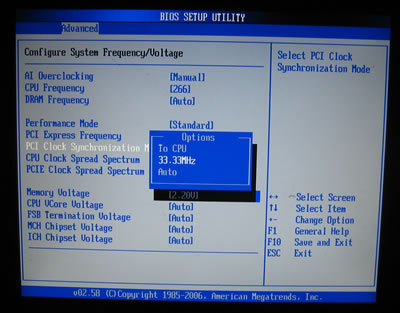
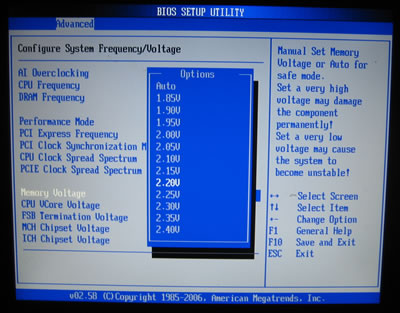
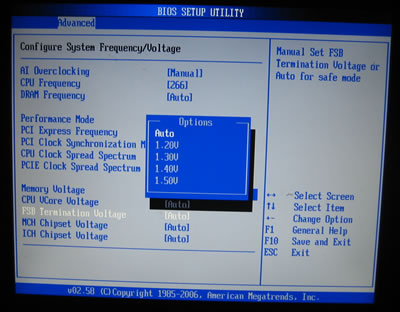
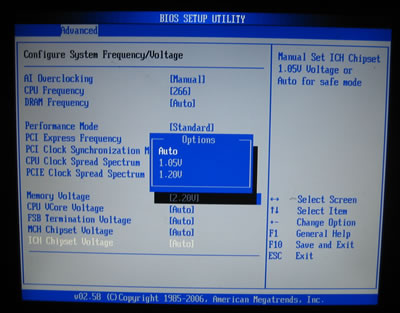
If you overclock by increasing the FSB, the DRAM Frequency changes on-the-fly accordingly, a useful feature. Memory, CPU, FSB, NB, SB and ICH voltages can be set according to the following table.

BIOS Setting Feature:
CPU bus frequency
100 to 550MHz in 1MHz steps
CPU voltage
1.2875V to 1.7000V in 0.0125V steps
DRAM voltage
1.85V to 2.40V in 0.15V steps
PCI Express frequency
90 to 150MHz in 1MHz steps
i975X MCH voltage
1.50V to 1.80V in 0.10V steps
FSB voltage
1.20V to 1.50V in 0.10V steps
ICH7R voltage
1.05V and 1.20V only

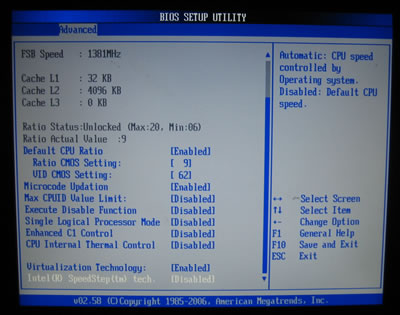
In the Advanced CPU settings, we can set the CPU Ratio status (set modify Ratio Support to Enabled) and enable or disable SpeedStep Technology (set C1 Support to Disabled):

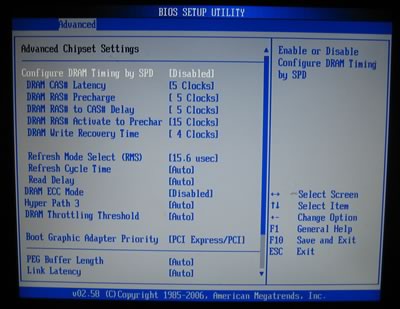
The Northbridge chipset controls the DRAM. By default, we left settings at Auto. Of course, users can take control and adjust the memory timings. There are two settings for higher memory performance (Hyper Path 3 and DRAM Throttling Threshold):
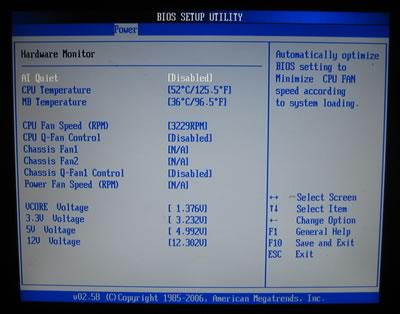
Hardware monitor shows how hot your CPU and motherboard run, fan speeds and voltages:
 

Review Pages
1. Introduction
2. The Package
3. Bios
4. Installation
5. Everest Ultimate Edition 2006 - Sisoft Sandra
6. PC Mark05 - 3D Mark06
7. Scienc Mark - Pov Ray
8. CineBench - SuperPi
9. F.E.A.R. - Prey
10. Splinter Cell Chaos Theory - Half Life 2
11. Overclocking
12. Working with 8 monitors
13. Conclusion


Pages

  • « first
  • ‹ previous
  • 1
  • 2
  • 3
  • 4
  • 5
  • 6
  • 7
  • 8
  • 9
  • …
  • next ›
  • last »

ASUS

MotherBoards

Tags: ASUS MotherBoards
Previous Post
Linux Raid Guide
Next Post
SuperTalent MegaScreen

Related Posts

  • ASUS Announces Prime AP303 Compact Mid-Tower ATX Case

  • ASUS TUF Gaming Unveils Call of Duty Black Ops 7 Edition AMD Radeon RX 9070 XT

  • ASUS Announces October Availability of ProArt Display 8K PA32KCX

  • ASUS Unveils ProArt PA401, PA602 Wood Edition PC Cases with Retro Colors

  • ASUS Announces ExpertCenter PN54-S1 Mini PC

  • ASUS Announces ExpertCenter P600 AiO

  • ASUS Announces Turbo Radeon AI Pro R9700 32GB Graphics Card

  • ASUS Unveils ProArt Displays, PC Solutions, and More at IBC 2025

Latest Reviews

Noctua NP-DM3 desk mat
Gaming

Noctua NP-DM3 desk mat

Crucial P510 2TB NMVE
PC components

Crucial P510 2TB NMVE

The Quiet Technology Behind the Spin
Enterprise & IT

The Quiet Technology Behind the Spin

Crucial DDR5 Pro 6400 CL32
PC components

Crucial DDR5 Pro 6400 CL32

SOUNDPEATS Clip1
Consumer Electronics

SOUNDPEATS Clip1

Popular News

COLORFUL Introduces CVN B850I GAMING FROZEN Motherboard

COLORFUL Introduces CVN B850I GAMING FROZEN Motherboard

COLORFUL Presents CVN X870 ARK FROZEN Motherboard for AMD Ryzen 9000 CPUs

COLORFUL Presents CVN X870 ARK FROZEN Motherboard for AMD Ryzen 9000 CPUs

COLORFUL Presents the B860 Series Motherboards

COLORFUL Presents the B860 Series Motherboards

Intel-AMD new motherboards announced

Intel-AMD new motherboards announced

TEAMGROUP Launches EXPERT P34F Find My External SSD

TEAMGROUP Launches EXPERT P34F Find My External SSD

ASRock AM5 Motherboards Now Fully Support AMD Ryzen 9 9950X3D & 9900X3D Processors

ASRock AM5 Motherboards Now Fully Support AMD Ryzen 9 9950X3D & 9900X3D Processors

Samsung announces Galaxy Tab S11 and Galaxy S25 FE series

Samsung announces Galaxy Tab S11 and Galaxy S25 FE series

Viltrox Showcases Upcoming Lens Lineup and New TTL Flash at IBC 2025

Viltrox Showcases Upcoming Lens Lineup and New TTL Flash at IBC 2025

Main menu

  • Home
  • News
  • Reviews
  • Essays
  • Forum
  • Legacy
  • About
    • Submit News

    • Contact Us
    • Privacy

    • Promotion
    • Advertise

    • RSS Feed
    • Site Map
  • About
  • Privacy
  • Contact Us
  • Promotional Opportunities @ CdrInfo.com
  • Advertise on out site
  • Submit your News to our site
  • RSS Feed