
Asus P5E3 Deluxe WiFi
2. A closer look
Review Pages
2. A closer look
3. BIOS settings
4. Test configuration
5. Everest Ultimate Edition 2007
6. SiSoftware Sandra
7. PCMark05, 3DMark06
8. Science Mark 2.0, Pov-Ray, x264 Benchmark
9. Maxon CineBench
10. SuperPI
11. SYSmark 2007, WorldBench 6
12. Lost Planet: Extreme Condition
13. Overclocking
14. Asus ExpressGate 1
15. Asus ExpressGate 2
16. Final words
The Asus P5E3 Deluxe WiFi Edition costs between 295 and 310 Euro (+shipping), as found in several online stores. I assume it's the highest (or one of the highest) priced motherboard in the market today. Asus with this series aims at the enthusiasts and the overclockers, and at this price range users should expect nothing less than absolute performance.
The retail package follows the usual design of Asus's AI Lifestyle motherboards, all the needed logos are there to inform about the motherboard's unique features:

Opening the retail box, we find many cables, various connectors and adapters.

Below is a list of what's included in the retail package
- 1x UltraDMA 133/100/66 cable
- 1x FDD cable
- 6 x Serial ATA cables
- 1x 2-port Serial ATA power cable
- 1x ASUS Q-Shield
- 1x printed quick start guide
- 1x printed user's manual
- 1x printed ASUS WiFi-AP @n manual
- 1x printed remote control manual
- 1x CD-ROM with drivers
- 1x CD-ROM with various software
- 1x 3 in 1 Q-connector
- 1x 2-port USB2.0 / 1-port IEEE1394 module
- 2 x Optional Fan for Water-Cooling or Passive-Cooling only
- 2x ASUS WiFi-AP @n omni-directional antenna
- 1x Remote control
- 1x IR receiver
Compared to previous packages, we notice the two WiFi connectors, required in order for both the 802.11n wireless card and the remote control to work properly. The package is fully loaded! Asus has included an IR receiver and a remote control for use in a media center setup.
The board itself looks very "clean" as most parts can be identified easily. Let's see how the board looks like.
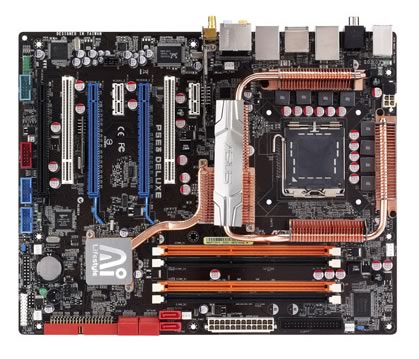
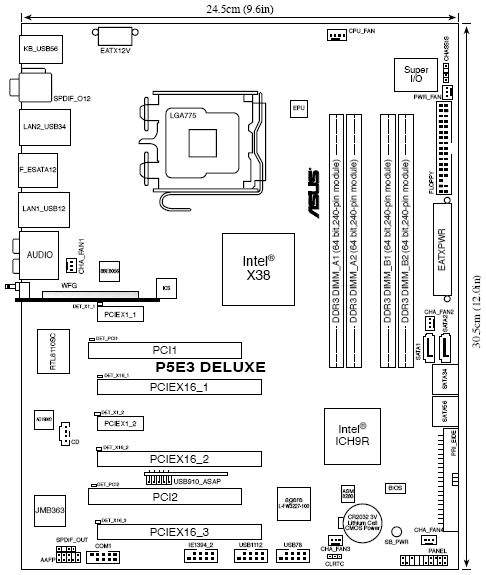
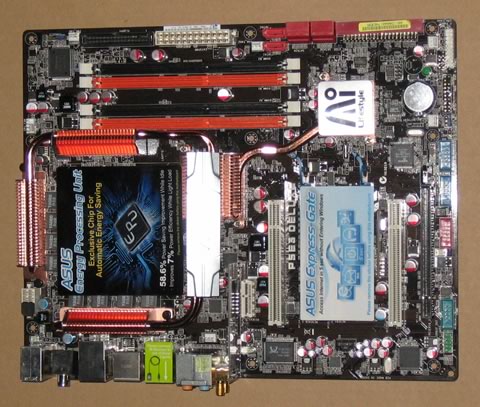
Let's take a closer look at the CPU area.
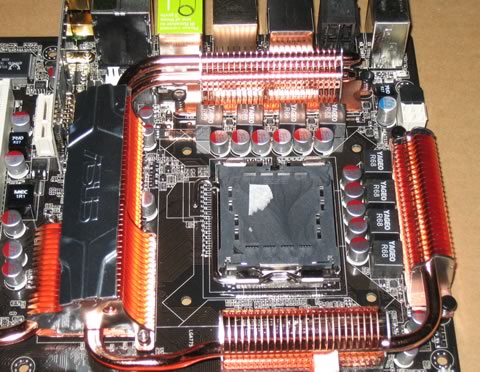
The Asus P5E3 Deluxe WiFi edition has many copper heatsinks around the CPU area. According to Asus, this design helps in lowering the CPU temperature by 10° Celcius and we assume that this claim is valid under specific conditions. We can see an 8 phase power design and low heighted MOSFETs for minimum switching loss & lower temperature. The Ferrite Core chokes have lower hysteresis loss, while they all have high quality, long life conductive polymer capacitors.
The copper heatsinks are interconnected with heatpipes, therefore heat dissipation should be very good. Their height is low so there shouldn't be any serious problems with big aftermarket coolers. There are four DDR3 DIMMs for up to 8GB memory configurations, usually most users report that the black ports behave better than the orange one's:
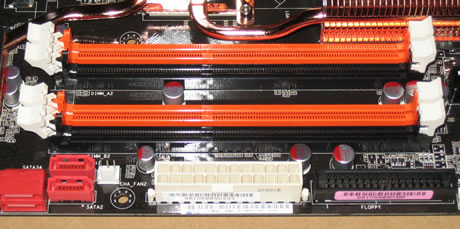
Passing to the lower left, we find six (6) SATAII connectors and of course the ATA133 connector. They're all coloured in red for the eye to be able to find them in an instant. There is a green led that lights up after the motherboard has been properly powered. The Southbridge is also covered with a passive copper heatsink featuring the Ai Lifestyle logo. There are 7 additional fan connectors in various places for the easy installation of various cooling systems you might need:

Looking at the back panel, we find the 802.11n module from Azurewave with the codename AW-NA830 :
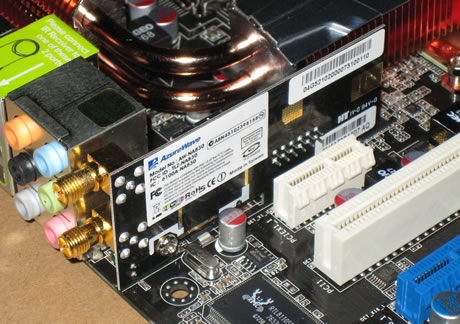
Going to the top left we can see the two PCI-e x16 lanes (blue colour) that fully support the ATI Crossfire technology. There's an extra PCI-e slot which can host a physics card either at x4 or x1. The newly adopted PCI-e v2.0 has higher bandwidth and several graphics cards are starting to use it, like Nvidia's 8800GT and the upcoming ATI 3800 series. There is enough space between them, so you shouldn't have any problem with oversized graphics cards.

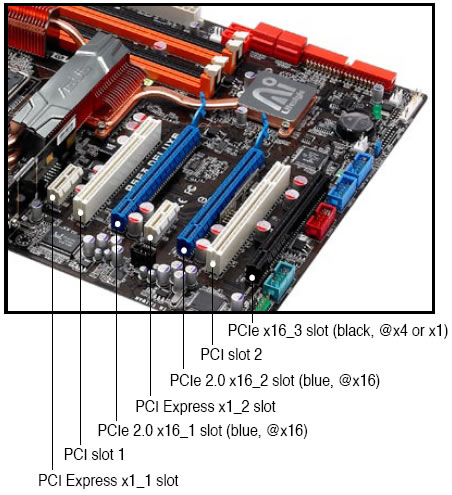
There are several extra ports in additional brackets for the back of the chassis in the retail package. The I/O panel has the following ports and connectors:
- 1 x PS/2 Keyboard
- 1 x S/PDIF Out (Coaxial + Optical)
- 2 x External SATA
- 1 x IEEE1394a
- 2 x RJ45 port
- 6 x USB 2.0/1.1
- 2 x WiFi-AP @n antenna jack
- 8-channel Audio I/O

The PS2 Mouse port has been replaced by two USB2.0 ports, while we don't like such a change, if you do have a USB2.0 keyboard it's a good addition.