Breaking News

Apple introduces the new M5 Pro/Max powered laptops and new Studio Display Elgato Unveils Wave Next - The Audio Ecosystem Powering a New Era Samsung Advances Galaxy AI and Its Connected Ecosystem at MWC 2026 AMD Ryzen AI PRO 400 Series CPUs Deliver Advanced AI for Desktops Micron Sets New Benchmark With the World's First High-Capacity 256GB LPDRAM SOCAMM2 for Data Center Infrastructure

logo

  • Share Us
    • Facebook
    • Twitter
  • Home
  • Home
  • News
  • Reviews
  • Essays
  • Forum
  • Legacy
  • About
    • Submit News

    • Contact Us
    • Privacy

    • Promotion
    • Advertise

    • RSS Feed
    • Site Map

Search form

Arctic Liquid Freezer III 280 ARGB

May 8,2024 0

3. Installation


Review Pages

1. Introduction
2. Retail Package
3. Installation
4. Tests
5. Conclusion


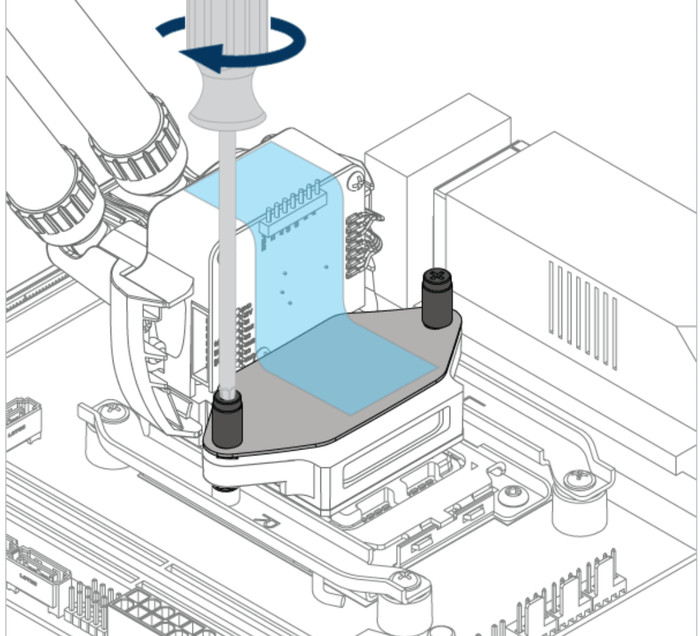
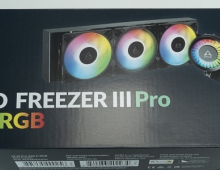
Installing the CPU cooler requires several steps and mostly we advise you to read the Arctic online guide for installing the product either for Intel or AMD platforms. We mainly tested this product with the AM5 platform, so we can comment on the procedure and the installation method. You need to remove the existing stock brackets and use spacers and screws to secure the mounting mechanism as follows. Note that with the Intel platform, you need to use the included mounting bracket, according to Arctic offers much better performance, compared with the stock Intel, this of course adds more steps for Intel users.

Something that users have mentioned, and we also found out is that "...you shouldn't fully tighten the two brackets, just so that they still have a little play. Then fit the pump head and tighten it. When the pump head is mounted, tighten the 4 screws of the bracket. This makes the work much easier. If you tighten the brackets directly, it may be that you will only be able to fit the pump head screws with the greatest of effort..."

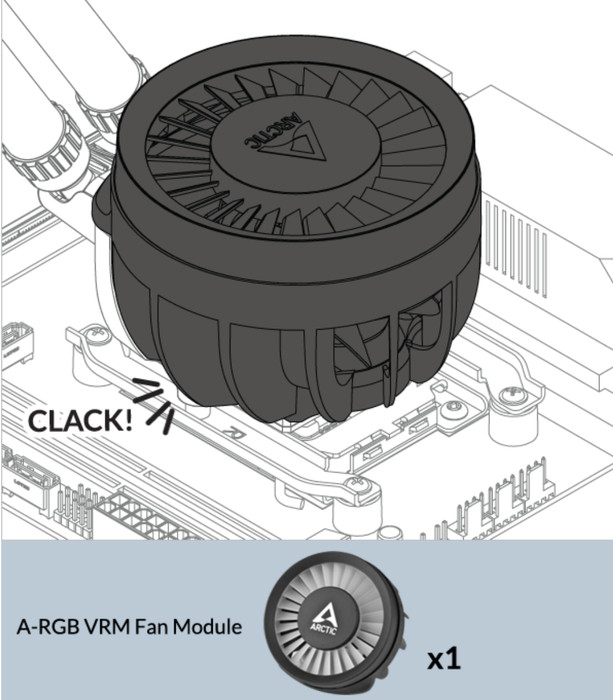
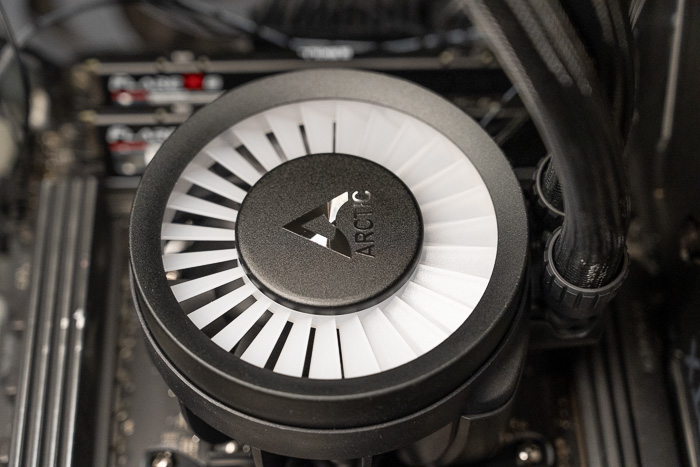
For those unsure about using the 3-connector header, the first two labeled CPU and PUMP go to their corresponding headers on the motherboard (check your motherboard manual for the locations). The third, labeled VRM, is the fan that sits on top of the cooling block designed to blow air down at the VRM coils. The VRM jumper simply connects to any spare fan header (again, check the mobo manual for the location of spare fan headers). Don't forget to configure BIOS to PWM fan mode for the pump, fan, and VRM. While one cable allows, individual control of the components (3 Signals), the other will make control everything with a single PWM-signal.


Review Pages

1. Introduction
2. Retail Package
3. Installation
4. Tests
5. Conclusion


Pages

  • « first
  • ‹ previous
  • 1
  • 2
  • 3
  • 4
  • 5
  • next ›
  • last »

Arctic

Tags: Arctic
Previous Post
G.skill Trident Z5 Neo RGB DDR5-6000 64GB CL30
Next Post
Deepcool PN850M PSU

Related Posts

  • Powerful Cooling with the Freezer 4U-OneX

  • Endorfy Thock V2 Wireless Keyboard

  • Arctic announces MX-7 – ULTIMATE Performance Thermal Paste

  • Arctic announces Xtender PC case

  • Arctic announces New Liquid Freezer III Pro 280 and Pro 420

  • Arctic Liquid Freezer III 360 Pro Argb

  • ARCTIC announces Liquid Freezer III Pro – Cooling Performance Redefined

  • Arctic Screwdriver Tools

Latest Reviews

Why Streaming Live Casino Games Demands Smarter Tech
Enterprise & IT

Why Streaming Live Casino Games Demands Smarter Tech

Kioxia Exceria Plus G3 512GB microSD
Cameras

Kioxia Exceria Plus G3 512GB microSD

SoundPeats Cove Pro
Consumer Electronics

SoundPeats Cove Pro

Asustor AS5404T 4-Bay NAS System
Enterprise & IT

Asustor AS5404T 4-Bay NAS System

be quiet! Pure Power 13M 1200W
PC components

be quiet! Pure Power 13M 1200W

Popular News

COLORFUL Introduces CVN B850I GAMING FROZEN Motherboard

COLORFUL Introduces CVN B850I GAMING FROZEN Motherboard

COLORFUL Presents CVN X870 ARK FROZEN Motherboard for AMD Ryzen 9000 CPUs

COLORFUL Presents CVN X870 ARK FROZEN Motherboard for AMD Ryzen 9000 CPUs

TEAMGROUP Launches EXPERT P34F Find My External SSD

TEAMGROUP Launches EXPERT P34F Find My External SSD

Samsung announces Galaxy Tab S11 and Galaxy S25 FE series

Samsung announces Galaxy Tab S11 and Galaxy S25 FE series

Viltrox Showcases Upcoming Lens Lineup and New TTL Flash at IBC 2025

Viltrox Showcases Upcoming Lens Lineup and New TTL Flash at IBC 2025

CORSAIR announces Vanguard Pro 96 and Vanguard 96 Gaming Keyboards

CORSAIR announces Vanguard Pro 96 and Vanguard 96 Gaming Keyboards

Panasonic Introduces the First Ultra-Telephoto Zoom Lens in the LUMIX S Series

Panasonic Introduces the First Ultra-Telephoto Zoom Lens in the LUMIX S Series

MSI Launches DATAMAG 40Gbps Magnetic Portable SSD

MSI Launches DATAMAG 40Gbps Magnetic Portable SSD

Main menu

  • Home
  • News
  • Reviews
  • Essays
  • Forum
  • Legacy
  • About
    • Submit News

    • Contact Us
    • Privacy

    • Promotion
    • Advertise

    • RSS Feed
    • Site Map
  • About
  • Privacy
  • Contact Us
  • Promotional Opportunities @ CdrInfo.com
  • Advertise on out site
  • Submit your News to our site
  • RSS Feed