
Breaking News

be quiet! enters high-end gaming mouse market with Dark Perk Ergo and Dark Perk Sym ASUS ROG announces ROG Strix GS-BE7200 Dual-Band WiFi 7 Gaming Router Transcend Launches RDE3 microSD Express Card Reader for Next-Generation High-Speed Performance Akasa Unleashes Six New Low-Profile CPU Coolers Up to 165W TDP Cooling in Compact Form Factors SWIT announces Powercell Battery Series for Sony, Canon, Nikon, and Fujifilm Cameras

logo

  • Share Us
    • Facebook
    • Twitter
  • Home
  • Home
  • News
  • Reviews
  • Essays
  • Forum
  • Legacy
  • About
    • Submit News

    • Contact Us
    • Privacy

    • Promotion
    • Advertise

    • RSS Feed
    • Site Map

Search form

AC Ryan PlayOn!HD2 review

Jun 17,2011 0

4. The GUI 2.0


Review Pages

1. About the Ac Ryan PlayOn!HD2 player
2. A closer look
3. Powering On the player
4. The GUI 2.0
5. Performance
6. YAMJ
7. Online services
8. Final words


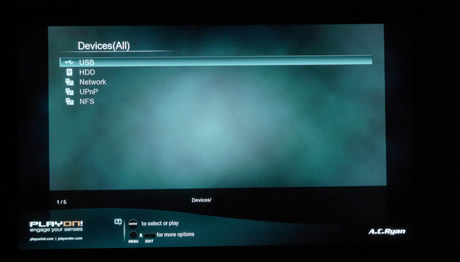
Going to the movies menu, firstly you should select the source where your movies are stored (USB, HDD, Network, UPnP and NFS)
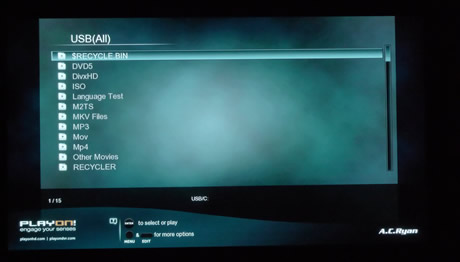
We selected the USB option and the sub-folders and files stored in our USB flash memory drive appeared on the screen:
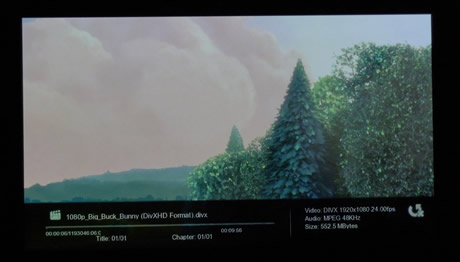
Information about the selected media file such as the media type and the duration are immediately displayed:
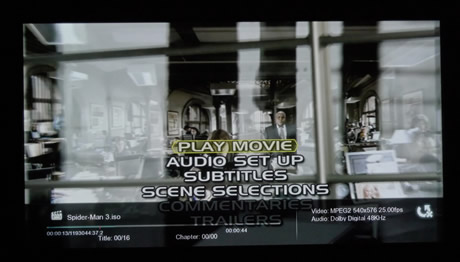
The player can also playback unprotected Blu-Ray ISO menus. In our case the Casino Royale movie was fully playable:

The available subtitles are easily selectable through redesigned menu:

Of course DVD Menus are also supported:
MKV files are perfectly reproduced, even when their resolution is 1080p and feature DTS sound:

You can easily jump to a specific time frame of the movie as shown below:

Under the Music menu of the GUI, you will find additional options, such as Repeat off/one/all and & shufle:

Greek subtitles are also supported and correctly displayed:

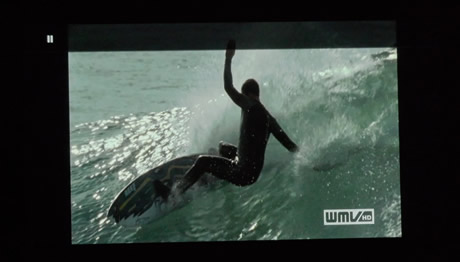
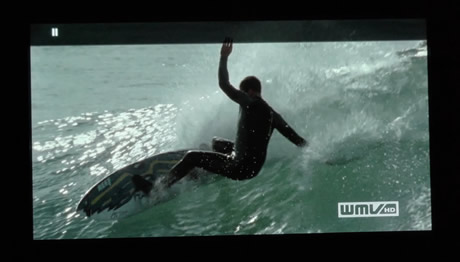
For anamorphic movies such as WMV files, the zoom function is available in order to stretch the image according to the size of your screen. However, the zoom will go back to the original size once you press any button on the remote control. That's a rather annoying behavior we would like to see it fixed with a newer bios:
At the File manager section you can copy or delete files:
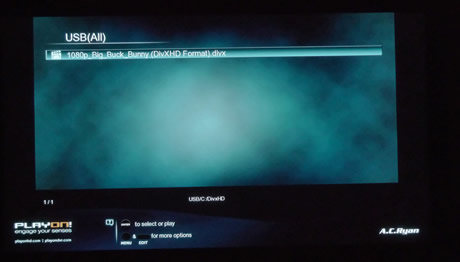
The edit button offers more optione to the right side of the menu, such as move, delete, copy, rename or send:

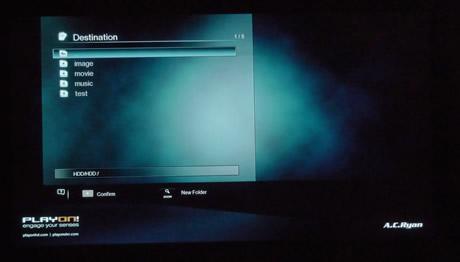
For example, we chose to move a file. The next step is set the destination by selecting one of the provided options (USB, HDD,Network)

 

Review Pages

1. About the Ac Ryan PlayOn!HD2 player
2. A closer look
3. Powering On the player
4. The GUI 2.0
5. Performance
6. YAMJ
7. Online services
8. Final words


Pages

  • « first
  • ‹ previous
  • 1
  • 2
  • 3
  • 4
  • 5
  • 6
  • 7
  • 8
  • next ›
  • last »

Tags:
Previous Post
OCZ Agility 3 240GB SSD review
Next Post
Patriot Memory Torqx 2 128GB SSD Review

Related Posts

  • AC Ryan Playon!HD Mini 2 review

  • AC Ryan PlayOnHD!

Latest Reviews

The Difference Between American and European Stakes and Why It Changes How People Bet
Enterprise & IT

The Difference Between American and European Stakes and Why It Changes How People Bet

Endorfy Thock V2 Wireless Keyboard
PC components

Endorfy Thock V2 Wireless Keyboard

Noctua NH-D15 G2 Chromax.Black
Cooling Systems

Noctua NH-D15 G2 Chromax.Black

EnGenius ECW520 AP
Enterprise & IT

EnGenius ECW520 AP

Noctua NP-DM3 desk mat
Gaming

Noctua NP-DM3 desk mat

Popular News

COLORFUL Introduces CVN B850I GAMING FROZEN Motherboard

COLORFUL Introduces CVN B850I GAMING FROZEN Motherboard

COLORFUL Presents CVN X870 ARK FROZEN Motherboard for AMD Ryzen 9000 CPUs

COLORFUL Presents CVN X870 ARK FROZEN Motherboard for AMD Ryzen 9000 CPUs

TEAMGROUP Launches EXPERT P34F Find My External SSD

TEAMGROUP Launches EXPERT P34F Find My External SSD

ASRock AM5 Motherboards Now Fully Support AMD Ryzen 9 9950X3D & 9900X3D Processors

ASRock AM5 Motherboards Now Fully Support AMD Ryzen 9 9950X3D & 9900X3D Processors

Samsung announces Galaxy Tab S11 and Galaxy S25 FE series

Samsung announces Galaxy Tab S11 and Galaxy S25 FE series

Viltrox Showcases Upcoming Lens Lineup and New TTL Flash at IBC 2025

Viltrox Showcases Upcoming Lens Lineup and New TTL Flash at IBC 2025

CORSAIR announces Vanguard Pro 96 and Vanguard 96 Gaming Keyboards

CORSAIR announces Vanguard Pro 96 and Vanguard 96 Gaming Keyboards

Panasonic Introduces the First Ultra-Telephoto Zoom Lens in the LUMIX S Series

Panasonic Introduces the First Ultra-Telephoto Zoom Lens in the LUMIX S Series

Main menu

  • Home
  • News
  • Reviews
  • Essays
  • Forum
  • Legacy
  • About
    • Submit News

    • Contact Us
    • Privacy

    • Promotion
    • Advertise

    • RSS Feed
    • Site Map
  • About
  • Privacy
  • Contact Us
  • Promotional Opportunities @ CdrInfo.com
  • Advertise on out site
  • Submit your News to our site
  • RSS Feed