Breaking News

ZOTAC GAMING Launches GeForce RTX 5080 SOLID CORE OC 20th Anniversary Edition Google Unveils Pixel 11 Series, Pixel 11 Pro Fold, Pixel Watch 5, and Pixel Tag Insta360 Expands Its Content Creation Ecosystem with Flagship X6 8K 360 Camera and Next-Generation Audio Solutions Razer Unveils the Artisan Keycap – Triple-Headed Snake Edition Razer Unveils the Naga V3 Pro

logo

  • Share Us
    • Facebook
    • Twitter
  • Home
  • Home
  • News
  • Reviews
  • Essays
  • About
    • Submit News

    • Contact Us
    • Privacy

    • Promotion
    • Advertise

    • RSS Feed

Search form

Opera Adds Built-in Instagram to Desktop Browser

Opera Adds Built-in Instagram to Desktop Browser

Enterprise & IT Apr 22,2020 0

Opera is adding a built-in Instagram feature to the newest version of its desktop browser, Opera 68.

The browser, available on Windows, Mac and Linux, already has several built-in messengers in the sidebar, including Facebook Messenger, WhatsApp and Telegram.

Recent weeks, with people staying at home and social distancing as much as possible, have seen them increasingly rely on social media to stay in touch with friends and loved ones. Opera says that the use of Opera’s built-in WhatsApp has grown 58% in the US along with the use of Facebook Messenger 173% in the past two and a half months.

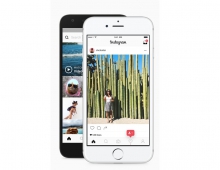
Opera users will also get access to the main Instagram feed. Along with Instastories, the explore function, and DMs, which have grown in popularity over recent years and even more so in recent weeks, this makes for a full Instagram on desktop experience.

Instagram has rolled out features in its web version, including the most recent access to instastories or DMs, which many who spend their days working on their laptops (or desktop computers) have been asking for. Opera is now integrating these new features into its browser to make them available across platforms.

Using messengers and Instagram in Opera has the added benefit of being a distraction-free way to use the web: people decide when to access their messengers and aren’t bothered by constant notifications unless they enable them.

To enable Instagram in Opera, one has to click the Instagram icon in the sidebar on the left and log into an Instagram account. Once that is done, users are all set: they can use the social network in their favorite way.

Opera also includes the Workspaces feature, which allows you to manage different projects, whether they are work-related or personal, from the same browser window. Using the sidebar on the left, you can group tabs in up to five separate workspaces. The browser also lets you customize their icons and names.

Tags: Operainstagram
Previous Post
Facebook Expands Messenger Kids to More Countries and Adds New Features
Next Post
XPG Enters the Gaming Notebook Market With the 15.6-Inch XENIA

Related Posts

  • EU Privacy Watchdog Accused of Delaying Probe Procedures Against Facebook

  • New Opera for Android Offers More Data Savings, New Blockchain-browsing Features

  • Instagram to Remove COVID-19 Content and Accounts from Recommendations

  • Opera Lets US Users Buy Crypto With Apple Pay or Debit Card

  • Opera R2020 Browser is Here With New Features and Support for DoH

  • Facebook Removes Inauthentic Behavior Originated From Russia, Iran, Vietnam and Myanmar

  • Instagram Bans Promotions of Vaping, Tobacco, Alcohol and Diet Supplements

  • Instagram Uses AI Track Online Bullying in Real Time

Latest News

ZOTAC GAMING Launches GeForce RTX 5080 SOLID CORE OC 20th Anniversary Edition
GPUs

ZOTAC GAMING Launches GeForce RTX 5080 SOLID CORE OC 20th Anniversary Edition

Google Unveils Pixel 11 Series, Pixel 11 Pro Fold, Pixel Watch 5, and Pixel Tag
Smartphones

Google Unveils Pixel 11 Series, Pixel 11 Pro Fold, Pixel Watch 5, and Pixel Tag

Insta360 Expands Its Content Creation Ecosystem with Flagship X6 8K 360 Camera and Next-Generation Audio Solutions
Cameras

Insta360 Expands Its Content Creation Ecosystem with Flagship X6 8K 360 Camera and Next-Generation Audio Solutions

Razer Unveils the Artisan Keycap – Triple-Headed Snake Edition
Gaming

Razer Unveils the Artisan Keycap – Triple-Headed Snake Edition

Razer Unveils the Naga V3 Pro
Gaming

Razer Unveils the Naga V3 Pro

Popular Reviews

Endorfy Thock V2 Wireless Keyboard

Endorfy Thock V2 Wireless Keyboard

Dragon Touch Digital Calendar

Dragon Touch Digital Calendar

be quiet! Pure Loop 3 280mm

be quiet! Pure Loop 3 280mm

Soft2bet and the unseen hardware that makes instant play possible

Soft2bet and the unseen hardware that makes instant play possible

The Quiet Technology Behind the Spin

The Quiet Technology Behind the Spin

SoundPeats Cove Pro

SoundPeats Cove Pro

Akaso Brave 8 Lite

Akaso Brave 8 Lite

Kioxia Exceria Plus G3 512GB microSD

Kioxia Exceria Plus G3 512GB microSD

Main menu

  • Home
  • News
  • Reviews
  • Essays
  • About
    • Submit News

    • Contact Us
    • Privacy

    • Promotion
    • Advertise

    • RSS Feed
  • About
  • Privacy
  • Contact Us
  • Promotional Opportunities @ CdrInfo.com
  • Advertise on out site
  • Submit your News to our site
  • RSS Feed