Breaking News

CORSAIR announces XENEON EDGE 14.5" LCD Touchscreen Club3D announces new products! Firewalla Announces Firewalla Orange, a Portable Multi-Gigabit Cybersecurity Firewall and WiFi 7 Router that Brings Zero Trust Anywhere ENDORFY Palm Rest V2 series delivers comfort with a magnetic pull MSI’s Latest AMD X870E MAX & EVO Series Motherboards

logo

  • Share Us
    • Facebook
    • Twitter
  • Home
  • Home
  • News
  • Reviews
  • Essays
  • Forum
  • Legacy
  • About
    • Submit News

    • Contact Us
    • Privacy

    • Promotion
    • Advertise

    • RSS Feed
    • Site Map

Search form

Chatting With Google Assistant Gets More Natural

Chatting With Google Assistant Gets More Natural

Consumer Electronics Jun 21,2018 0

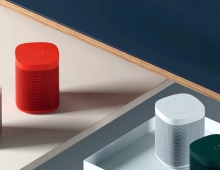
Google is taking another step forward in making interactions with the Google Assistant more natural with Continued Conversation, available starting today on Google Home, Google Home Mini and Google Home Max.

Saying "Hey Google" before each follow-up question for the Assistant doesn't feel as natural. Google announced Continued Conversation at I/O as an optional setting which lets you have a natural back-and-forth conversation with the Assistant without repeating "Hey Google" for each follow-up request. The new feature is starting to roll out today, and you can turn it on in the Google Assistant app by going to Settings - Preferences - Continued Conversation and hitting the toggle.

With Continued Conversation turned on, after you ask the Assistant a question, you can ask a follow-up, set a reminder, or add something to your shopping list without having to say "Hey Google" each time. You can say "thank you" or "stop" once you're done, or the conversation will once the Assistants detect that you're no longer talking to it. You'll still need to activate your Assistant devices with "Ok Google," "Hey Google," or with a physical trigger, but with this new optional setting turned on, the Assistant will stay active for long enough to respond to follow up questions so you don't have to say "Hey Google" as often.
Tags: Google assistant
Previous Post
VidCon 2018: Youtube Announces Memberships, Merchandise as Alternatives to Ads
Next Post
Intel CEO Brian Krzanich Resigns After Found to Have Relationship With Employee

Related Posts

  • Google Assistant Can Read Website Articles Aloud

  • Research Shows That Smart Speakers Could Record Users Up to 19 Times Per Day

  • U.S. ITC Opens Patent Probe into Google Speakers After Sonos Inquiry

  • Google Says Assistant is Used by More Than 500 Million People

  • Google Brings Real-time Translation to Your Phone

  • Google Assistant Ambient mode Coming to More Smartphones

  • Google Assistant on Chrome Can Buy You Movie Tickets

  • Google Assistant Will Play You the News

Latest News

CORSAIR announces XENEON EDGE 14.5" LCD Touchscreen
PC components

CORSAIR announces XENEON EDGE 14.5" LCD Touchscreen

Club3D announces new products!
Enterprise & IT

Club3D announces new products!

Firewalla Announces Firewalla Orange, a Portable Multi-Gigabit Cybersecurity Firewall and WiFi 7 Router that Brings Zero Trust Anywhere
Enterprise & IT

Firewalla Announces Firewalla Orange, a Portable Multi-Gigabit Cybersecurity Firewall and WiFi 7 Router that Brings Zero Trust Anywhere

ENDORFY Palm Rest V2 series delivers comfort with a magnetic pull
Consumer Electronics

ENDORFY Palm Rest V2 series delivers comfort with a magnetic pull

MSI’s Latest AMD X870E MAX & EVO Series Motherboards
PC components

MSI’s Latest AMD X870E MAX & EVO Series Motherboards

Popular Reviews

be quiet! Dark Mount Keyboard

be quiet! Dark Mount Keyboard

Terramaster F8-SSD

Terramaster F8-SSD

be quiet! Light Mount Keyboard

be quiet! Light Mount Keyboard

Soundpeats Pop Clip

Soundpeats Pop Clip

Akaso 360 Action camera

Akaso 360 Action camera

Dragon Touch Digital Calendar

Dragon Touch Digital Calendar

Noctua NF-A12x25 G2 fans

Noctua NF-A12x25 G2 fans

be quiet! Pure Loop 3 280mm

be quiet! Pure Loop 3 280mm

Main menu

  • Home
  • News
  • Reviews
  • Essays
  • Forum
  • Legacy
  • About
    • Submit News

    • Contact Us
    • Privacy

    • Promotion
    • Advertise

    • RSS Feed
    • Site Map
  • About
  • Privacy
  • Contact Us
  • Promotional Opportunities @ CdrInfo.com
  • Advertise on out site
  • Submit your News to our site
  • RSS Feed