Breaking News

BIOSTAR INTRODUCES DDR5 16GB UDIMM 4800MHz/5600MHz MEMORY GAMEMAX Launches NEX C51 and NEX C31 Panoramic PC Cases G.SKILL Officially Commences World Cup 2026 Overclocking Competition with $40,000 USD Total Prize Pool Sharkoon announces SKILLER SGK55W Western Digital Accelerates Storage Innovation for AI Era

logo

  • Share Us
    • Facebook
    • Twitter
  • Home
  • Home
  • News
  • Reviews
  • Essays
  • Forum
  • Legacy
  • About
    • Submit News

    • Contact Us
    • Privacy

    • Promotion
    • Advertise

    • RSS Feed
    • Site Map

Search form

Stellar Data Recovery (Windows Edition)

Feb 21,2021 0

3. Tests - Page 1


Review Pages

1. Introduction
2. Getting familiar with the GUI
3. Tests - Page 1
4. Tests - Page 2
5. Conclusion


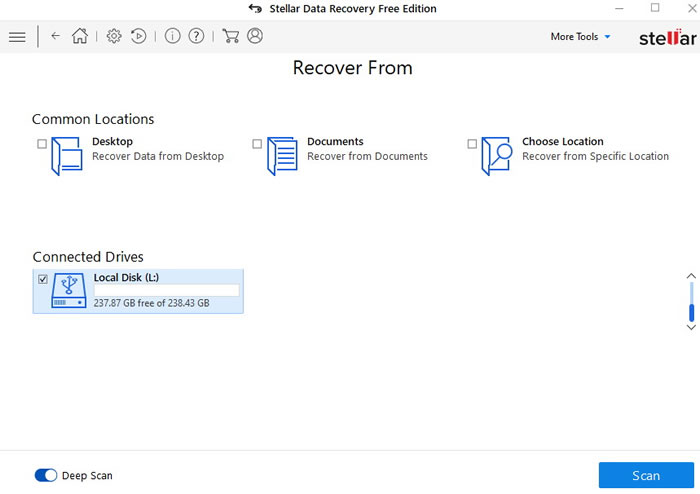
Let now begin with a typical user scenario...External microSD/SDXC card that contains files/pictures and were deleted by accident (or in purpose) and you want them recovered...So what we can do? First of all connect the drive/card with the PC. Open up the Stellar Data Recovery and select the affected volume (L: in our case)
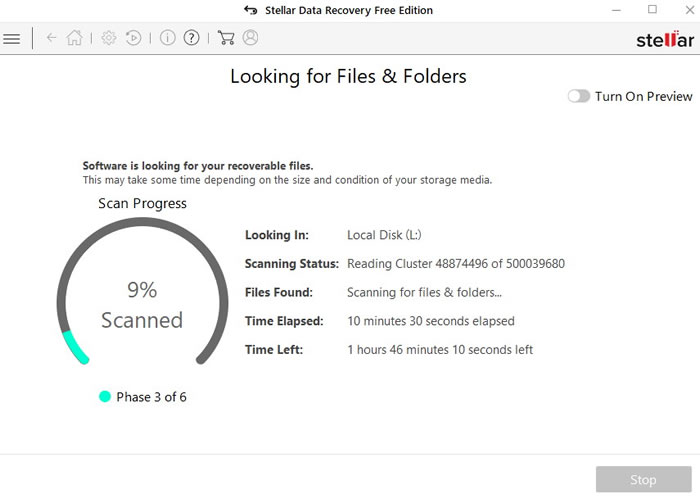
By pressing Scan and Deep Scan you need to have sometime to let the software do its job

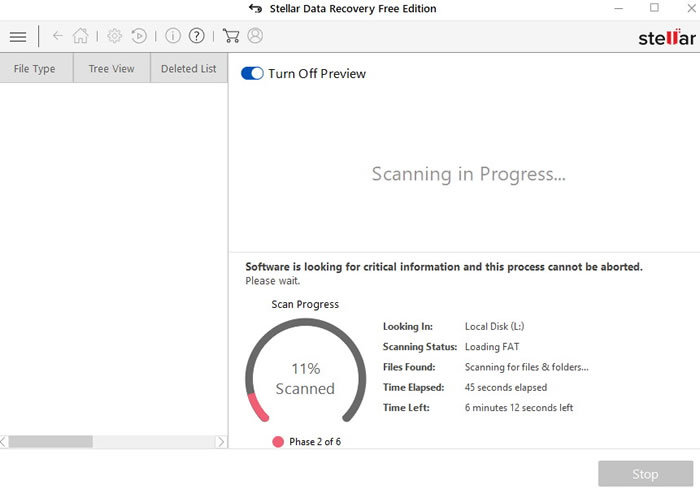
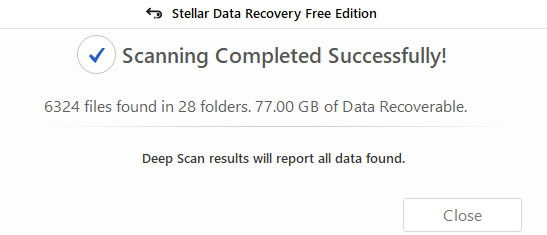
After sometime the whole process finished.
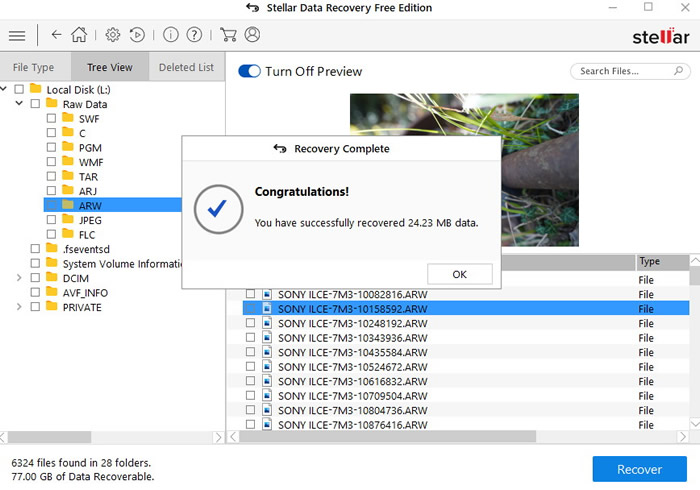
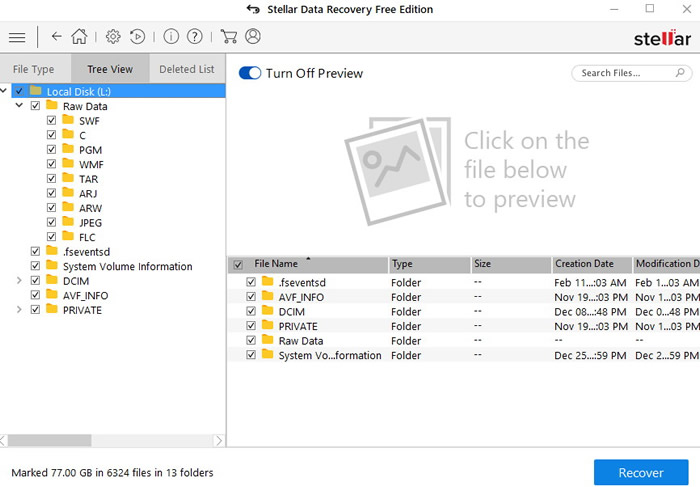
As we saw earlier, the Stellar Data Recovery will display all the file types it managed to recognize
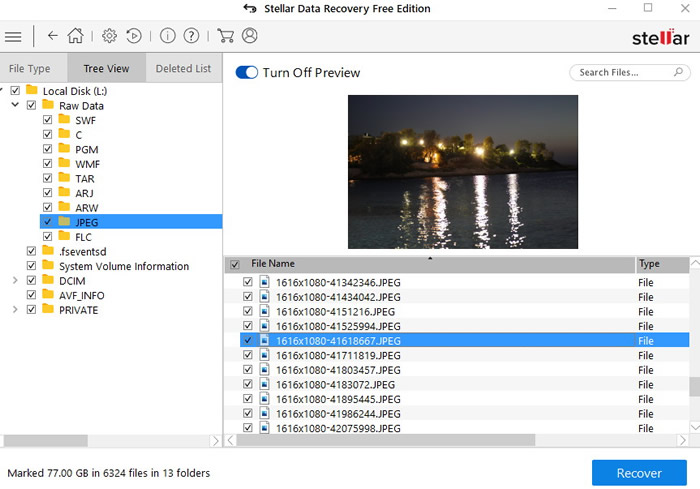
And it can also preview the file types (either JPG or ARW)
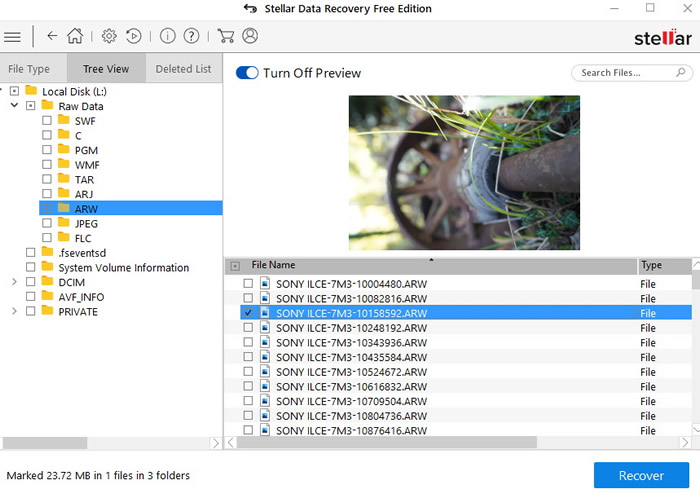
In case you wish to recover a file, the FREE DEMO warning will come up, there are limitations:

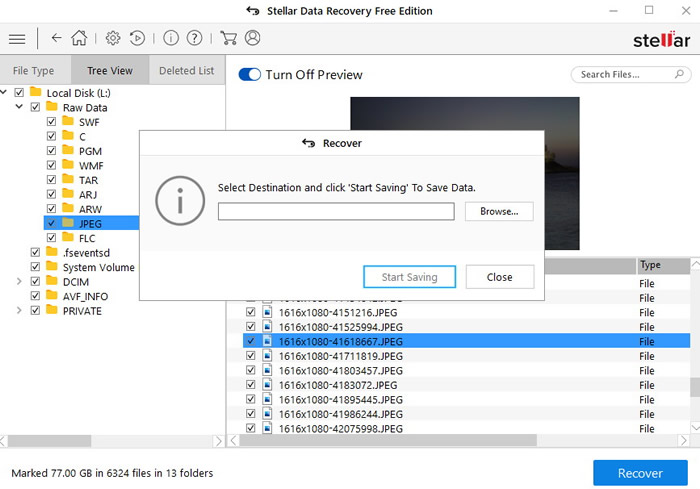
Press upgrade later to select where you wish you files to be saved:
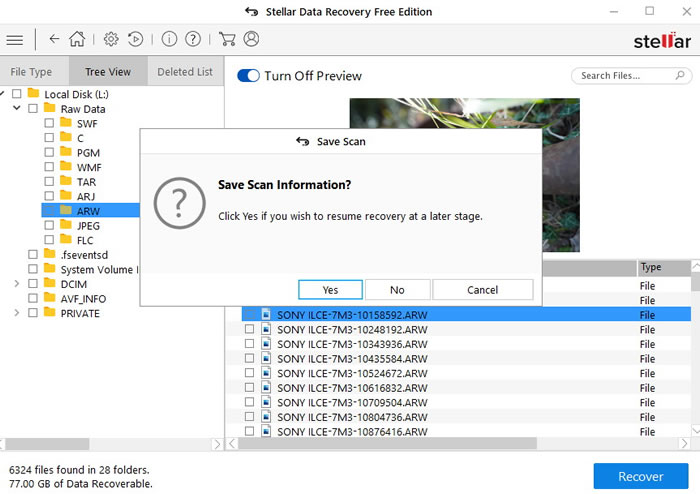
In case you wish to recover the scan at a later time you can do it
 

Review Pages

1. Introduction
2. Getting familiar with the GUI
3. Tests - Page 1
4. Tests - Page 2
5. Conclusion


Pages

  • « first
  • ‹ previous
  • 1
  • 2
  • 3
  • 4
  • 5
  • next ›
  • last »

Stellar Data Recovery

Tags: Stellar Data Recovery
Previous Post
External USB Slim Recorders Comparison
Next Post
Whats best for you MAC or PC?

Related Posts

  • Stellar Data Recovery For Mac

  • Stellar Data Recovery For Windows

  • Stellar Data Recovery MAC Edition

Latest Reviews

Asustor AS5404T 4-Bay NAS System
Enterprise & IT

Asustor AS5404T 4-Bay NAS System

be quiet! Pure Power 13M 1200W
PC components

be quiet! Pure Power 13M 1200W

Server-Side Gaming Why Canadian Online Casinos Are Abandoning Local Clients for HTML5 Clouds
Enterprise & IT

Server-Side Gaming Why Canadian Online Casinos Are Abandoning Local Clients for HTML5 Clouds

Airfanta 3 Pro Air
Consumer Electronics

Airfanta 3 Pro Air

Akaso Brave 8 Lite
Cameras

Akaso Brave 8 Lite

Popular News

COLORFUL Introduces CVN B850I GAMING FROZEN Motherboard

COLORFUL Introduces CVN B850I GAMING FROZEN Motherboard

COLORFUL Presents CVN X870 ARK FROZEN Motherboard for AMD Ryzen 9000 CPUs

COLORFUL Presents CVN X870 ARK FROZEN Motherboard for AMD Ryzen 9000 CPUs

TEAMGROUP Launches EXPERT P34F Find My External SSD

TEAMGROUP Launches EXPERT P34F Find My External SSD

Samsung announces Galaxy Tab S11 and Galaxy S25 FE series

Samsung announces Galaxy Tab S11 and Galaxy S25 FE series

Viltrox Showcases Upcoming Lens Lineup and New TTL Flash at IBC 2025

Viltrox Showcases Upcoming Lens Lineup and New TTL Flash at IBC 2025

CORSAIR announces Vanguard Pro 96 and Vanguard 96 Gaming Keyboards

CORSAIR announces Vanguard Pro 96 and Vanguard 96 Gaming Keyboards

Panasonic Introduces the First Ultra-Telephoto Zoom Lens in the LUMIX S Series

Panasonic Introduces the First Ultra-Telephoto Zoom Lens in the LUMIX S Series

MSI Launches DATAMAG 40Gbps Magnetic Portable SSD

MSI Launches DATAMAG 40Gbps Magnetic Portable SSD

Main menu

  • Home
  • News
  • Reviews
  • Essays
  • Forum
  • Legacy
  • About
    • Submit News

    • Contact Us
    • Privacy

    • Promotion
    • Advertise

    • RSS Feed
    • Site Map
  • About
  • Privacy
  • Contact Us
  • Promotional Opportunities @ CdrInfo.com
  • Advertise on out site
  • Submit your News to our site
  • RSS Feed