Breaking News

ASUS ProArt RTX Spark Windows PCs Available for Immediate Pre-Order Kioxia Introduces E1.L QLC-based SSDs for Hyperscale Data Centers CORSAIR Launches the HS80 v2 MAX WIRELESS Gaming Headset Sony Announces the World's First Eclipsa Audio Certified Microphone1 for Smartphones Razer Unveils the Basilisk V4 Line

logo

  • Share Us
    • Facebook
    • Twitter
  • Home
  • Home
  • News
  • Reviews
  • Essays
  • About
    • Submit News

    • Contact Us
    • Privacy

    • Promotion
    • Advertise

    • RSS Feed

Search form

MixVibes6 3DEX

Apr 26,2007 0

2. Installation


Review Pages

1. Introduction
2. Installation
3. Working with the software
4. Conclusion


The MixVibes 6 3DEX can be bought directly from MixVibes at the retail price of €79 (digital download). There is also a 20 days trial demo version if you want to test the product before buying it. The installation process is very easy, just follow the setup wizard. After installation has finished, click on the desktop icon and you're up and running. The latest software version is 6.282

.

The main screen should be familiar for those who have used in the past, DJ mixing software. By default, 3 players are available (we set two in the options for a better fit on screen).

Click To Enlarge!

The layout is configurable and you can easily change the way things are organised, depending on your preferences:

Click To Enlarge!

or like this...

Click To Enlarge!

or like this!

Click To Enlarge!

The Options menu unveils interesting information about the software's capabilities and supported features:

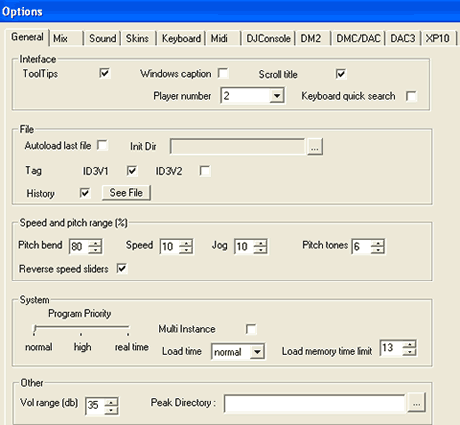
The General Tab. The options are easily understandable:
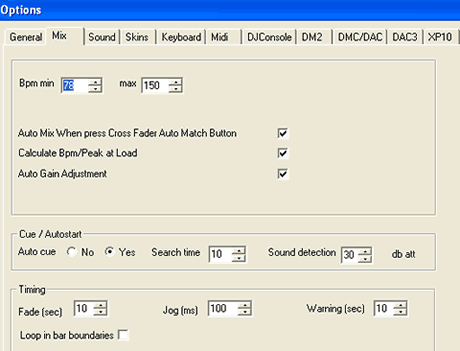
In the Mix tab, you can set the min/max Bpm and auto gain
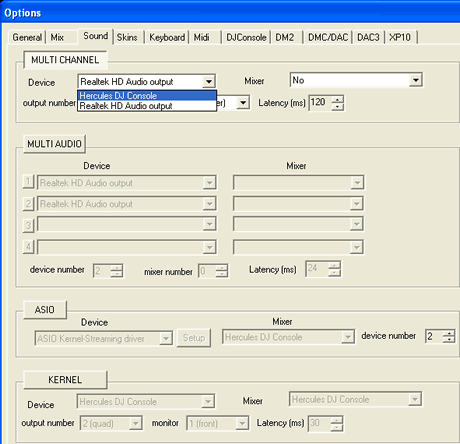
One of the most interesting is the "Sound" tab. There, you can see the true potential of MixVibes, since it supports many different modes, depending on the installed Soundcard.
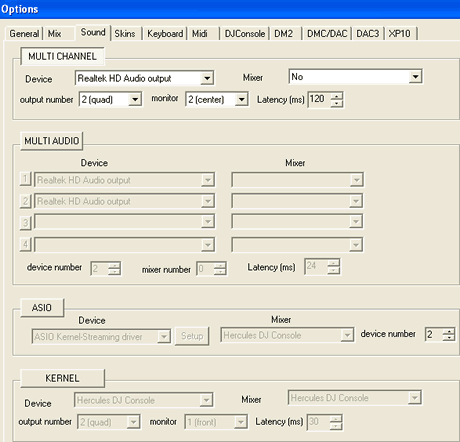
If you have more than one sound device installed, MixVibes finds them and allows you to select which device to use:
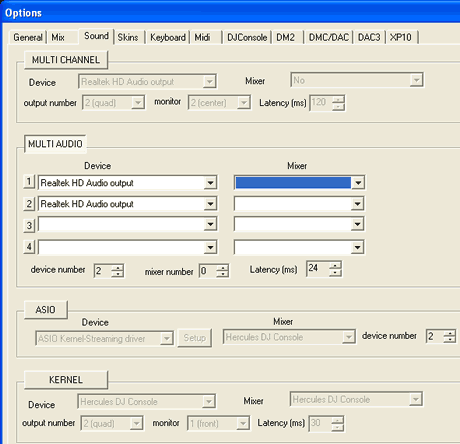
The MultiAudio group gives more options and allows you to set among others, headphones as output device:
The ASIO and KERNEL group allow selection of drivers and console device for lowest latency (ms):
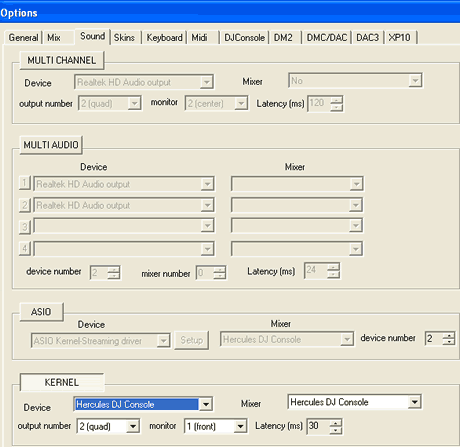
While there are quite a lot of options in this tab, perhaps so many that for many novice users it could be confusing, probably the only two choices you need to configure initially are MULTI-CHANNEL and ASIO. Other software packages have a more user friendly interface for setting Audio output, for example VirtualDJ.

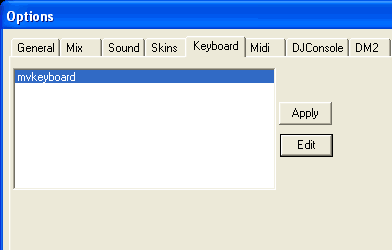
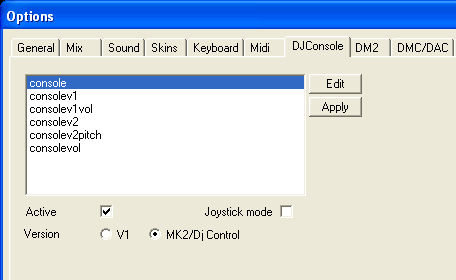
The remaining tabs offer more configuration options for Skins, Keyboard and Midi devices:

MixVibes 6 3DEX supports a variety of external controllers, such as Hercules DJ Consoles, DM2, DMC/DAC1-2-3, etc.
 

Review Pages

1. Introduction
2. Installation
3. Working with the software
4. Conclusion


Pages

  • « first
  • ‹ previous
  • 1
  • 2
  • 3
  • 4
  • next ›
  • last »

MixVibes

DJ

MP3

Tags: MixVibes DJ MP3
Previous Post
Crucial Ballistix PC2-8500
Next Post
Neodigits X4000

Related Posts

  • Numark Adds Capacitive Touch Platters to Pocket-sized DJ2GO2 Controller

  • Akai Proffessional Introduces the Force Standalone Production / DJ Performance Device

  • Denon Takes on Pioneer With New Four-channel Standalone Prime 4 DJ System

  • MP3 Has Been Set Free Of Licensing

  • Tech Group Proposes New Format For Digital Music Files

  • Thomson Introduces mp3HD File Format

  • Music File Compressed 1,000 Times Smaller Than MP3

  • Pioneer DJS Software

Latest Reviews

Fanxiang MP83 M.2 NVMe SSD Enclosure
Enterprise & IT

Fanxiang MP83 M.2 NVMe SSD Enclosure

Ugreen CM642 USB4.0 Enclosure
PC components

Ugreen CM642 USB4.0 Enclosure

be quiet! Dark Power 14 IO
PC components

be quiet! Dark Power 14 IO

SanDisk High Endurance 512GB microSDXC
Cameras

SanDisk High Endurance 512GB microSDXC

Samsung PRO Ultimate 512GB microSDXC
Cameras

Samsung PRO Ultimate 512GB microSDXC

Popular News

MSI’s Latest AMD X870E MAX & EVO Series Motherboards

MSI’s Latest AMD X870E MAX & EVO Series Motherboards

COLORFUL Launches iGame B850M ULTRA Series Micro-ATX Motherboards

COLORFUL Launches iGame B850M ULTRA Series Micro-ATX Motherboards

COLORFUL Presents Limited Edition Chitu MAG-60 Magnetic Keyboard Inspired by the Year of the Horse

COLORFUL Presents Limited Edition Chitu MAG-60 Magnetic Keyboard Inspired by the Year of the Horse

COLORFUL Launches iGame B850I MINI OC V14 Motherboard

COLORFUL Launches iGame B850I MINI OC V14 Motherboard

COLORFUL Presents iGame Z890 ULTRA-S W and iGame Z890M ULTRA Z Motherboards

COLORFUL Presents iGame Z890 ULTRA-S W and iGame Z890M ULTRA Z Motherboards

COLORFUL Launches the iGame X870E VULCAN W OC Motherboard

COLORFUL Launches the iGame X870E VULCAN W OC Motherboard

COLORFUL Expands B850 Motherboard Lineup with New CVN, Battle-Ax, and MEOW Models

COLORFUL Expands B850 Motherboard Lineup with New CVN, Battle-Ax, and MEOW Models

ASRock Adds Support for One Sub-Channel DRAM Module on Intel DDR5 Motherboards

ASRock Adds Support for One Sub-Channel DRAM Module on Intel DDR5 Motherboards

Main menu

  • Home
  • News
  • Reviews
  • Essays
  • About
    • Submit News

    • Contact Us
    • Privacy

    • Promotion
    • Advertise

    • RSS Feed
  • About
  • Privacy
  • Contact Us
  • Promotional Opportunities @ CdrInfo.com
  • Advertise on out site
  • Submit your News to our site
  • RSS Feed