Breaking News

Thermal Grizzly and Noctua introduce WireView Pro II Noctua Edition GPU monitoring device Nikon releases the Z5IIC full-frame mirrorless camera Announcing the New ASUS Googlebook 14 Razer Unveils Kiyo V2 Pro 4K Webcam Transcend Launches 64GB DDR5-6400 Embedded DRAM Modules for High-Speed Performance and Enhanced System Stability

logo

  • Share Us
    • Facebook
    • Twitter
  • Home
  • Home
  • News
  • Reviews
  • Essays
  • About
    • Submit News

    • Contact Us
    • Privacy

    • Promotion
    • Advertise

    • RSS Feed

Search form

Globalsat BT-328 Review

Aug 25,2006 0

3. Installation and Tests


Review Pages

1. Introduction
2. Package Contents
3. Installation and Tests
4. Conclusion


Globalsat BT-328 - Page 2

- Installation

Installation of the device is very easy. After charging for about 3hours, you can install it either on your PDA or a BT enabled laptop. Remember, that pair key is four zeros (0000), in case the application asks for it. All our tests were carried out on an ASUS A6JA laptop. We recorded all produced data for a pre-selected route with VisualGPSX and later analyzed it with GPSLog.

In order to measure the TTFF ("Time to First Fix" which is the time it takes for a GPS to determine its current position), we used the GPSInfo "Cold Start" function. All tests ran simultaneously, under the same environmental conditions while traveling in an Audi, model A4 2004.

Note: The device couldn't switch to SiRF mode, despite trying all software. After each try, the device returned garbage data, so we had to open the device and remove the battery to reset it. Its best to avoid trying it for now.

- Tests Day One

The first day, we tested the device in daylight conditions under a clear sky and 28°C.

Globalsat BT-338
Globalsat BT-328
Time to First Fix (TTFF)
Secs
38 sec
47 sec
Fix
Invalid
2.1
0
2D
14.7
6.2

3D

83.2
93.8
Satellites
Average (in view)
8.16
8.22
Average (in use)
4.47
5.35
Average Signal Level (in dB)
Maximum per Satellite
31.83
35.86
Average per Satellite
26.19
27.41

The BT-328 showed very good performance with a high 3D Fix % and many Satellites in view/use. The Reception signal levels were also better than the BT-338. Surprising results, which left us eagerly looking forward to see what the next day would produce.

- Tests Day Two

The second day, we tested the device in daylight with a partly cloudy sky and 30°C.

Globalsat BT-338
Globalsat BT-328
Time to First Fix (TTFF)
Secs
39 sec
42 sec
Fix
Invalid
0
0
2D
0
0

3D

100
100
Satellites
Average (in view)
8.00
7.50
Average (in use)
6.71
6.19
Average Signal Level (in dB)
Maximum per Satellite
38.00
34.25
Average per Satellite
32.85
28.19

This time, the results provide a clear lead for the BT-338. The BT-328 still produced good performance, no major complaints there.

- Tests Day Three ( Indoor Sensitivity)

We placed both receivers inside a house, close to a large window and monitored their performance. The Globalsat BT-328 had a 2D fix, whereas the Globalsat Globalsat BT-338 had a 3D fix with 7 in view and 5 in use satellites.

- Overall impressions

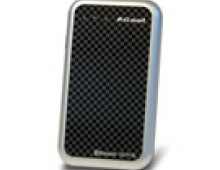
The Globalsat BT-328 is powered by a SiRF GSC2 low power chipset. The new chipset showed good behaviour, with good reception levels, but without reaching of course, the performance of the SiRF III. Indoor performance was less than perfect, whereas the SiRF III shines, even in indoor use.
 

Review Pages

1. Introduction
2. Package Contents
3. Installation and Tests
4. Conclusion


Pages

  • « first
  • ‹ previous
  • 1
  • 2
  • 3
  • 4
  • next ›
  • last »

Tags:
Previous Post
Avayon DXP-1000
Next Post
Samsung SH-S182D SB02

Related Posts

  • Globalsat BT-368

  • Globalsat TR-101

  • Globalsat BT-359b

  • Globalsat GH-601

  • GlobalSat BTA-806, BTA-830 and BTH-820

  • GlobalSat BT-338, SD-502 and BC-337

Latest Reviews

Fanxiang MP83 M.2 NVMe SSD Enclosure
Enterprise & IT

Fanxiang MP83 M.2 NVMe SSD Enclosure

Ugreen CM642 USB4.0 Enclosure
PC components

Ugreen CM642 USB4.0 Enclosure

be quiet! Dark Power 14 IO
PC components

be quiet! Dark Power 14 IO

SanDisk High Endurance 512GB microSDXC
Cameras

SanDisk High Endurance 512GB microSDXC

Samsung PRO Ultimate 512GB microSDXC
Cameras

Samsung PRO Ultimate 512GB microSDXC

Popular News

MSI’s Latest AMD X870E MAX & EVO Series Motherboards

MSI’s Latest AMD X870E MAX & EVO Series Motherboards

COLORFUL Launches iGame B850M ULTRA Series Micro-ATX Motherboards

COLORFUL Launches iGame B850M ULTRA Series Micro-ATX Motherboards

COLORFUL Presents Limited Edition Chitu MAG-60 Magnetic Keyboard Inspired by the Year of the Horse

COLORFUL Presents Limited Edition Chitu MAG-60 Magnetic Keyboard Inspired by the Year of the Horse

COLORFUL Presents iGame Z890 ULTRA-S W and iGame Z890M ULTRA Z Motherboards

COLORFUL Presents iGame Z890 ULTRA-S W and iGame Z890M ULTRA Z Motherboards

COLORFUL Launches iGame B850I MINI OC V14 Motherboard

COLORFUL Launches iGame B850I MINI OC V14 Motherboard

COLORFUL Expands B850 Motherboard Lineup with New CVN, Battle-Ax, and MEOW Models

COLORFUL Expands B850 Motherboard Lineup with New CVN, Battle-Ax, and MEOW Models

ASRock Adds Support for One Sub-Channel DRAM Module on Intel DDR5 Motherboards

ASRock Adds Support for One Sub-Channel DRAM Module on Intel DDR5 Motherboards

Exceed the Infinite with New ASRock X870E Taichi White Motherboard

Exceed the Infinite with New ASRock X870E Taichi White Motherboard

Main menu

  • Home
  • News
  • Reviews
  • Essays
  • About
    • Submit News

    • Contact Us
    • Privacy

    • Promotion
    • Advertise

    • RSS Feed
  • About
  • Privacy
  • Contact Us
  • Promotional Opportunities @ CdrInfo.com
  • Advertise on out site
  • Submit your News to our site
  • RSS Feed