Breaking News

Intel Announces New Intel Core Ultra 200S Plus Series Desktop Processors Sharkoon announces OfficePal KB70W Akasa Unveils Pascal MX Mini-ITX Fanless Case Intel Launches Core Series 2 Processor with Real-Time Performance and Expands Edge AI Portfolio ASUS Announces New-Gen NUC 16 Pro Mini PC

logo

  • Share Us
    • Facebook
    • Twitter
  • Home
  • Home
  • News
  • Reviews
  • Essays
  • Forum
  • Legacy
  • About
    • Submit News

    • Contact Us
    • Privacy

    • Promotion
    • Advertise

    • RSS Feed
    • Site Map

Search form

Glacialtech X-Wing R1 Cooling pad

Feb 25,2010 0

2. A closer look, installation


Review Pages

1. Features, specifications
2. A closer look, installation
3. Using the device, conclusion


The pad can be used with laptops 17" laptops or smaller. Its weight is around 1.2kg - possibly the heavier notebook cooler we have ever tested.

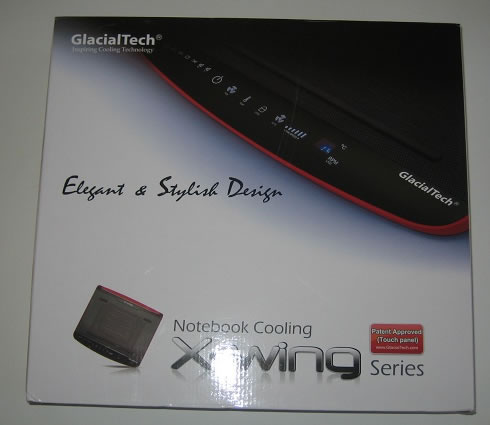
The Glacialtech X-Wing R1 was packaged in the large box showed below. The retail price of the product is around $48, making it quite competitive among other cooling pads.
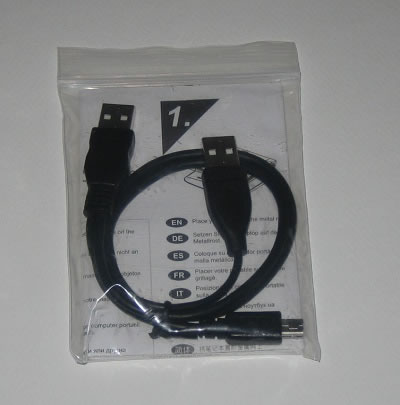
Let's open the package. The cooler is placed into a bag and two foam holders keep it in place so there is no case it would be damaged during transportation. Besides the main device, the package includes just a USB cable and a printed manual. The USB cable is long enough to reach the USB ports of your laptop. However it would be more handy for users if this USB cable was retractable connected to the the main body of the cooling pad.
The cooler has uses a 7x7cm fan to keep the produced heat away from your laptop. The fan's speed range is 1000~1600 R.P.M, with a six-speed scale available for you to adjust the rotation speed using the touch-sensitive keys of the device. This is probably the first time a company equips a laptop cooler with such a nice 'control panel.'

The LED-backlit buttons look great at low lighting conditions. However, there is not an option to turn the backlighting off.

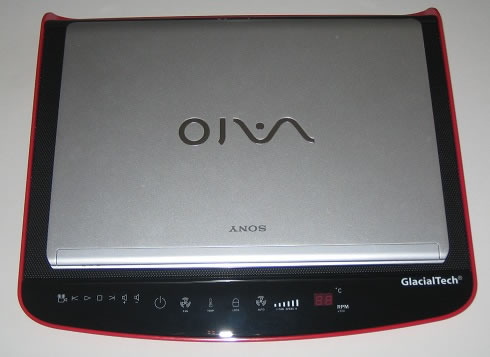
Starting from the left you have back, play, stop, forward, volume up, volume down, power, fan speed, temperature, lock, auto fan speed, and the fan speed adjustment. You also have two 7-segment displays that will show the temperature as well as show the speed of the fan. The media buttons allow you to start the installed media player software, forward, play, stop, back, volume up and volume down. Note that you won't need any driver to get everything working, at least under the Windows 7 x64 operating system.
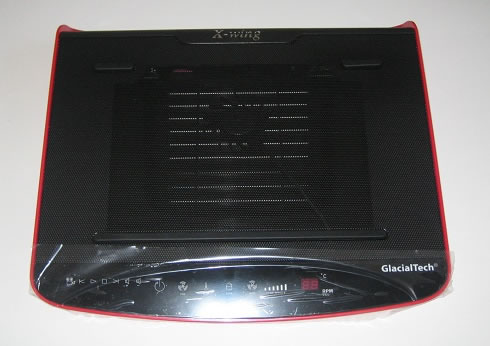
The red sides of the pad make it look cool and stylish. The X-Wing Laptop cooling pad also comes in silver, white & yellow colors:
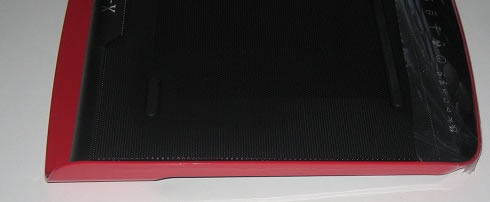
Flipping the pad over there is a large ventilation section in the middle right under the fan.You will also notice 4 rubber feet that will help keep the X-wing in place on your desk or even when you are using it on a glass surface:
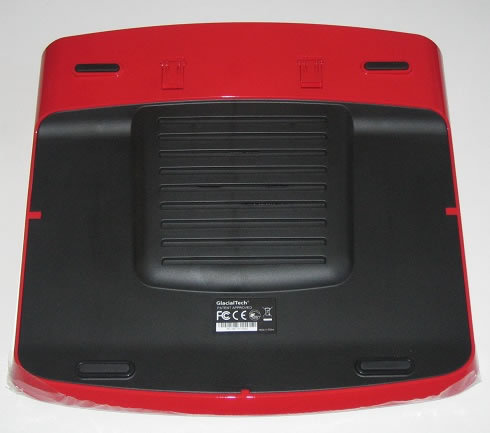
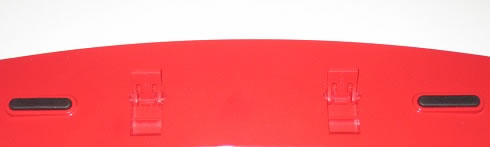
Looking closer, we can see two adjustable feet that that put the pad at an even more extreme angle, even though the X-Wing’s design puts your laptop at an angle:
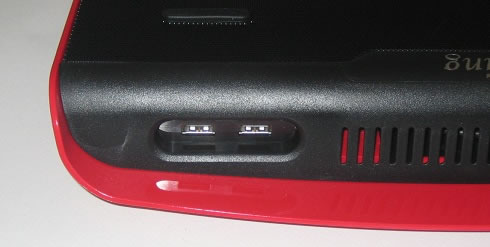
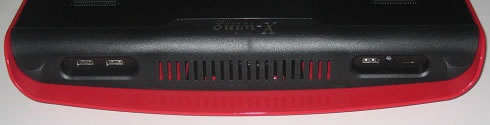
Moving around back you will find the inputs: a mini USB connection for power and connectivity, and 3 USB 2.0 ports . There is also an AC power connection, although no AC power adapter was included. Also on the back is a large vent:
- Installation

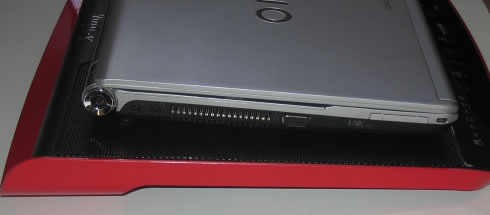
Placing a laptop on the notebook cooler is easy although we had to carefully set our Sony Vaio SR19 laptop on top in order to have the maximum cooling efficiency. We plugged it into our laptop via the USB connection. As we previously mentioned, Windows 7 automatically recognized the pad and installed the necessary drivers. Then we turned the power on.

As you can see the 38x35cm pad offers enough space to set your laptop on:
 

Review Pages

1. Features, specifications
2. A closer look, installation
3. Using the device, conclusion


Pages

  • « first
  • ‹ previous
  • 1
  • 2
  • 3
  • next ›
  • last »

glacialtech

Tags: glacialtech
Previous Post
Corsair Voyager Mini 32GB
Next Post
OCZ DDR3 PC3-12800 Platinum Triple Channel

Related Posts

  • GlacialTech Launches Siberia - A double fan CPU cooler

  • GlacialTech Launches Igloo Alaska CPU Cooler

  • GlacialTech Launches IGLOO 5760 Multiple Platforms CPU Cooler

  • GlacialTech at CeBIT 2010

  • Glacialtech Igloo 5610 Plus Silent

  • GlacialTech Launches Igloo 1100 and 1050 Series of Intel LGA 1156 CPUs

  • LGA 1366 CPU Coolers: GlacialTech UFO V51 Vs Titan Fenrir

Latest Reviews

Why Streaming Live Casino Games Demands Smarter Tech
Enterprise & IT

Why Streaming Live Casino Games Demands Smarter Tech

Kioxia Exceria Plus G3 512GB microSD
Cameras

Kioxia Exceria Plus G3 512GB microSD

SoundPeats Cove Pro
Consumer Electronics

SoundPeats Cove Pro

Asustor AS5404T 4-Bay NAS System
Enterprise & IT

Asustor AS5404T 4-Bay NAS System

be quiet! Pure Power 13M 1200W
PC components

be quiet! Pure Power 13M 1200W

Popular News

COLORFUL Presents CVN X870 ARK FROZEN Motherboard for AMD Ryzen 9000 CPUs

COLORFUL Presents CVN X870 ARK FROZEN Motherboard for AMD Ryzen 9000 CPUs

TEAMGROUP Launches EXPERT P34F Find My External SSD

TEAMGROUP Launches EXPERT P34F Find My External SSD

Samsung announces Galaxy Tab S11 and Galaxy S25 FE series

Samsung announces Galaxy Tab S11 and Galaxy S25 FE series

Viltrox Showcases Upcoming Lens Lineup and New TTL Flash at IBC 2025

Viltrox Showcases Upcoming Lens Lineup and New TTL Flash at IBC 2025

CORSAIR announces Vanguard Pro 96 and Vanguard 96 Gaming Keyboards

CORSAIR announces Vanguard Pro 96 and Vanguard 96 Gaming Keyboards

Panasonic Introduces the First Ultra-Telephoto Zoom Lens in the LUMIX S Series

Panasonic Introduces the First Ultra-Telephoto Zoom Lens in the LUMIX S Series

MSI Launches DATAMAG 40Gbps Magnetic Portable SSD

MSI Launches DATAMAG 40Gbps Magnetic Portable SSD

MSI Launches FORGE GK600 TKL WIRELESS Special Edition Compact Mechanical Keyboard

MSI Launches FORGE GK600 TKL WIRELESS Special Edition Compact Mechanical Keyboard

Main menu

  • Home
  • News
  • Reviews
  • Essays
  • Forum
  • Legacy
  • About
    • Submit News

    • Contact Us
    • Privacy

    • Promotion
    • Advertise

    • RSS Feed
    • Site Map
  • About
  • Privacy
  • Contact Us
  • Promotional Opportunities @ CdrInfo.com
  • Advertise on out site
  • Submit your News to our site
  • RSS Feed