Breaking News

LIAN LI Announces Edge Platinum V2, Edge Gold V2, and GPU Cable Thermal Monitoring via Edge Hub ADV Razer Unveils the Huntsman V3 Pro Mini 8KHz ASRock DeskSlim Series Delivers RTX PRO Blackwell Performance in a Compact 5L Workstation Samsung Introduces Galaxy Tab S12 Series PlayStation Plus Monthly Games for October 2026

logo

  • Share Us
    • Facebook
    • Twitter
  • Home
  • Home
  • News
  • Reviews
  • Essays
  • About
    • Submit News

    • Contact Us
    • Privacy

    • Promotion
    • Advertise

    • RSS Feed

Search form

EnGenius ECW230S AP

Jul 12,2022 0

4. Web Interface


Review Pages

1. Introduction
2. Retail Package
3. App / Install the device
4. Web Interface
5. New security features
6. Conclusion


A visual presentation of our network is displayed below. The EnGenius Home Switch 8p is connected to the Internet and both the already installed ECW230 and ECW230S are connected to the switch so they are able to connect to the Internet. Of course both ECW230/ECW230S can be working at Mesh connection to further improve reception.

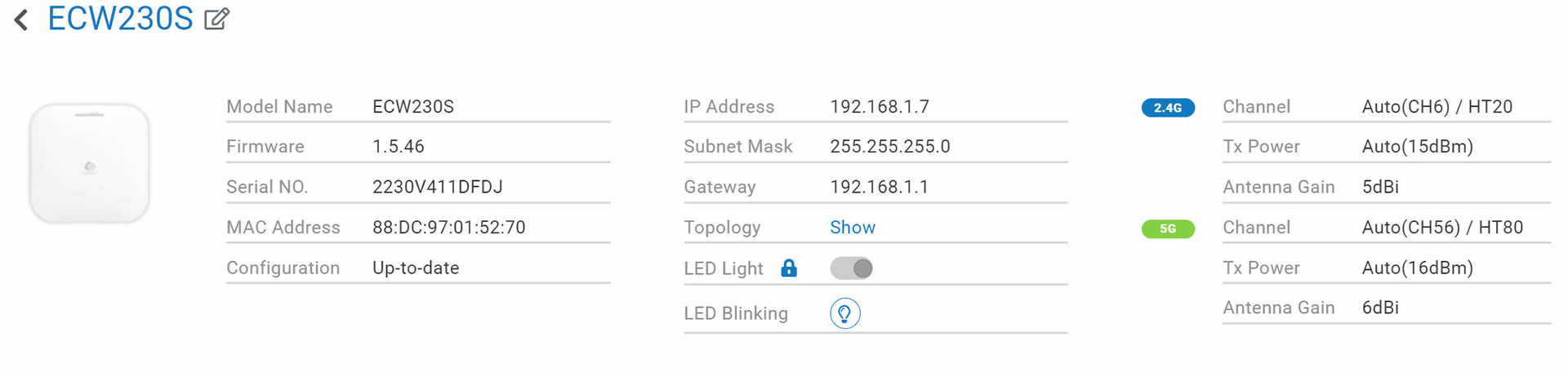
Each EnGenius device has its own control panel that can be used to view various information and of course change settings. There are also logs available for admin to view, like firmware updates etc. You can also turn off the included lights for stealth operation. All Engenius Cloud devices have one year of PRO features for free. What the Pro functions do? Well they add several important for admin features to make their life easier. In order to activate the one year of free PRO functions you need to head over the Inventory & License, and under the feature plan select from BASIC -> PRO License. You can view here, what he PRO license offers and it costs $50 per device (AP or Switch).

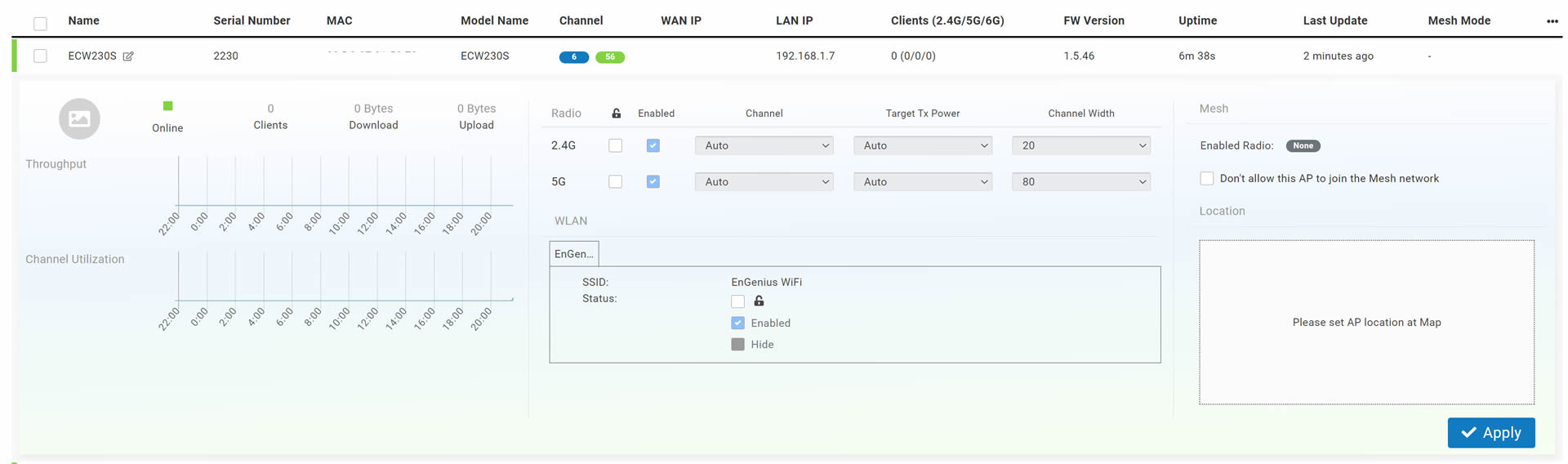
Since the control panel is wide, click at each photo for a larger view. As with all EnGenius devices, users can select/adjust most of its features via the EnGenius Cloud.
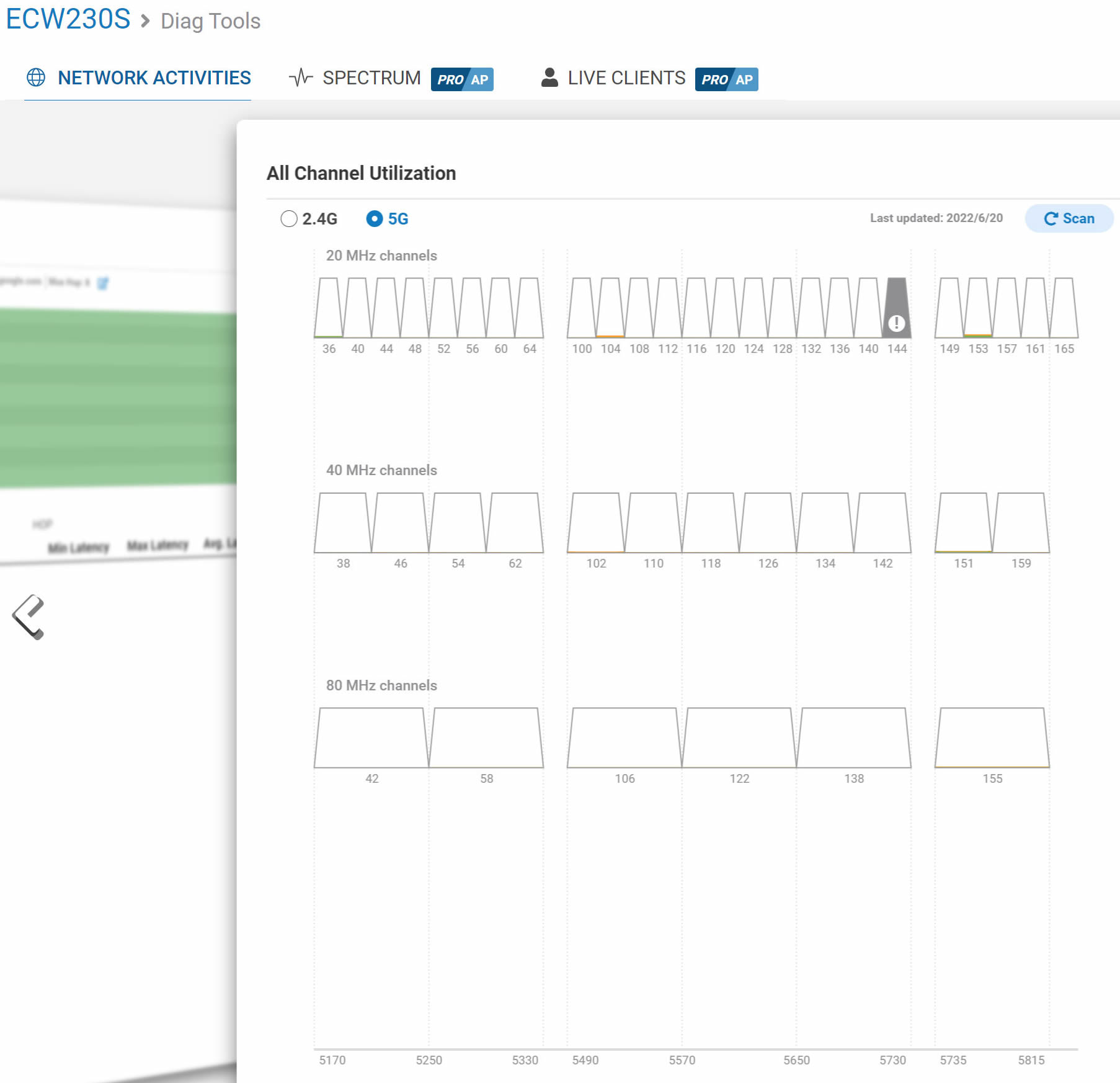
Under the Diag Tools, the ECW230S has all what we have already seen with the ECW230, like real time AP activity, trace root, like clients, channel utilization

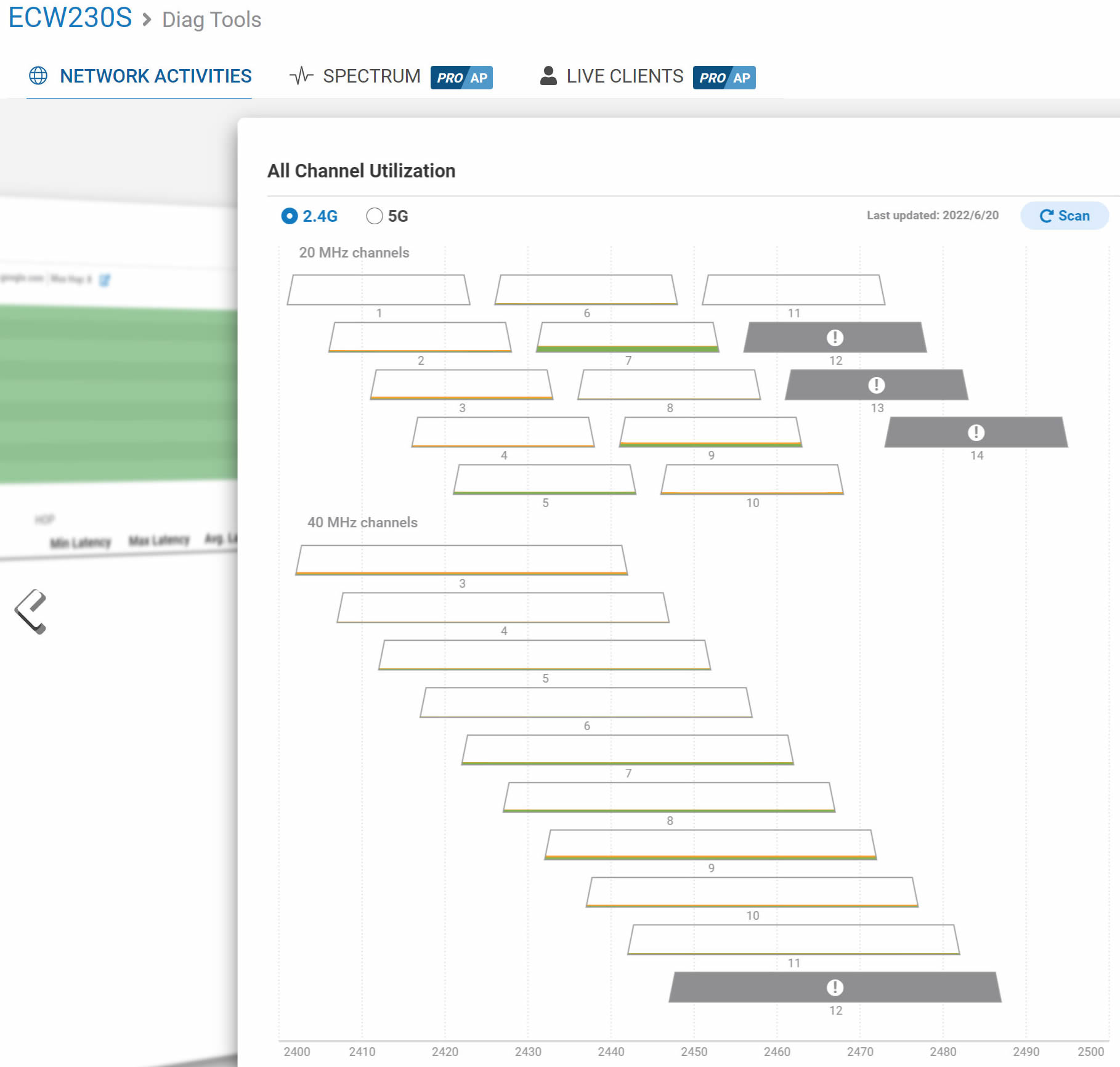
 

Another important area, is the ability to select for the various channels the operating MHz and the Target Tx Power, default is 11dBm up to 23dBm, depending the laws of your area.

Firmware releases from EnGenius are often and can be selected, either Stable or Beta channel or when the firmware update will occur automatically.


Review Pages

1. Introduction
2. Retail Package
3. App / Install the device
4. Web Interface
5. New security features
6. Conclusion


Pages

  • « first
  • ‹ previous
  • 1
  • 2
  • 3
  • 4
  • 5
  • 6
  • next ›
  • last »

EnGenius

Tags: EnGenius
Previous Post
How Easy is Cloud Migration for Enterprises?
Next Post
Creative Zen Hybrid

Related Posts

  • EnGenius announces ECW560 Wi-Fi 7 Outdoor Router

  • EnGenius ECW515 Brings Wi-Fi 7 Performance to In-Room and In-Unit Deployments

  • EnGenius Unveils Cloud-Managed ECW536S Wi-Fi 7 with 24/7 AirGuard Security

  • EnGenius ECW520 AP

  • EnGenius Brings Wi-Fi 7 to Small Businesses with Affordable ECW510 Access Point

  • EnGenius Multi-Gigabit Switch Delivers 2.5G Performance with 90W PoE

  • EnGenius Announces Affordable ECW520 Access Point

  • EnGenius Launches Cloud-Lite Switch Series

Latest Reviews

Fanxiang MP83 M.2 NVMe SSD Enclosure
Enterprise & IT

Fanxiang MP83 M.2 NVMe SSD Enclosure

Ugreen CM642 USB4.0 Enclosure
PC components

Ugreen CM642 USB4.0 Enclosure

be quiet! Dark Power 14 IO
PC components

be quiet! Dark Power 14 IO

SanDisk High Endurance 512GB microSDXC
Cameras

SanDisk High Endurance 512GB microSDXC

Samsung PRO Ultimate 512GB microSDXC
Cameras

Samsung PRO Ultimate 512GB microSDXC

Popular News

MSI’s Latest AMD X870E MAX & EVO Series Motherboards

MSI’s Latest AMD X870E MAX & EVO Series Motherboards

COLORFUL Launches iGame B850M ULTRA Series Micro-ATX Motherboards

COLORFUL Launches iGame B850M ULTRA Series Micro-ATX Motherboards

COLORFUL Presents Limited Edition Chitu MAG-60 Magnetic Keyboard Inspired by the Year of the Horse

COLORFUL Presents Limited Edition Chitu MAG-60 Magnetic Keyboard Inspired by the Year of the Horse

COLORFUL Launches iGame B850I MINI OC V14 Motherboard

COLORFUL Launches iGame B850I MINI OC V14 Motherboard

COLORFUL Presents iGame Z890 ULTRA-S W and iGame Z890M ULTRA Z Motherboards

COLORFUL Presents iGame Z890 ULTRA-S W and iGame Z890M ULTRA Z Motherboards

COLORFUL Expands B850 Motherboard Lineup with New CVN, Battle-Ax, and MEOW Models

COLORFUL Expands B850 Motherboard Lineup with New CVN, Battle-Ax, and MEOW Models

ASRock Adds Support for One Sub-Channel DRAM Module on Intel DDR5 Motherboards

ASRock Adds Support for One Sub-Channel DRAM Module on Intel DDR5 Motherboards

COLORFUL Launches the iGame X870E VULCAN W OC Motherboard

COLORFUL Launches the iGame X870E VULCAN W OC Motherboard

Main menu

  • Home
  • News
  • Reviews
  • Essays
  • About
    • Submit News

    • Contact Us
    • Privacy

    • Promotion
    • Advertise

    • RSS Feed
  • About
  • Privacy
  • Contact Us
  • Promotional Opportunities @ CdrInfo.com
  • Advertise on out site
  • Submit your News to our site
  • RSS Feed