be quiet! Shadow Rock Slim 2
3. Performance
In order to test the CPU cooler we used the following configuration:
- CPU: AMD Ryzen 5 5600X
- Thermal compound: bequiet! DC1
- Case: bequiet! Silent Base 802
- Case fans: 3x140 bequiet! Silent Wings 3 High-Speed RPM speed controllable via SmartFan BIOS + Asus Xpert4 software
- CPU Fan: Stock 135mm bequiet! Shadow Rock Slim 2
- Motherboard: Asus X570 E-Gaming with 4002 BIOS
- Memory: 2x16GB G.skill Trident Z RGB CL14 @ 3200MHz CL14 (XMP Profile) @ 1.35V
- PSU: be quiet! Straight Power 11 650Watt
- HDD: Crucial MX500 SSD
- VGA: Asus 1060 6GB Dual
- Ambient room temperature ~ 25 Celsius (with AC climate control) - Environment Temperature measurements: Precision Gold N09AQ Envirometer Meter
- Sound measurements at 1m distance: miniDSP UMIK-1 microphone with calibration file and latest REW software
- Operating system: Windows 10 x64 with all the latest updates installed
- Software: AIDA64 / HWInfo / (Latest builds)
Bios settings:
- Ai Overclock Tuner: D.O.C.P -> XMP DDR-3200 CL14
- BCLK Frequency: 100MHz
- FCLK Frequency: 1600MHz
- CPU core ratio: Auto
- TPU: Keep Current Setting
- Performance Bias: Auto
- VDDCR CPU Votlage: 1.100V
- VDDCD SOC Voltage: 0.900V
- DRAM Voltage: 1.350V (XMP)
- Precision Boost Overdrive: Auto
- Rest BIOS options: Auto
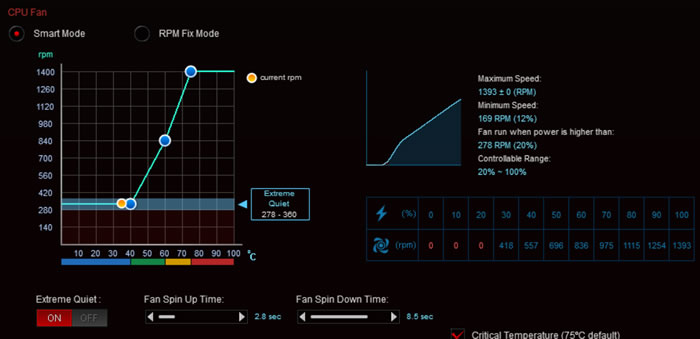
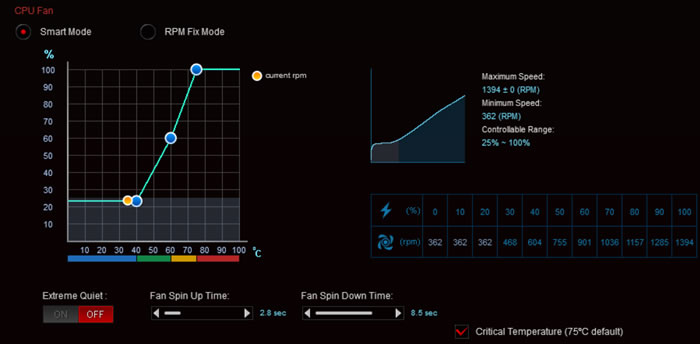
Before each run we left the CPU cooler cooled down and we reset the HWiNFO values to be accurate. Before starting our tests, we set the CPU fans speeds at "Smart Mode" with the Asus Xpert4 software:
The CPU fan was detected as able for Extreme Quiet mode (on/off) which translates to stop according to the measured CPU temperature.
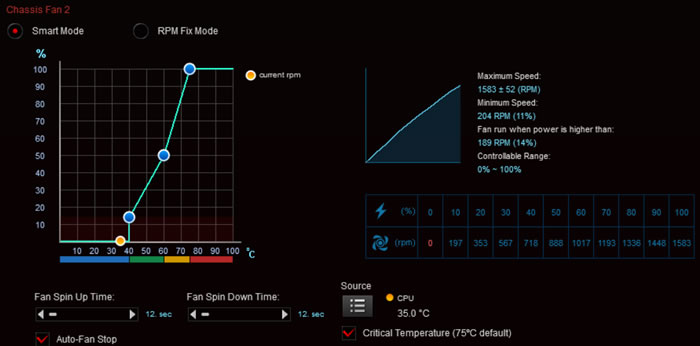
While for the case fans we set also SmartFan mode with the option for Auto Fan Stop at low loads down to 0% for the two front fans and auto for the back case fan.

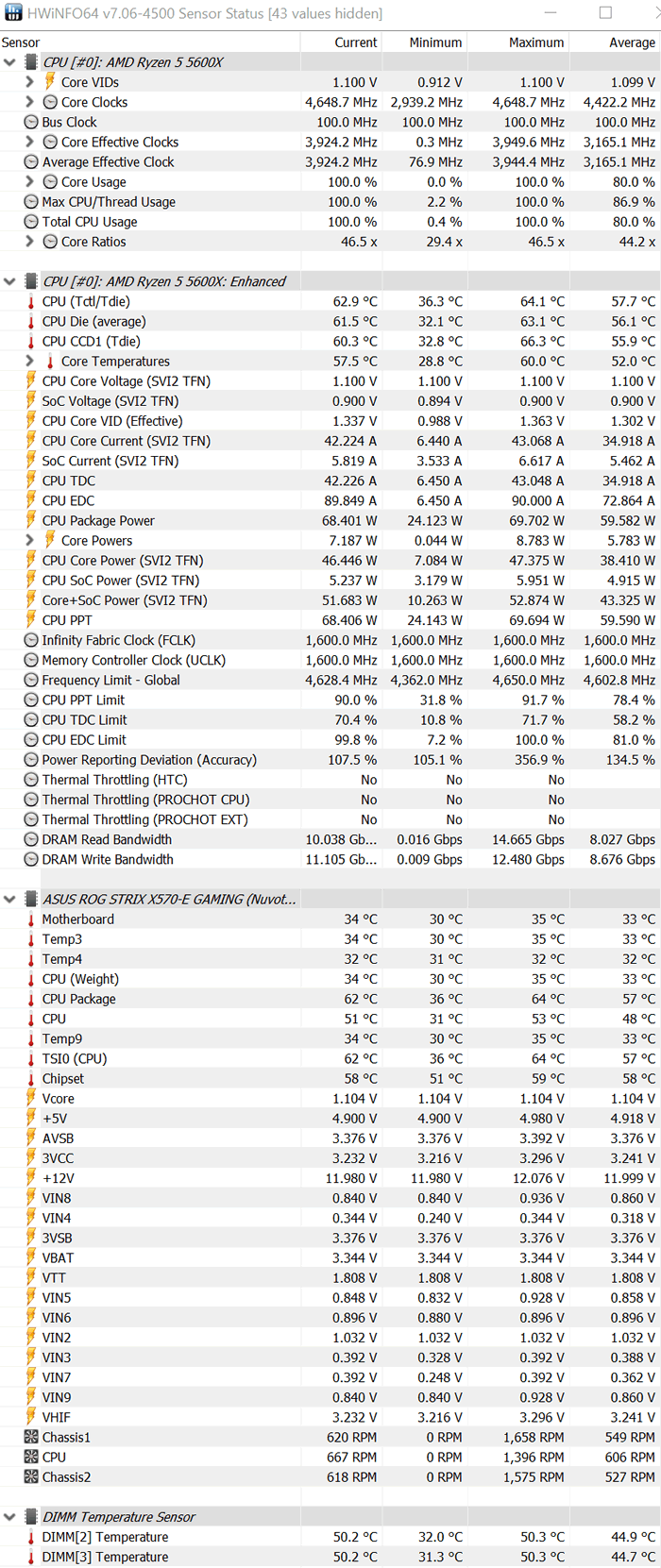
For measuring performance, we set Air temperature at 25 celcious via climate control and we run a 30mins run of AIDA64 software and measured the reported temperatures from HWiNFO software. AIDA64 System Stability Test uses a 64-bit multi-threaded stress testing module to drive the computer to its absolute limits. Hard disk, SSD and OpenCL GPGPU video adapter stress testing is also available. Running a 30min test run with AIDA64 Stability Test gave us very good performance.
The CPU Package gave an average of 61.8 celcious with an average 4551.40MHz running speed during this test.

The HWiNFO gives more details about the overall working condition. We saw up to 64 celcious but with an average of below 60 celcious for the CPU. The average Effective Vcore was set to 1.302V from the motherboard.
Overclocking
Bios settings:
- Ai Overclock Tuner: D.O.C.P -> XMP DDR-3200 CL14
- BCLK Frequency: 100MHz
- FCLK Frequency: 1600MHz
- CPU core ratio: 46Χ
- TPU: Keep Current Setting
- Performance Bias: Auto
- VDDCR CPU Votlage: 1.250V
- VDDCD SOC Voltage: 0.900V
- DRAM Voltage: 1.350V (XMP)
- Percision Boost Overdrive: Auto
- Rest BIOS options: Auto
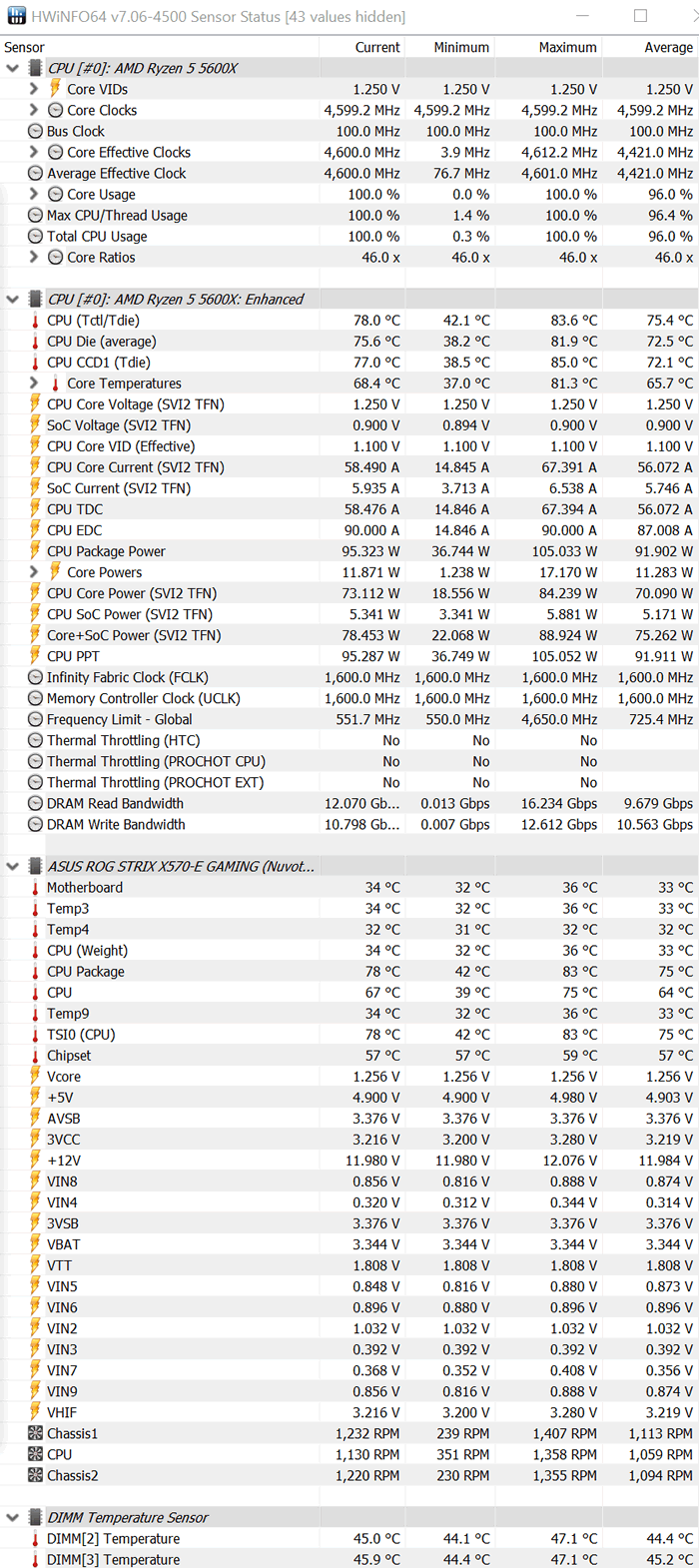
Placing the CPU ratio at 46X and CPU Vcore at 1.25V we got a stable system and the Shadow Rock Slim 2 was able to keep the system at sustain loads under 80 celcious.
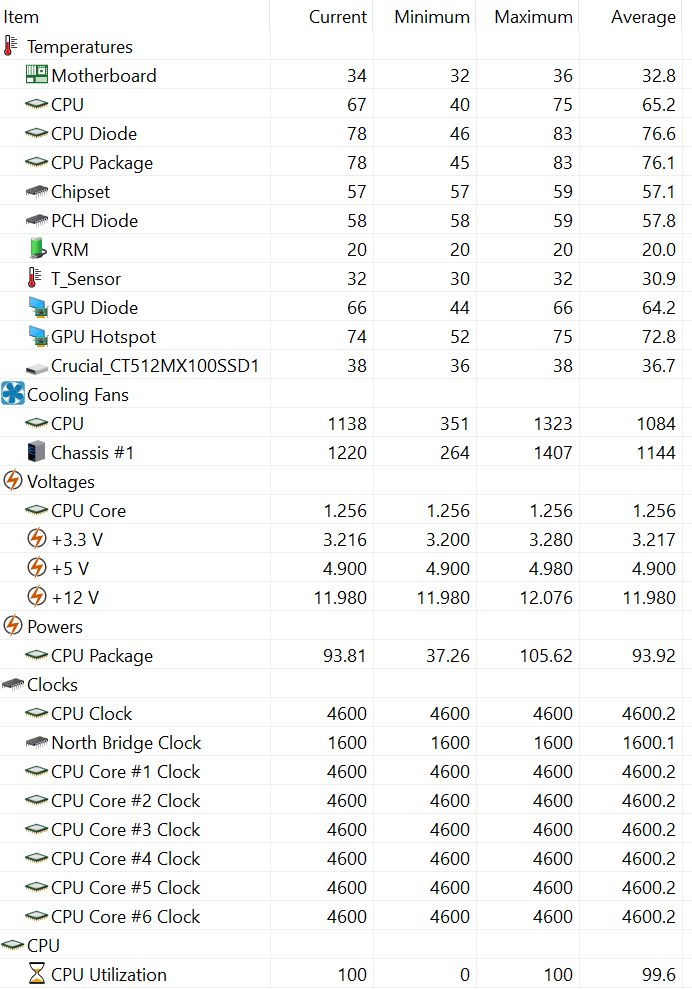
All temperatures as were reported from HWiNFO were lower than 80 celcious which is a very good performance.
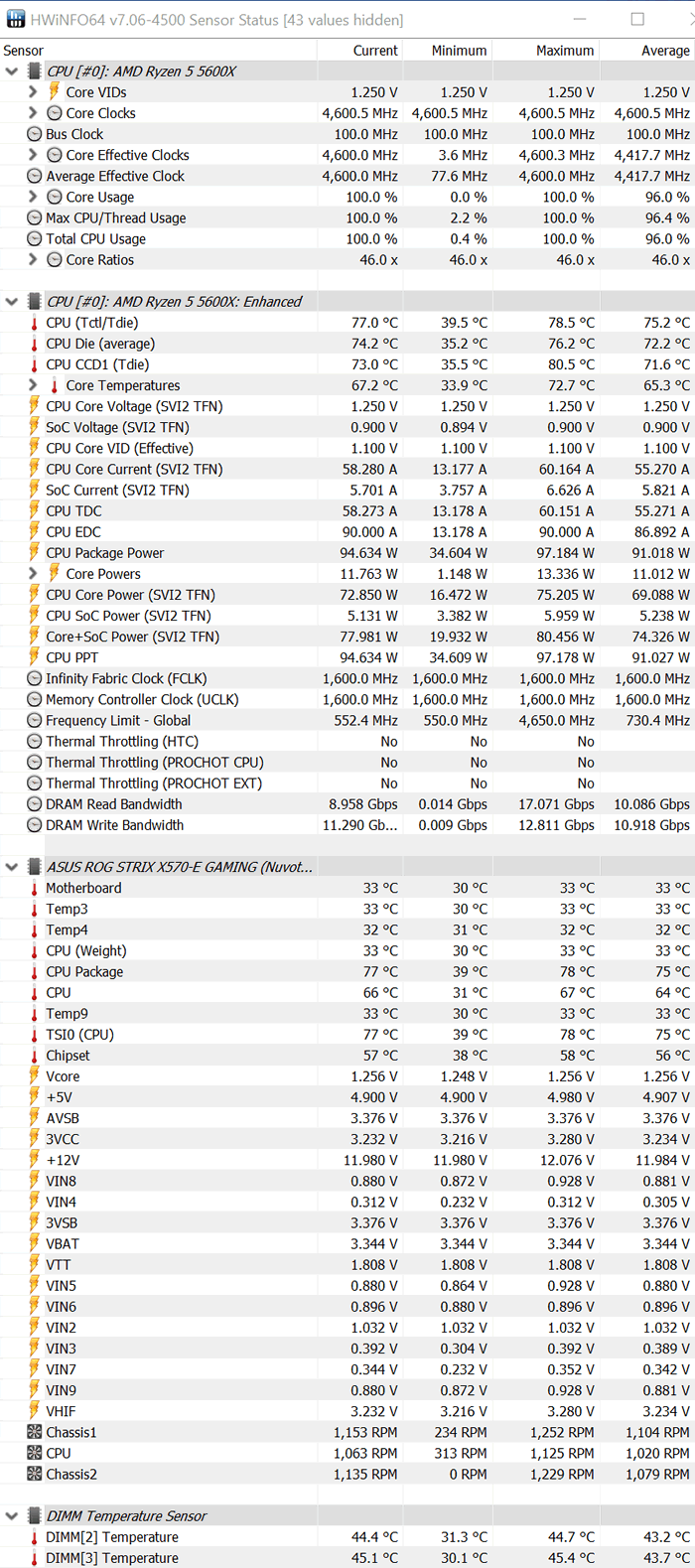
How about now adding a third fan to the OC setup? We added a second 140mm bequiet! Silent Wing 3 fan to this setup, since the package includes a second fan clip at the retail package. With the constant 4.60GHz running speede, the temperature differences weren't seriously affected, probably since due to its volume, the Shadow Rock Slim 2 has already reached its full potential.

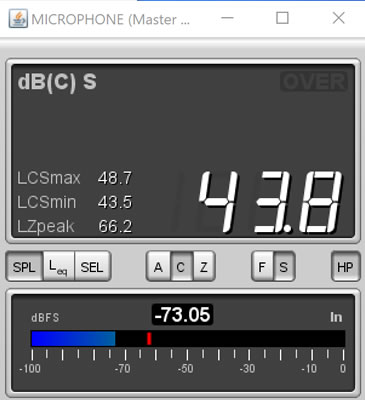
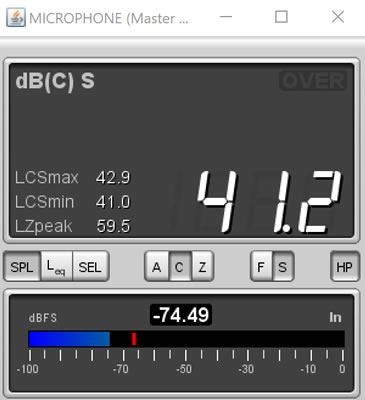
Last but not least, we got sound measurements. We placed the miniDSP UMIK-1 microphone around 1m from the closed case and we measured both the idle and full speed noise during the burn-in test.
For the idle mode with the included 3 Silent Wings 3 fans, we got around 41-42dB noise levels.
While at full load, we reached max around 49dB (including the full rotation case fans).