
Breaking News

CORSAIR Expands Its Gaming Ecosystem at Computex 2026 with Advanced Hall Effect Technology, Stream Deck-Integrated Performance, and All-Day Audio CORSAIR Unveils the Latest Innovation in Cases, Cooling, Power Supplies and More for DIY PC Builders at COMPUTEX 2026 be quiet! unveils new power, cooling, and peripheral lineup Micron Powers AI Everywhere at COMPUTEX 2026 Delkin Devices Launches New microSD Express Cards Optimized for Nintendo Switch 2 Gaming

logo

  • Share Us
    • Facebook
    • Twitter
  • Home
  • Home
  • News
  • Reviews
  • Essays
  • Forum
  • Legacy
  • About
    • Submit News

    • Contact Us
    • Privacy

    • Promotion
    • Advertise

    • RSS Feed
    • Site Map

Search form

Akaso 360 Action camera

Jul 7,2025 0

2. Retail Package


Review Pages

1. Introduction
2. Retail Package
3. Charging-Firmware Update
4. GUI
5. Using the Camera


There are two different retail versions of the product the normal/default version with the product, two batteries, and a protective pouch.

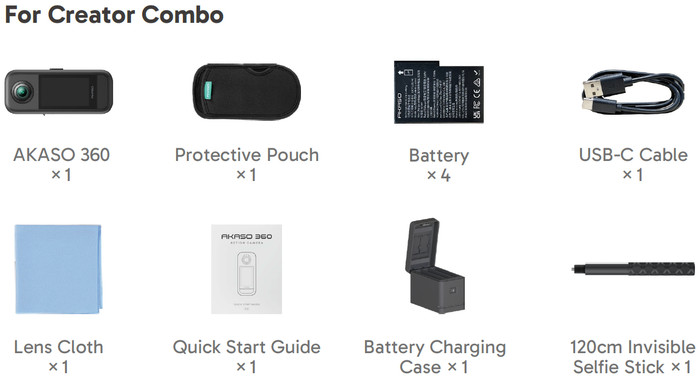
And the creator combo with 4x batteries, an external charger, and a 120cm invisible selfie stick.
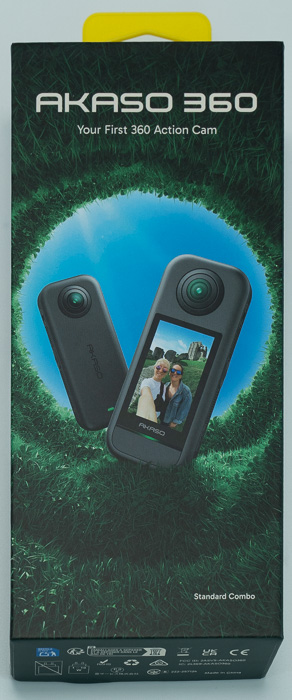
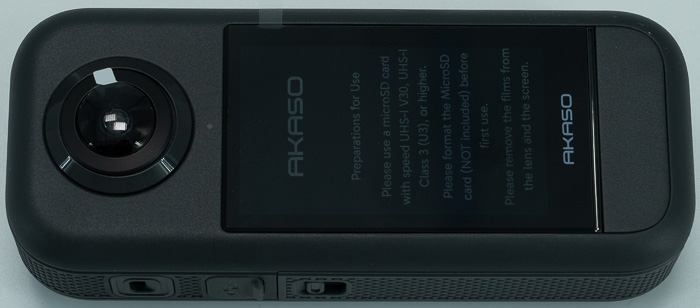
The 360 camera needs a microSD to work, or update firmware. Akaso recommends at least a microSD with UHS-I V30, UHS-I U3, or higher speed class, and capacity up to 512GB with an exFAT file system. The standard combo retail package is well designed and features the main product at the front.
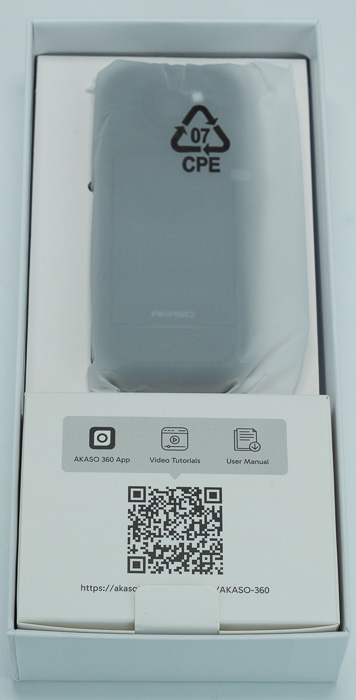
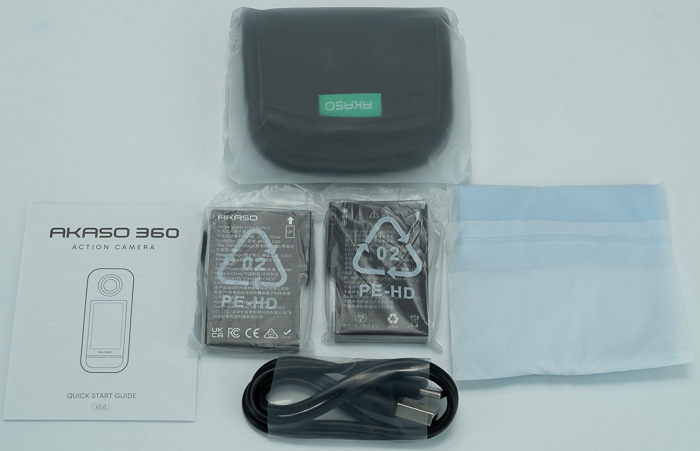
Opening the retail package, everything is well placed, the main product is in a nylon protective bag, while at the bottom there is a carton box with accessories (batteries, charge cable, quick guide, carrying pouch, and cloth for cleaning lens/touchscreen).
Looking at the Akaso 360 camera as a product it comes with 110x47x31mm dimensions and 180gr of weight. There are two lenses (front the back) with 7.6mm FOV and also you will find a 2.2" touch screen to work with the product.
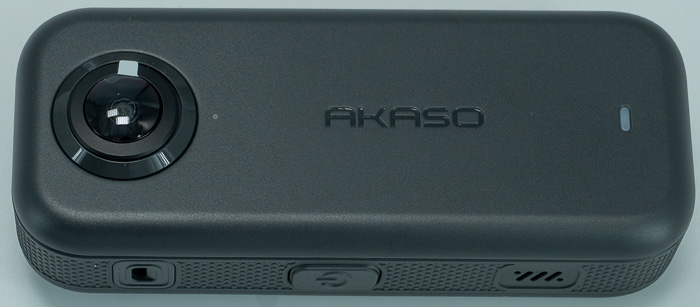
At the front, you will find the Akaso logo, with the lens and an LED light that gives you quick information about the working status of the camera. You can enable or disable the indicators in the Quick Menu.

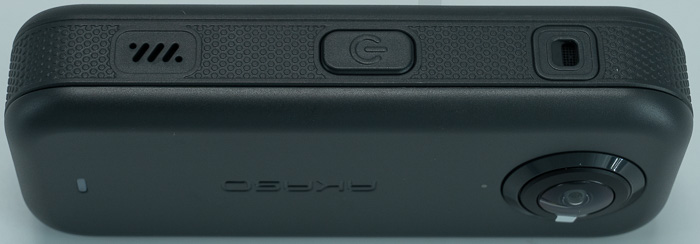
In the right area, you will find the power/mode button and a microphone/speaker.
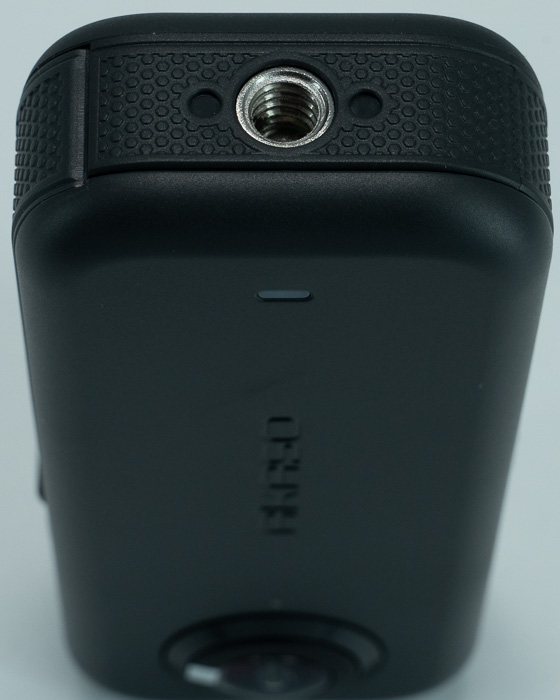
At the bottom, you will find a 1/4inch mounting point.
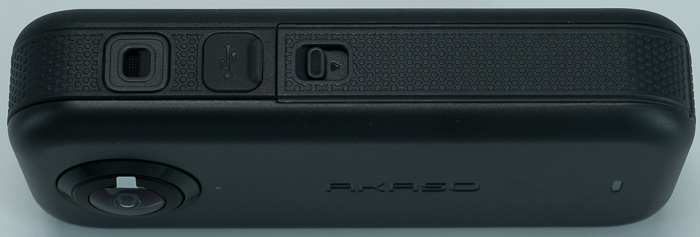
In the left area, you will find the Type C charging/connection point, the battery/microSD slot.
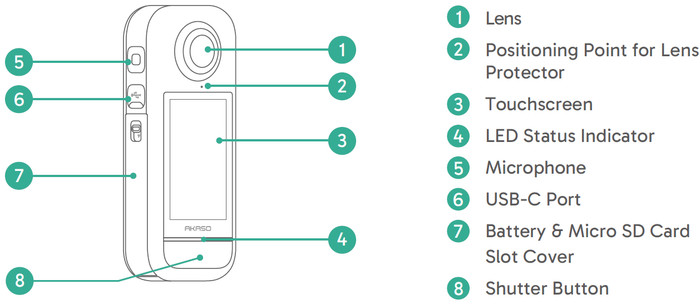
While at the back you will find one more lens, the 2.2" touchscreen, and at the bottom a shutter button for starting Video recording or simply taking pictures. The overall quality of the product seems solid and it's made out of hard plastic. There is also a bright LED below the Akasa Logo that lights up depending on the camera's working operation.
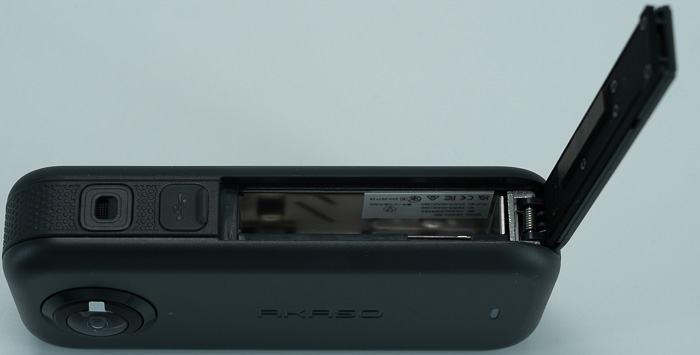
To start working with the camera you need a microSD and a battery. Press the buckle of the battery cover to open it, then place the battery into its slot. Locate the memory card slot below, then insert the memory card in the illustrated direction. Close the battery cover. To remove the battery, pull the battery strip. To remove the card, simply press it into the slot with your fingernail, and it will then pop out. Be sure to turn off the camera before installation.
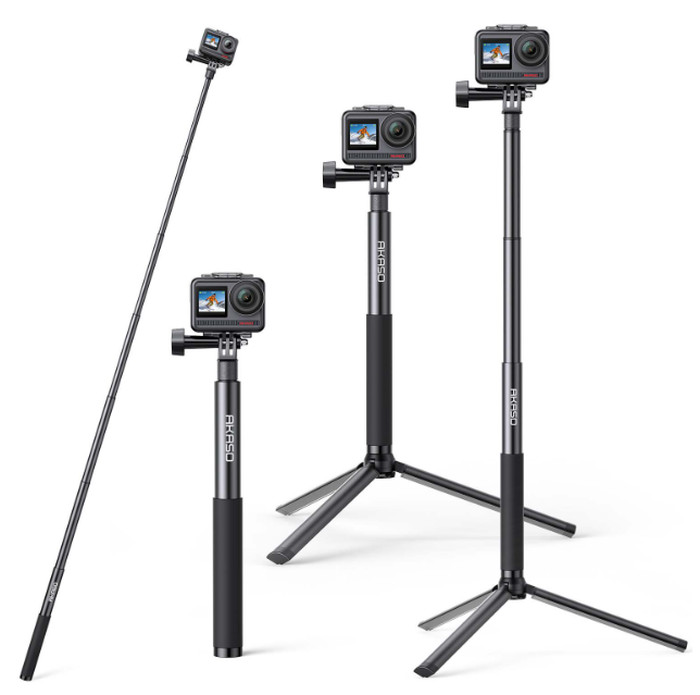
Akaso also sells a Selfie Stick& Tripod combo for use with the Akaso 360 Camera at 29.99 euros.
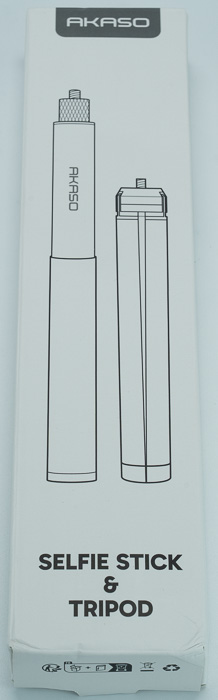
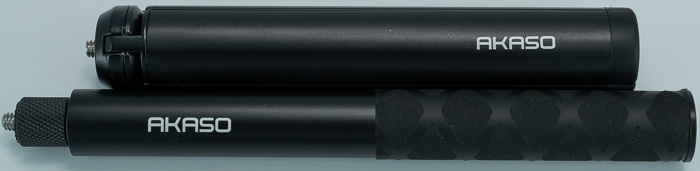
There are two pieces, a tripod and a selfie expandable to 120cm stick made out of metal. The tripod has a good angle and stays steady even when the selfie stick is fully expanded.
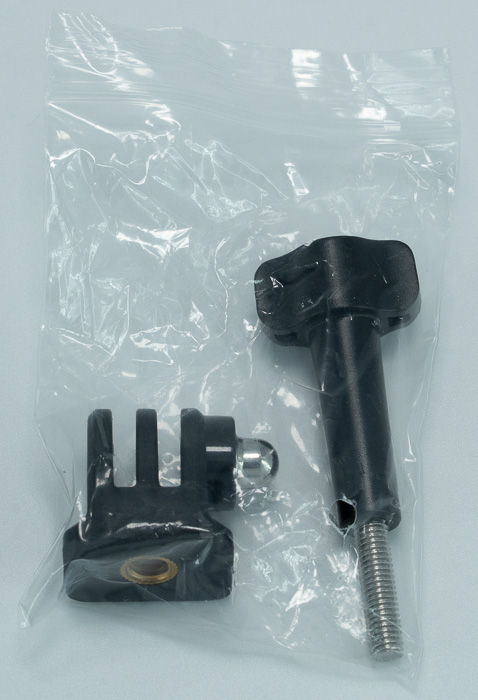
There are also adapters for normal cameras.
The product has good quality and we feel it deserves the 29.99 Euros retail price point and should be used with the Akaso 360 Camera.
 

Review Pages

1. Introduction
2. Retail Package
3. Charging-Firmware Update
4. GUI
5. Using the Camera


Pages

  • « first
  • ‹ previous
  • 1
  • 2
  • 3
  • 4
  • 5
  • next ›
  • last »

Akaso

Tags: Akaso
Previous Post
Noctua NF-A12x25 G2 fans
Next Post
Crucial T710 2TB NVME SSD

Related Posts

  • Akaso Brave 8 Lite

  • AKASO 360 Black Friday Pricing

  • AKASO releases new Brave 8 Lite Action Camera With Special $20 Coupon for 72 hours!

  • Akaso 60-in-1 accessories

  • Akaso Brave 7 Action Camera

Latest Reviews

Swit NP-FZ100 Battery
Cameras

Swit NP-FZ100 Battery

The Technology Stack Behind Modern Digital Gaming Platforms
Consumer Electronics

The Technology Stack Behind Modern Digital Gaming Platforms

be quiet! Dark Rock Pro 6
Cooling Systems

be quiet! Dark Rock Pro 6

How Online Casinos Use Encryption, Verification, and Risk Controls to Build User Trust
Enterprise & IT

How Online Casinos Use Encryption, Verification, and Risk Controls to Build User Trust

Why Low-Latency Infrastructure Matters More Than Raw Specs
Enterprise & IT

Why Low-Latency Infrastructure Matters More Than Raw Specs

Popular News

TEAMGROUP Launches EXPERT P34F Find My External SSD

TEAMGROUP Launches EXPERT P34F Find My External SSD

CORSAIR announces Vanguard Pro 96 and Vanguard 96 Gaming Keyboards

CORSAIR announces Vanguard Pro 96 and Vanguard 96 Gaming Keyboards

MSI Launches FORGE GK600 TKL WIRELESS Special Edition Compact Mechanical Keyboard

MSI Launches FORGE GK600 TKL WIRELESS Special Edition Compact Mechanical Keyboard

Samsung announces Galaxy Tab S11 and Galaxy S25 FE series

Samsung announces Galaxy Tab S11 and Galaxy S25 FE series

Viltrox Showcases Upcoming Lens Lineup and New TTL Flash at IBC 2025

Viltrox Showcases Upcoming Lens Lineup and New TTL Flash at IBC 2025

Panasonic Introduces the First Ultra-Telephoto Zoom Lens in the LUMIX S Series

Panasonic Introduces the First Ultra-Telephoto Zoom Lens in the LUMIX S Series

MSI Launches DATAMAG 40Gbps Magnetic Portable SSD

MSI Launches DATAMAG 40Gbps Magnetic Portable SSD

Viltrox Joins the L-Mount Alliance, Expanding Creative Possibilities

Viltrox Joins the L-Mount Alliance, Expanding Creative Possibilities

Main menu

  • Home
  • News
  • Reviews
  • Essays
  • Forum
  • Legacy
  • About
    • Submit News

    • Contact Us
    • Privacy

    • Promotion
    • Advertise

    • RSS Feed
    • Site Map
  • About
  • Privacy
  • Contact Us
  • Promotional Opportunities @ CdrInfo.com
  • Advertise on out site
  • Submit your News to our site
  • RSS Feed

