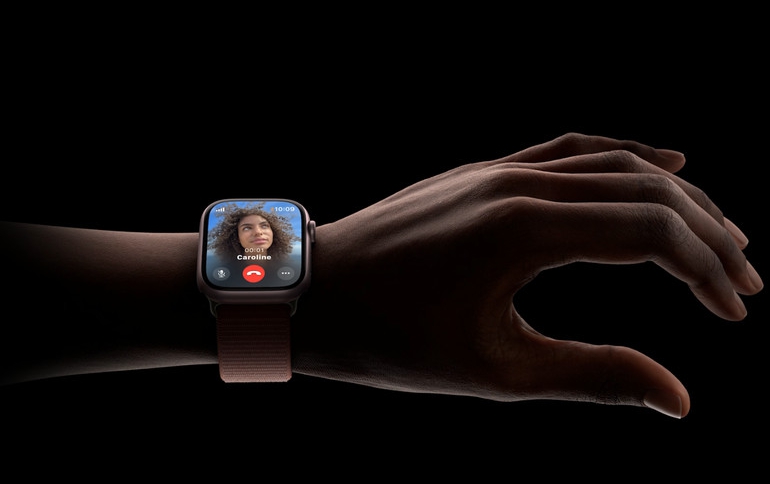
Apple Watch double tap gesture now available with watchOS 10.1
The new double tap gesture for Apple Watch Series 9 and Apple Watch Ultra 2 is available today with watchOS 10.1, bringing a fast and convenient new way to interact with Apple Watch.
With the new double tap gesture, users can easily control Apple Watch Series 9 and Apple Watch Ultra 2 using just one hand and without touching the display. Users can tap the index finger and thumb of their watch hand together twice to quickly perform many of the most common actions. This new feature complements existing gestures like tap, swipe, raise to wake, and cover to mute that make Apple Watch simple and intuitive to use.
A Convenient, Delightful Experience
The double tap gesture is helpful in common situations when the user’s other hand is occupied, such as when walking the dog, cooking, or holding a cup of coffee.
Double tap allows users to select the primary action in a wide variety of watchOS apps and notifications, including:
Opening the Smart Stack from any watch face and scrolling through widgets in the stack.
Answering and ending phone calls.
Viewing a message from a notification, scrolling through longer notifications with an additional double tap, replying using dictation, and sending a message.
Pausing, resuming, and ending a timer.
Stopping and resuming a stopwatch.
Snoozing an alarm.
Playing and pausing music, podcasts, and audiobooks.
Switching to the new Elevation view in the Compass app.
Taking an iPhone photo with the Camera Remote in the Camera app.
Starting or stopping automatic Workout reminders.
Performing the primary action from notifications, such as replying to an incoming message from a messaging app and snoozing reminders — including from third parties.
Powered by S9 SiP
The double tap gesture available on Apple Watch Series 9 and Apple Watch Ultra 2 is powered by the S9 SiP, which is 25 percent more power efficient than the previous generation, and the new 4-core Neural Engine, which can perform machine learning tasks twice as fast.
The Neural Engine processes data from the accelerometer, gyroscope, and optical heart sensor with a new machine learning algorithm. The algorithm detects the unique signature of tiny wrist movements and changes in blood flow when the index finger and thumb perform a double tap.
The double tap gesture works anytime the display is awake, and the feature is available all day long with minimal impact to the 18-hour battery life on Apple Watch Series 9 or the 36-hour battery life on Apple Watch Ultra 2.
Double Tap Gesture Customizations
Double tap has been designed to automatically select the primary action for most apps and notifications. In two instances, the user can elect a different function: advancing through widgets in the Smart Stack or selecting the first available widget; and playing or pausing media during an active session, or skipping to the next track instead.
Availability
watchOS 10.1 is available for Apple Watch Series 4 and later starting today, and requires iPhone XS or later running iOS 17.
The double tap gesture is enabled by default on Apple Watch Series 9 and Apple Watch Ultra 2 running watchOS 10.1, with no additional setup required. It can be disabled in settings.
The feature is not supported in the following apps and experiences: ECG, Heart Rate, Blood Oxygen, Sleep Focus, Walkie-Talkie, Maps (during navigation), Mindfulness (during an active session), SOS features (Emergency SOS, Fall Detection, Crash Detection), and Workout (during an active session).