Ugreen CM642 USB4.0 Enclosure
1. Introduction
Review Pages
If you've got a spare M.2 NVMe SSD lying around, the UGreen CM642 is one of the best ways to turn it into blazing-fast external storage without paying Thunderbolt-dock prices. It's fast, well-built, genuinely plug-and-play, and — as this review confirms firsthand — its bridge chip firmware is actively maintained.

Official Specifications
| Spec | Detail |
|---|---|
| Connectivity | USB4 / Thunderbolt 4 & 3 compatible, 40Gbps |
| Chipset | ASMedia ASM2464PD |
| Drive support | M-key & B+M key NVMe SSDs, 2230/2242/2260/2280, up to 4TB |
| Not supported | SATA, NGFF, mSATA drives |
| Rated read speed (mfr claim) | ~3,812 MB/s |
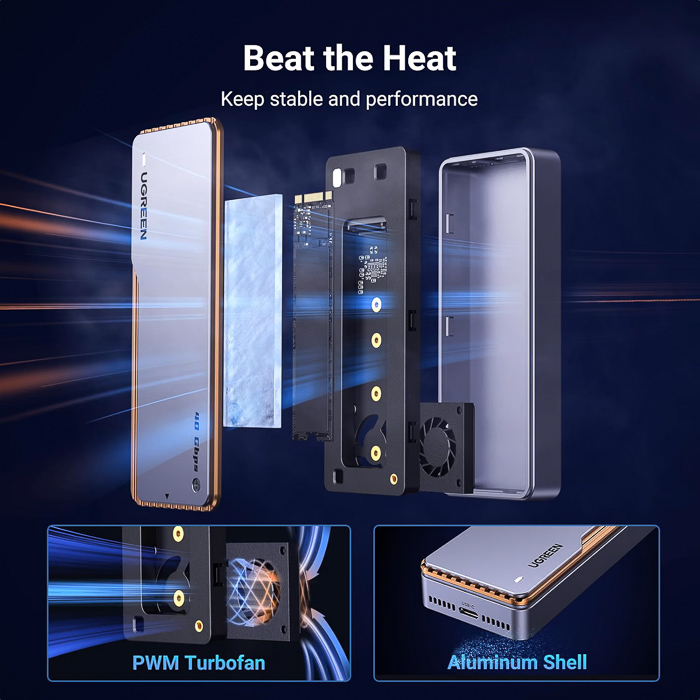
| Cooling | Triple-layer: aluminum shell + silicone thermal pad + PWM turbofan, ≤25dB |
| Data protection | S.M.A.R.T. monitoring + TRIM |
| OS support | Windows, macOS, Linux, Android — plug & play, no drivers needed |
| Color | Gunmetal grey with copper accent stripe |
| Warranty | 2-year (varies slightly by region/retailer) |
The Chipset: ASMedia ASM2464PD (Official Datasheet)
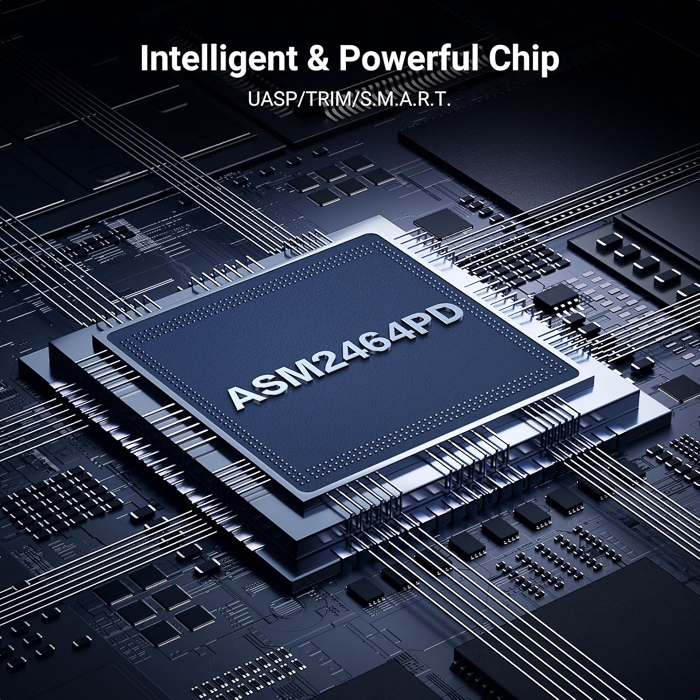
Everything about the CM642's performance ultimately comes down to one chip, so it's worth understanding what ASMedia itself says about the ASM2464PD, straight from its official product page.
Τhe ASM2464PD is described as a new-generation USB4/Thunderbolt to PCIe/NVMe accessory controller, built on ASMedia's own in-house PHY designs. USB4/Thunderbolt technology lets PCIe and USB protocols be encapsulated into the USB4/Thunderbolt fabric and tunneled across USB4/Thunderbolt domains — which is exactly the "PCIe TNL" tunneling mode this review's own firmware tool screenshots showed the chip running in. ASMedia positions it as a solution for portable SSDs, SSD enclosures, and other PCIe-based storage products needing high-speed external expansion.
| Spec | Detail |
|---|---|
| USB-side speed | USB4/Thunderbolt Gen3 x2 (20Gbps ×2 lanes = 40Gbps aggregate) |
| Backward compatibility | USB 3.2, USB 2.0, and Thunderbolt 3 |
| PCIe-side link | Upgraded to PCIe Gen4 x4 on the downstream (SSD-facing) port |
| Supported drive form factors | M.2, U.2, U.3, and CFexpress (not just M.2 — a broader NVMe bridge than the enclosure alone suggests) |
| Package | 10×10mm² FCCSP Green Package, RoHS-compliant, Pb-free |
| Clock | Local 25MHz crystal |
| Power | Integrated VDD/VCCL/VCCH voltage supply, PD Sink mode support (fixed 5V) |
| Customization | SPI interface for external ROM (customized RAM code), I2C, GPIOs, UART interface |
Why the PCIe Gen4 x4 downstream link matters
The datasheet confirms the ASM2464PD's downstream NVMe-facing port is spec'd for PCIe Gen4 x4, not Gen5. So even a Gen5 SSD installed in the CM642 is bridged over a Gen4 link internally before being tunneled out over USB4 — meaning the drive's Gen5 capability is entirely wasted in this enclosure, though this makes no practical difference since USB4's own 40Gbps ceiling was already the real bottleneck regardless of the internal PCIe generation.
Compliance & protocol support
ASMedia lists compliance with:
- USB4 Specification Rev. 1.0 (including Thunderbolt 3 interoperability)
- USB Type-C Cable and Connector Specification Rev. 2.1
- USB Power Delivery Specification Rev. 3.1 v1.3
- PCI Express Base Specification Rev. 4.0
- PCIe M.2 Specification Rev. 1.1
- NVM Express Base Specification Rev. 1.4c, plus NVMe:SCSI Translation Rev. 1.5 and NVMe error reporting/recovery
It also explicitly lists S.M.A.R.T. drive monitoring as a native chip feature — confirming that capability lives in the bridge chip itself, not something UGREEN added on top, and explains why this worked reliably in this review's own drive-health monitoring tests.
Understanding "40Gbps": Why You'll Never See 5 GB/s
Before diving into benchmark numbers, it's worth explaining why none of the results in this review — or any USB4 enclosure's, for that matter — come close to a naive reading of "40Gbps." Three separate factors stack up:
1. Gbps vs. GB/s (bits and bytes) Marketing quotes speed in gigabits per second (Gbps), but Windows, macOS, and benchmark tools report file transfers in gigabytes per second (GB/s). Since 8 bits = 1 byte, the theoretical 40 Gbps ceiling converts to 5.0 GB/s — already a very different-looking number than the one on the box.
2. Protocol and encoding overhead (the "data tax") No connection delivers 100% of its theoretical bandwidth to your actual files. Part of it is spent on:
- Communication protocols — overhead data that tells the devices how to talk to each other
- Encoding — USB4 uses 128b/132b encoding, meaning a small but real percentage of the raw signal is consumed by error correction rather than payload data
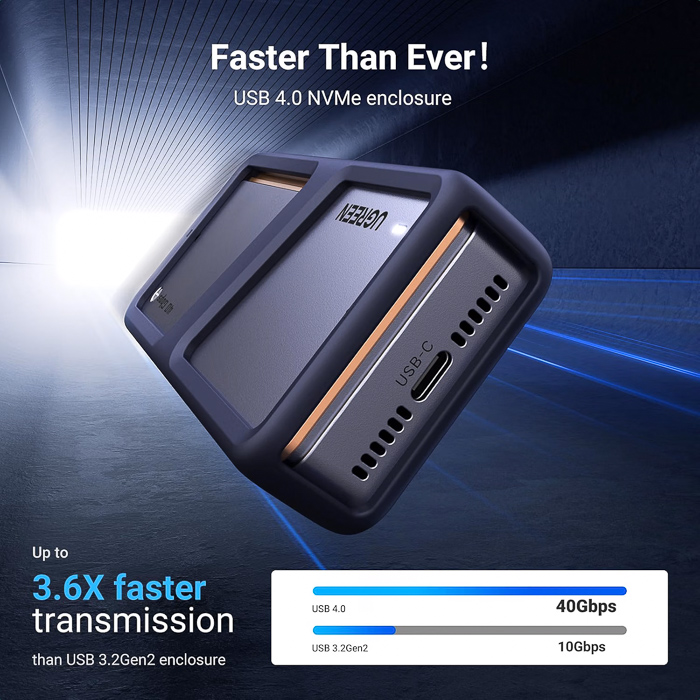
3. DisplayPort reservation USB4 is built on Thunderbolt technology, and at the 40Gbps tier, the protocol always reserves a portion of bandwidth for video signals (DisplayPort) — even when no monitor is connected. This typically caps the bandwidth actually available for data transfer (the "data lane") at around 32 Gbps, not the full 40 Gbps.
| Scenario | Speed (Gbps) | Speed (GB/s) |
|---|---|---|
| Theoretical maximum | 40 Gbps | 5.0 GB/s |
| Real-world max (data lane) | ~32 Gbps | ~3.2–3.8 GB/s |
| Typical average performance | ~22–28 Gbps | ~2.7–3.2 GB/s |
Viewed through this lens, you can expect reads around 2.9–3.1 GB/s and writes around 2.3–2.9 GB/s depending on test and cache settings. Those numbers are realistic, expected range for any USB4 device, once bit/byte conversion, protocol overhead, and Thunderbolt's DisplayPort reservation are accounted for. The "40Gbps" printed on the box was never going to translate to 5 GB/s of usable file-transfer speed — no USB4 or Thunderbolt device, from any manufacturer, achieves that.
Review Pages