Breaking News

Pioneer announces microSD for dashcam God of War Greek trilogy remake in development & God of War Sons of Sparta out now Sony Launches WF-1000XM6 Truly Wireless Earbuds EnGenius ECW515 Brings Wi-Fi 7 Performance to In-Room and In-Unit Deployments MSI Strengthens Strategic Partnership with Samsung Display

logo

  • Share Us
    • Facebook
    • Twitter
  • Home
  • Home
  • News
  • Reviews
  • Essays
  • Forum
  • Legacy
  • About
    • Submit News

    • Contact Us
    • Privacy

    • Promotion
    • Advertise

    • RSS Feed
    • Site Map

Search form

Terramaster F2-212

Sep 10,2023 0

2. The package


Review Pages

1. Introduction
2. The package
3. Installation
4. Operating System
5. Conclusion


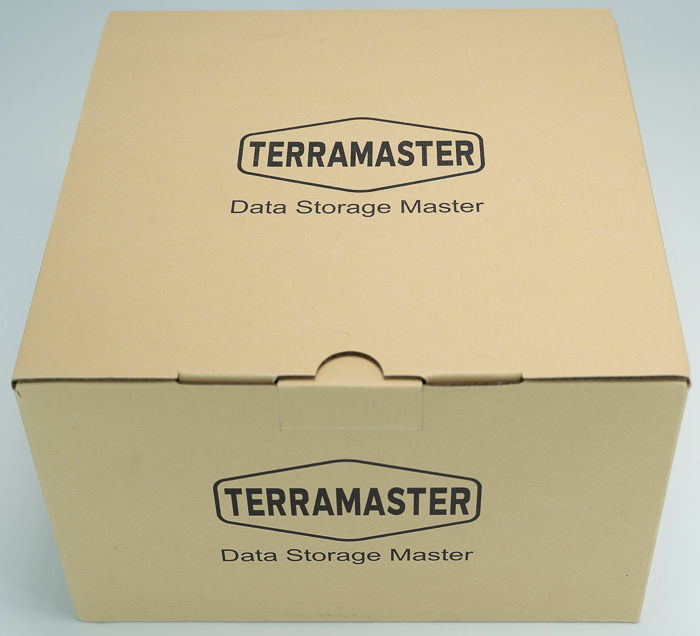
The design of the retail package for the TerraMaster F2-212 hasn't changed at all, it's rather generic, which we don't mind at all. Everything is well packaged inside and you don't have any problems with transportation hazards. The Packaging Size (H*W*D) is 258 x 220 x 170 mm, while the gross weight is 2.1 Kg. The products come with a limited warranty of 2 years and several certifications (FCC, CE, CCC, KC) and environment RoHS, WEEE.
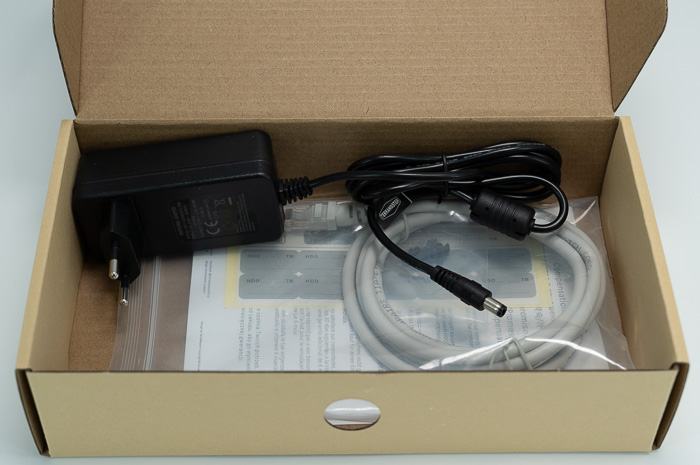
Inside you will find apart from the NAS server itself, one power cord, one power adapter, one RJ-45 network cable, a quick Installation Guide, a Limited Warranty Note a few screws mainly if you use 2.5" HDD/SSD drives.
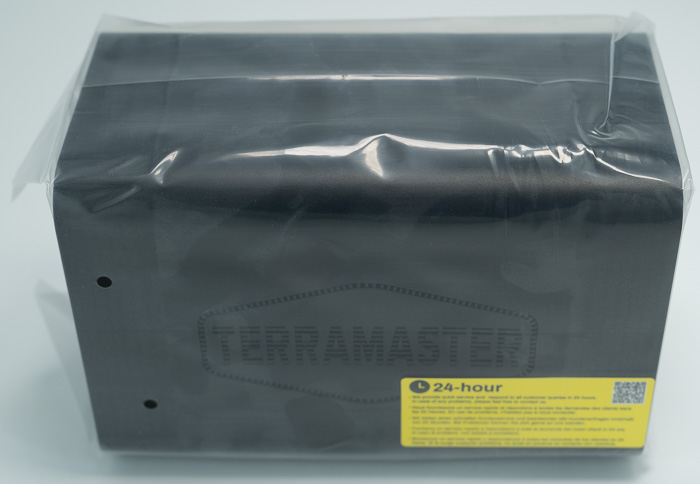
The NAS server comes at black colour and its protected from dust inside a plastic bag.
The new NAS F2-212 / F4-212 series comes with a new design, mainly at the HDD cage and side panels. The build material is good ABS plastic and the size of the product is around (H*W*D) 222 x 119 x 154 mm with 1.3kg (without any HDD drives installed). At the front, you will find two HDD bays with the F2-212 logo, while there are two indication led (green for power/HDD indicator)

On the side panel, you will find many ventilation holes and the TerraMaster logo
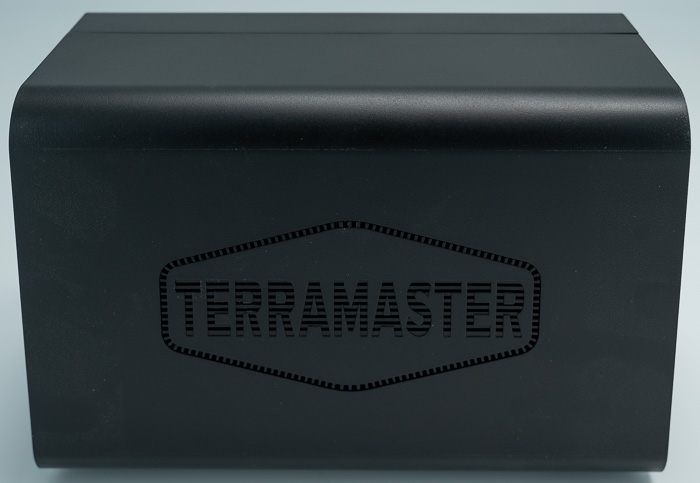
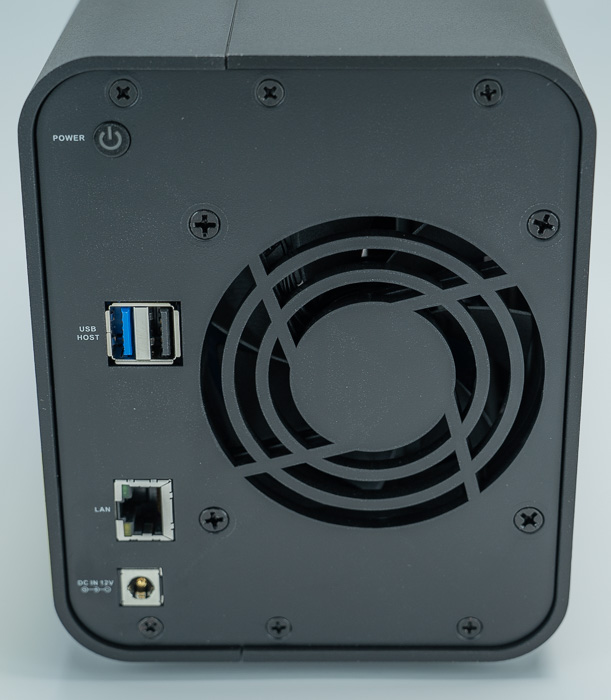
while at the back, you will find a power button, one USB 3.0, one USB 2.0, one 1GBit RJ45, and finally the power DC socket. In order to cool down the device, there is an 80x80x25mm fan, that produces low noise according to Terramaster (23.8 dB(A) (Fully loaded Seagate 4TB ST4000VN008 hard drive(s) in idle state). Finally, the NAS server needs around 40Watt at full load to properly work.
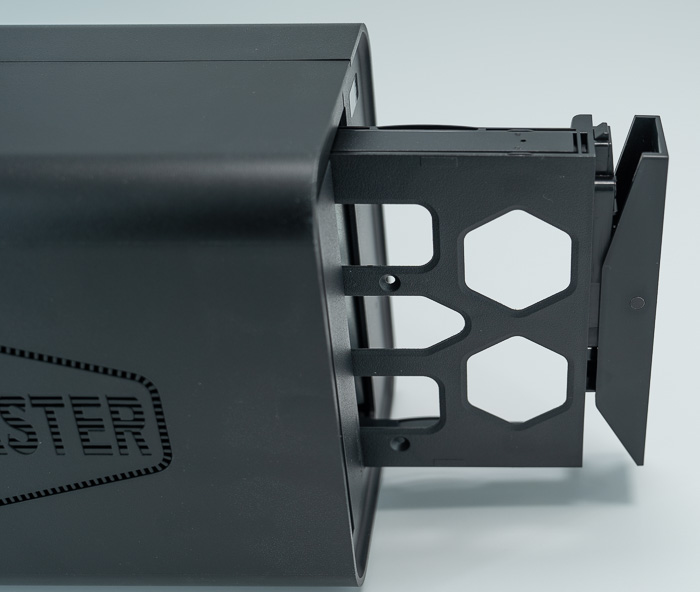
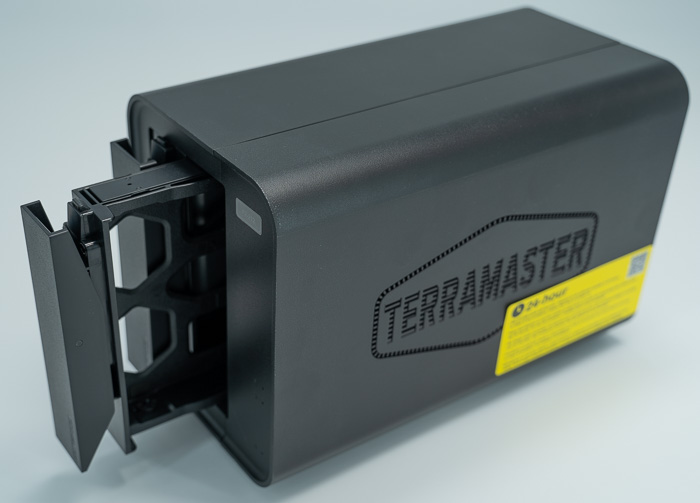
To open the front HDD cages, you need to press each cage gently at the top
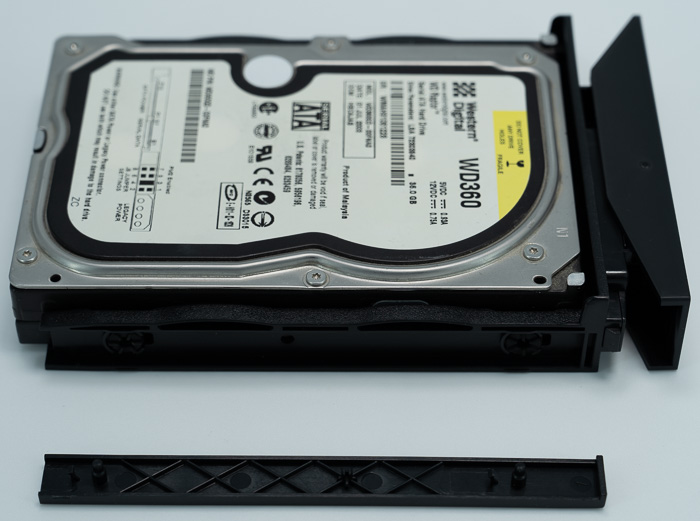
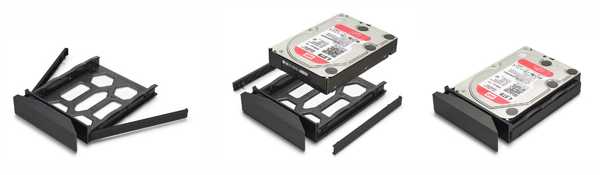
The included HDD cage is made out of plastic and it now tooless, at least for 3.5" drives. For 2.5" HDD drives you need to screw them at the HDD cages with the included screws.

The installation process of the HDD is very simple, remove both side plastic panels of the HDD cage, install the HDD, and re-install them, everything is secure.


Review Pages

1. Introduction
2. The package
3. Installation
4. Operating System
5. Conclusion


Pages

  • « first
  • ‹ previous
  • 1
  • 2
  • 3
  • 4
  • 5
  • next ›
  • last »

TerraMaster

Tags: TerraMaster
Previous Post
Crucial Pro DDR5-5600 32GB Memory Kit
Next Post
addlink AddGame A93 4TB NVME SSD

Related Posts

  • TerraMaster launces D1 SSD Pro 80Gbps Thunderbolt 5 Enclosure

  • TerraMaster TOS 7 Beta Now Open Worldwide

  • TerraMaster Black Friday & Cyber Monday 2025 Mega Sale Is Here

  • TerraMaster Unveils TOS 7 Insider Preview

  • TerraMaster Launches F2-425 2-Bay NAS

  • TerraMaster Launches D1 SSD Plus

  • TerraMaster Offers Up to 25% Off on Amazon Prime Day 2025

  • TerraMaster Launches F4 SSD

Latest Reviews

Asustor AS5404T 4-Bay NAS System
Enterprise & IT

Asustor AS5404T 4-Bay NAS System

be quiet! Pure Power 13M 1200W
PC components

be quiet! Pure Power 13M 1200W

Server-Side Gaming Why Canadian Online Casinos Are Abandoning Local Clients for HTML5 Clouds
Enterprise & IT

Server-Side Gaming Why Canadian Online Casinos Are Abandoning Local Clients for HTML5 Clouds

Airfanta 3 Pro Air
Consumer Electronics

Airfanta 3 Pro Air

Akaso Brave 8 Lite
Cameras

Akaso Brave 8 Lite

Popular News

COLORFUL Introduces CVN B850I GAMING FROZEN Motherboard

COLORFUL Introduces CVN B850I GAMING FROZEN Motherboard

COLORFUL Presents CVN X870 ARK FROZEN Motherboard for AMD Ryzen 9000 CPUs

COLORFUL Presents CVN X870 ARK FROZEN Motherboard for AMD Ryzen 9000 CPUs

TEAMGROUP Launches EXPERT P34F Find My External SSD

TEAMGROUP Launches EXPERT P34F Find My External SSD

Samsung announces Galaxy Tab S11 and Galaxy S25 FE series

Samsung announces Galaxy Tab S11 and Galaxy S25 FE series

Viltrox Showcases Upcoming Lens Lineup and New TTL Flash at IBC 2025

Viltrox Showcases Upcoming Lens Lineup and New TTL Flash at IBC 2025

CORSAIR announces Vanguard Pro 96 and Vanguard 96 Gaming Keyboards

CORSAIR announces Vanguard Pro 96 and Vanguard 96 Gaming Keyboards

Panasonic Introduces the First Ultra-Telephoto Zoom Lens in the LUMIX S Series

Panasonic Introduces the First Ultra-Telephoto Zoom Lens in the LUMIX S Series

MSI Launches DATAMAG 40Gbps Magnetic Portable SSD

MSI Launches DATAMAG 40Gbps Magnetic Portable SSD

Main menu

  • Home
  • News
  • Reviews
  • Essays
  • Forum
  • Legacy
  • About
    • Submit News

    • Contact Us
    • Privacy

    • Promotion
    • Advertise

    • RSS Feed
    • Site Map
  • About
  • Privacy
  • Contact Us
  • Promotional Opportunities @ CdrInfo.com
  • Advertise on out site
  • Submit your News to our site
  • RSS Feed