
Breaking News

Arctic announces Senza AI 370 Under Desk PC for AI Applications CORSAIR Announces the Airflow-focused 3200D Mid Tower for Ambitious DIY PC Builds Silicon Power Launches Enterprise-Grade DDR5 RDIMM to Accelerate AI Workloads World Backup Day 2026: A Backup Doesn’t Always Need to be in the Cloud Sharkoon announces S100 ARGB AIO Cooler

logo

  • Share Us
    • Facebook
    • Twitter
  • Home
  • Home
  • News
  • Reviews
  • Essays
  • Forum
  • Legacy
  • About
    • Submit News

    • Contact Us
    • Privacy

    • Promotion
    • Advertise

    • RSS Feed
    • Site Map

Search form

Sunbeamtech Core-Contact Freezer LGA1366

Oct 15,2009 0

2. Retail package, installation


Review Pages

1. Features
2. Retail package, installation
3. How we test
4. Results
5. Final words


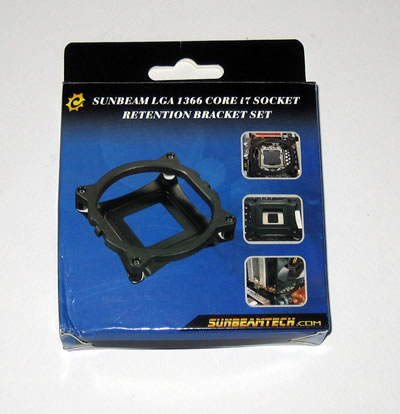
Here is the retail box of the Sunbeamtech Core-Contact Freezer:
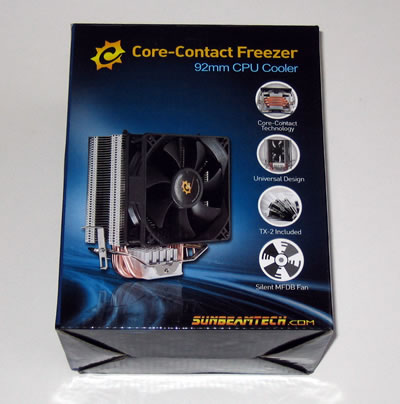
The product retails for about $32, as found at several online stores. The LGA1366 retention bracket would probably cost you more bucks, but nevertheless it's needed if you decide to use it with a Core i7 processor. Out of the box, the cooler can be installed in 775 & AMD2 sockets.

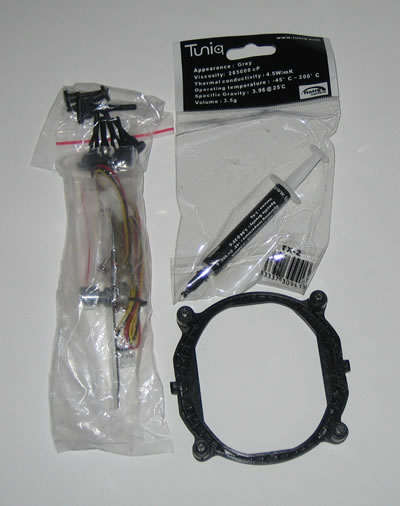
The retail package includes the CPU cooler, mounting clips for socket LGA 775/AM2, a fan controller, a Tuniq TX2 thermal paste and several mounting clips for the base. We can say that the retail package is complete..
We have to do with a medium-sized cpu cooler with U-shape design and featuring the core-contact technology as found in most Xigmatek products. The 92mm fan is already pre-installed and of course, you can add an extra one using the available holes on the the aluminum fins.
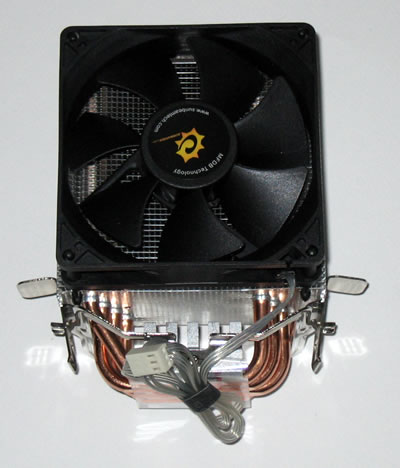
Four 6mm full copper heatpipes connect the base with the fins.
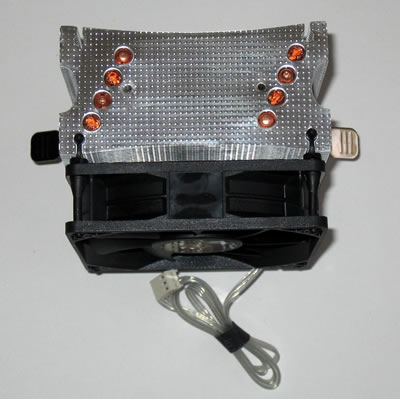
The LGA1366 retention bracket is useful for Core i7 users
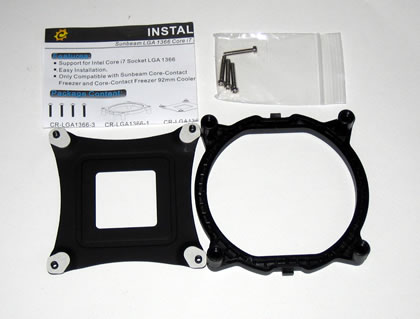
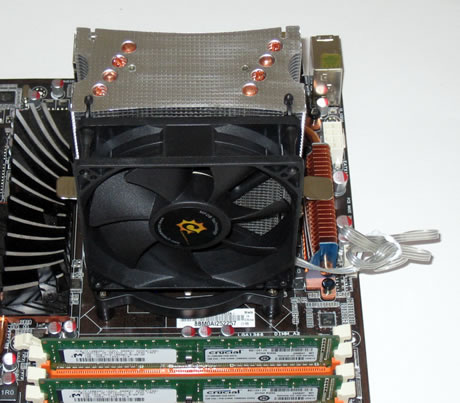
In order to install the cooler to the motherboard you should remove the motherboard from the PC case first, especially if you are using the LGA1366 kit. The procedure is simple: You place the backplate on the motherboard and then you mount the plastic base at the backplate using the long screws found in the package. This is how your motherboard should look like after the installation of the base:

The next step is to place the cooler on the plastic base. Gently push the one side of the cooler to the retention bracket and then apply some extra force to get the cooler secured. Nothing hard to accomplish but just be careful:
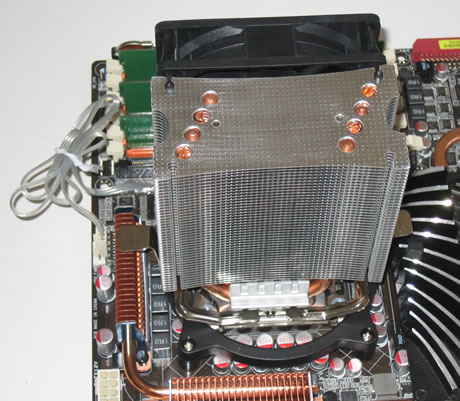
As you can see in the picture below, there is enough free space left at the rear side of the cooler, allowing you to possibly add another 92mm rotating fan there:-)

 

Review Pages

1. Features
2. Retail package, installation
3. How we test
4. Results
5. Final words


Pages

  • « first
  • ‹ previous
  • 1
  • 2
  • 3
  • 4
  • 5
  • next ›
  • last »

Sunbeamtech

Tags: Sunbeamtech
Previous Post
Glacialtech Igloo 5610 Plus Silent
Next Post
Crucial 128GB SSD

Related Posts

  • Sunbeamtech - Tuniq Release Latest CPU Cooler

Latest Reviews

Why Streaming Live Casino Games Demands Smarter Tech
Enterprise & IT

Why Streaming Live Casino Games Demands Smarter Tech

Kioxia Exceria Plus G3 512GB microSD
Cameras

Kioxia Exceria Plus G3 512GB microSD

SoundPeats Cove Pro
Consumer Electronics

SoundPeats Cove Pro

Asustor AS5404T 4-Bay NAS System
Enterprise & IT

Asustor AS5404T 4-Bay NAS System

be quiet! Pure Power 13M 1200W
PC components

be quiet! Pure Power 13M 1200W

Popular News

COLORFUL Presents CVN X870 ARK FROZEN Motherboard for AMD Ryzen 9000 CPUs

COLORFUL Presents CVN X870 ARK FROZEN Motherboard for AMD Ryzen 9000 CPUs

TEAMGROUP Launches EXPERT P34F Find My External SSD

TEAMGROUP Launches EXPERT P34F Find My External SSD

Samsung announces Galaxy Tab S11 and Galaxy S25 FE series

Samsung announces Galaxy Tab S11 and Galaxy S25 FE series

Viltrox Showcases Upcoming Lens Lineup and New TTL Flash at IBC 2025

Viltrox Showcases Upcoming Lens Lineup and New TTL Flash at IBC 2025

CORSAIR announces Vanguard Pro 96 and Vanguard 96 Gaming Keyboards

CORSAIR announces Vanguard Pro 96 and Vanguard 96 Gaming Keyboards

Panasonic Introduces the First Ultra-Telephoto Zoom Lens in the LUMIX S Series

Panasonic Introduces the First Ultra-Telephoto Zoom Lens in the LUMIX S Series

MSI Launches DATAMAG 40Gbps Magnetic Portable SSD

MSI Launches DATAMAG 40Gbps Magnetic Portable SSD

MSI Launches FORGE GK600 TKL WIRELESS Special Edition Compact Mechanical Keyboard

MSI Launches FORGE GK600 TKL WIRELESS Special Edition Compact Mechanical Keyboard

Main menu

  • Home
  • News
  • Reviews
  • Essays
  • Forum
  • Legacy
  • About
    • Submit News

    • Contact Us
    • Privacy

    • Promotion
    • Advertise

    • RSS Feed
    • Site Map
  • About
  • Privacy
  • Contact Us
  • Promotional Opportunities @ CdrInfo.com
  • Advertise on out site
  • Submit your News to our site
  • RSS Feed