Breaking News

DeepCool Launches the LT360 VISION ARGB Noctua and Asetek Announce Flagship AIO Liquid Coolers Toshiba Begins Sampling of 30-34 TB SMR Nearline Hard Disk Drives ASUS ROG Strix Laptop Lineup Returns With the Latest Intel Core Ultra 9 290HX Plus Processors EnGenius Brings AI-Powered Analytics and Sophisticated Cloud Management to Existing ONVIF Cameras

logo

  • Share Us
    • Facebook
    • Twitter
  • Home
  • Home
  • News
  • Reviews
  • Essays
  • Forum
  • Legacy
  • About
    • Submit News

    • Contact Us
    • Privacy

    • Promotion
    • Advertise

    • RSS Feed
    • Site Map

Search form

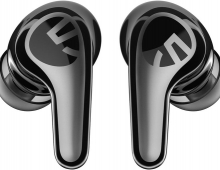
Soundpeats Pop Clip

Mar 10,2025 0

3. App


Review Pages

1. Introduction
2. Retail Package
3. App
4. Use - Conclusion


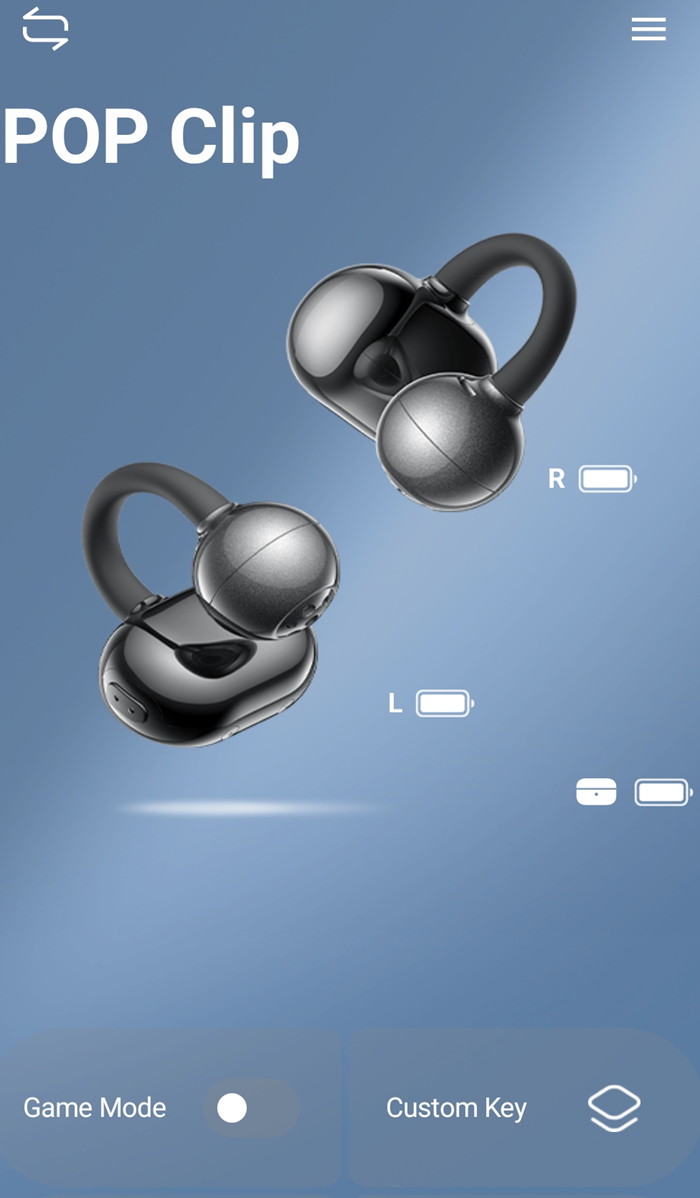
To start working with the product, first, you have to install (highly suggested) the PeatsAudio app from the Android/MAC Store. After the installation process, you have to open the product, open up BT and the SoundPeats PearlClip Pro will appear, double press to pair it with your phone, nothing difficult here. After the first screen, it's required to perform an online account and set a username/pass to log in. Press "Add Device", the app needs nearby permission to search for the device and another functionality of the the app can be set to find earbuds in case you lose them, it will produce a tone for you to hear and locate them. After you choose the earbud's colors, the product will appear in your app. We noticed that you cannot see the % of battery of each product, perhaps in the future this will also added.

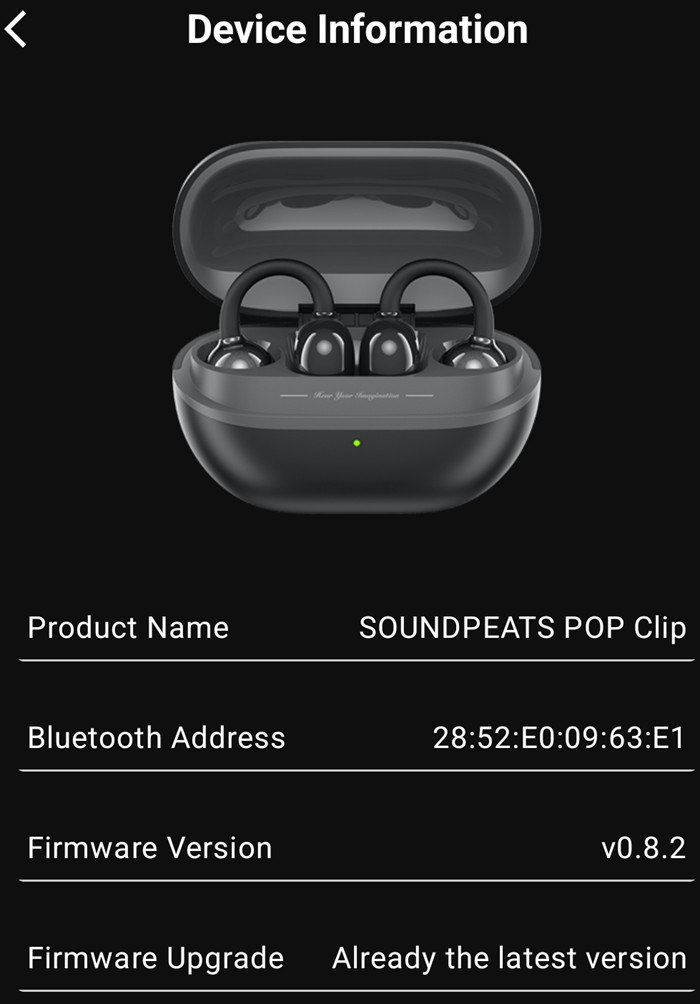
The device information shows the product BT address and the firmware revision,
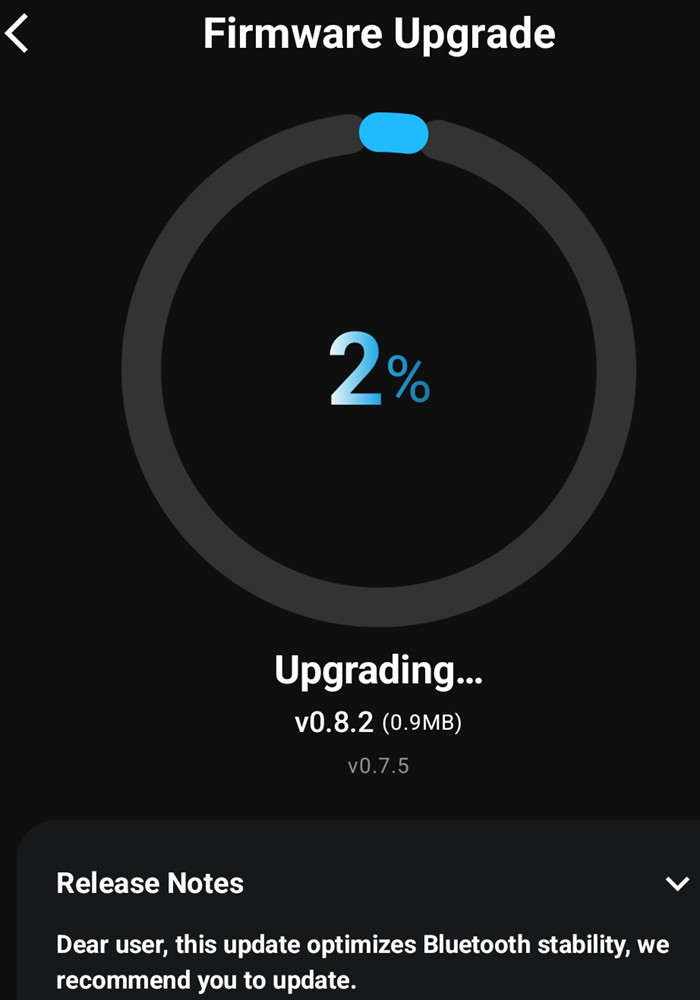
We upgraded the firmware from the app and we got the latest version installed, no issues here also.

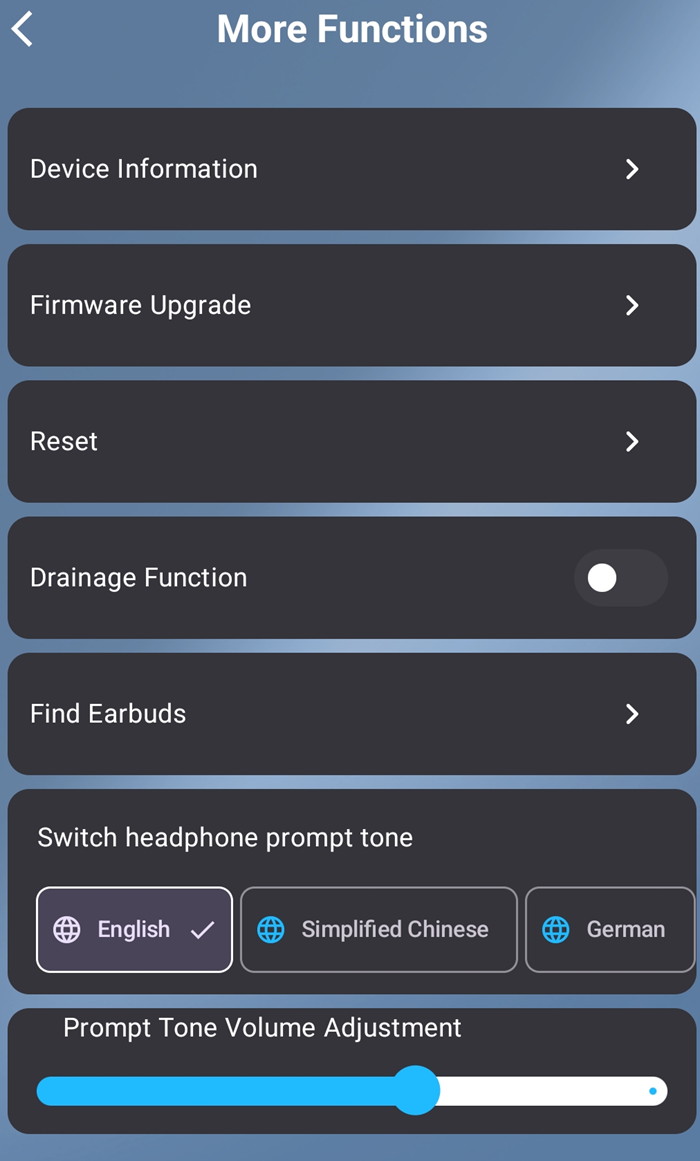
There are more functions available, like resetting of find earbuds. At the button of the app, you can enable game mode that reduces audio lag, enable movie mode, and set custom key functions as well.
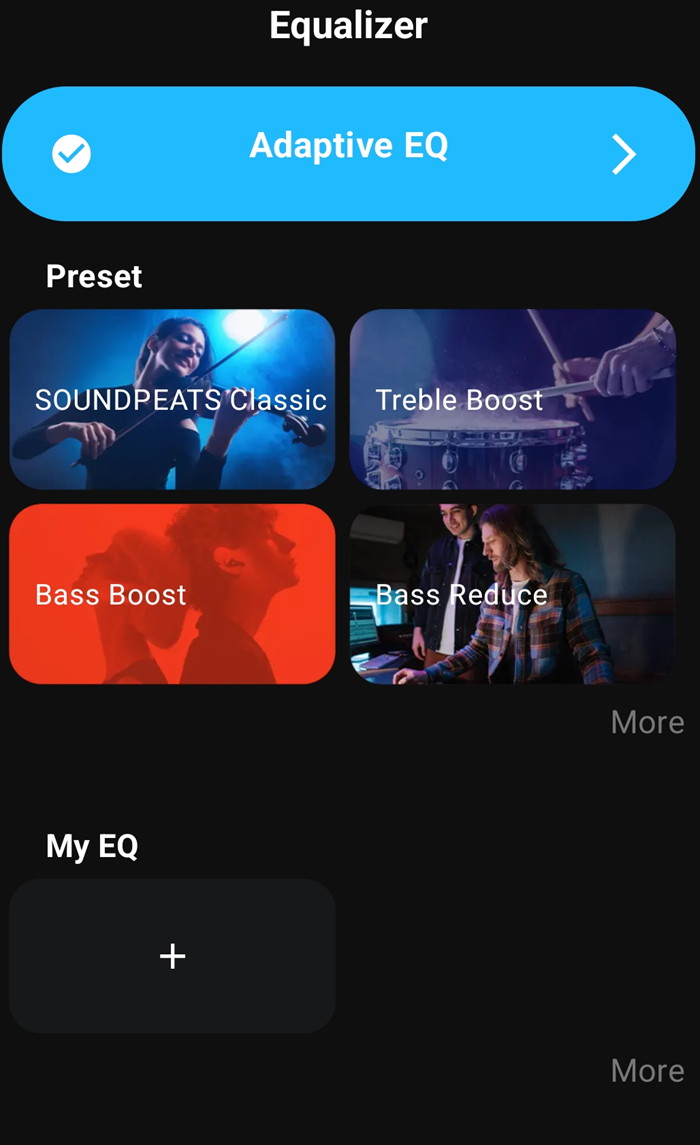
The PeatsAudio app also supports Equalizer, either presets or select your own EQ, or test your hearing with the Adaptive EQ.
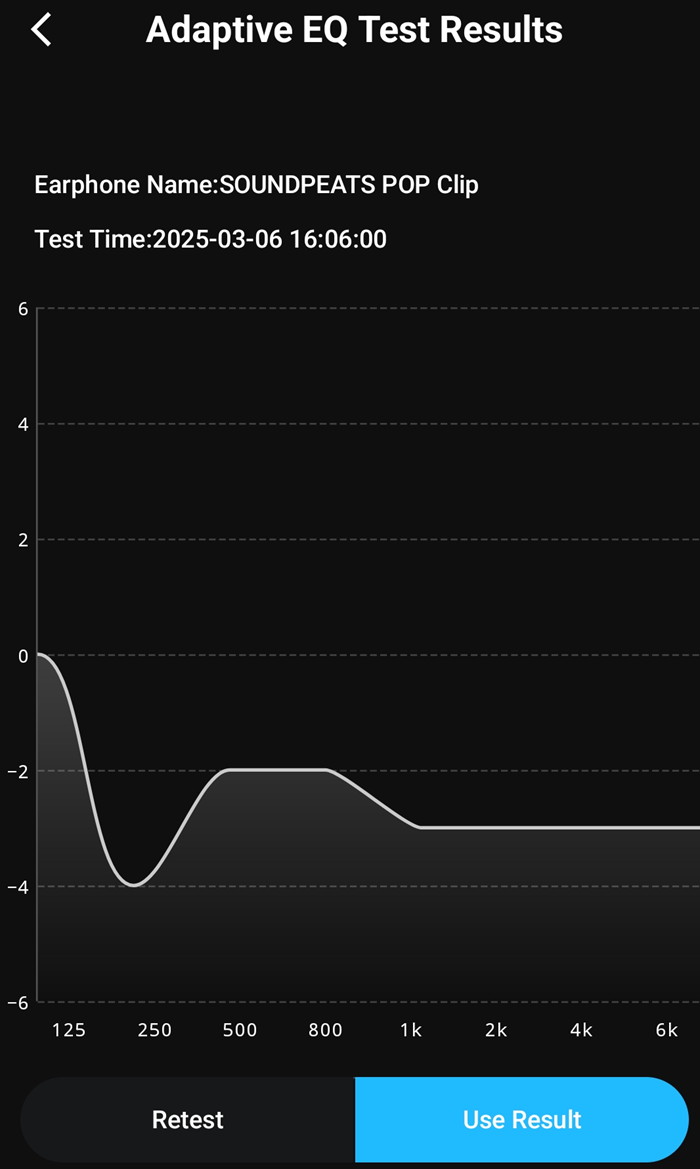
With the Adaptive EQ, the app will play sound that you should click if you hear the sound to complete the test. At the end, you will find a frequency graph and you can retest or use the test results. Many other presets are available or simply you can make your own.
The app was the latest one (v1.6.29)
Bluetooth Pairing
l. The headset is in the charging compartment, open the charging compartment cover, the headset will turn on automatically, close the charging compartment cover, the headset will turn off automatically.
2. After the headset is turned on, search and select the name of your cell phone's Bluetooth device SOUNDPEATS POP Clip to connect successfully.

Forced Pairing
The headset is placed in the charging case, open the charging case, long press the charging case button for 2 seconds, when the white light of the charging case status indicator continues to flash, the headset enters the pairing state.

Dual Device Connection
l.The headset is paired with device A first, after successful pairing, turn off the Bluetooth function of device A.
2. Repeat the pairing operation to make the headset connect with device B successfully, keep the headset connected with device B.
3. Turn on the Bluetooth function of device A again.

After completing the dual-device connection operation for the first time, subsequent dual-device connections can be connected back automatically.

Factory Reset
1. Place the earbuds in the charging case with the lid open.
2. Press and hold the function button on the charging case for 10 seconds until the red light flashes quickly three times. This will reset the earbuds to factory settings.

 

Review Pages

1. Introduction
2. Retail Package
3. App
4. Use - Conclusion


Pages

  • « first
  • ‹ previous
  • 1
  • 2
  • 3
  • 4
  • next ›
  • last »

SoundPeats

Tags: SoundPeats
Previous Post
The Tech Behind the Aviator Game
Next Post
Sharkoon OfficePal M25W

Related Posts

  • SoundPeats C30

  • SoundPeats Cove Pro

  • Soundpeats Air 5

  • SOUNDPEATS Clip1

  • Soundpeats Capsule3 Pro Plus

  • SoundPeats PearlClip Pro

Latest Reviews

In the Age of AI Phishing, the Best User Experience Might Be the One That Feels Safest
Enterprise & IT

In the Age of AI Phishing, the Best User Experience Might Be the One That Feels Safest

SoundPeats C30
Consumer Electronics

SoundPeats C30

Why Streaming Live Casino Games Demands Smarter Tech
Enterprise & IT

Why Streaming Live Casino Games Demands Smarter Tech

Kioxia Exceria Plus G3 512GB microSD
Cameras

Kioxia Exceria Plus G3 512GB microSD

SoundPeats Cove Pro
Consumer Electronics

SoundPeats Cove Pro

Popular News

COLORFUL Presents CVN X870 ARK FROZEN Motherboard for AMD Ryzen 9000 CPUs

COLORFUL Presents CVN X870 ARK FROZEN Motherboard for AMD Ryzen 9000 CPUs

TEAMGROUP Launches EXPERT P34F Find My External SSD

TEAMGROUP Launches EXPERT P34F Find My External SSD

Samsung announces Galaxy Tab S11 and Galaxy S25 FE series

Samsung announces Galaxy Tab S11 and Galaxy S25 FE series

Viltrox Showcases Upcoming Lens Lineup and New TTL Flash at IBC 2025

Viltrox Showcases Upcoming Lens Lineup and New TTL Flash at IBC 2025

CORSAIR announces Vanguard Pro 96 and Vanguard 96 Gaming Keyboards

CORSAIR announces Vanguard Pro 96 and Vanguard 96 Gaming Keyboards

Panasonic Introduces the First Ultra-Telephoto Zoom Lens in the LUMIX S Series

Panasonic Introduces the First Ultra-Telephoto Zoom Lens in the LUMIX S Series

MSI Launches DATAMAG 40Gbps Magnetic Portable SSD

MSI Launches DATAMAG 40Gbps Magnetic Portable SSD

MSI Launches FORGE GK600 TKL WIRELESS Special Edition Compact Mechanical Keyboard

MSI Launches FORGE GK600 TKL WIRELESS Special Edition Compact Mechanical Keyboard

Main menu

  • Home
  • News
  • Reviews
  • Essays
  • Forum
  • Legacy
  • About
    • Submit News

    • Contact Us
    • Privacy

    • Promotion
    • Advertise

    • RSS Feed
    • Site Map
  • About
  • Privacy
  • Contact Us
  • Promotional Opportunities @ CdrInfo.com
  • Advertise on out site
  • Submit your News to our site
  • RSS Feed